Installation

The back connectors include a power plug port and a single 15-pin mini-DIN port.
Because the p2460 only has a single 15-pin Mini-D Sub connector and power connector, setting up the monitor is about as simple as it gets. The monitor comes with the following: a video cable; a power cable; a single CD-ROM that contains a PDF manual and Acrobat reader software; and a software utility package called BigMonitor v3.0 that contains a handful of utilities. Since the monitor is "Plug-and-Play," there are no specific drivers to load.

The BestView utility automatically resizes fonts and icons for higher resolutions.
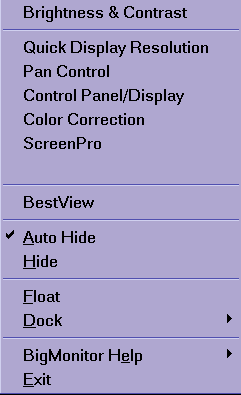
The BestView pop-up menu.

The BestView utility lets you select the optimum resolution and then automatically resizes fonts and icons for easier viewing at higher resolutions.


