Best offers
|
P7P55D Motherboard (Intel Socket H... | $149.99 Newegg.com More info |
|
M4A785TD-V EVO AMD 785G/SB710 Socket... | $99.99 Newegg.com More info |
|
GA-P55-UD3R Motherboard (Intel Socket... | $157.20 PC Connection More info |
|
GA-P55-UD4P Motherboard (Intel Socket... | $169.99 Newegg.com More info |
|
Motherboard (Intel Socket 478, Intel... | $79.95 Sillworks.com More info |
Related Content
- raid array
- add hard drives to a raid array
- how arrays are created
- raid array stripe size
- p35 is a 3 series chipset
- select stripe size
- what size hard drive for raid array
- raid array capacity
- selecting raid stripe size
- read speed ddr3
- how to remove intel raid array
- raid 1 stripe size 64 kb
- windows not showing full capacity of hard drive
- volume notification not showing up
- raid stripe size write speed
Partners
The Games selection
violent :
Interactive Buddy
Unwind on your interactive buddy: Do anything you want to him, it will earn you money, and you can buy other stuff to torture him with.
|
kids :
Bob
Throw bubbles so as to make the ones that appear in the game disappear. For this, use the Right / Left arrow keys to duck or move about, and the...
|
Ads
Sponsored links
9:27 AM - 05/21/2007 by
Patrick Schmid


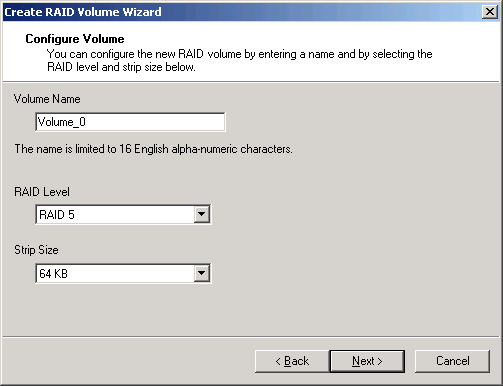
Pick a name for your RAID array and select the RAID level and stripe size. The larger the stripes, the better your sequential read or write performance; but remember that storing tiny files will always utilize at least one full stripe (64 kB in this example).
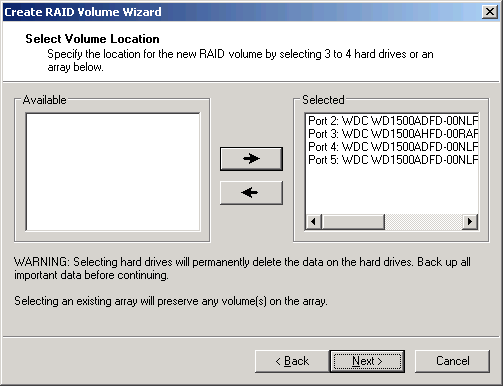
Add hard drives to the RAID array that is to be created.
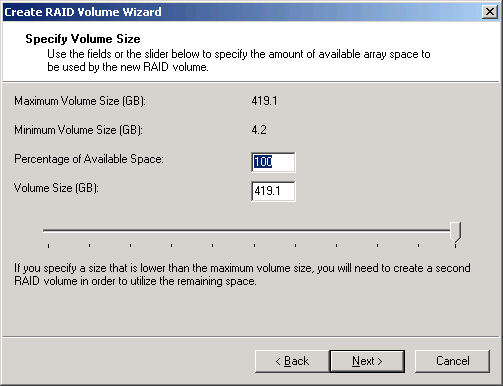
You don't have to use the full capacity for your RAID array: This window allows you to select a capacity for your volume.
Notification Of Degraded Arrays
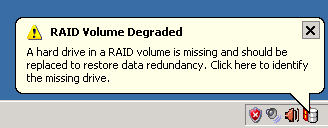
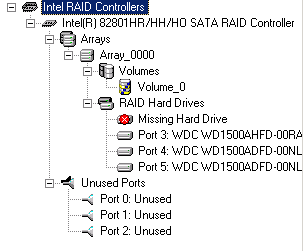
If a hard drive fails or is removed accidentally, the Intel Storage Manager will display a warning message through the task bar.