Gretag Macbeth Eye-One Display 2
The software utility "Eye-One Match 3" controls the calibration on both the PC and the Mac; the opening screen looks very smart.
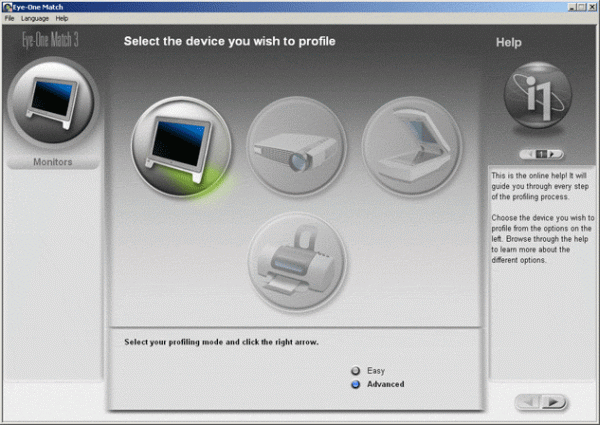
The utility and the calibrator can calibrate various types of equipment, such as LCD and CRT monitors and rear projectors. On the opening screen, the user has the choice of going into "simple" or "advanced" mode, but if you're serious enough to even think of using a calibrator, then "simple" mode won't be of interest to you. The "advanced" mode offers different options corresponding to the different standards (Srgb, D50, and so on) for various equipment types (LCD, CRT, etc...)
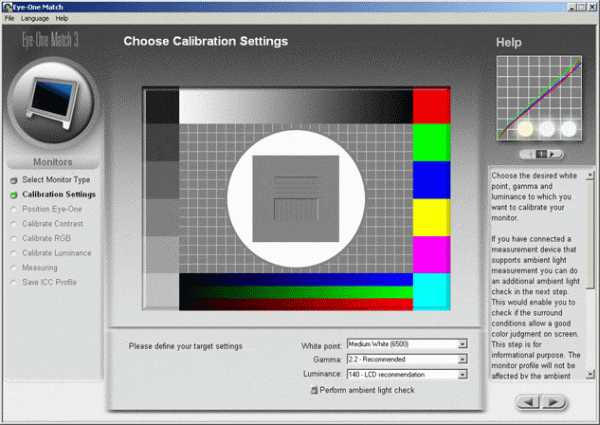
On the left side of the screen, a context-sensitive help menu is available to guide the beginner, but also to explain the purpose of each procedure.
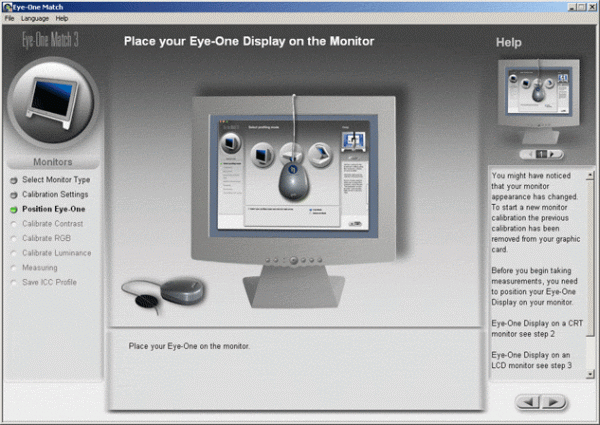
Where previous calibrators had to be precisely aligned, Gretag has developed a probe search algorithm. You can position the calibrator anywhere you like, and the software will work out where it is on the display surface. After that, calibration is an interactive process. Note that it's important to avoid positioning the calibrator in an area of the screen where the OSD is going to be displayed.
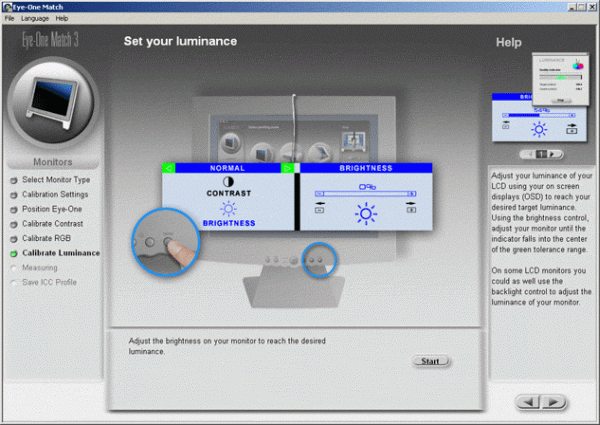
Calibration takes place in two stages. The first interactive part is aimed at setting the brightness and contrast of the screen, and takes about 3 to 4 minutes for each calibration. Then the calibration proper (so to speak) starts, and runs autonomously for about 4 minutes.

At the end of the calibration, the results are shown in precise graphical format, as seen on the left here. The utility also calculates the range of the screen on the left. This latter result is a good indicator of the richness of the colors; the higher it is, the richer the colors.
Obviously, the software also generates the calibration profile - that's the point of it after all!
Overall, the software is good quality, but the resolution of the graphical resolution of the final readout or report is poor, worse in every case than that of our LaCie Blue-Eye probe. Informed of this, Gretag explained to us how to access the raw data and produce a sharper graphic, but the stages involved are complicated and fiddly. In spite of everything, the Gretag probe gives the delta of each color independently whereas our Blue-Eye 2 probe only gives a synthetic estimate of the three colors.