Windows Only
The fan controller comes with software for all versions of Microsoft Windows from Windows 95. However, no other operating systems are supported. It does not currently support Windows XP 64 due to the lack of a driver for the FTDI chip.
Irksome And Fiddly Installation
The user has to install the software manually without a setup wizard. While that can be a happy thing for ambitious users who know what they want, a lot of people would rather click a setup.exe and let the installation run automatically.
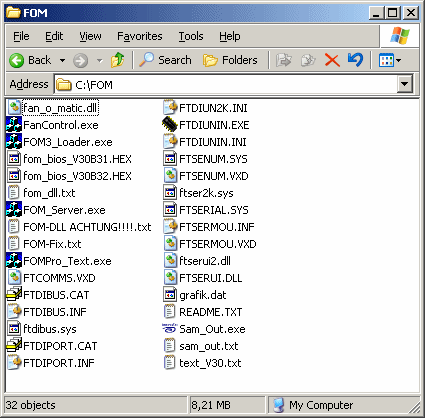
This is what you see post installation - what would you launch?
The plethora of choices continues after installation, too. The "FanControl.exe" proves to be the correct solution. A tray icon next to the main window communicates the program status. Two marked LEDs indicate whether the USB cable and the additional Molex connector are plugged in. First, though, you have to select the right COM port, or else nothing will work. We searched in vain for an automatic search function. If you forgot to plug in the Molex, be sure not to do so while the program is still running. The software will freeze and you won't even be able to close it with the task manager.


