Virtual Networks And Real Networks
VMware Workstation 4 offers 4 networking options.
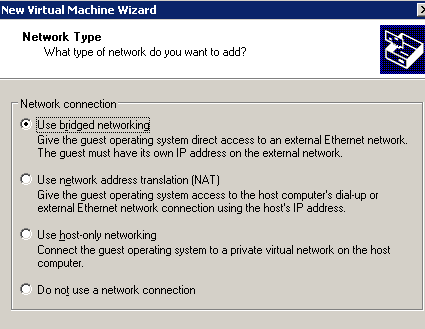
Choose your destiny: read with great attention...
Bridged Networking: the virtual machine connects to the local network using the same Host's network card. It is necessary to assign to the Guest valid name and IP address, so it will figure out as a real machine inside the LAN.
NAT - Network Address Translation: in this mode, the virtual machine can access the network resources but does not have its own IP address, which identifies it on the external network. VMware sets up a VPN (Virtual Private Network) between the virtual machines and the Host system.
Host Only: the easiest way to put Guest and Host in communication. VMware creates a direct network link between the two machines, similar to using a "crossed" network cable.
No Network Connection: does this need explanations?
Do not be alarmed if you see two new network cards on your PC after the installation: they are the virtual peripherals create by VMware Workstation.
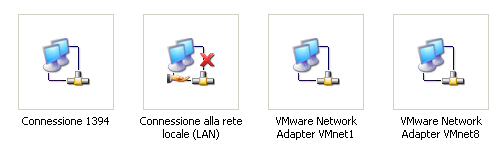
Two new guests in the network peripherals list.


