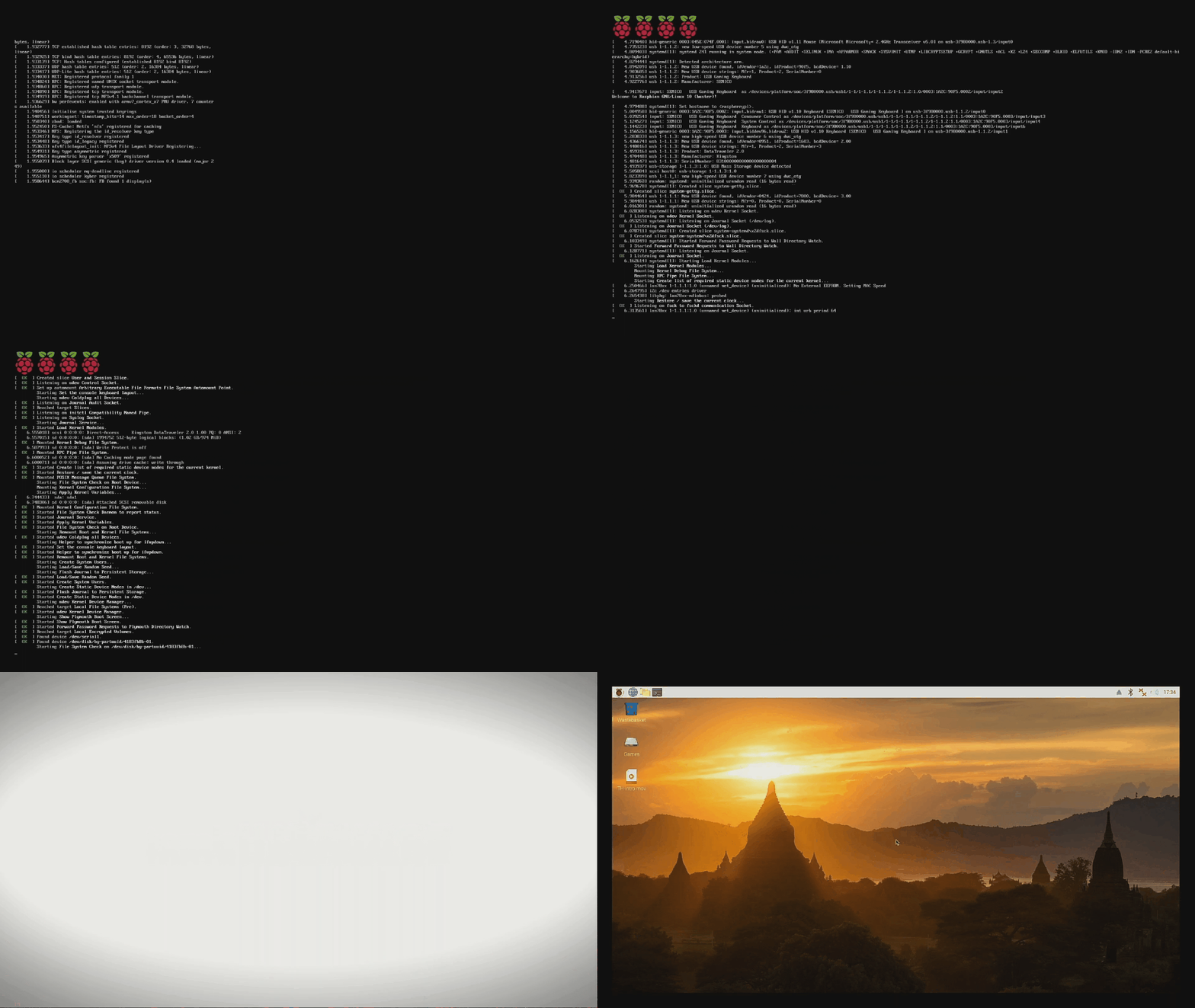
When a Raspberry Pi boots in Raspberry Pi OS, we see a splash screen, an image that tells us that the operating system is loading. But why settle for the default? If we are planning to embed a Raspberry Pi in an art installation, interactive advertisement or information board, then a custom splash screen is a cool and simple way to add a little class to your project. Or you could just change the image to amuse yourself and your friends. Replacing the Raspberry Pi splash screen is exceptionally easy.
We don’t need to install any extra software on our Raspberry Pi, and the software to create the images and videos is available free of charge on the Internet. In this tutorial we shall create two custom splash assets: a boot splash image and then a video which plays while our Raspberry Pi boots. The inspiration for this tutorial comes from the RetroPie retro emulator which has custom boot splashes as part of its theme manager.
How to Replace the Raspberry Pi Splash Screen Image
(Image credit: Tom's Hardware)
1. In your favorite image editor create a splash screen and save it as splash.png. We chose a 1920 x 1080 resolution as it scales well with 16:9 resolutions.
2. Copy the image to a USB flash drive and insert the drive into the Raspberry Pi.
3. Copy splash.png from the USB flash drive to your home directory /home/pi/
4. Open a Terminal and change directory to the location of the original splash screen for your Pi.
$ cd /usr/share/plymouth/themes/pix/
5. Backup the original splash.png file to a file called splash.png.bk.
Stay On the Cutting Edge: Get the Tom's Hardware Newsletter
Get Tom's Hardware's best news and in-depth reviews, straight to your inbox.
$ sudo mv splash.png splash.png.bk
6. Copy your splash.png to the current directory. This will copy the freshly created splash image ready for use.
$ sudo cp /home/pi/splash.png ./
7. Reboot your Raspberry Pi.
Once your Raspberry Pi reboots you will see the familiar rainbow screen, and then a few seconds later you will see your custom splash screen.
How to Create a Raspberry Pi Splash Screen Video
(Image credit: Tom's Hardware)
A picture is worth a thousand words and it can really sell your project, so a video must be an order of magnitude more effective. The process to add a video is also just two lines of code, and a video file. For best results why not have a boot splash image and a video, by doing this we keep all of the console logs hidden from prying eyes, and it keeps our boot process on brand.
1. Create a video using a video editor. We chose to use DaVinci Resolve because it is free and exceptionally powerful but any editor is fine. Your video should be 1920 x 1080 and be output as an mov file using the H264 codec.
2. Copy the file to a USB flash drive, we called the file TH-intro.mov.
3. Insert the USB flash drive into your Raspberry Pi and copy your video to the home directory /home/pi/
4. Open a Terminal and open the rc.local file for editing.
$ sudo nano /etc/rc.local
5. Scroll to the line before exit 0 and enter two lines of code. The first is a comment, to explain what we are doing, the second uses the command line video player omxplayer to play the video in the home directory. The added & is an instruction to run the command in the background. Remember to change TH-intro.mov to match the name of your video.
#Run video on boot
omxplayer /home/pi/TH-intro.mov &
(Image credit: Tom's Hardware)
6. Press CTRL + X, then press Y and ENTER to save and exit the editor.
7. Reboot the Raspberry Pi.
The Raspberry Pi will reboot and we will see the boot process happen, our custom splash screen will appear and then, after a few seconds, the video will play while the system finishes the boot process.
Les Pounder is an associate editor at Tom's Hardware. He is a creative technologist and for seven years has created projects to educate and inspire minds both young and old. He has worked with the Raspberry Pi Foundation to write and deliver their teacher training program "Picademy".
So, using plymouth as it is intended is cool and all, but I'd be much more interested in how to take control of the Pi to the degree that it might look like a custom product - no Raspberry text scroll at the start, maybe a custom image or animation there instead. Bonus points if the color splash can be customized. Otherwise, why not just change the desktop wallpaper and be done?
I also looked how to change the color screen, and there is no text scroll for me. Are you sure your not booting to the client, or have the setting to boot without the splash screen?
So, using plymouth as it is intended is cool and all, but I'd be much more interested in how to take control of the Pi to the degree that it might look like a custom product - no Raspberry text scroll at the start, maybe a custom image or animation there instead. Bonus points if the color splash can be customized. Otherwise, why not just change the desktop wallpaper and be done?
all you need is here:
https://retropie.org.uk/docs/FAQ/#how-do-i-hide-the-boot-textand for custom boot screen:
kdugp7DrODYView: https://www.youtube.com/watch?v=kdugp7DrODY&ab_channel=SmartTech
I also looked how to change the color screen, and there is no text scroll for me. Are you sure your not booting to the client, or have the setting to boot without the splash screen?
there you go:
https://retropie.org.uk/docs/FAQ/#how-do-i-hide-the-boot-textcustom boot screen:
kdugp7DrODYView: https://www.youtube.com/watch?v=kdugp7DrODY&ab_channel=SmartTech