









Live Over-The-Air TV Coming To Xbox One Console

Microsoft's Xbox Wire blog was recently updated with news that owners of the Xbox One can now purchase over-the-air TV tuners that are compatible with the console. This should be good news for gamers looking to "cut the cable" and rely on other sources such as Sling TV and Hulu Plus for their TV entertainment.
Currently, the over-the-TV programming is only available for participants in the Xbox One preview program in the United States and in Canada. At press time, only the Hauppauge WinTV-955Q TV adapter is compatible, which costs $79.99 at Best Buy, GameStop, Amazon and Micro Center. Xbox One owners will also need to purchase an HDTV antenna.
Setting up the over-the-air tuner is designed to be extremely easy. First, the antenna needs to be placed where it can receive a good reception, such as a window. Next, take a coaxial cable and plug it into the antenna and the TV tuner, and then plug the tuner into the USB port on the back of the Xbox One console.
Once the tuner is plugged in and the Xbox One console is booted up, a notification will pop up. Users simply hold down on the Xbox button, and the console will start setting up the over-the-air access. Microsoft will then request a few pieces of information including the user's zip code and what channels are locally available.
Microsoft's Harrison Hoffman, Program Manager of the TV and Entertainment division, suggested that Xbox One owners should visit gomohu.com/xbox to see which Mohu antenna will work best for that user. As an example, the $24.99 Leaf Metro may only pick up 15 channels whereas the $69.99 Leaf 50 may receive up to 22 channels.
Xbox One owners may be spending between $104.99 and $229.99 on hardware just to get over-the-air TV access (combining the cost of the adapter and antenna). Is it worth the cost? The Xbox Wire blog reported that Hauppauge will be releasing a lower cost version of the WinTV-955Q that will retail for $59.99, but the end cost still seems rather steep.
In addition to watching over-the-air TV, Microsoft indicated that Xbox One owners will be able to pause live TV. Hoffman said that the Xbox console sets aside 4 GB of space for this feature, which allows live TV to be paused for up to 30 minutes. Other features include changing channels using voice commands via the Kinect sensor, streaming over-the-air TV to Xbox One Smartglass, adding channels in a "favorites" list in OneGuide, and more.
Get Tom's Hardware's best news and in-depth reviews, straight to your inbox.
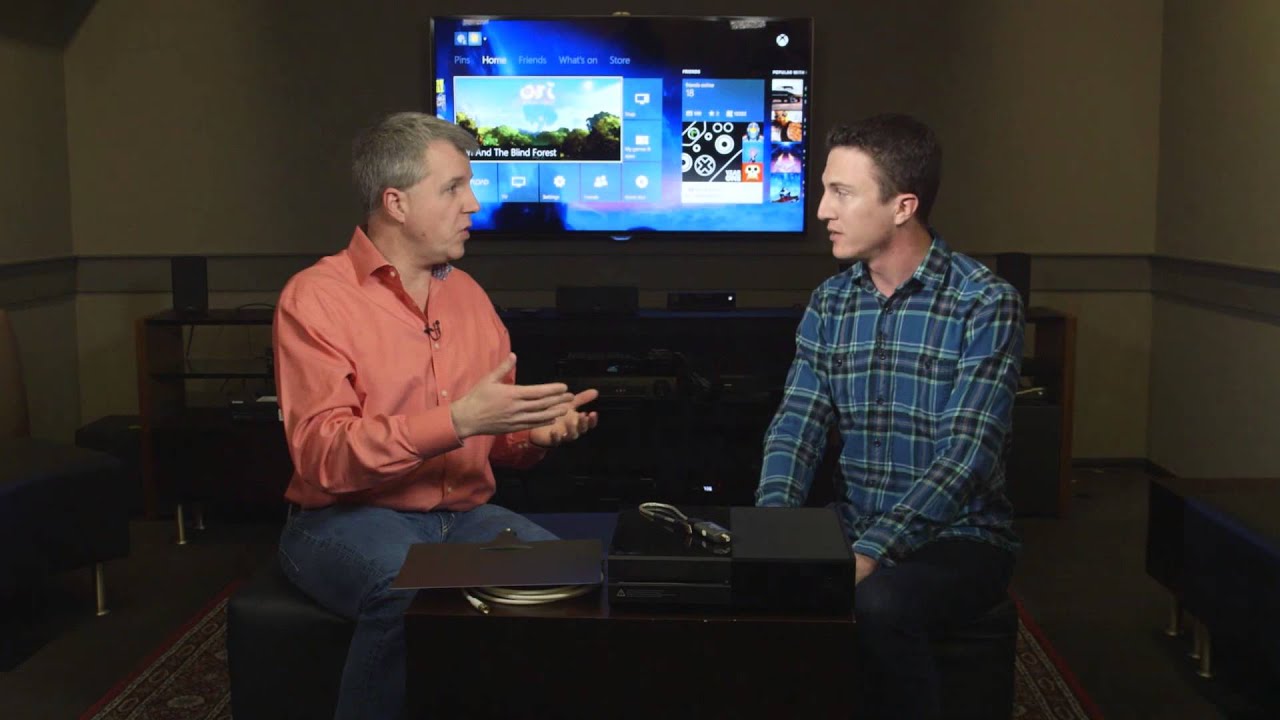
To see over-the-air TV in action, check out the video below, which features Hoffman and Larry "Major Nelson" Hryb explaining the new over-the-air Digital TV solution.
Follow Kevin Parrish @exfileme. Follow us @tomshardware, on Facebook and on Google+.

Kevin Parrish has over a decade of experience as a writer, editor, and product tester. His work focused on computer hardware, networking equipment, smartphones, tablets, gaming consoles, and other internet-connected devices. His work has appeared in Tom's Hardware, Tom's Guide, Maximum PC, Digital Trends, Android Authority, How-To Geek, Lifewire, and others.
-
dstarr3 Meanwhile, they still can't make the Kinect relevant, and all the X-Box exclusive titles are wank. Good on them.Reply -
gggplaya There's no reason to buy this when you can buy an HDhomerun from silicon dust which has been out for years and now has DLNA playback to your android and xbox, ps4, htpc etc......Reply
The major advantage of the hdhomerun is that you can place the antenna at the highest point in your house and put the reciever as close to the antenna as possible. This gives the reciever the best possible signal reception. Then uses your wifi/lan to watch video throughout the house. -
marthisdil ReplyMeanwhile, they still can't make the Kinect relevant, and all the X-Box exclusive titles are wank. Good on them.
Ahh...the tears of PS* fanbois and the awesome Cinavia they get to endure is awesome...
-
dstarr3 ReplyAhh...the tears of PS* fanbois and the awesome Cinavia they get to endure is awesome...
Nope. PC fanboy. At least I can play everything at 1080p@60fps. On my TV. In the other room. Flawlessly. And all my games cost less than a fiver.
-
kcops The Xbox 360 could be used as a Windows Media Center Extender and thus you could watch TV through your Xbox with DVR functionality. Why can't they just make Xbox One an Extender? I might even consider buying one at that point. Why was this feature left out of the Xbox One, it makes no sense.Reply
I have the Silicon Dust Connect (get the Prime if you are a cable user) which has two tuners and works very well. Sure it has DLNA but I like the DVR functionality and guide that you get with Windows Media Center. I get around 55 channels where I am located with the Mohu Sky 60.
Microsoft, just add Extender functionality to the Xbox One. Please? Pretty Please? -
norseman4 ReplyMicrosoft, just add Extender functionality to the Xbox One. Please? Pretty Please?
He//, they won't even allow another PC to be an extender. with the XBone and Windows sharing much of the OS, and will be even closer with Win10, and extender app on the XBone would work on the PCs. And as I said, MS does not want that.
(License fees from Extender manufacturers would take a hit if extender apps are allowed, maybe?)
-
adampsyreal Most consumers won't go through all this effort. The few who actually use OTATV don't bother recording. ... So what's the point? This amounts to an expensive VCR. Everyone else either uses cable, or just steals shows over the internet.Reply -
seshysama ReplyAhh...the tears of PS* fanbois and the awesome Cinavia they get to endure is awesome...
Nope. PC fanboy. At least I can play everything at 1080p@60fps. On my TV. In the other room. Flawlessly. And all my games cost less than a fiver.
So sick of this "1080/60" argument. If you can build a windows PC for $400 that can outperform an Xbox One or a PS4, I'll paypal you $100. But you can't. Because its literally impossible. Because Xbox and PS4 are better price to performance ratio than PC. Get over yourself and stop making us real PC gamers look bad. -
Grandmastersexsay Microsoft is clueless. Cable is coming to an end. If it wasn't for grandparents, no one would watch anything over the air. Broadcast will be dead soon, and good riddance. Streaming shows over the internet is the future. When sports realize how much money they can make on their own without the cable companies and networks, we'll really start to see progress.Reply
This may have been a good idea for the original Xbox, but not in 2015. -
dstarr3 ReplySo sick of this "1080/60" argument. If you can build a windows PC for $400 that can outperform an Xbox One or a PS4, I'll paypal you $100. But you can't. Because its literally impossible. Because Xbox and PS4 are better price to performance ratio than PC. Get over yourself and stop making us real PC gamers look bad.
A gaming PC is a (slightly) bigger investment up front, but then all the games are so cheap, it's much less expensive in the long run. As well as being a much better experience.
I'm sorry, but after having done both, consoles are just shit, and I'm sorry if you disagree. Some people just lack taste.