









How to Fix Slow Internet Speed in Windows 8
Is your Internet slowing down to a crawl? Try this fix.
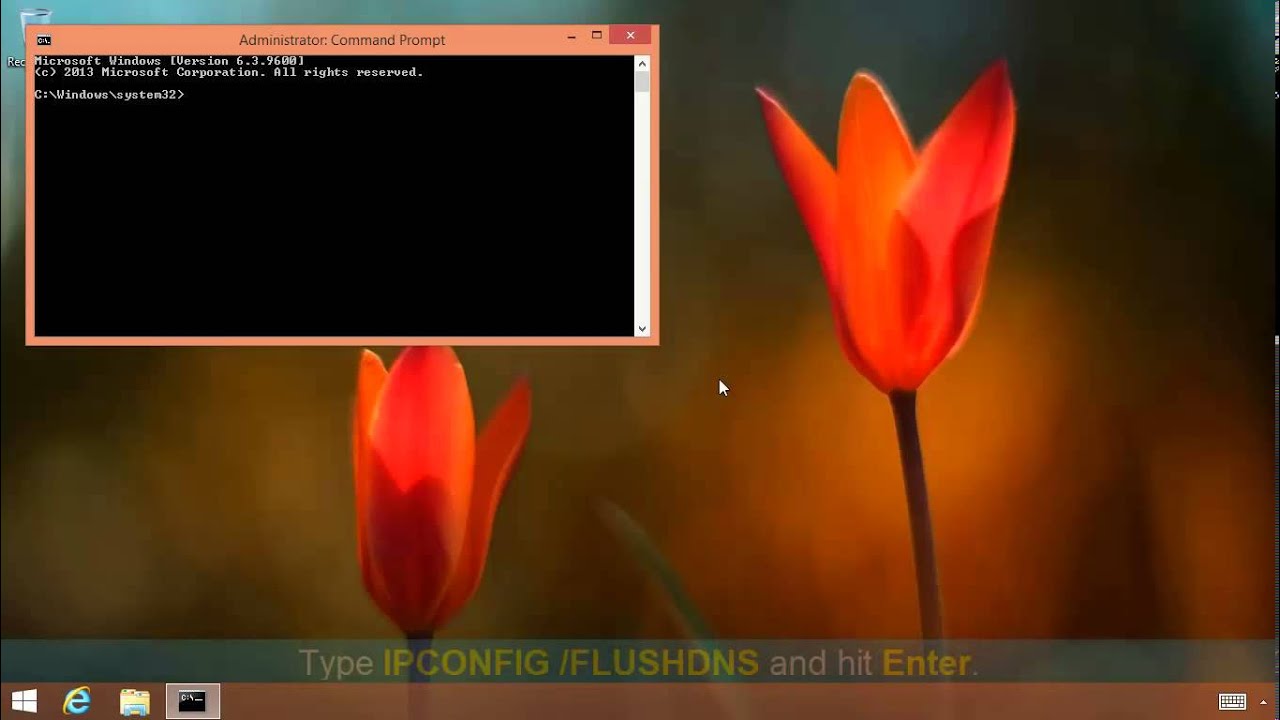
Slow speeds in Windows 8 may be due to the poisoned DNS cache that may contain invalid or expired DNS records. In case the DNS cache gets poisoned, technically known as 'DNS spoofing,' or the IP address of the web server changes, users may face difficulties opening the websites, or sometimes may also get HTTP error messages. In such cases, users are required to clear the DNS cache by flushing the invalid or expired DNS entries.
After flushing the DNS cache, the new IP address of the website is then automatically resolved by the DNS client, aka DNS resolver, with the help of its authoritative DNS server.
Users should also delete the temporary files stored in the %Temp% folder, which also helps expedite the Internet speed in Windows 8.
How to Flush DNS Cache to Increase Internet Speed in Windows 8
To delete the DNS cache to increase Internet connection in Windows 8 computers, step-by-step instructions given below must be followed:
- Log on to Windows 8 computer with the account that has the elevated privileges.
- Click Desktop tile from the Start screen to go to the desktop window.
- Once on the desktop screen, hover the mouse to the bottom right corner of the window.
- From the displayed options, click Search.
- On the opened Search pane in the right, ensure that Apps category.
- On the same pane, type CMD in Apps field.
- From the displayed results on Apps window, right-click Command Prompt.
- From the displayed advanced options at the bottom of the window, click Run as administrator.
- On the displayed User Account Control box, click Yes to provide the administrator approval to open the command prompt with the elevated privileges.
- On command prompt window, type IPCONFIG/FLUSHDNS command and press Enter to delete the DNS Cache.
- Close the command prompt window when done.
How to Delete Temporary Files from Temp Folder
- Log on to Windows 8 computer with the account that has the elevated privileges.
- Click Desktop tile from the Start screen to go to the desktop window.
- Once on the desktop screen, press Windows + R keys simultaneously to initiate the Run command box.
- On the Run command box, type %TEMP% in the available field and press Enter.
- On the opened Temp window, press CTRL + A keys simultaneously to select all the files.
- Once selected, press Delete to remove all the temporary files.
- Close Temp window when done.
If you've found this fix helpful, check out plenty more tutorials in the Tom's Hardware Windows 8 forum.
Follow Marcus Yam @MarcusYam. Follow us @tomshardware, on Facebook and on Google+.
Get Tom's Hardware's best news and in-depth reviews, straight to your inbox.

-
Keolien88 This article's title is awful and misleading. Invalid DNS does not cause internet to be "slow." Invalid DNS for the particular domain/site in question would cause a failure to load.Also, the title makes it sound like the issue is specific to Windows 8, as in Windows 8 has slow internet speed, here's how to fix it, and not just a How to Clear the DNS resolver cache on a Windows 8 machine. C'mon!Reply -
bison88 For a second I thought there was going to be a recommendation of using some Internet speed boosting software like back in the early days of broadband and late days of 56k. I think it would have been a better front page story in that case...Reply -
sloth2004 for whatever stupid reason, MS did make win8 has problem in resolving DNS name, the above method seems usable to me. I would like to schedule this as task so i wont see the 404 error in browser.Reply -
00svtcobrar Windows key + r then type cmd is so much faster. There is literally no need to use the mouse AT ALL to do this. This is a tech website, the author should know betterReply -
unknown_ Yeah what a weird article...and how does deleting temp files "expedite the internet speed in Windows 8"?This is some third world style tech tips right here...Reply -
dokonewski Because it's easier to blame something someone knows nothing about. This article and it's headline are garbage. The mouse is not necessary to flush the DNS cache.If you want it as a scheduled task, create a text file that contains "IPCONFIG /FLUSHDNS", hit save and then rename extension from .txt to .bat. Then use your favorite task scheduler.Reply