Backup
All three of the BMBR applications use wizard-like environments that make backup and recovery relatively easy. With Retrospect, you can use either a very simple interface or go into an advanced interface that gives you more control over the backup process. Figure 1 shows the basic interface. Using the interface you can easily select the source and destination drives, as well as files to be backed up, and options such as open file backup and forced backup of Outlook data on a workstation.
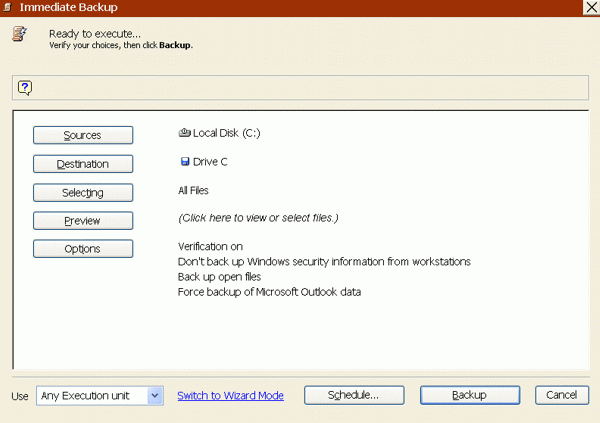
Figure 1
With Disk Backup, you click on the disk drive you want to back up on the nicely graphically-oriented main window, and then click the Backup button. The one page Wizard opens and you choose whether to split the disk image over multiple files, the size of multiple files, compression speed, use of an optional encryption password, and the archive label and destination for the backup. See Figure 2.
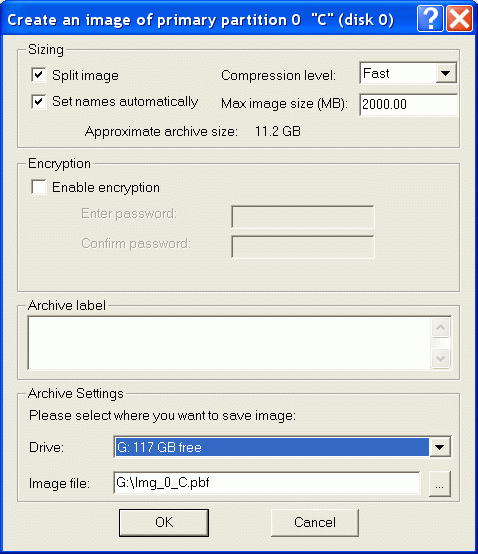
Figure 2
LiveState Recovery features a nice ten-page wizard. Figure 3 shows the wizard page for selecting the backup destination.
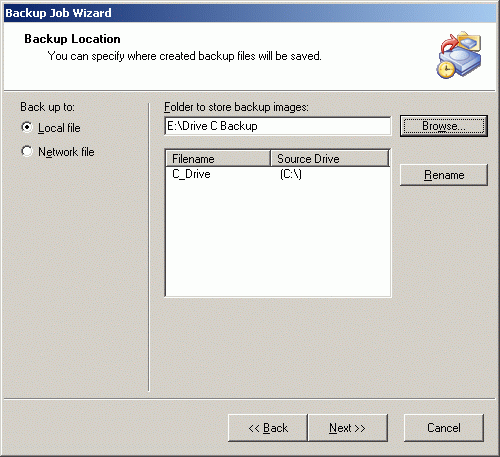
Figure 3
I really like LiveState Recovery's event-driven incremental backup options. See Figure 4. An incremental backup can be initiated when all or some of a number of conditions are true, such as a user logging on or off the computer, or an application being installed.
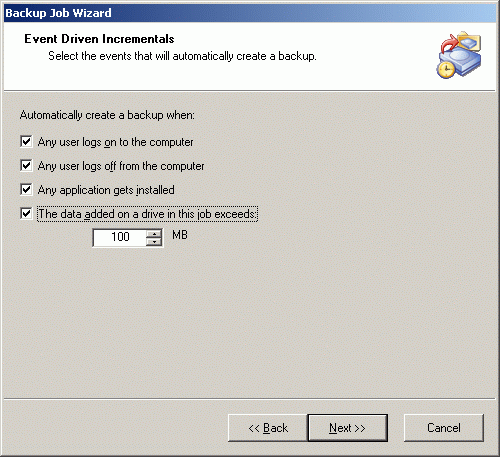
Figure 4
Retrospect includes agents for Microsoft SQL Server and Exchange Server. The agents use Microsoft APIs to backup SQL Server and Exchange databases while they are open. LiveState Recovery uses Windows 2003's Volume Shadow Copy Service (VSCS) APIs to stop database activity and make snapshots of Windows 2003 databases including Active Directory.
LiveState Recovery also works with VSCS-compatible products such as Exchange 2003 and SQL Server 2005. For non-VSCS compatible databases LiveState Recovery lets you run batch files that stop services before the backup and restart them afterward. To backup any version of SQL or Exchange Server with Drive Backup you have to stop and restart the services. Unlike with LiveState Recovery, Drive Backup doesn't let you schedule these batch file runs from within the program itself. You either have to stop the services manually or schedule batch files to do the job using Windows scheduler. If you can schedule a backup to disk from within an application prior to a BMBR backup, as you can with SQL Server, all three products will, of course, backup these files just like any other file.
You can schedule backups with any of the BMBR applications. Each has a user friendly interface for scheduling.


