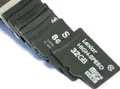
With rated write performance as high as 10 MB/s and capacities as high as 32 GB, there's plenty of choice in the microSDHC marketplace. Do the contenders actually hit their performance targets? Interestingly, some of them are actually quite a bit better!
Fast memory cards are needed not only in professional equipment like DSLR cameras, but they're increasingly being used in consumer devices like compact cameras, camcorders, MP3 players, hand-held game consoles, and cell phones, too. This accelerating uptake is caused by the rapidly increasing number of features of these devices. The more features, the higher the demands on the memory card. For example, consider recording and playing back HD video on a smartphone. For stutter-free operation, significant data transfer speeds are required. In order to go beyond video snippets a few seconds long, the storage capacity of a memory card also needs to be sufficiently large.
Considering those criteria and adding compatibility, reliability, and robustness, the SD card quickly emerges as the memory card of choice, which also helps to explain its 80% market share.
The physically smallest variant of the SD card is the microSD card, measuring a mere 11 mm x 15 mm x 1 mm (0.43” x 0.59” x 0.04”). Add a host adapter, and a microSD or microSDHC card can be used like a SDHC card.

For this comparison test, we're focusing on the microSDHC subcategory of the microSD form factor, which offers much larger capacities, and thus more versatility in multimedia applications. While a microSD card tops out at 2 GB due to its FAT16 file system, a microSDHC card can store up to 32 GB on its FAT32 file system, depending on the model.
We asked all major memory card manufacturers to submit samples of their microSDHC-based products. We received a wide range of cards, with capacities ranging from 4 GB to 32 GB, and thus covering the whole range of the microSDHC specification. We also noticed plenty of different performance points. SD cards are grouped into several performance classes, which denote the minimum recording rate of the cards. The lowest performance class, Class 2, stores data at a minimum of 2 MB/s. Our test candidates, however, start at performance Class 4, which features a worst-case write speed of 4 MB/s. Class 6 cards achieve at least 6 MB/s, while Class 10 cards switch up the rating a bit, pushing 10 MB/s non-fragmented sequential writes.
- microSDHC Cards For Mobile Devices
- Adata microSDHC Class 6 (Class 6, 8/16 GB)
- Kingston microSDHC Card (Class 10, 4/8/16 GB)
- Lexar High-Speed Mobile microSDHC Card (Class 6, 16 GB And Class 10, 32 GB)
- MemoryStar microSDHC Card (Class 6, 16 GB And Class 10, 8/16 GB)
- Patriot LX Series microSDHC (Class 10, 16 GB)
- SanDisk microSDHC (Class 4, 8 GB) And Mobile Ultra microSDHC (Class 4, 16 GB)
- Samsung microSDHC Plus 8 GB (Class 6, 8 GB)
- Silicon Power microSDHC Memory Card (Class 4, 32 GB)
- Comparison Table And Test Configuration
- Benchmark Results: Throughput
- Benchmark Results: Random Reads And Writes
- Which microSDHC Card Is Right For You?


I wouldn't consider $40+ (shipped) affordable. Also you have to think that Tom's isn't necessarily buying these cards for personal or business use. 9x out of 10 these cards are donated by their respective companies. Or a warehouse such as Tiger Direct/Newegg.
$40 IS affordable for fast and dense media. You do not put fast huge SD cards in a cell phone or cheap camera, you put them in high end still cameras, and budget (but quality) video cameras. Considering when I picked mine up the nearest competition for fast SD cards were in the $80+ range, and I picked up 2 at that price I would say that $40 is quite good. If you have a cheaper camera, there is much cheaper (but still good) media out there.
40$ for 32gb MicroSDHC is affordable when you consider the fact that 64gb MicroSDXC cards costs 280$+. I am employing a Nikon D7000 dslr when im thinking about these cards.
On a side note what is the deal with tom's being such crappy optimized webpage? I open 5-6 tabs and everything crawls to a molasses-slow on my laptop. I can open 15-20 tabs in other sites no problem.
actually sandisk are exceptional cards, from past experience i have found that sandisk consistently have better performance and compatibility than many other brands. The class 4 could just be a lower binned class 10, which means not all class 4 will have this kind of performance (but will meet class 4)
@The_Trutherizer
I have often thought about such a setup too but i think the hardware and controllers required to transverse such a setup would probably not make it economically viable, still someone should do it just to say you can lol
@theprov
generally speaking no, but what you can deduce from this article is that if it's labeled class 10, then it will guarantee to meet the minimum performance of a class 10 (although i have to say i used some no name cards before labeled as class 10 but barely beat a class 4, but kingston is a good brand and should easily meet class 10 specs), if you really need better speeds then class 10 than you need to look towards the newer UHS (U1 and U2) speeds, but bear in mind their are precious few hardware that can utilize such speeds and the cards are ridiculously expensive. From my past experience i have found kingston to be on par with sandisk when it comes to performance and compatibility so i dont think your going find any bad surprises
And secondly, you do not ask the producers for a sample card. They will send you the best of their cards. Instead, you should buy them as a regular buyer. You know what I mean.
Also I have found that IO results differ wildly depending on what card reader is used. I don't understand how but I have seen cards perform at 25% the speed just by benchmarking using a different card reader.
Any testing been done by Toms in this area?
It's a common problem for people who run Android on their B&N Nook Color off of an SD card, as small random reads and writes are most of what the OS does, and the difference in performance between a class 4 Sandisk and any class 10 card is night and day.