The Storage Solutions Articles
- Cheap and Reliable RAID 5 Storage Compared
- Iomega's REV Marks Leap Forward For External Drives
- SATA For Servers: Testing Backplanes
- The Last Resort: Streamer Technolgy Overview
- WinFS: Microsoft's Data Management Vision
- Final Touches on ATA: Hard-Drive Accessories Roundup
- Kill SCSI II: NetCell's RAID 0 Performance + RAID 5 Security Equals...
- RAIDCore Unleashes SATA to Take Out SCSI
- Arco's RAID-based Storage Has No Smoke and Many Mirrors
- Forget about Home Movies: Two Software packages render camcorders...
News
Reviews
Forum
- AMD pushes out three more triple-core chips!!
- Build Now or Wait for Nehalem?
- How the CoolerMaster CM HAF 932?
- Core2 Duo, Q6600, or Phenom 9950 BE ?
- USB Flash Drive problem.
- 4870x2 Water Block
- Core 2 Quad and Duo Temperature Guide
- First attempt at overclocking (Q9450)
- Thinking of adding a peltier and cold plate...suggestions?
- will Swiftech H20-220 cool both CPU & NB?
Simple Hard Drive Integration
Table of Contents:
Simple Hard Drive Integration
The users and groups as well as the connected hard drives are managed via the different menu items. In the case of the Soho NAS module, the disks are registered as separate drives. With NAS 2.0, the hard drives are managed by the RAID controller. After integration, which can be done with a simple mouse click, the NAS server can now access the new drives.
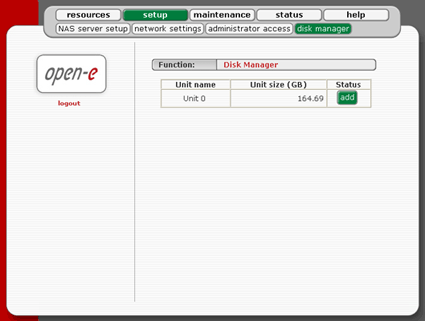
Clicking on Add integrates the new hard drive into the server.
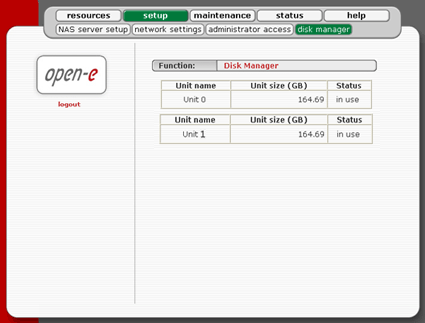
The Open-E Soho-NAS manages each connected hard drive separately

- Previous page Main Menu: Division Into Five Partitions
- Next page Hardware Control

