









Anti-Aliasing Analysis, Part 1: Settings And Surprises
Some time has passed since we last delved into the state of anti-aliasing. In this article, we investigate the feature thoroughly from the basics to vendor-specific implementations and learn some shocking surprises about driver settings along the way.
Coverage Sampling Modes: Nvidia’s CSAA And AMD’s EQAA
With the GeForce 8 series, Nvidia introduced a new technique it called coverage sampling anti-aliasing (CSAA). Essentially, CSAA is traditional MSAA with extra coverage samples added. Coverage samples test to see whether a polygon is present at the location of the sample, and these can be used to weight the calculation when determining the final color of the pixel. Because coverage samples are relatively easy for the hardware to gather, the result can be an increase in quality that requires a relatively small performance overhead compared to MSAA samples. Unfortunately, the value of coverage samples depends on the makeup of the individual pixel, so the resulting increase in quality ranges from some to none at all.

Starting with the Radeon HD 6900 series, AMD now offers enhanced quality anti-aliasing (EQAA), a mode that is essentially identical to Nvidia’s CSAA. Unfortunately, the ROPs in the rest of the company's Radeon portfolio (even including the Radeon HD 6800-series cards) are not able to handle EQAA, so most AMD graphics card owners won’t be able to take advantage of this feature. Nvidia owners have more flexibility in this respect, as the GeForce 8000, 9000, 200, 300, 400, and 500 series enable CSAA support.
Mode Confusion
Unfortunately, Nvidia has a somewhat inconsistent method of designating its anti-aliasing modes, with numbers sometimes indicating total MSAA samples, and at other times indicating a sum of MSAA and coverage samples. The suffix “Q” indicates pure MSAA in the case of Nvidia’s 8xQ setting, but the 16xQ setting has 8xMSAA plus eight coverage samples. This leads to confusing situations, as the 8x setting in the Nvidia driver does not represent 8x MSAA, but signifies 4x MSAA plus four coverage samples.
AMD deserves some kudos here for sticking to a naming convention that makes perfect sense. AMD’s level always indicates the number of MSAA samples, while the EQ suffix means the same number of coverage samples is added. For example, AMD’s 8x setting designates eight MSAA samples. But the 8xEQ setting designates eight MSAA samples plus eight additional coverage samples.
The following chart demonstrates how AMD and Nvidia anti-aliasing modes correspond to each other:
| GeForce CSAA vs. Radeon EQAAAnti-aliasing Levels | ||
|---|---|---|
| GeForceDriver Mode | Combined Color/Coverage Samples+ Extra Coverage Samples | RadeonDriver Mode |
| 2x | 2+0 | 2x |
| n/a | 2+2 | 2xEQ |
| 4x | 4+0 | 4x |
| 8x | 4+4 | 4xEQ |
| 16x | 4+12 | n/a |
| 8xQ | 8+0 | 8x |
| 16xQ | 8+8 | 8xEQ |
| 32x | 8+24 | n/a |
| n/a | 16+0 | 16x |
Coverage Sampling Image Comparisons
Get Tom's Hardware's best news and in-depth reviews, straight to your inbox.
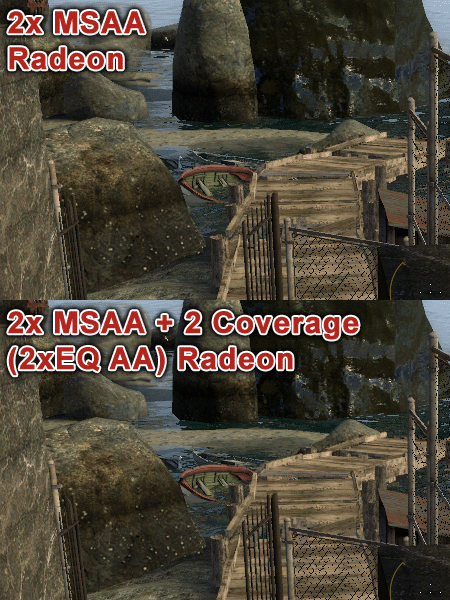
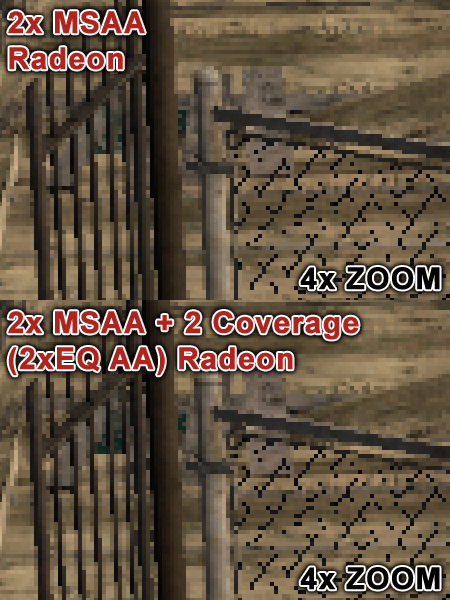
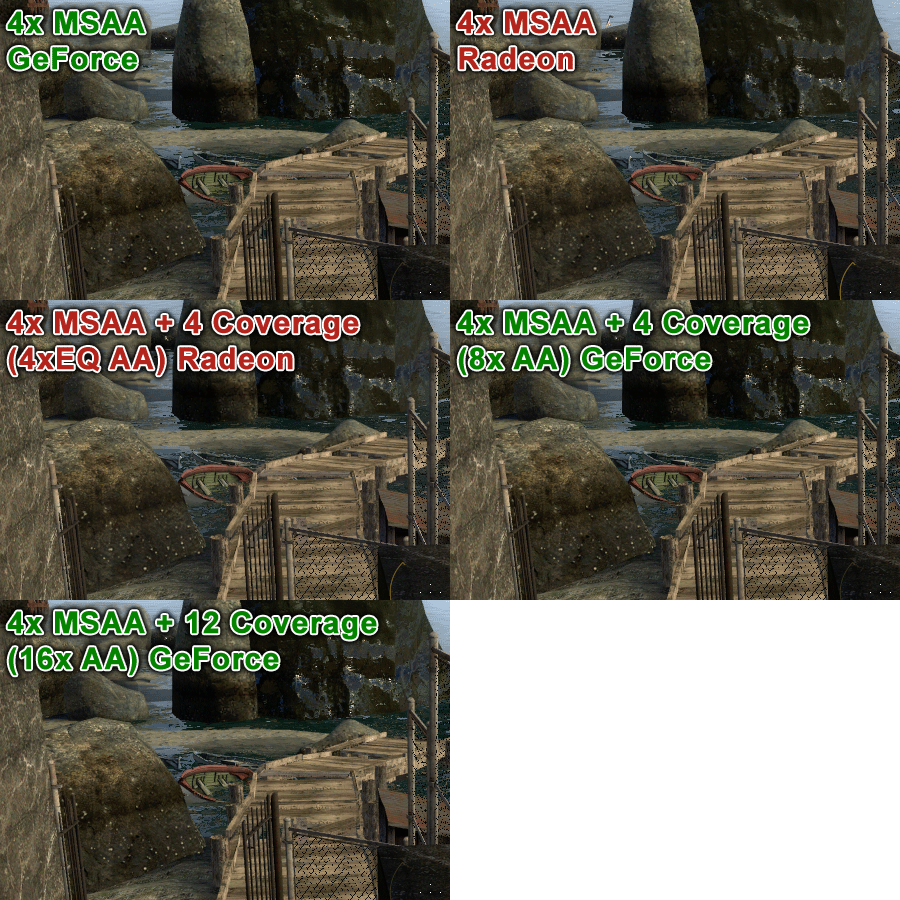
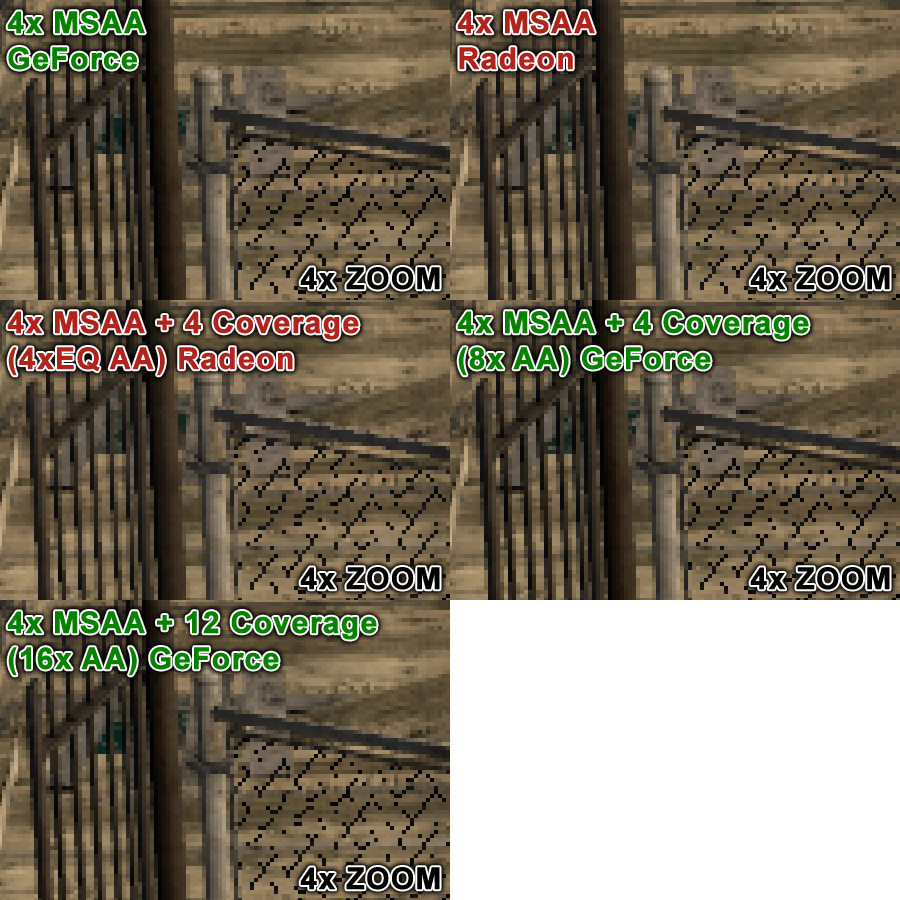
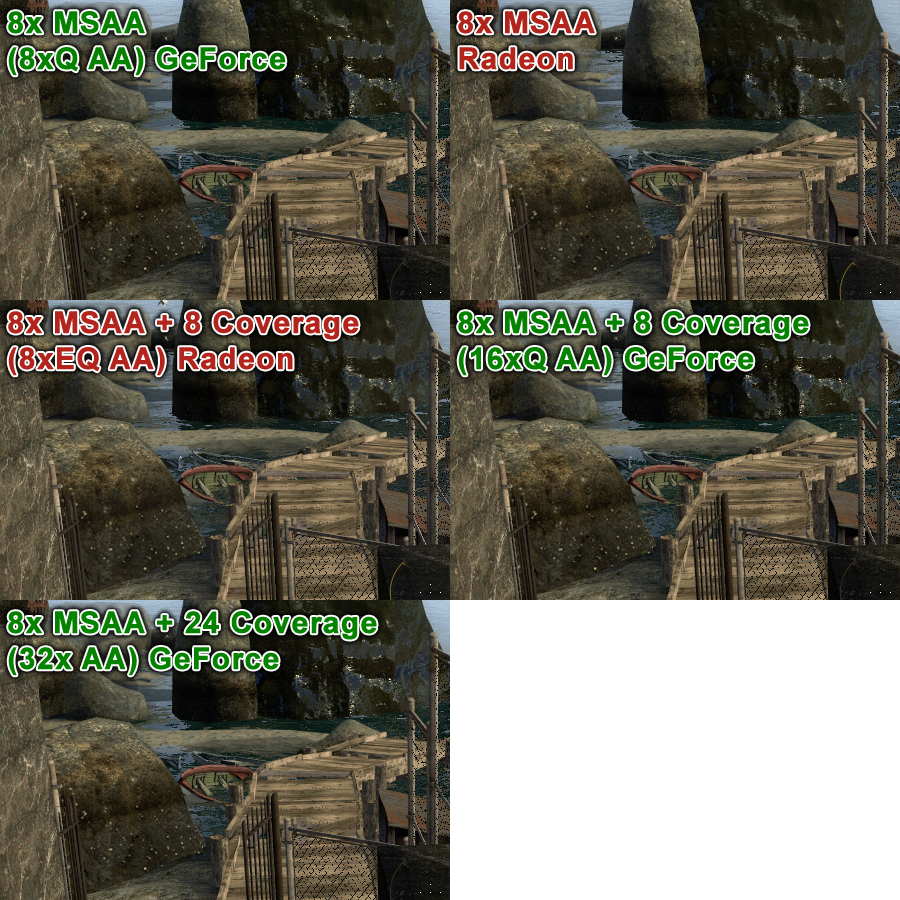
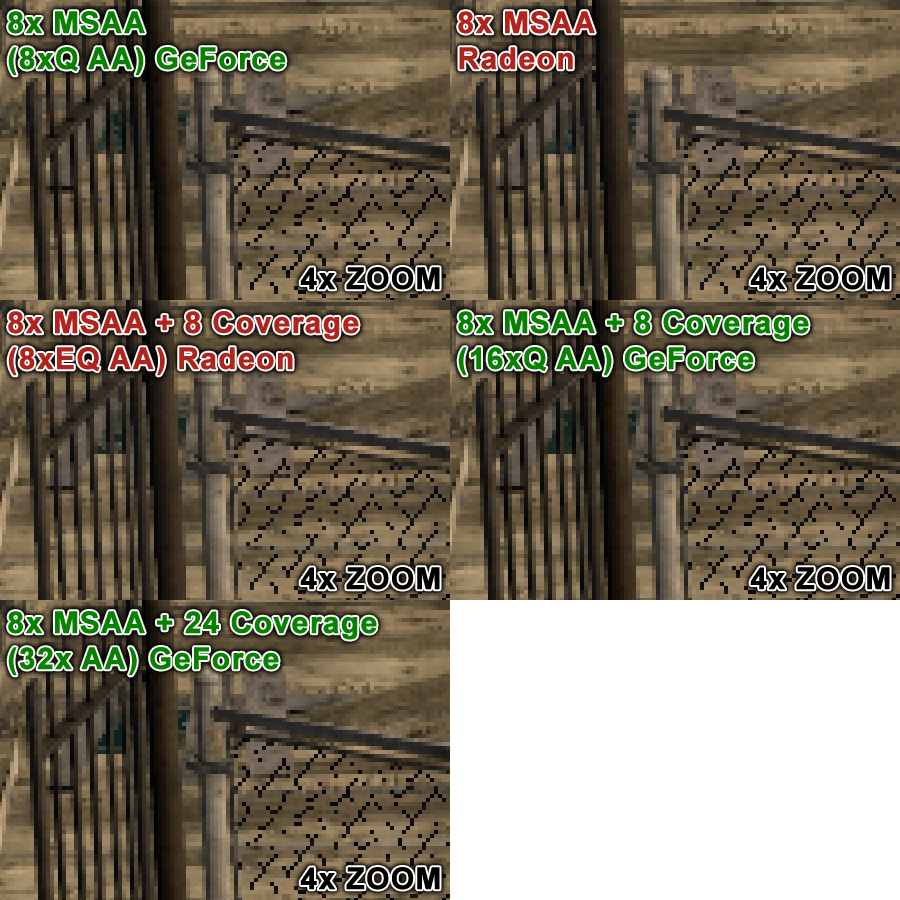
Coverage samples offer a relatively limited increase in overall anti-aliasing-based image quality on both Nvidia and AMD graphics hardware. Certainly, more MSAA samples result in a definite visual improvement, while more coverage samples can result in no quality increase at all. It is because of this that we’re not fans of Nvidia’s naming scheme, where 16x provides obviously lower quality compared to what 8xQ offers.
Current page: Coverage Sampling Modes: Nvidia’s CSAA And AMD’s EQAA
Prev Page Texture Transparency: Nvidia’s TAAA And AMD’s Adaptive Anti-Aliasing Next Page GeForce-Exclusive Anti-Aliasing Modes And Driver SettingsDon Woligroski was a former senior hardware editor for Tom's Hardware. He has covered a wide range of PC hardware topics, including CPUs, GPUs, system building, and emerging technologies.
-
burnley14 Awesome article. I am unfortunately not one of the elite few who know all the ins and outs of graphics performance, so this was very enlightening for me.Reply -
dragonsqrrl Great article, very informative. I've never really used forced anti-aliasing through the driver, and from what I've read it doesn't really sound like a good idea anyway, given the fact that most modern games provide adequate AA levels through in-game settings (these are usually better optimized as well). Seems like forced driver level AA is pretty hit-or-miss. With a few rare exceptions it just doesn't seem like it's worth the effort.Reply
...went to the link for Tom's Geforce3 article. The good old Geforce3, now that takes me back. -
army_ant7 Why does it say here, http://www.geforce.com/#/Optimize/Guides/AA-AF-guide (go to the next page of this article), that it internally renders the frame at a resolution 4 times greater? But according to the 2nd page of this article, it says that at x4 AA it only internally renders a frame at a resolution 2 times greater.Reply -
JimmiG Great article, but this is really something Nvidia and AMD will have to fix together with game developers...Reply
The settings I select in the driver control panel should apply without me having to worry about coverage samples, multi samples, DirectX versions or the alignment of the planets. It should just work.
Similarly, any self-respecting game made in the last 6-8 years should have proper anti-aliasing options in its in-game menu. Not just an On/Off switch, but the full range of AA settings available with the video card being used. -
BulkZerker MrBonkBonkwhat are you talking about?we can still force Supersampling as of 266.58 on Nvidia cardsReply
IF the game lets it! Drivers trying to force AA doens't mean the game will allow it. If the game doesnt' support it your not goting to get tehy type of AA.
Either way this AA fragmentation is almost as bad as all these custom versions of Driod. -
heycarnut @army_ant7:Reply
Nvidia article is wrong, or at the very least semantically sloppy.
4X samples generally means doubling of resolution for both axes. 4*(x*y)==(2*x)*(2*y).