









Best hard drive deals 2026 — storage savings from WD, Seagate, and more
Cheap and deep storage deals.

1. Quick List
2. Best HDD Deals
3. Best External HDD Deals
4. HDD Shopping Tips
If you're in the market for the best in high-capacity, reliable storage, then a good deal on a hard drive is a great way to expand your setup.
Be alert when looking at HDDs, as not every drive is born equal and worthy of your money or a place of honor in your PC. Differences in recording technologies, like whether the drive uses conventional magnetic recording (CMR) or shingled magnetic recording (SMR), come with or without DRAM, and the spindle speeds they offer can all have a tremendous impact on the performance and pricing of your drive. We compile the best HDD deals in this constantly updated article, based on in-depth knowledge from thorough reviews, extensive benchmarks, and comprehensive historical price analysis.
We list internal drives for PCs, the best HDDs for NAS systems, and external hard drives, with the latter possibly including shuckable drives, meaning you can pry the HDD out of the external casing and use it in your desktop PC. Proceed at your own risk with shucking: Shucking the drive voids the warranty, but you get a capable drive for far less than you normally would (be sure to do your homework first to determine whether the drive can be shucked; not all models can).
Best HDD Deals: Quick Links
- Amazon: Save up to 62% on WD HDDs
- Newegg: Up to 43% off HDDs
- Best Buy: Up to $100 off HDDs
- Amazon: All HDD deals
Best HDD Deals
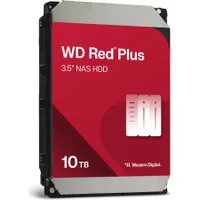
Western Digital's WD Red Plus 10TB NAS HDD is a NAS-optimized hard drive for servers and other NAS operators looking to upgrade their capacity with a reliable and energy-efficient drive. This two-pack of drives instantly starts you off with 20TB of storage capacity.
Read moreRead less▼
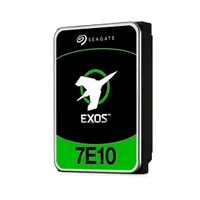
The Exos 7E10 is an enterprise-class 3.5-inch hard drive with a 7,200 RPM spin speed and a 256MB cache. It connects to your system through a standard SATA III connection and offers speeds up to 255 MB/s.
Read moreRead less▼
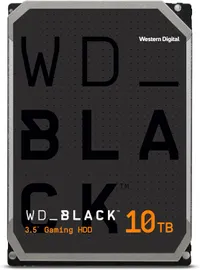
Get big savings on the larger 10TB WD_Black gaming HDD, now at the lowest-ever price we've seen on the second day of Amazon's Black Friday event.
Read moreRead less▼
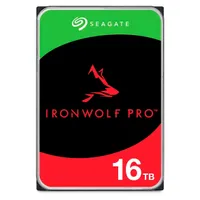
This 16TB Internal NAS HDD has a SATA III 6 Gb/s interface and spins at 7200 rpm. If you're looking for a single drive or a replacement, check out this deal. Built for 24/7 operation, the IronWolf Pro is designed for sustained use and reliability.
Read moreRead less▼
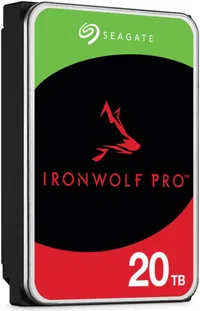
This 20TB Internal NAS HDD has a SATA III 6 Gb/s interface and spins at 7200 rpm. If you're looking for a single drive or a replacement, check out this deal. Built for 24/7 operation, the IronWolf Pro is designed for sustained use and reliability.
Read moreRead less▼
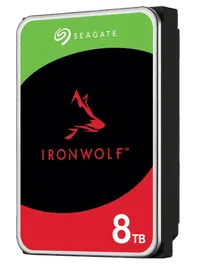
This 8TB 7,200 RPM drive can store more than its fair share of data. It features 256MB of cache and is one of the fastest hard disk drives (HDDs) available, thanks to a 6GB/s SATA connection. Seagate's IronWolf HDD range is designed for 24/7 NAS server operation.
Read moreRead less▼
Best External HDD Deals
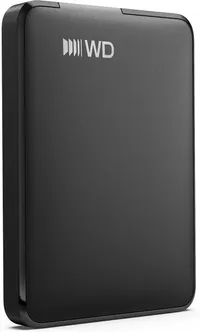
This external 1TB drive features a USB-C 3.2 Gen 1 interface, reaches top speeds of 5 Gbps (interface-limited), and comes with a two-year warranty.
Read moreRead less▼
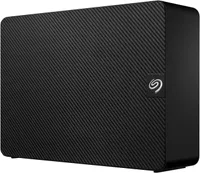
The Seagate Expansion Desktop drive is a 16TB HDD that connects via USB 3.0. It's formatted to ExFAT by default, allowing it to work with virtually platform out of the box.
Read moreRead less▼
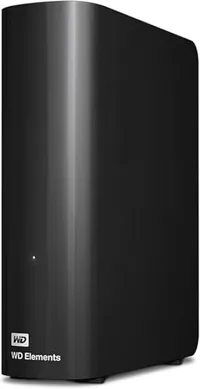
This external 5TB drive features a USB 3.0 interface, delivers top speeds of 5 Gbps (interface-limited), and includes a two-year warranty.
Read moreRead less▼
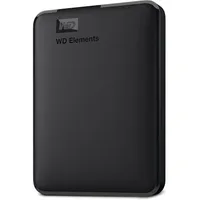
This drive offers 6TB of storage, a two-year warranty, and a USB-A connection at 5Gbps (USB 3.2 Gen 1). The drive is 4.35 x 3.23 x 0.83" as well, so it's a nice compact form factor that weighs in at a mere half a pound. It comes with a two-year warranty.
Read moreRead less▼
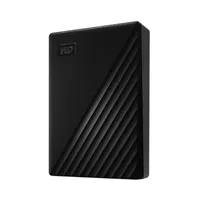
This 2.5-inch drive offers a generous 6TB in this form factor and features a USB-A 3.0 connection, so the interface will limit its speed. The drive comes with a three-year warranty.
Read moreRead less▼
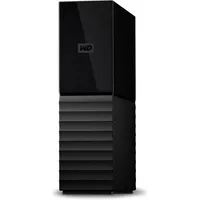
This external storage connects via the USB 3.2 Gen 1 interface and comes with a three-year warranty. It also comes with an additional power connector. However, WD doesn't disclose whether it uses SMR or CMR technology or its performance specifications.
Read moreRead less▼
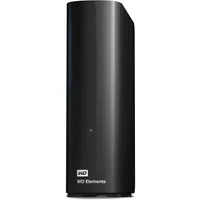
This drive uses speedy CMR magnetic recording tech and spins at 5,400 RPM. The drive has a two-year warranty and communicates via the USB 3.0 interface with the host. It also has an included power connector.
Read moreRead less▼
HDD Deals: What to Look For
- It is important to be aware of the drive’s form factor, with 3.5-inch being the most common for the best HDDs (this is the only type we cover). If you need a 2.5-inch, your options are more limited, especially for capacity. Otherwise, your computer case’s ability to house a certain number of 3.5-inch drives might be your primary limitation.
- The ubiquitous SATA interface is used for desktop PCs, and most motherboards have ample available ports, which makes expansion easy. Most consumer NAS systems also use SATA, with the SAS interface typically reserved for servers and enterprise-class NAS.
- If you're shopping for an HDD, you’re probably looking for the lowest possible cost per terabyte, but you should also consider performance and support for specific applications. There are several potential performance pitfalls to consider when purchasing a new HDD, and the type of recording technology is one of the most crucial factors. Unless you are solely interested in cost and willing to sacrifice performance, we only recommend conventional magnetic recording (CMR) drives and not shingled (SMR), as the latter comes with performance and operational caveats.
- For performance, HDDs are also often gauged by rotations per minute (RPM), which is usually a direct indicator of performance. The RPM value affects both sequential transfers and random access latency. Lower RPM drives tend to be quieter and more efficient, while higher RPM drives have better performance. There are also variable RPM drives that try to achieve the best of both worlds. Power draw, heat, and noise are factors related to performance.
- HDDs also have a certain amount of DRAM to help temporarily cache data. This amount of cache typically scales with the drive's capacity. More cache is, of course, better, but if it comes at the expense of something else — for example, a support service — then you should carefully consider your priorities when making a purchase.
- You will want specialized drives for NAS, surveillance/DVR/NVR, raw storage for media and backups, or for heavier workloads. Certain drives will offer a better value for the money if you just want the extra capacity, or you may require a lower RPM drive to avoid the noise associated with faster drives.
More Tech Deals
Best Tech and PC deals | Best gaming PC deals | Best RAM combo deals | Best 3D printer deals | Best RAM deals | Best gaming laptop deals | Best monitor deals | Best Wi-Fi Router deals | Best GPU deals | Best SSD deals | Best hard drive HDD deals | Best CPU deals | Best gaming chair deals | Best PC building tool deals | Best PC peripherals deals | Best filament and resin deals | Best motherboard deals | Best CPU cooler deals | Best PC case deals | Best Dell and Alienware deals | Best USB charger deals | Best gaming and productivity laptop deals under $1,000 | Best laptop PC deals
Also, you can join the Tom's Hardware deals Discord for up-to-the-minute hardware deals.
Get Tom's Hardware's best news and in-depth reviews, straight to your inbox.

Paul Alcorn is the Editor-in-Chief for Tom's Hardware US. He also writes news and reviews on CPUs, storage, and enterprise hardware.