









Best CPU Coolers 2026: AIO and Air Coolers
These are the best air and AIO coolers we've tested, for overclocked monster rigs, budget builds, and everything in between.

There are two main types of CPU coolers and we've sorted our recommendations by type:
1. Best Air Coolers
Choose one of the best air coolers if you want to save some money and not worry about how and where to mount the radiator and fans of an AIO.
2. Best AIO Coolers
Choose an AIO cooler if you have a high-end CPU that you want to get the best performance from, while also keeping things quiet.
Whether you’re after the highest clock speeds possible or looking to build a PC that's near-silent under load, you should to choose your CPU cooler carefully. The best CPU cooler for your build will dictate your processor's temperatures and contribute to its fan noise.
In high-end systems, a great cooler can also deliver better performance by keeping your CPU's boost clocks higher for longer periods. We test dozens of PC air coolers and all-in-one (AIO) liquid cooler models every year. You'll find our picks for the best coolers below to keep your CPU temps under control. And if you're after a liquid cooler in particular, check out our Best AIO Coolers page for even more excellent cooler options for your system's CPU.
ASRock has dipped its toes into AIO liquid cooling market, some with a pumpless design, we'll see at CES. The plan to release coolers across the Taichi, Phantom Gaming, Steel Legend, Challenger, and Pro, and workstations lineups with most using a more traditional pump configuration. We also have a visits scheduled with Cooler Master, Corsair, Lian Li, and others who are expected to show off some new coolers and AIOs for 2026; some which could make our best list. Keep an eye out here for updates!
While AIOs and air coolers come with their own fans, case fans are also critical in keeping temperatures down. The cooler the air hitting AIO or heatsink, the cooler your CPU temperatures will be. That said, we've started fan testing at Tom's and have published our first Best PC Case Fans article covering several recent PC fans including some from Noctua, Arctic, Phanteks, and more. Find out which fans perform best for your needs, be it quiet operation, high-performance, or RGBs, we have you covered and expanding testing testing more fans as we speak.
6/23/2026 Update: Over the past few weeks, we have covered multiple new air coolers like the Arctic Freezer 36-S, and Sudokoo SK620V, but neither made this best list. We also covered several AIOs, including the curious-looking Silverstone IceMyst Pro 360 with fans attached to the block designed for RAM overclocking, Tryx Stage 360, and the Be Quiet! Silent Loop 3 420. And although they have their positives, none of those made the best, either. That said, Thermalright’s Wonder Vision 360 UB ARGB, with its detachable 6.7-inch screen and reasonable price point, did. We also saw a couple of impressive new AIOs at Computex 2026, including ASRock’s hybrid AIO, the Taichi Aqua 360 LCD (expandable like a custom loop), and new budget-minded Rock and Challenger series AIOs. Levelplay also showed off a unique concept AIO, the Newtro 360, a retro-inspired cooler that, instead of an LCD or VRM fans, puts a big tactile knob on top of the block that lets you adjust fan speeds manually. Our aim is to cover the ASRock and other models in the near future to see if they earn a place on our best list. 2/27/2026 Update: After CES, we finally had the opportunity to test some new AIOs. We covered Arctic's Liquid Freezer III Pro 420 A-RGB (which made this best list). The larger cooler strikes a balance between performance and cost, but only fits in the largest of spaces. We also covered be quiet's Silent Loop 3 420, Thermalright's Wonder Vision 360 UB ARGB with a 6.7-inch screen, and a lesser know brand, Sama, and the L70 budget AIO. We also dropped in a link above to the best PC case fans article to help with choosing fans for your chassis.
Our picks below remain the best CPU coolers we've tested.
AIO (Liquid) Cooler or Air Cooler?
If you aren't sure you want to go the air cooling route (a big metal heatsink with fans) or opt for a liquid-cooled AIO (a pump attached to a radiator and fans), there are a few things to consider. Large air coolers tend to take up more internal space in your PC case, or at the very least, they need more vertical clearance off your best motherboard, which can limit your case options. Air coolers can also be louder and less efficient than liquid coolers at moving heat away from your CPU and out of the chassis. These days, though, that’s not always true. If you can go the extreme route, there are fanless air cooling options like Noctua's Colossal NH-P1 as well for the ultimate truly silent cooling option, although you'll still need case fans to move the warmed air out of your case.
Air coolers usually cost less than AIOs, with decent options like the Amazon Basics CPU cooler costing less than $30. But AIO coolers are also getting increasingly affordable (and also more expensive), while high-end air coolers reach toward and sometimes above the $100 range. On the extreme air side of the cooling line, the Ice Giant Prosiphon Elite has an MSRP of $170, which competes with many large AIO coolers. There are also decently performing air coolers that cost less than $30, and some great ones under $40.
Best Air Coolers

Best Air Cooler for Most People
Thermalright’s Peerless Assassin 120 SE is one of the best-performing air coolers we’ve tested. It runs whisper-silent and is only $36. You can’t beat the value and performance offered by this cooler.

Best Big Air CPU Cooler
The Royal Pretor 130 is, hands down, the best air cooler available, exceeding my expectations for what air cooling can deliver – especially for around $50. You won’t find better performance without using liquid cooling. But not everyone needs this much air-cooling capacity.

Best Mid-size Air CPU Cooler
Scythe’s Mugen 6 combines good performance, the lowest possible noise levels, and affordability. It's often on sale for around $40.
Show More Air Coolers ⬇

Best Entry-Level Air Cooler
For under $20, the king of affordable air cooling, Thermalright, delivers a single-tower, single-fan cooler that delivers essential CPU cooling performance while keeping things quiet. You shouldn't use this for air cooling or extended heavy loads with a top-end i9, but for stock operation on mainstream chips, this is a quiet, affordable cooling champ.

Best Fanless CPU Cooler
Noctua’s NH-P1 is a fanless solution that provides strong cooling performance for users who aren’t looking to win overclocking competitions and prefer absolute silence.
Best AIO Coolers

Best 360mm AIO Liquid Cooler
The Liquid Freezer III Pro raises the bar for performance and value, handling the hottest-running CPUs with ease while costing less than the competition.

Best Budget Curved Screen AIO
The Thermalright Wonder Vision 360 UB ARGB is a top-tier AIO featuring a unique, high-resolution, detachable, curved 6.7-inch screen. It offers good cooling performance and quiet operation at a better price than its rivals, making it an ideal choice for users wanting a premium display without the high cost.

Best 360mm AIO Liquid Cooler Alternative
Once again, Thermalright raises the bar on performance and value with its latest screen-equipped AIO cooler, the Grand Vision 360. This reasonably priced $130 cooler delivered the best overall performance yet in our testing and has more screen presets than the competition.
Show More AIO Coolers ⬇

Best Budget 360mm
The FX360 INF delivers strong thermal performance, low noise levels, and a budget-friendly price. Unless you have more money to spend and you're after a cooler with a screen or other high-end features, the ID-Cooling FX360 INF should be on your liquid-cooling shortlist.

Best Multipurpose AIO Liquid Cooler
Silverstone’s IceMyst doesn't just cool your CPU. The company offers up additional stackable fans for RAM and VRMs that sit on top of the CPU block to provide extra cooling for other components. In our testing, its CPU cooling results were also very good. With the fans set to a quiet 38.2 dBA, it had the best performance we've seen to date.

Best 280mm AIO Cooler
This 280mm AIO's vibrant IPS display is a stunner. But its top-tier cooling abilities and best-in-class low noise levels are really what makes it stick out from the cooling crowd.

Best 240mm AIO Cooler
The Galahad II Trinity Performance 240mm delives an unbeaten combo of cooling abilities and value. It outperforms many larger 360mm AIOs, while costing less and taking up less case space.

Best 240mm AIO Cooler Alternative
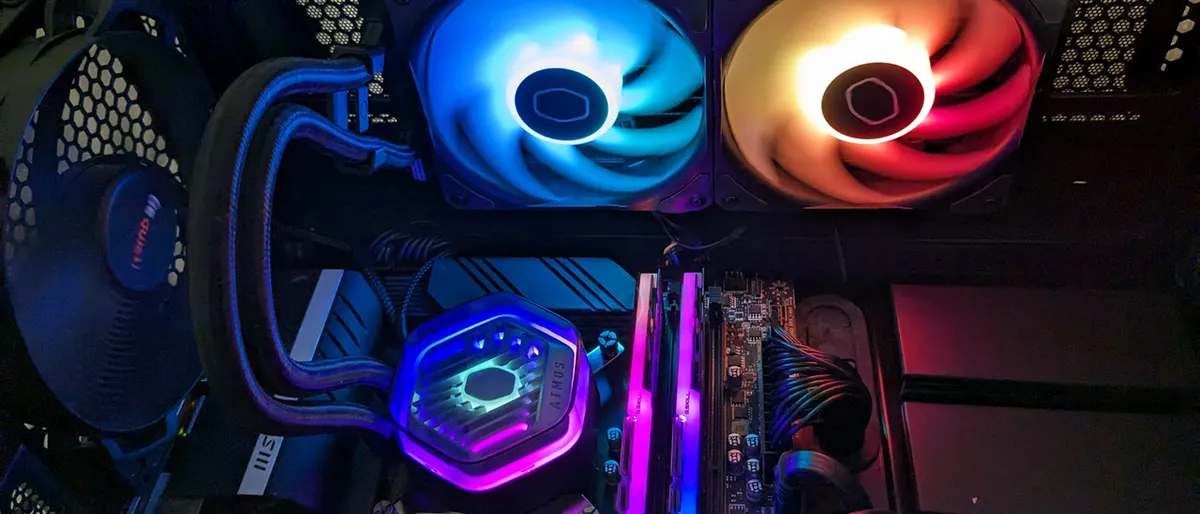
The MasterLiquid 240 Atmos offers up premium aesthetics, strong cooling performance, and quiet noise levels for $135. It's one of the best 240mm AIOs available.

Best 120mm AIO Cooler
Enermax's LiqMaxFlo SR 120mm SR combines very good thermal performance with low noise levels, at a competitive price. It aslo has a unique fan on top of the CPU block that helps circulate air around the socket, helping to chill VRMs and RAM.
The Best Air Coolers You Can Buy Today
Best Air Cooler for Most People

Specifications
Reasons to buy
Reasons to avoid
Thermalright's Peerless Assassin 120 SE lives up to its name, delivering the best performance from an air cooler that we've tested on Intel's Alder Lake at a price that undercuts the competition. In our tests, it performed so well when cooling our Core i9-12900K that we re-tested it multiple times to be sure the results were correct. The Peerless Assassin 120 SE cooled the CPU when it was drawing over 200 watts better than our tested competition, and at lower thermal/TDP settings, it performed much better than the competition.
The cooler's two 120mm fans did their job of dissipating all that heat at low noise levels, making at just 34.5dB at max speed, and 33dB at 50% speed. It's also available in in silver/gray, white or black, so it should fit in with most build themes if you care about matching aesthetics. Whether you care about value or not, you should consider this cooler for your next system build, so long as your case has room for it.
Read: Thermalright Peerless Assassin SE review
Best Big Air CPU Cooler

Specifications
Reasons to buy
Reasons to avoid
Thermalright has long been delivering impressive cooling at prices that most of competition can't match. But the Royal Pretor 130 shattered my expectations, once again raising the bar for what I consider possible with air cooling, both in terms of maximum theoretical performance and when its fans are set to run quietly. And unlike big air alternatives from brands like Noctua or Be Quiet, the price of this cooler is reasonable, typically selling for just above $50 in the U.S.
That said, unless you're running one of the highest-end consumer CPUs under sustained productivity workloads that task all all available cores, or you need the quietest possible performance, most people should be happy with a lower-end, lower-priced cooler like Thermalright's Peerless Assassin 120 SE, which typically sells for $15-$20 less than this cooler. But if you’re looking for the best air cooler on the market and don't mind spending around $50, the Royal Pretor 130 is what you should buy.
Read: Thermalright Royal Pretor 130
Best Mid-size Air CPU Cooler

Specifications
Reasons to buy
Reasons to avoid
With the Mugen 6, Scythe brings performance and noise levels comparable to high-end models available from BeQuiet! and DeepCool, at a lower price. If you’re after a well-performing air cooler with low maximum noise levels, the Mugen 6 and Mugen 6 Black Edition are well worth considering.
There aren’t many other quiet coolers at this price level, aside form Thermalright’s Phantom Spirit 120. It can dissipate slightly more watts for high-end CPUs, but it does so at higher maximum noise levels.
Read: Scythe Mugen 6 review
Best Entry-Level Air Cooler

Specifications
Reasons to buy
Reasons to avoid
You shouldn't use it for overclocking, but for those looking for an aftermarket cooler on a tight budget, Thermalright’s Assassin X 120 R SE is the best option on the market at the moment. Our testing shows it delivers essential cooling performance sufficient for most users, while also keeping noise levels low. Its one-year warranty is less than most of the competition. But if the fan goes in a couple of years, you can probably afford to replace it considering how affordable this cooler is.
Read: Thermalright Assassin X 120 R SE review
Best Fanless CPU Cooler

Specifications
Reasons to buy
Reasons to avoid
Noctua’s NH-P1 is a unique fanless cooler that delivers truly silent cooling, at the cost of slightly reduced cooling thermal performance. Don't look to this cooler if you need every last bit of performance for overclocking. But if you’re a user who prefers silence and runs more common workloads, it's a great option. Even if you run intense multi-core workloads, there won’t be much of a performance loss, as we saw in our Cinebench R23 tests using AMD’s Ryzen 9 9950X3D.
Not only is Noctua’s NH-P1 the strongest fanless solution available for typical PC users, it's also the only one that is easily available for purchase. The $119 USD price will be tough for many to take, but that’s the price of a niche product with strong performance.
Read: Noctua NH-P1 review
Best AIO Coolers You Can Buy Today
Best 360mm AIO Liquid Cooler

Specifications
Reasons to buy
Reasons to avoid
If your primary cooling concern is the lowest possible CPU temperatures and you don't want to pay extra for RGB or a screen, Arctic's 360 mm Liquid Freezer III Pro is, hands down, the best option I've ever tested, whether you're using a high-end AMD or Intel CPU. Nothing else even comes close.

Just note that its radiator and fans together are 63 mm thick, so it won't fit in every case. And its default settings are arguably overkill for even a 9950X3D or a 14900K. So if you're sensitive to fan and pump noise, you'll want to tune things down a bit. Aslo, Intel users will have to install an included contact frame, which makes installation more complicated. Installation is pretty standard for AMD users.
Aside from performance, the Arctic Liquid Freezer III Pro also wins on price. Its $125 U.S. MSRP is competitive or below many other big-name cooling brands. But the cooler is also often on sale for much less. When we wrote this, the Arctic Liquid Freezer III Pro 360 mm was selling for just $88 on Amazon. At that price – or really at any price around $100 – it's hard to argue for any other AIO cooler.
Read: Arctic Liquid Freezer III Pro review
Best Budget Curved Screen AIO

Specifications
Reasons to buy
Reasons to avoid
If you’re in the market for a new AIO and like huge screens, Thermalright’s Wonder Vision 360 UB ARGB is one of the best we’ve recently tested. Sporting a large, high-resolution 6.7-inch detachable curved screen that sets it apart from most of the competition, good cooling performance, low noise in common scenarios, and a lower price than competing curved-screen AIOs, this makes a great cooling solution for anyone who wants a screen on their AIO without the sticker shock.
Our testing revealed that the Wonder Vision handles more than 255W with the AMD Ryzen 9 9950X CPU; however, they said it gets loud when maxed out (47 dBA peak). Quiet isn’t its specialty during high-load scenarios, but it operates quietly in other scenarios. Still, the claim to fame for this AIO is the detachable 6.7-inch, 2,400 x 1,080-resolution anamorphic screen that can be mounted elsewhere, even outside your case. Thermalright stands behind this AIO with a long six-year warranty, too.
Read: Thermalright Wonder Vision 360 UB ARGB Review
Best 360mm AIO Liquid Cooler Alternative
Specifications
Reasons to buy
Reasons to avoid
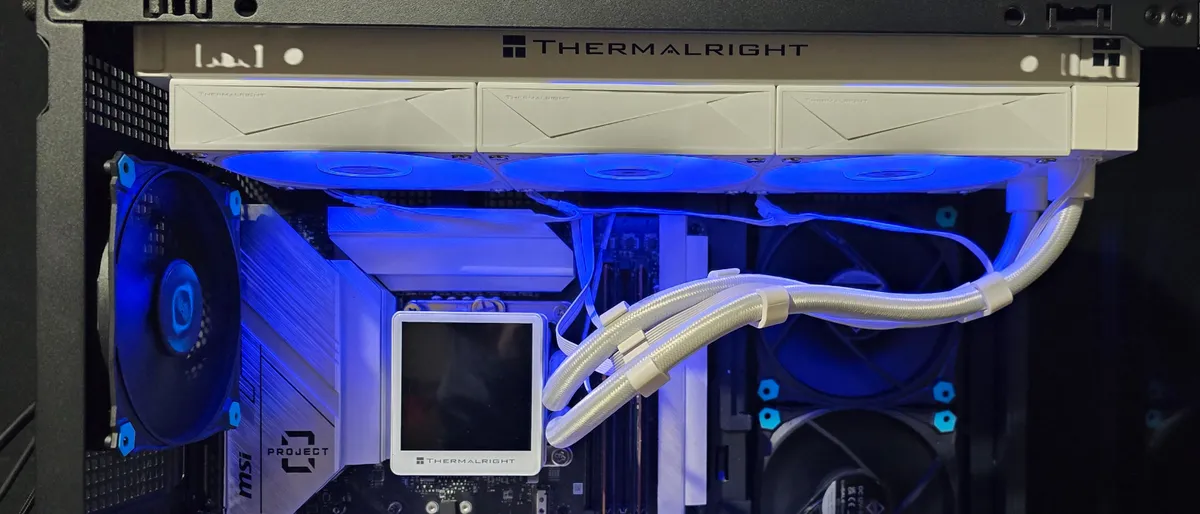
Thermalright continues to prove it's a market leader, raising the bar for performance and value with the Grand Vision 360. This 360mm AIO’s thermal results were better than previous coolers we’ve tested, both with Intel's current Core Ultra 9 285K and the older Core i7-14700K.

Its cooling performance wasn't drastically better than close competitors from Be Quiet and NZXT, but at $129 in the US, its more affordable than those alternatives, while offering up more features.
Unlike most AIOs in this price range, the Grand Vision 360 includes a fancy LCD screen with tons of preset customization options. And while not everyone wants or needs that in their cooler, Thermalright at least delivers the feature at a lower price than most competitors, and doesn't sacrifice cooling performance for a flashy LCD. If you’re looking for an LCD-equipped AIO that cools extremely well and doesn’t break the bank, Thermalright’s Grand Vision 360 is the liquid cooler you’re looking for.
Read: Thermalright Grand Vision 360 Review
Best Budget 360mm AIO Cooler
Specifications
Reasons to buy
Reasons to avoid
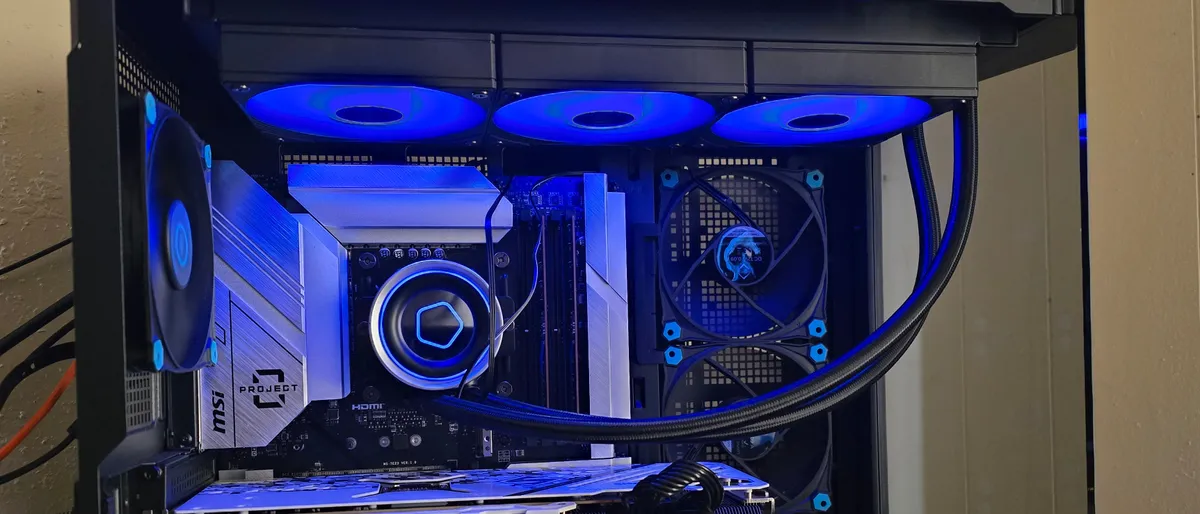
ID-Cooling, much like rival Thermalright, has established itself as a company that delivers solid colling performance at budget-friendly prices. Its FX360 INF 360mm AIO, while not the cheapest in the company's lineup, is still quite affordable at around $80. For that price, you get RGB fans and an infinity mirror on top of the CPU block, a tube of one of the best thermal pastes we've tested, and shockingly great performance for the price.
The ID-Cooling FX360 INF was within striking distance of the best coolers we've tested, just one watt below the best results we've seen cooling the Core i7-14700K with no power limits. And it kept our newer Core Ultra 9 286K more than 10 degrees Celsius below its throttling threshold. And even more impressively, it did all that with a maximum noise level of just 44.4 dBA – and when tied to our test system's default fan curve during our heavy gaming test, the cooler topped out at just 40.9 dBA. Those are both some of the quietest results we've seen from an AIO.
You could spend more – and you'll likely have to spend a lot more – to get slightly better cooling performance and / or aesthetic features like a customizable screen on the water block. But if all you care about is keeping your CPU cool and your system quiet while adding some RGB lighting to your rig, ID-Cooling's FX360 INF is one of the best – and most affordable – 360mm options we've tested to date.
Read: ID-Cooling FX360 INF review
Best Multipurpose AIO Cooler
Specifications
Reasons to buy
Reasons to avoid
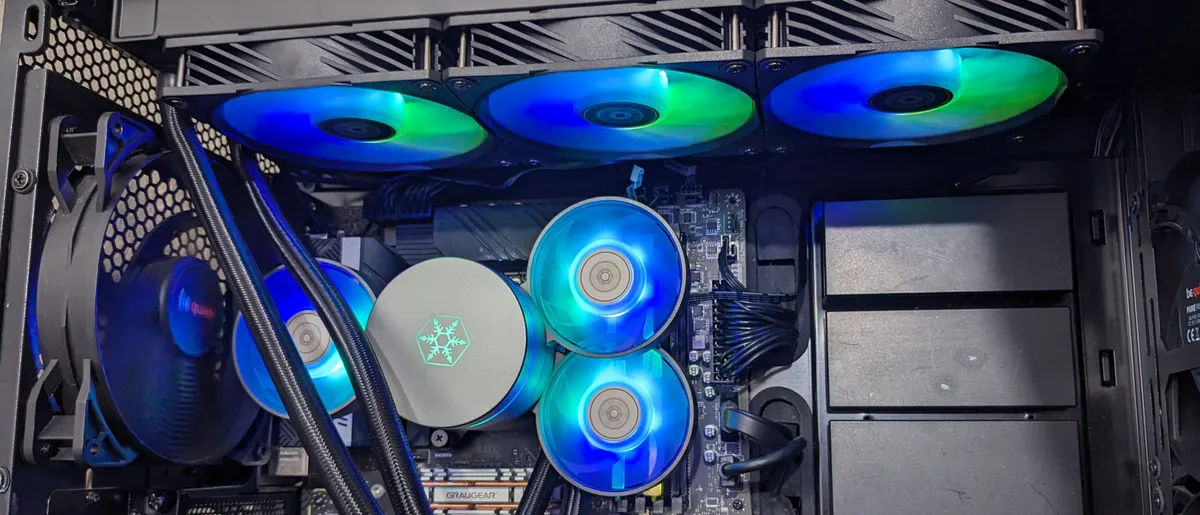
There is still room for innovation in the CPU cooling market, as evidenced by Silverstone's IceMyst AIO line. The 360mm model we tested performed generally quite well in our testing, but apart from that, this cooler lets you add multiple additional fans (which cost $16 each) on top of the CPU block that can easily be positioned to help cool VRMs, RAM, SSDs, or other nearby components. While not everyone needs this additional cooling, it's a unique option not available from any other AIO or air cooler. And the IceMyst is also priced less than most high-end AIO coolers.
We tested both the 360 and 240mm IceMyst AIOs and they performed well overall, generally landing close tot he best-performing alternatives in terms of thermal dissipation. But if you set the IceMyst cooler's fans to a quiet 38.2 dBA, as well as its competitors, Silverstone’s 360mm cooler performed better than any cooler we've tested, dissipating 237 watts. The 240mm model also did well, removing 228W of heat.
The only real downside is that you'll have to do some fan speed tweaking to get the best results. By default, Silverstone sets the IceMyst's fan speeds higher than they need to be, making them louder than necessary. But take a few minutes to set a custom fan curve in your BIOS or motherboard software, and these coolers offer the best noise-normalized performance we've tested so far. Plus, if you want to add some additional cooling to components around your CPU, you can do so for as little as $16 extra.
Read: Silverstone IceMyst 360 and 240mm AIO Review
Best 280mm AIO Cooler
Specifications
Reasons to buy
Reasons to avoid
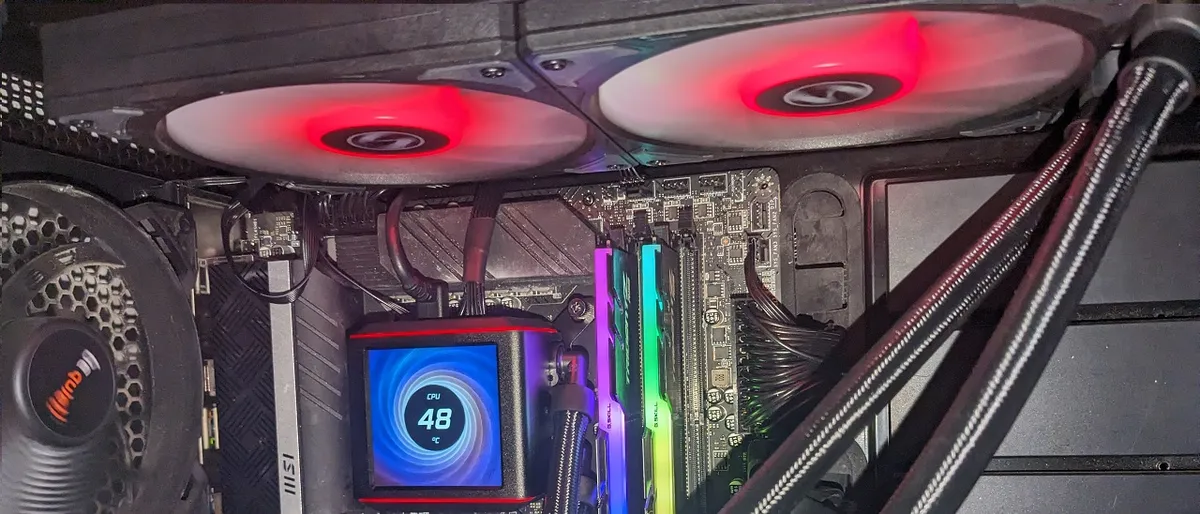
With the right design, you don’t need a 360mm AIO or a loud cooler to keep modern high-end CPUs from throttling -- and Lian Li’s Galahad II LCD 280 proves it. Its performance is amongst the best we’ve seen from any AIO, and its limited 280mm radiator size means that it will fit in many cases where a 360mm model won’t. The LCD screen atop the cooling plate is vibrant and adds eye-catching functionality, too.
At $229, the Galahad II LCD 280 is on the fairly expensive, but if the LCD display isn’t important to you, the non-LCD versions of the Galahad II are available for $159.99 for the 360mm version and $119.99 for the 240mm model. That's a lot more affordable for what should be performance that's just as impressive as this model.
Read: Lian Li Galahad II LCD 280 Review
Best 240mm AIO Liquid Cooler

Specifications
Reasons to buy
Reasons to avoid
I never imagined that a 240mm AIO would have this level of thermal domination. Lian Li’s Galahad Trinity II Performance 240mm got surprisingly close to and even outperformed 360mm AIOs in our testing that were previously considered among the best available.
You can’t go wrong with Lian Li’s Galahad II Trinity 240mm if you're after a cooler that performs well. Our testing shows it's the best-cooling AIO of its size on the market. It's also quiet under most conditions, and is reasonably priced at only $119.99.
Read: Lian Li Galahad II Trinity Performance 240 Review
Best 240mm AIO Liquid Cooler Alternative
Specifications
Reasons to buy
Reasons to avoid
After testing, I found Cooler Master’s new MasterLiquid 240 Atmos especially impressive. The company improved its flagship AIO in several key areas: Noise levels are low in most common workloads, and despite its smaller 240mm profile, this is one of only a handful of AIOs I’ve tested that can keep Intel’s i7-13700K under its peak temperature, even in the most thermally demanding scenarios.
Cooler Master also backs the quality of this product with rated lifespans of over 160,000 hours for the fans and 210,000 hours for the pump, combined with a 5-year warranty.
Lian Li's Galahad II Trinity Performance 240 cools just slightly better and sells for a little less. But Cooler Master's Atmos includes an ARGB controller box for syncing your lighting with other components. If you have a use for the controller, which would cost about $20 on its own, these two coolers are effectively evenly priced.
Read: Cooler Master MasterLiquid 240 Atmos Review
Best 120mm Closed-Loop Liquid Cooler

9. Enermax LiqMaxFlo SR 120mm
Specifications
Reasons to buy
Reasons to avoid
Why you might not want a 120mm AIO
Generally, you can get better performance with air cooler at a lower price than a small 120mm AIO. And an air cooler won't add the underlying hum of pump noise to your PC. But there are certain systems, whether they be extremely compact, or just with very little clearance above the CPU socket and no space to mount a larger 240mm radiator, where 120mm AIOs are your best (or perhaps only) option.
We tested four popular models of these compact liquid coolers. And while Enermax LiqMaxFlo SR 120mm wasn't hands-down the best performer when it comes to cooling, it offered the best balance of cooling ability, quiet noise levels, and price (selling for around $80 when we wrote this).
Enermax's cooler also has a unique feature in its CPU-block-mounted RGB fan, which adds a splash of color while also helping to circulate air around your VRMs and RAM. In extremely tight cases where you might have to use a 120mm AIO, that extra airflow can be a very helpful feature.
Read our 120mm AIO roundup: Testing Be Quiet, Corsair, Cooler Master, and Enermax models
Intel Core Ultra Arrow Lake S cooling tests
If you're considering building around one of Intel's latest Core Ultra desktop processors, you won't need to spend as much as you might think on cooling. Arrow Lake S sports a more efficient design (though there are some serious tradeoffs in performance, particularly in gaming), so you shouldn't need as much cooling performance as you would or did with previous-gen Raptor Lake chips.
Our testing links below will tell you what kind of cooler you'll need to keep the latest Ultra 7 and Ultra 9 CPUs running fast and cool.
Intel Core Ultra 9 285K cooling testing
Intel Core Ultra 7 265K cooling testing
Quick Shopping Tips
When choosing the best CPU cooler for your needs, consider the following:
🛒 If opting for a large air cooler, be sure to check clearances before buying.
Big coolers and low-profile models can bump up against tall RAM and even VRM heatsinks sometimes. And tall coolers can cause clearance issues with your case door or window. Be sure to check the dimensions and advertised clearances of any cooler you're considering and your case before buying.
🛒 Remember that, all else being equal, more fans equals better cooling, but more noise.
The coolers that do the best job of moving warm air away from your CPU and out of your case are also often the loudest. If fan noise is an issue for you, you’ll want a cooler that does a good job of balancing noise and cooling. If you can set your cooler's fan speeds based on temperatures in your motherboard's BIOS, that should also help.
Get Tom's Hardware's best news and in-depth reviews, straight to your inbox.

Joe Shields is a staff writer at Tom’s Hardware. He reviews motherboards and PC components.
- Matt Safford Managing Editor
-
abryant Archived comments are found here: http://www.tomshardware.com/forum/id-3707693/cooling.htmlReply -
bit_user Thanks for including a down-draft cooler. I feel better having direct airflow on the VRM, which tower-style coolers don't provide. RAM temps also typically benefit.Reply
An interesting test would be to measure the difference that occurs when you reverse the fan direction of such a cooler. So, flip the fan and run it as an updraft cooler. The rationale is that case exhaust fans are often right next to the CPU, in which case they'd be fighting the airflow of a downdraft cooler. However, if you instead run it in the updraft direction, the airflow rate should benefit and more of the hot air should get exhausted. -
Carsten_3 I wonder why you link a 5 month old review, instead of reviewing the latest ENERMAX LIQTECH TR4 II serie?Reply
As the old Enermax LIQTECH TR4 360mm AIO Liquid CPU Cooler got 35% 1 star customer reviews on Amazon. -
fredfinks Should be stated that gunk builds up on the insides of liquid coolers. Also theres chance of pump failure & leaks.Reply
A big dumb block of metal, combined with a top notch fan (i.e. the noctua - guaranteed for 7 years) will function for a LONG time.
The only thing stopping it being mounting kit obsolescence. (low & behold noctua will send out a mounting kit in future if you ever need it, for free anywhere in world)
Indefinite lifespan. Eff liquid AIOs. (custom loops go ahead) -
bit_user Reply
The enemy of air is dust. Of course, this also applies (somewhat) to liquid cooling radiators.21349247 said:A big dumb block of metal, combined with a top notch fan (i.e. the noctua - guaranteed for 7 years) will function for a LONG time.
Bigger, slower fan = less dust buildup.
I also run a positive-pressure case setup, with removable dust filters behind the intake fans. This has worked remarkably well at keeping the case clean.
Of course, it also helps not to have pets. -
medicjambi It would be nice to see stats on how much cooling each one provides. As in how many watts of energy it can dissipate or cool, etc. I've not been able to find the cooling capacity on these coolers. I understand the larger the radiator and more fans equal more cooling capacity, but it would be nice to see how much each is able to cool.Reply -
medicjambi I have the Liquid Freezer 240 and I was able to find the stats that it is able to dissipate 300 Watts TDP. Information like that should be listed in a review like this. That's quite the oversite there Tom's Hardware. You guys are slipping.Reply -
jill.and.molly.bff The most important aspect of a cooling system is its heat dissipation capacity, which CPU makers express as Watts TDP. If the cooler's TDP capacity does not at least equal the CPU's, the CPU will overheat under heavy load. Can't even imagine why this important fact is entirely omitted from the article...Reply -
Chupacabra69 Err where are the cooling performance comparisons.. is this an opinion or marketing piece?Reply