Why you can trust Tom's Hardware
Our expert reviewers spend hours testing and comparing products and services so you can choose the best for you. Find out more about how we test.
PBO Performance and maximum noise levels
We’re going to start this review’s benchmark section by focusing on a traditional maximum performance test, with the CPU cooler’s fans allowed to reach their fastest speeds, for the best cooling possible.
Turning on PBO allows AMD’s Ryzen 9 9950X3D to stretch its legs to an extent, and all air coolers I have tested with PBO enabled using MSI’s X870E Carbon Wifi motherboard reach the maximum CPU temperature of 95 degrees C (203 F) and thermally throttle to some extent.
(Image credit: Tom's Hardware)
Results from the liquid coolers we’ve recently tested aren’t shown above because they are able to keep AMD’s Ryzen 9 9950X3D under TJ Max – and as such, power consumption figures aren’t quite comparable.
Montech’s NX600 does fairly well in this test. While it is technically beaten by Sudokoo’s SK700V & DeepCool’s AK620 G2, it only falls behind by a few watts. This means benchmarks will basically be the same, as any scaling gained from raising power consumption to 251W (compared to 248W) would be so small as to be irrelevant.
To give a wider variety of comparison examples, I’ve included a chart of the same tests from our last AMD Ryzen 9 9950X3D cooling test bench. But keep in mind these results aren’t 100% comparable, due to a different case and fans being used. Our newest test bench used for this and other recent reviews incorporates a Tryx crossblade intake fan as well as a single Noctua NF-A12 G2 intake fan, which results in better air cooling performance.
(Image credit: Tom's Hardware)
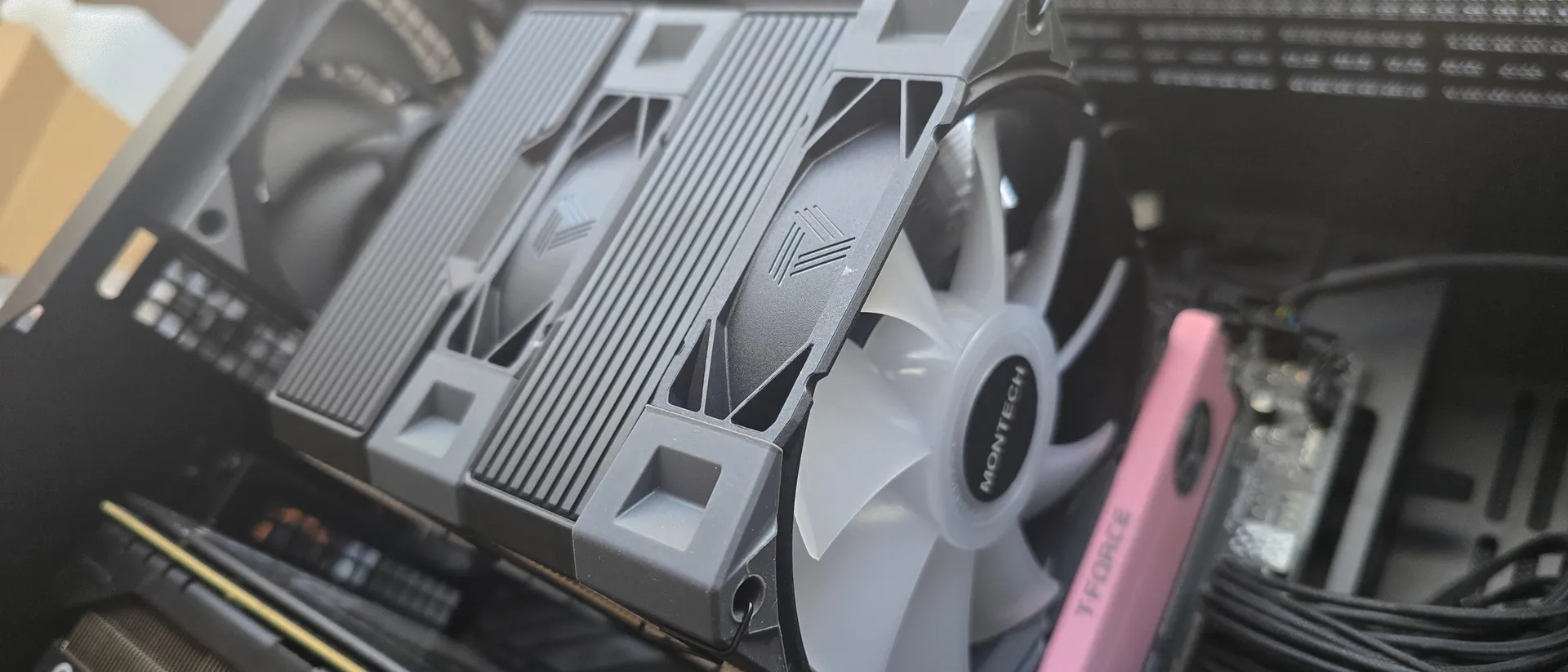
Montech’s NX600 performs well, but a large part of that comes from the inclusion of its flagship E28 fans, which are a bit overpowered compared to the included dual-tower heatsink. As such, at full fan speeds, this cooler does not run at all quietly – with a measurement of 50dBA, it is the loudest air cooler I’ve ever tested.
(Image credit: Tom's Hardware)
200W thermal benchmarks
For the next thermal test, I leave the motherboard settings at their defaults, which results in a power limit of 200W when running Cinebench R23.
(Image credit: Tom's Hardware)
The result here was curious, as with a “stock” power profile, its thermal performance was not as strong as our previous test.
Stay On the Cutting Edge: Get the Tom's Hardware Newsletter
Get Tom's Hardware's best news and in-depth reviews, straight to your inbox.
150W + GPU thermal results, noise levels
Our next test runs Cinebench on the CPU with a 150W power limit, while also running Furmark on MSI’s RTX 4070 Ti Super Ventus 3x OC. This causes the GPU to consume ~295W of power. This test is designed to emulate the thermals of games, which primarily stress the CPU and GPU.
(Image credit: Tom's Hardware)
Montech’s NX600 did particularly well with this combined CPU and GPU thermal test; the included E28 fans seemed especially effective in helping to push the GPU’s heat outside of the case.
(Image credit: Tom's Hardware)
But again, the cooling potential provided by the E28 fans comes at the cost of noise – with the NX600 averaging 44.6 dBA. Between our current (shown above) and former (shown below) testing setup, this result is the third-loudest we’ve seen from any air cooler on this test.
(Image credit: Tom's Hardware)
Noise-normalized testing
Most testing is performed with the cooler tied to the default fan curve of our MSI X870E Carbon motherboard, but some of y’all prefer to see tests when the noise levels of coolers are equalized. This is especially important to those of you who prefer silent computers. This next test has the CPU cooler noise-normalized to 38.9 dBA, with PBO enabled for the Ryzen 9 9950X3D CPU.
(Image credit: Tom's Hardware)
The results here were not impressive for the Montech. Perhaps the thermal transfer from the NX600’s CPU coldplate and copper heatpipes is not ideal, as performance should be better with these flagship E28 fans.
Another factor to consider when evaluating this benchmark is that my test bench utilizes DDR5 DIMMs that are 49mm tall – which requires lifting the front intake fan a few millimeters to fit. The particularly poor noise-normalized performance may be the result of reduced performance when the fans are set to lower noise levels and rotation speeds.
Karhu DDR5 RAM thermals testing!
Your CPU cooler does not operate in isolation. It has an impact on not just your CPU’s temperatures, but also the other components in your build, like your RAM and GPU. To that end, I’ve run the Karhu RAM stress test. This places a load of ~153W on the CPU and ensures system RAM (DDR5 in my case) is fully stable. In this type of scenario, most AIOs tend to produce worse results than air coolers.
(Image credit: Tom's Hardware)
The DDR5 temperature recordings from this test seem to be within expectations compared to other dual-tower air coolers, with Montech’s NX600 performing only 1.2 degrees C behind the best dual-tower air cooler in our setup.
Conclusion
(Image credit: Tom's Hardware)
Montech’s NX600 generally performs well, and has a very reasonable price of only $29.90, which makes purchasing this cooler worth it even if you’re “only” interested in the fans.
On the flipside, the included E28 fans seem overpowered compared to the heatsink, resulting in high noise levels during moderate to intensive workloads. If you’re looking for a quietly running system, you should consider alternatives like SAMA’s E360 air cooler instead.