Join for quick access. Enter your email below and we'll send confirmation plus sign you up to our newsletter.
By submitting your information, you confirm you are aged 16 or over,
have read our
Privacy Policy
and agree to the
Terms & Conditions. Geographical rules apply.
Stay On the Cutting Edge: Get the Tom's Hardware Newsletter
Get Tom's Hardware's best news and in-depth reviews, straight to your inbox.
You are now subscribed
Your newsletter sign-up was successful
Join the club
Get full access to premium articles, exclusive features and a growing list of member rewards.
An account already exists for this email address, please log in.
Nvidia is finally ditching its iconic GPU Control Panel after 20 years — new driver updates only ship in the Nvidia App
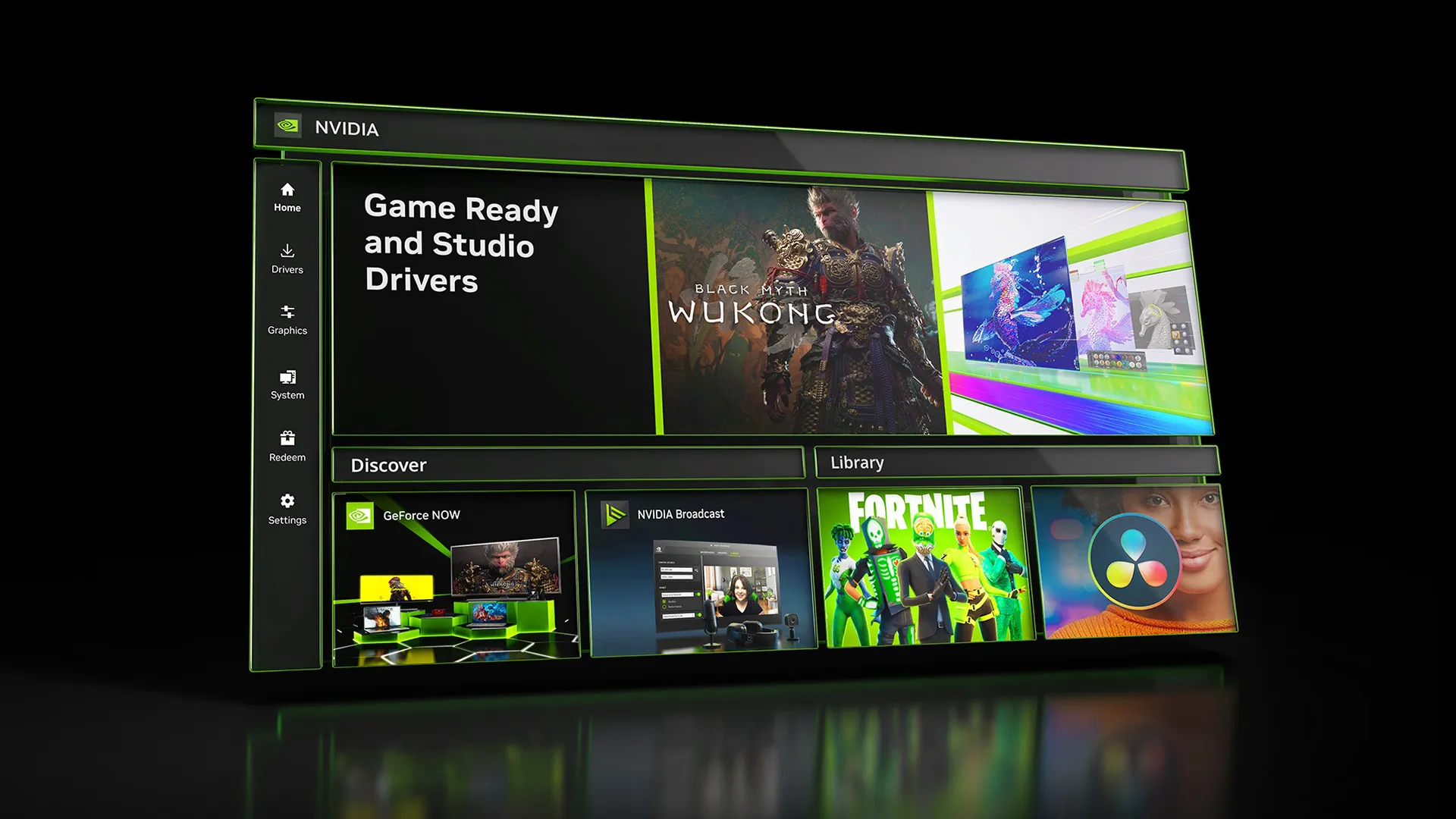
After 20 years of service, Nvidia is officially retiring the Nvidia Control Panel for good and replacing it with the Nvidia App. According to the patch notes for Nvidia’s latest Game Ready driver, the control panel will no longer have new features added to it, and will no longer be bundled with the latest Game Ready and Studio drivers for GeForce GPUs. The only exception is RTX Pro GPUs, where Nvidia will keep supporting the control panel until all “professional features” have been migrated to the Nvidia App.
The Nvidia Control Panel will now live in a “maintenance mode” for the foreseeable future. Users who still want to use the Nvidia Control Panel won’t be forced to use outdated Nvidia drivers to keep the control panel installed. Future driver updates will not delete the control panel from a user's PC unless they are installed with the “clean install” method. Nvidia is also keeping the control panel downloadable through the Microsoft Store.
This news represents the accomplishment of Nvidia’s goal to replace the Control Panel and GeForce Experience applications with one application. Nvidia has been slowly migrating control panel features into the Nvidia App since it was unveiled in 2024. Migration of Nvidia control panel tools into the Nvidia App reached a tipping point in 2025 when Nvidia finally moved 3D Settings, Multi-Monitor support, and added offline support for system-level control panel and driver options, leaving almost no features left to migrate to the Nvidia App.
It still remains a mystery why Nvidia took so long to discontinue the control panel (or update it with a better-looking UI), but late is better than never. Likely, competition from AMD’s outgoing iteration of its Adrenalin control panel was what finally incentivized Nvidia to make its own counterpart.
For the vast majority of GeForce users, there is virtually no reason to use the Nvidia control panel anymore or keep it installed. The Nvidia App has all the features you need to tune and optimize games for GeForce GPUs. The app comes with driver-level tuning, but video recording, GPU monitoring, overclocking controls, automatic game optimization, and automated driver updates. That said, it's great to see Nvidia keeping the old control panel around for occasions where the Nvidia app might be buggy.
It still remains a mystery why Nvidia took so long to discontinue the control panel (or update it with a better-looking UI), but late is better than never.
i still won't use new one.
It still lacks some of the option the control panel has.
I like that you can quickly get to everything from the same page with the old one.
Quickly? Sure, fewer clicks, but it never loaded the initial GUI homescreen quickly nor when navigating to other pages. Not back when I had my GTX 1080 anyways, and I doubt it was made much faster since then. Faster after being loaded for a few minutes and after visiting and then revisiting the same pages, yeah, probably.
I'm surprised it's finally sunsetting just now, but I guess I can also see that not everyone has switched. That's at least decent of nVidia to keep it going still for those holdouts.
The one thing I liked about nVidia: their simple driver, yet powerful, solution.
They just needed to improve the overall performance of the old CP and not re-skin it into the new one. That being said, if it works better and offers more functionality, the users win. Knowing nVidia, that won't be the case, LOL. I hope I'm wrong though.
i still won't use new one.
It still lacks some of the option the control panel has.
If you read the artical you'll notice
"Nvidia will keep supporting the control panel until all “professional features” have been migrated to the Nvidia App."
If you read the artical you'll notice
"Nvidia will keep supporting the control panel until all “professional features” have been migrated to the Nvidia App."
Quickly? Sure, fewer clicks, but it never loaded the initial GUI homescreen quickly nor when navigating to other pages. Not back when I had my GTX 1080 anyways, and I doubt it was made much faster since then. Faster after being loaded for a few minutes and after visiting and then revisiting the same pages, yeah, probably.
I'm surprised it's finally sunsetting just now, but I guess I can also see that not everyone has switched. That's at least decent of nVidia to keep it going still for those holdouts.
This!
When I had the 5060ti for a week and dove into "that" old thing, it was not fast at all! And this is on actual workstation hardware...
Of course some folk just refuse to accept that the 90s are behind us, and will champion everything thats "simple" even if it wasn't all that.
When even the newcomer can come out the gate with something properly modern that actually does it all, Nvidia has no excuse. Then again, when you have to dive into bios setting just the get the driver to install without hard-locking your system, I suppose things aren't as sunny in that camp
Less granular control over your own hardware and more AI bs shoved down our throats. I truly don't understand how they still manage to have over 95% of market share.