Historically, operating systems generally come with some form of scripting language which admins and power users can use to create custom tools. Harking back to the home computer craze of the 1970s and 80s, this was BASIC (Beginners All-Purpose Symbolic Instruction Code) but in recent years we have seen batch scripts (I used these for my 486 DX 33 too eek out as much RAM as possible to play Star Wars: X-Wing). Unix and Linux are no different and come with their own scripting languages, one of which is baked into the terminal. These simple to create, yet fiendishly powerful scripts can do everything from remotely backing up entire file systems to making an LED flash.
Bash scripts behave like those of other programming languages. The code runs line by line in a sequence. We can use conditional logic (selection) to alter the path that our code takes and the code can iterate and repeat the execution of the code until a condition is met or run the code indefinitely.
Bash, the Bourne Again SHell is one of many different shells available to Unix and Linux users (Zsh, Ksh, Tcsh, Fish are others) and is commonly installed with many of the main distributions. We ran Kubuntu when writing this tutorial, but the same code will also work on a Raspberry Pi (with Raspberry Pi OS) or almost any other Linux distribution.
In this how-to we shall take our first steps into creating Bash scripts with three example projects. The first is the venerable “Hello World”, then we learn how to create interactive scripts, before finally creating a real script to check the status of a site / server. We then go the extra mile and learn how to make our scripts executable and available system-wide.
How to Write a “Hello World” Bash Script
We’ll start simple with “Hello World”. This may seem trivial, but a hello world test is useful to understand the workflow of creating a Bash script, and to test the basic functionality. We’ll be using the nano text editor, but you can also write your scripts in another terminal or GUI based text editor.
1. Create a new file, hello.sh and open it with nano.
nano hello.sh
(Image credit: Tom's Hardware)
2. On the first line specify the interpreter to be used in the code. In this case it is Bash.
Stay On the Cutting Edge: Get the Tom's Hardware Newsletter
Get Tom's Hardware's best news and in-depth reviews, straight to your inbox.
#!/bin/bash
(Image credit: Tom's Hardware)
3. On a new line use echo to print a string of text to the screen. Those familiar with Windows batch scripts will spot that Windows and Linux both use "echo" to print to the screen.
echo “Hello World”
(Image credit: Tom's Hardware)
4. Save the code by pressing CTRL + X, then press Y and Enter.
5. Run the code from the terminal.
bash hello.sh
(Image credit: Tom's Hardware)
The output of the command is a single line of “Hello World.” This proves that our script works and we can move on to something a little more interesting.
Capturing User Input in Bash Scripts
(Image credit: Tom's Hardware)
Bash is a fully formed language, and with it we can create interactive tools and applications. In this example we will create a greeting generator which will capture the username and then choose a random greeting from an array of greetings.
1. Create a new file, random-greetings.sh using nano.
nano random-greetings.sh
2. On the first line specify the interpreter to be used in the code. In this case it is Bash.
#!/bin/bash
(Image credit: Tom's Hardware)
3. Add an echo to print a message to the user.
echo "Welcome to the Tom's Hardware Greeting Generator"
(Image credit: Tom's Hardware)
4. Read the user’s keyboard input, using a prompt to ask a question to the user. The user’s input is saved to a variable name.
read -p "What is your name?: " name
(Image credit: Tom's Hardware)
5. Create an array greeting which will store five greetings. An array is a list of items stored with an index number. Using the name of the array and the index number we can pull items (greetings) from the array.
6. Create a variable size which will store the number of items in the array.
size=${#greeting[@]}
(Image credit: Tom's Hardware)
7. Create a variable index and store a randomly chosen number from zero to the size of the array, in this case five items.
index=$(($RANDOM % $size))
(Image credit: Tom's Hardware)
8. Use echo to print the randomly chosen greeting along with the user’s name.
echo ${greeting[$index]} $name
(Image credit: Tom's Hardware)
9. Save the code by pressing CTRL + X, then press Y and Enter.
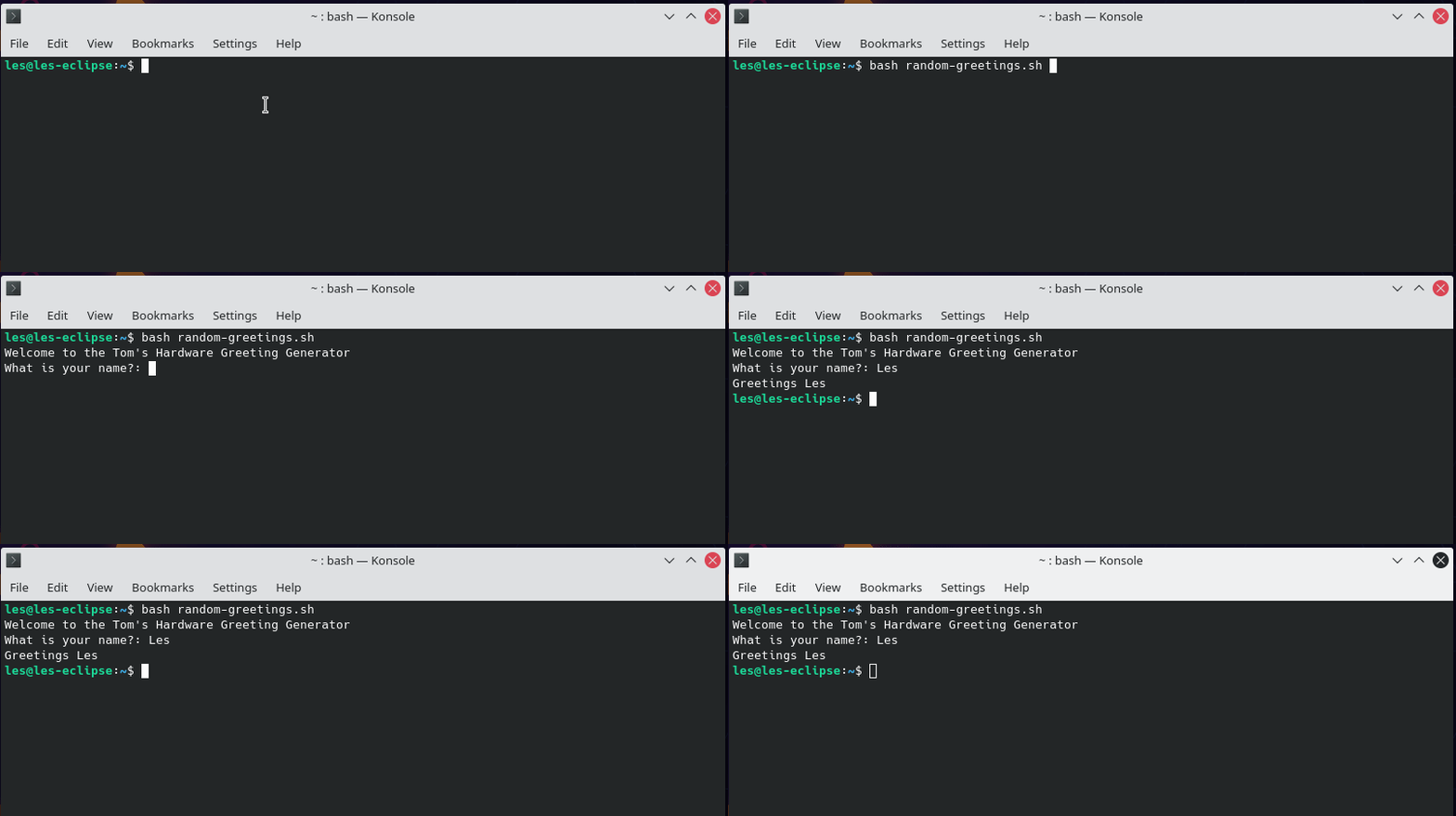
10. Run the code from the terminal. Follow the instructions to see the greeting.
bash random-greetings.sh
(Image credit: Tom's Hardware)
Using Arguments with Bash Scripts
(Image credit: Tom's Hardware)
The beauty of the terminal is that we can pass arguments, extra instructions or parameters, to a command. In this example we will write a bash script to check the status of a URL, passed as an argument.
1. Create a new file site-check.sh and open nano.
nano site-check.sh
2. On the first line specify the interpreter to be used in the code. In this case it is Bash.
#!/bin/bash
(Image credit: Tom's Hardware)
3. Using echo, write a message to the user to advise them on the current HTTP response code for the URL. The value of $1 is the URL that we specified as an argument.
echo "The current HTTP response for " $1 " is..."
(Image credit: Tom's Hardware)
4. Create a variable, response to store the output of the curl command. Using the –write-out argument we specify that we want to see the HTTP response code. Another argument, –silent will ensure that we do not see all of the output from the command spill onto the screen. We then send any residual output such as errors to /dev/null, essentially a black hole for data. Lastly we use the $1 argument (our URL to check) to complete the command.
5. Use echo to print the HTTP response code to the terminal.
echo "${response}"
(Image credit: Tom's Hardware)
6. Save the code by pressing CTRL + X, then press Y and Enter.
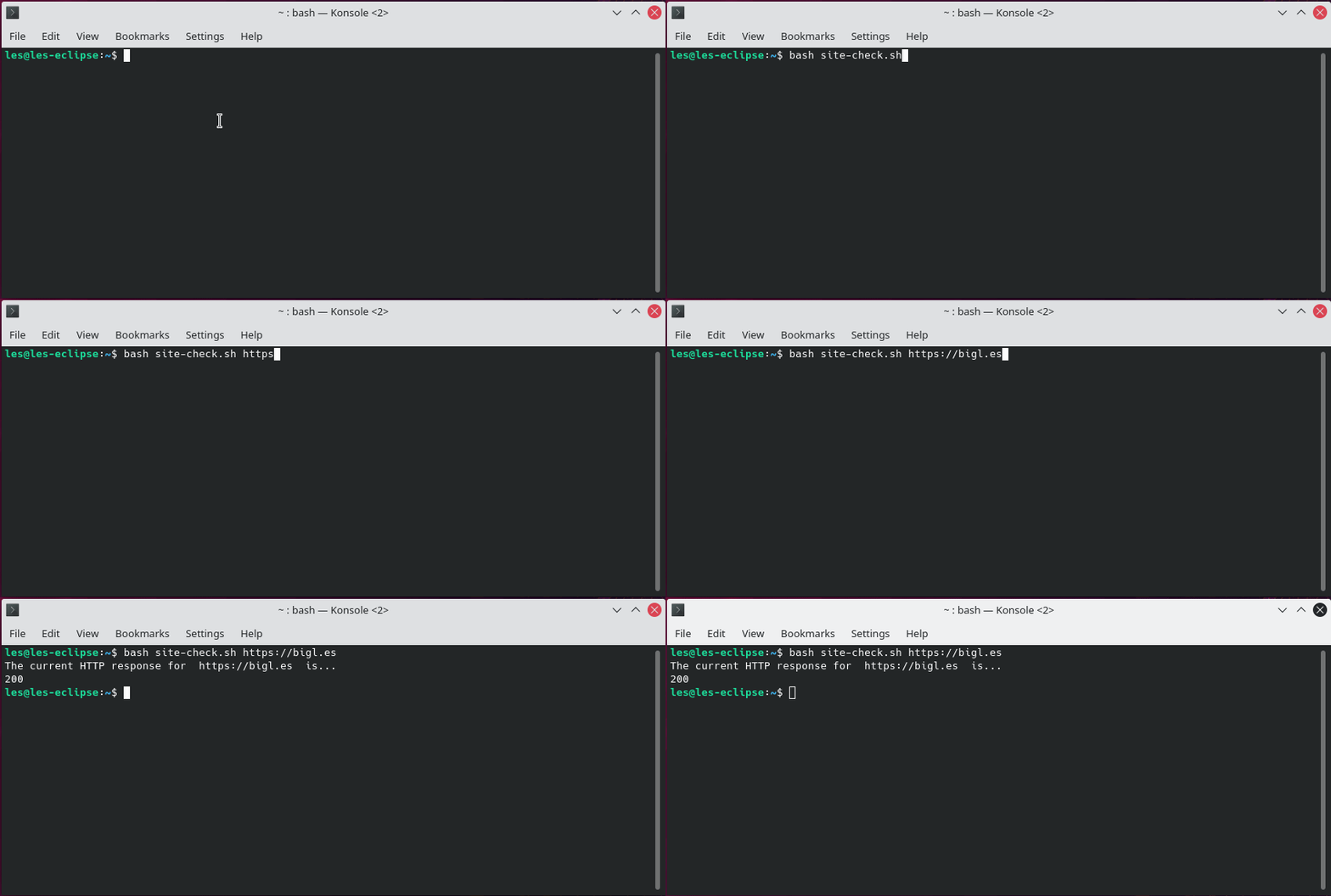
7. Run the code from the terminal; remember to include a full domain name to check.
bash site-check.sh https://tomshardware.com
(Image credit: Tom's Hardware)
Creating a system-wide executable Bash Script
Right now our scripts work well, but they are not available system-wide as an executable file. Let's change that. For this final part we shall convert the site-check.sh script into an application that we can use from any location on the drive.
First we need to make the file executable, then we can copy the file to /usr/bin to create an executable available anywhere.
1. Open a terminal window and navigate to site-check.sh.
2. Use chmod to set the file as executable. The +x argument specifies that the file should be executable.
chmod +x site-check.sh
(Image credit: Tom's Hardware)
3. Run the script. Using ./ we instruct the terminal to run an executable file in the current directory.
./site-check.sh https://bigl.es
(Image credit: Tom's Hardware)
4. Copy site-cehck.sh to the /usr/bin/ directory, and change the target filename to remove the .sh extension. Note that we will need to use sudo as the /usr/bin directory is not owned by our user. Take a look at our tutorial on user, file and folder permissions for more information.
sudo cp site-check.sh /usr/bin/site-check
(Image credit: Tom's Hardware)
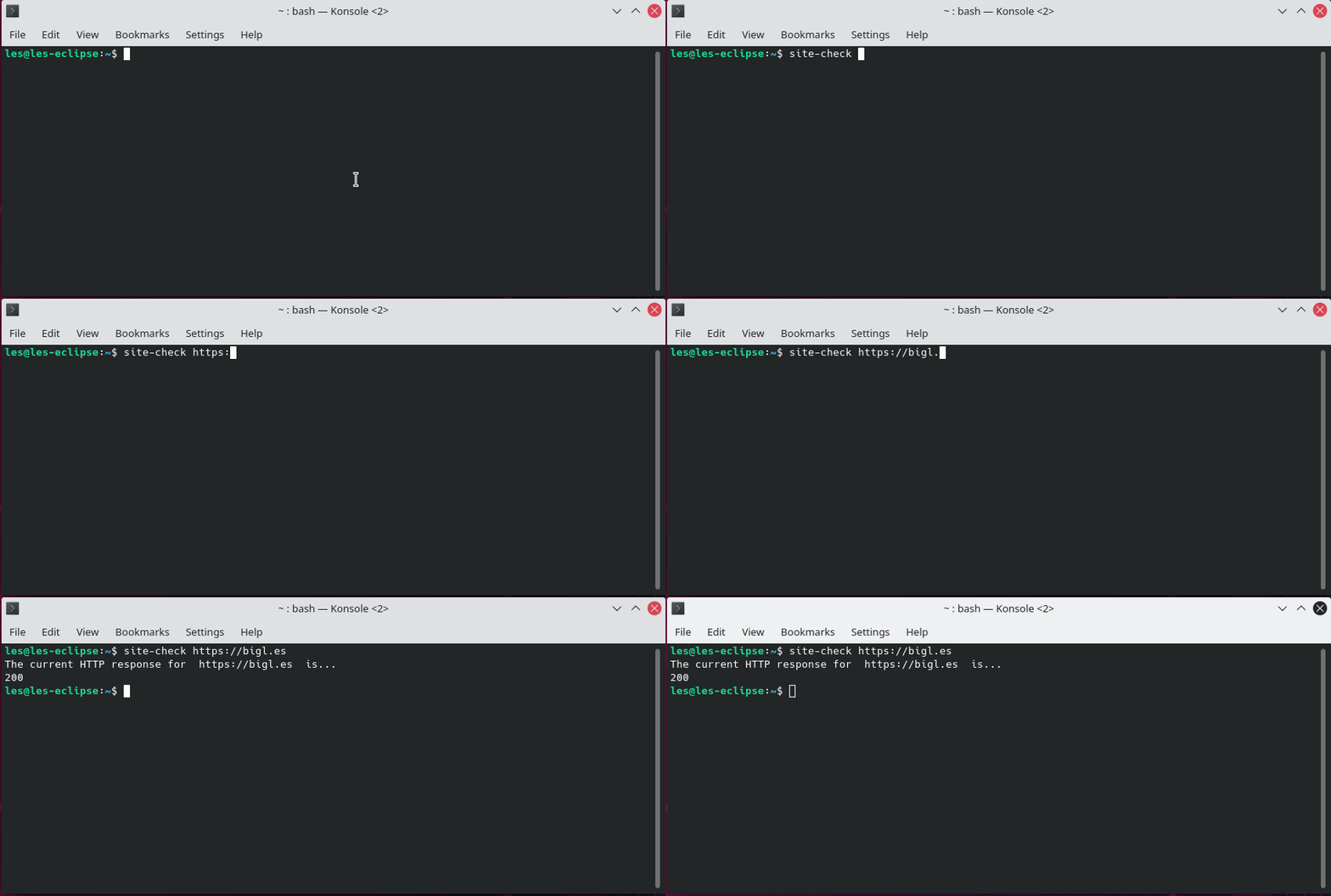
5. Run site-check to test that the command works as expected. Remember to include a URL to check.
Les Pounder is an associate editor at Tom's Hardware. He is a creative technologist and for seven years has created projects to educate and inspire minds both young and old. He has worked with the Raspberry Pi Foundation to write and deliver their teacher training program "Picademy".