The new firmware provides very impressive numbers and takes SSDs to a higher level of performance well beyond HDDs as system drives in desktop computers.
10/28/2009: Woops! Intel has pulled the firmware. Check out our news story to find out why.
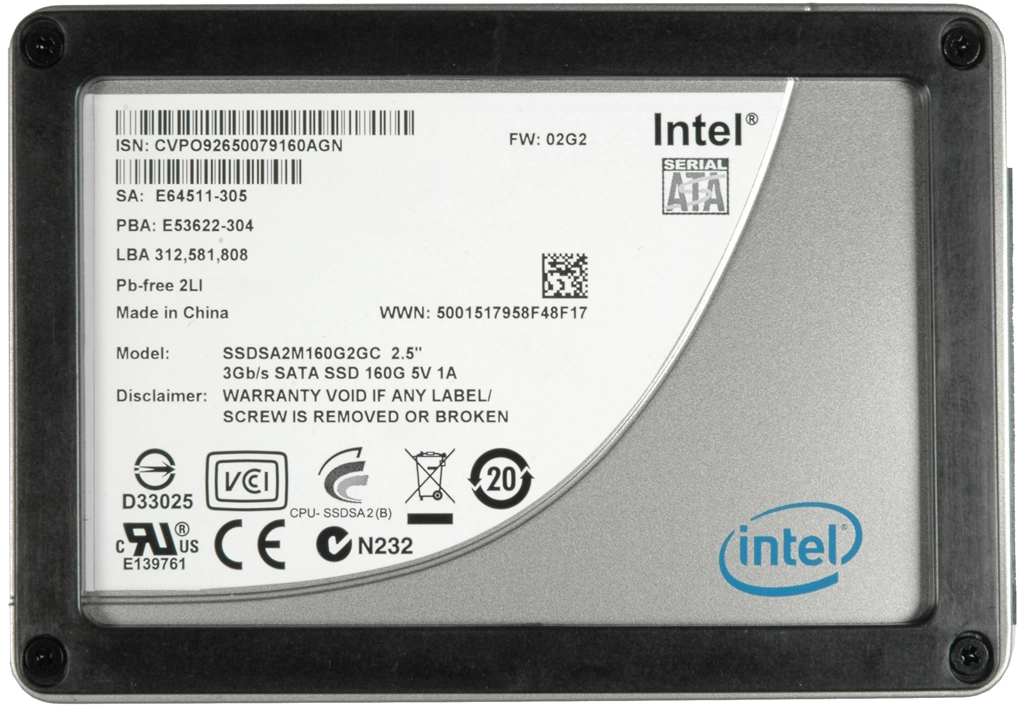
Intel today released new firmware for its 34nm X25-M SSDs.
New Firmware: 02HA; Old Firmware: 02G9

The new firmware supports TRIM. This feature requires Windows 7 with Microsoft AHCI drivers. Intel drivers don’t support TRIM yet. For Windows Vista or XP you have to use the Intel SSD Toolbox, which supports TRIM.
The TRIM attribute of the ATA data set management command synchronizes the operating system’s view of deleted files with those that are deleted, but not erased on the drive. TRIM tells the SSD which data blocks are no longer in use. This helps stabilize the performance and health of the SSD over time.
For the tests we set up a Windows 7 system on our standard storage test platform. We used the Microsoft AHCI driver to support TRIM.
Drive performance is much better with the new firmware. Also after torturing the drive with IOMeter. The sequential write performance in used state areas is in the close to that of the former new state areas, the numbers still decrease but not near as much. Random reads and writes in our database benchmarks double. Very impressive. Workstation benchmarks also double and Webserver and Fileserver numbers increase significantly.
Early adopters who bought the first X25-M will not get a firmware update. Very sad.
Testing Order:
- H2benchW
- IOMeter
- 30min idle time for triming the drive
- Second run of H2benchW
- Second run of IOMeter
The new firmware provides very impressive numbers and takes SSDs to a higher level of performance well beyond HDDs as system drives in desktop computers.

Intel X25-m = 160GB, $659.00, 250 MB/s Read, 70 MB/s Write
Crucial M225 = 256GB, $675.00, 250 MB/s Read, 200 MB/s Write
Corsair P256 = 256GB, $719.00 (free shipping), 220 MB/s Read, 200 MB/s Write
Prices are from Newegg's retail prices. You can get them cheaper other places and OEM.
I have a raid for big file transfers with conventional drives, those will handle throughput, and will have SSD for smaller file operation, OS, games, etc. The X25-M G2 seems nice for that!
Please explain how these are so awesome? Just the usual hype and price gouging by Intel, when the alternatives are simply better.
I'm not a fanboy of any of these companies, but i think intel needs to react to the competition, besides the few task where the intel ssd hase an advantage they can be easily set aside for a similar priced drive with more performance in general.
"Intel X25-m = 160GB, $659.00, 250 MB/s Read, 70 MB/s Write
Crucial M225 = 256GB, $675.00, 250 MB/s Read, 200 MB/s Write
Corsair P256 = 256GB, $719.00 (free shipping), 220 MB/s Read, 200 MB/s Write"
For the intel fans they can always buy two 160gb drives and raid them for a whopping 140MB/s write at a cost of just over $1300. The extra pcie raid controller they might need, might push that 1300 into 1500 territory.
If you want to learn a lot more about SSD drives in perticular about TRIM, and the slow down of SSD drives:
http://www.anandtech.com/storage/showdoc.aspx?i=3631&p=1
Also just want to add that I have a Kingston SSDNow V+ 64Gb. Read/Write is awesome at 220/140, but this doesnt mean much as I use it as a system drive and rarely copy large file to or from it. However my Windows 7 flys along using it. Most load times and many other operations feel instantaneous.
I would be upset if my drive became slow due to this 'fragmentation like' issue. My drive will probably not support trim but there are other ways around the problem. Take image of system drive, Format, re-apply image. The drive is on 64Gb so this would only take about an hour or two. Hopefully I do not have to do this more than every 6 months, which is usually how long before I rebuild my OS anyway. There are apparently 'wiper' tools that work around this problem, but I am yet to try as I have not experienced this slow down issue yet.
Intel is apparently the best performing SSDs, but I am very happy with my Kingston which cost around half the price.
SSDs are tech babies, I wouldnt recommend them to basic PC users yet. Definatly not for database servers, not usefull in a large file server. Maybe a basic web server would benefit. But IMHO any tech/geek will love one as a system drive.
Means they can easily do enhamncements and tweaks like with mobo BIOS drives.
Of course they do. How do you think the device identifies itself to the BIOS, let alone knows how to work?
Basically no RAID controllers allows TRIM passthrough.
Check out the random writes of an X25-M compared to just about any other SSD on the market. The X25-M flattens pretty much everything else out there, and sequential writes rarely matter as much as random writes for general "snappiness" and a speedy feeling hard drive.