




'CopprLink' destroys every eGPU standard in new test, achieves near-native-level performance with an RTX 5090 — setup requires $2,300 worth of additional hardware
CopprLink enables full-fat PCIe 5.0 x16 connectivity.
External GPUs have become increasingly common in the past few years for both laptops and handhelds in the consumer market. We have different standards like Thunderbolt and OCuLink to choose from, but the corporate world has something better: CopprLink, made by PCI-SIG itself. A new test conducted by PCWorld shows a CopprLink eGPU setup achieving essentially the same performance as an RTX 5090 GPU connected directly to the motherboard.
If you know your eGPUs, you'll know such a feat has been impossible until now. By nature, external GPUs can't quite match the performance of a native PCIe link (even without protocol tunnelling). However, CopprLink can enable a full-fat PCIe 5.0 x16 connection that carries 32 GT/s per lane, allowing for 64 GB/s of bandwidth; the most that even OCuLink (PCIe 4.0 x8) has been able to do previously is just 16 GB/s.
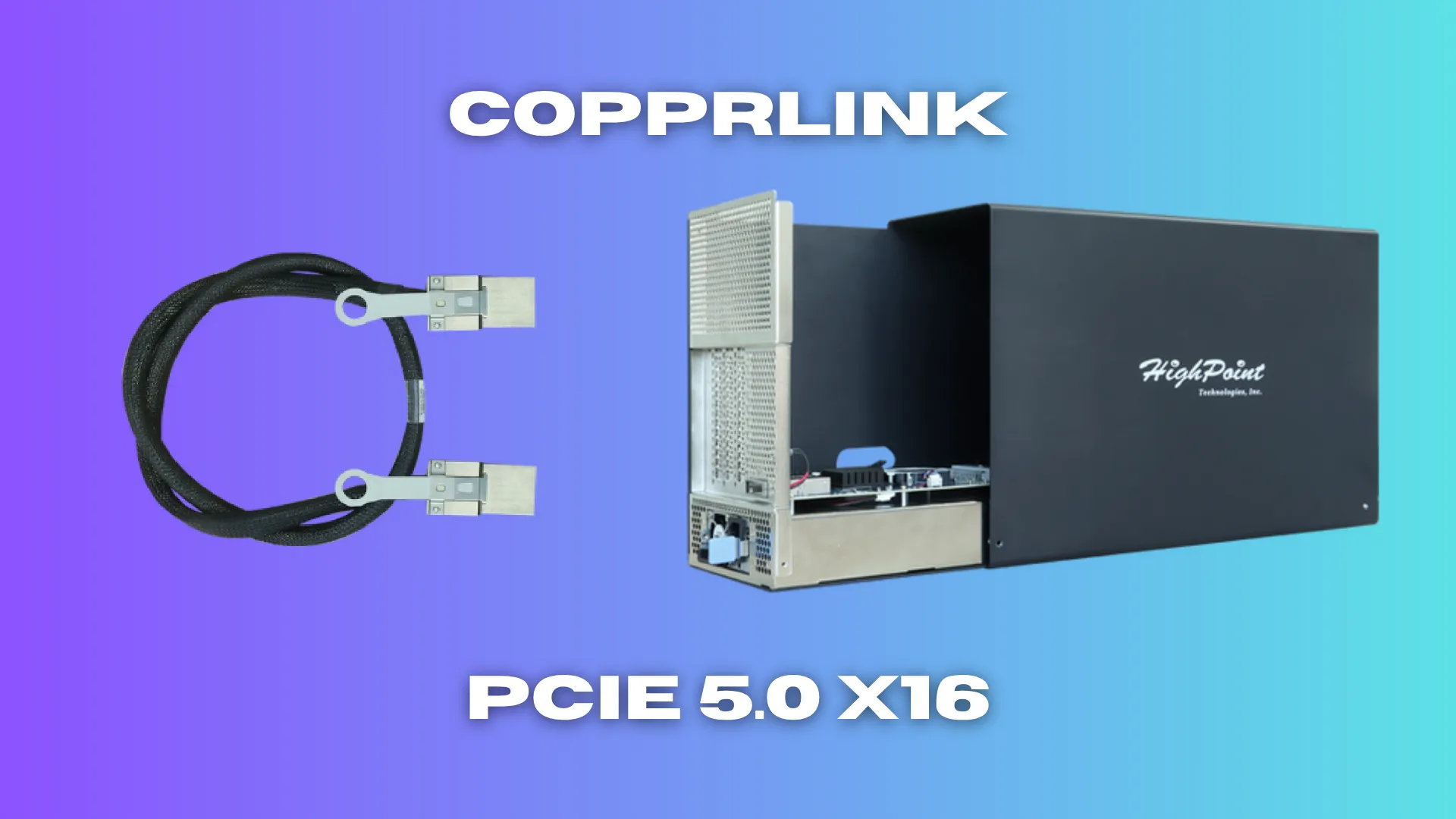
The setup in the video above is powered by HighPoint's RocketStor 8631D eGPU enclosure that costs $1,300 on its own. It's a server-grade chassis meant for rack-scale deployments and other AI workloads, not gaming. It comes with a 1,300W power supply and the appropriate 16-pin cables to power current-gen graphics cards. It can accept pretty much any model, given its large size with ample airflow inside.

The tester slotted a Founder's Edition RTX 5090 in there, then plugged in the CopprLink cable. The other end of this cable goes into whatever device you want the eGPU to power. For this, you need another adapter card that will slot inside a standard x16 slot on the host, giving you a CopprLink port to plug the cable into. PCWorld used HighPoint's Rocket 7634D CDFP card, priced at $999.
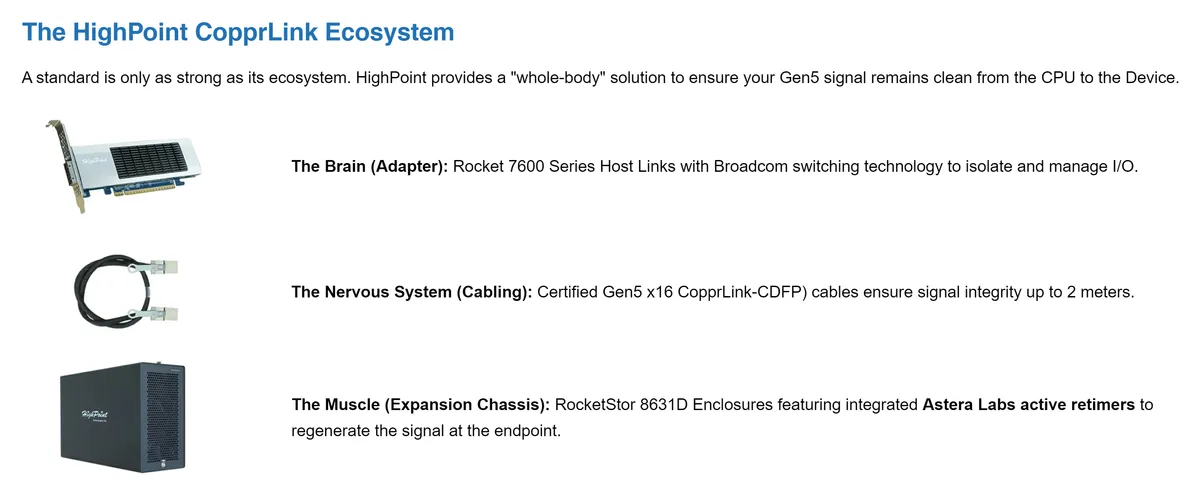

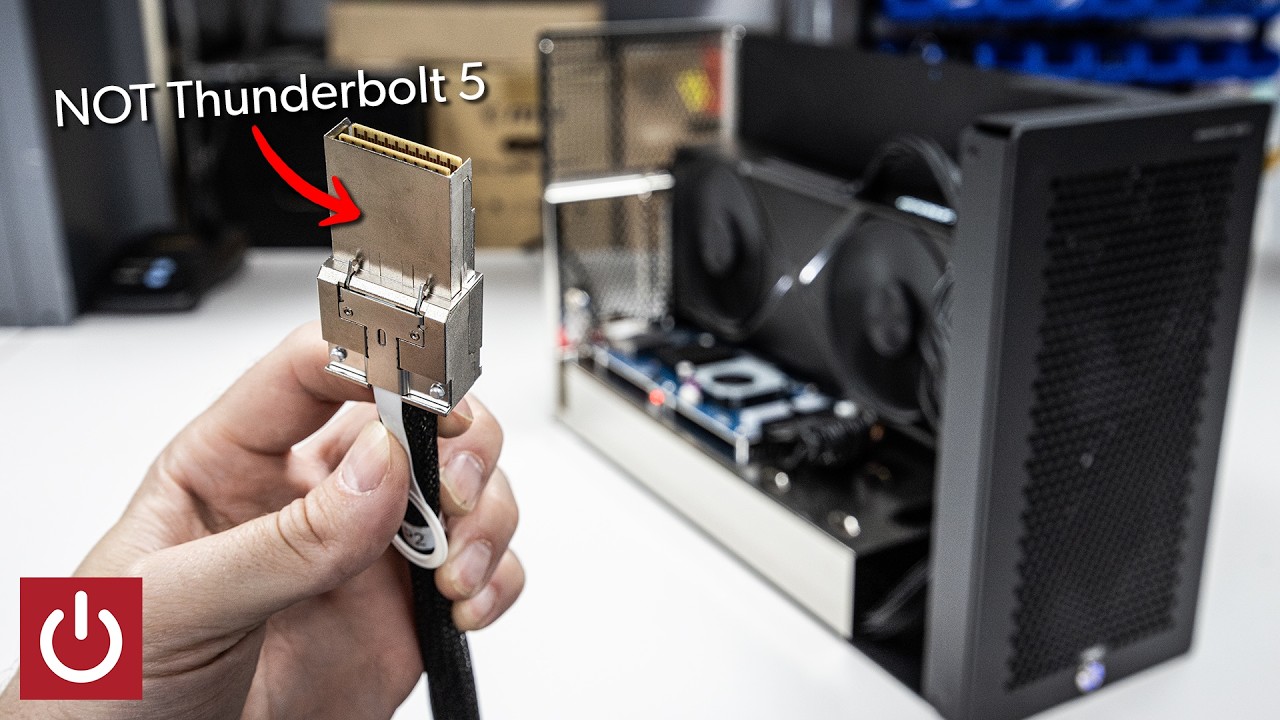
CDFP refers to the physical connector that CopprLink uses, and this connector is as robust as it gets. Once plugged in, it's not coming out unless you intentionally pry away the pull tab. Anyhow, the enclosure and the adapter combined are already $2,300 worth of extra hardware on top of the GPU itself. Since it's a 5090 in this case, we're likely looking at a setup that's over $5,000.
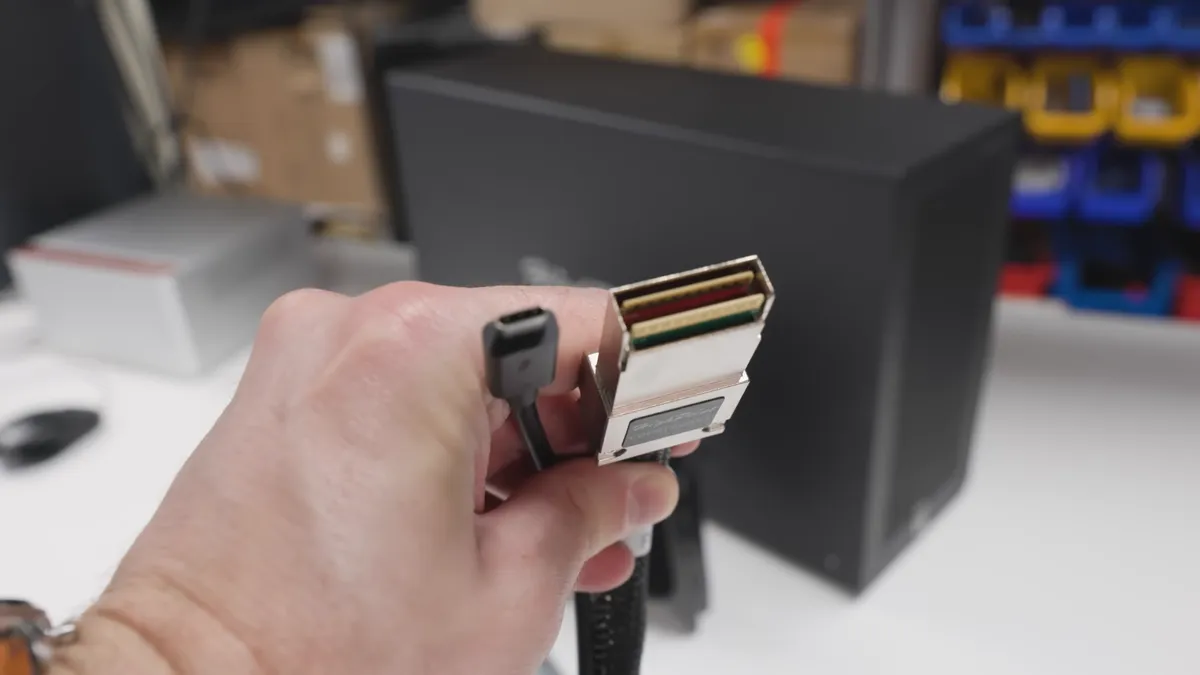
That puts it out of most consumers' reach, which is why CopprLink hasn't escaped its corporate target audience yet. The tech is simply too expensive to make sense for mainstream markets, especially when it comes to things like gaming. Still, PCWorld tested a bunch of them and came away surprised at how they all just worked. There was no setup required as the 5090 was recognized automatically in Device Manager.
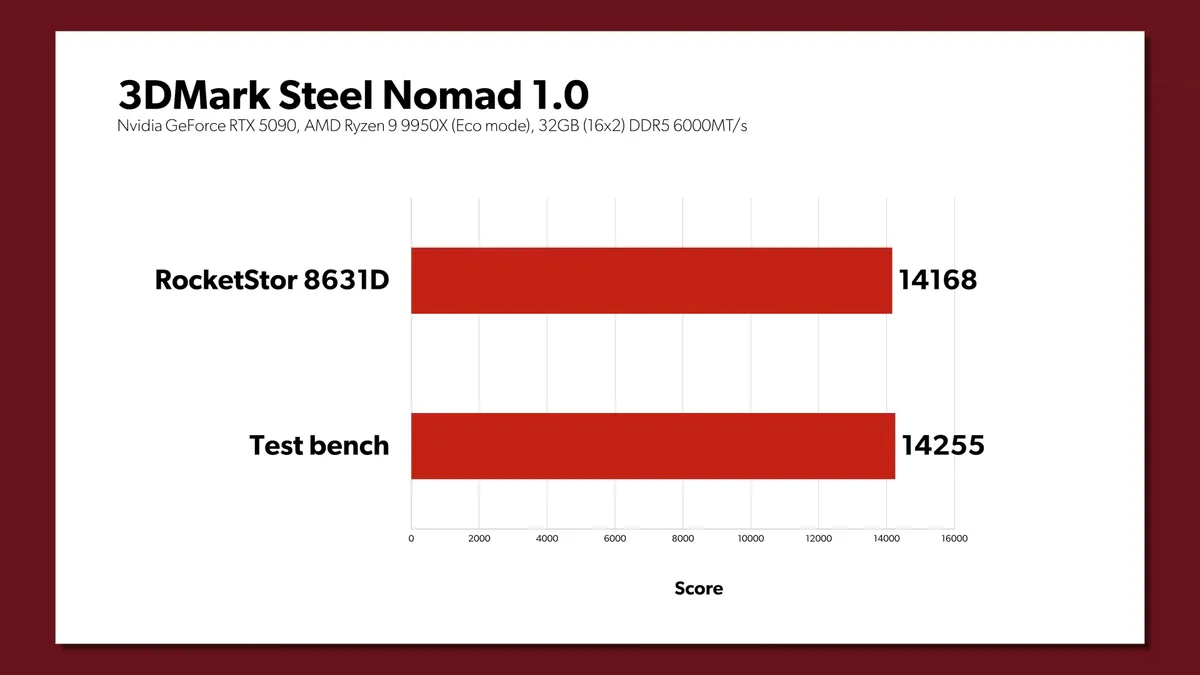
To the computer, it was as if the GPU was plugged directly into the motherboard. Running some benchmarks, the CopprLink eGPU was able to essentially match an actual native PCIe link with an RTX 5090 test bench. In some cases, there was a slight performance hit on the eGPU, but the overall difference between the two came out to just 2.29%, which is significantly better than any other external GPU setup ever.
Get Tom's Hardware's best news and in-depth reviews, straight to your inbox.


In fact, some of those lower numbers could be attributed to the fact that PCWorld was using a PCIe 4.0 riser cable for the CDFP adapter card; had it been PCIe 5.0, there might be no difference logged whatsoever. That adapter itself is made for enterprise systems, so maybe there's some tuning overhead left on the table as well. Regardless, this was an extremely impressive showing for CopprLink, but it's clear that this tech isn't quite accessible enough for consumers just yet.

Follow Tom's Hardware on Google News, or add us as a preferred source, to get our latest news, analysis, & reviews in your feeds.

Hassam Nasir is a die-hard hardware enthusiast with years of experience as a tech editor and writer, focusing on detailed CPU comparisons and general hardware news. When he’s not working, you’ll find him bending tubes for his ever-evolving custom water-loop gaming rig or benchmarking the latest CPUs and GPUs just for fun.
-
PEnns "....setup requires $2,300 worth of additional hardware"Reply
Might as well buy a 5090! (When prices are slightly normal or in a few weeks after the bursting bubble, whichever comes first)
PS: The real question though is about Crysis..... -
watzupken While this sounds great on paper, I think it is impractical for retail customers.Reply
1. Just look at the size of the connector and you will wonder which laptop of mini PC it will fit.
2. If I had to run a full fat PC to use this connector, I could have purchased a PCI-E 5.0 extension instead of selling out so much for this.
3. Cost - In my opinion, if we can get an Oculink running at PCI-E 5.0 x8, I think it will removed most bottleneck. Even a PCI-E 5.0 x4 solution can be a solid step up from the current PCI-E 4.0 solution. No point paying that much for a full fan x16 connector. -
Rakanyshu so you need 2300 usd to plug in a pci-e adapter to then plug in an eGPU, that looks almost as big as my entire pc case... at that point just swap the case and the PSU, it would be cheaper and work better.Reply -
thestryker Reply
OCuLink is dead. The standard hasn't been updated in years and doesn't have anything official for over PCIe 4.0. Someone could implement an 8i setup, but this has been extremely rare even though PCIe 4.0 x8 would be plenty for most.watzupken said:3. Cost - In my opinion, if we can get an Oculink running at PCI-E 5.0 x8, I think it will removed most bottleneck. Even a PCI-E 5.0 x4 solution can be a solid step up from the current PCI-E 4.0 solution. No point paying that much for a full fan x16 connector.
The potential choices for PCIe 5.0 are MCIO or SFF-8614 because CopprLink is only designed around 16 lanes hence the size of the connector. -
palladin9479 Lol that standard is usually used for nvme storage chassis in server racks. And while it can be used for any pcie device, GPUs usually have a dedicated compute plane on board and you just interface with that.Reply -
timsSOFTWARE I can see the use-case for this. You want to run 8 cards - maybe 5090s, maybe 6000 Pros - and have found riser cables to be unreliable. The PCIE expansion cards are single-slot so you can fill up all the slots on your motherboard with them. These boxes provide separate power and cooling for each card. Let's say you have 8x 6000 Pro Blackwells (about $56K) plus another ~$16K for this hardware, and another $10-30K for an Epyc/Threadripper + memory.Reply
Now for about $100K, you have a system with 768GB of VRAM that could run a large open-weight model like Kimi K2 at a decent quant, to support your small business. Not cheap, but still quite a bit cheaper than say a HGX B300, that costs at least ~$500K, and might require an electrical power upgrade. -
bit_user On a loosely-related note, I wish someone would build a graphics card in a 360 mm radiator form factor and provide connectivity to the CPU via MCIO cable. It would also need some sort of connector bracket, for the display connectors.Reply
Then, you just directly mount the graphics card in place of a radiator, as opposed to having to mount a graphics card and a separate liquid cooling system, just to move the heat from where the PCIe backplane to the radiator.
Putting the graphics card in its own enclosure seems like another way to improve cooling, where it gets cool intake air and doesn't heat up the CPU, RAM, or SSD. Not the one I prefer, but I'll grant that it tackles similar problems. -
samopa Reply
I think this product is meant for servers environment. For example, my 4U server has eight x16 PCIe slots, but they're spaced normally, so it would be impossible to put 4 or more RTX5090s in there.watzupken said:While this sounds great on paper, I think it is impractical for retail customers.
1. Just look at the size of the connector and you will wonder which laptop of mini PC it will fit.
2. If I had to run a full fat PC to use this connector, I could have purchased a PCI-E 5.0 extension instead of selling out so much for this.
3. Cost - In my opinion, if we can get an Oculink running at PCI-E 5.0 x8, I think it will removed most bottleneck. Even a PCI-E 5.0 x4 solution can be a solid step up from the current PCI-E 4.0 solution. No point paying that much for a full fan x16 connector.
With this technology, eight RTX5090s can be used per server easily, significantly increasing performance, not to mention it's much cheaper than buying a DGX-H100 server. ;) -
alan.campbell99 I also struggle to see how this would be viable as a desktop situation; if you need a full fat PCIe 16 lane AIB then wouldn't it be better to just have the 5090 inside the tower? Can't see it being a solution for any laptop, or Mac mini/Studio etcReply
Interesting tech for sure, just probably quite niche for now at least.