









Hands-on with Corsair's 3200D RS ARGB Mid-tower PC Case: Budget chassis includes three fans and doesn’t empty your wallet
Three fans included (ARGB and RGB), strong airflow for under $80, plus enough room for multiple radiators and expansion.
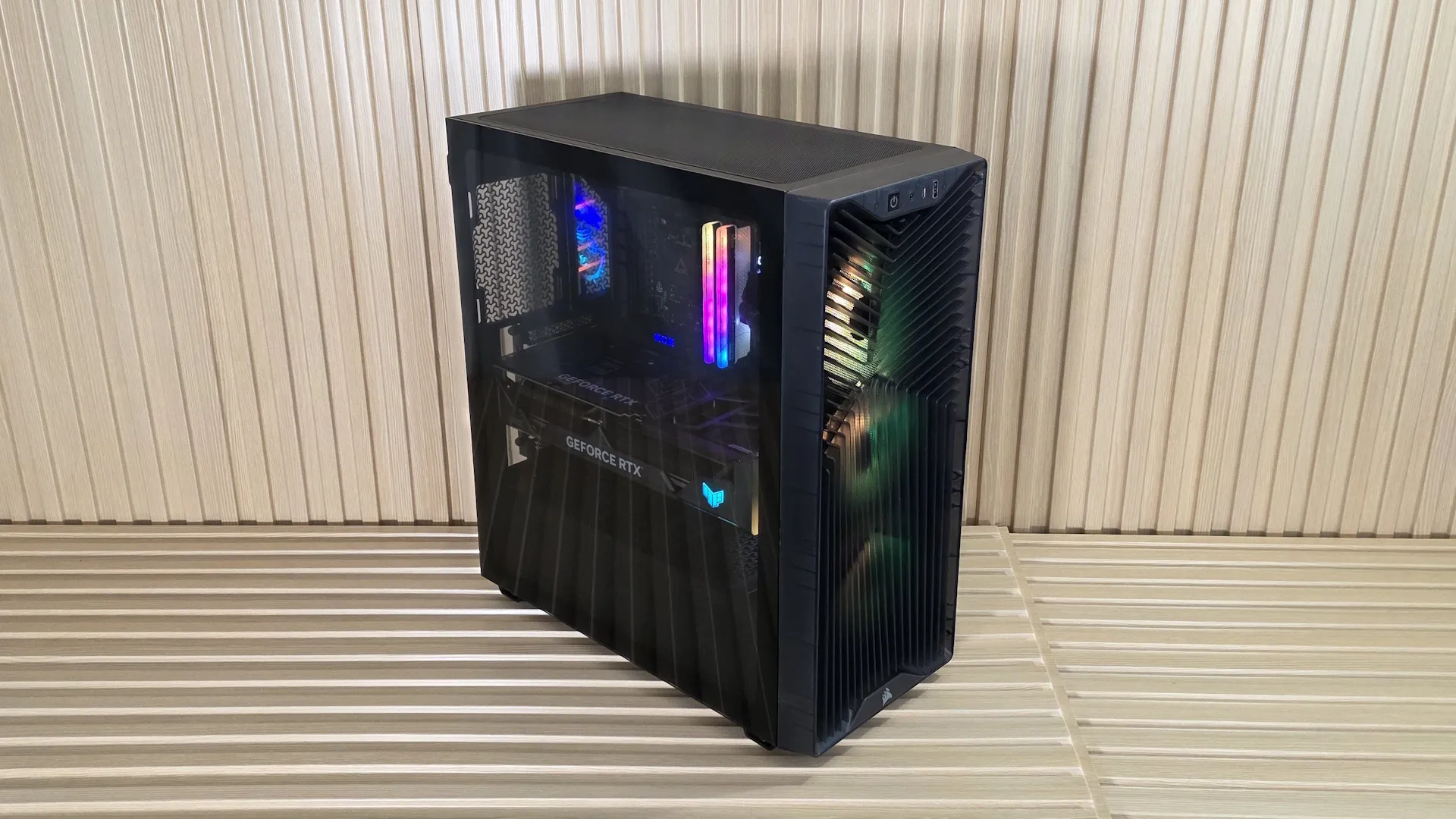
Corsair is well known for a wide range of computer products, including RAM, storage, CPU cooling, power supplies, gaming peripherals like keyboards and mice, and, of course, cases. Today, we have the Corsair 3200D RS ARGB in the lab, a budget offering by all definitions. Priced at $69.99 for the non-ARGB version and $79.99 for the ARGB version, it’s clear this high-airflow mid-tower chassis is aimed at the cost-conscious crowd. And to be frank, anyone buying a PC today needs a break from the RAM, storage, and video cards stuck in the land of ridiculous price points. If this isn’t the chassis for you, our Best PC Cases 2026 article can certainly help with your next build.
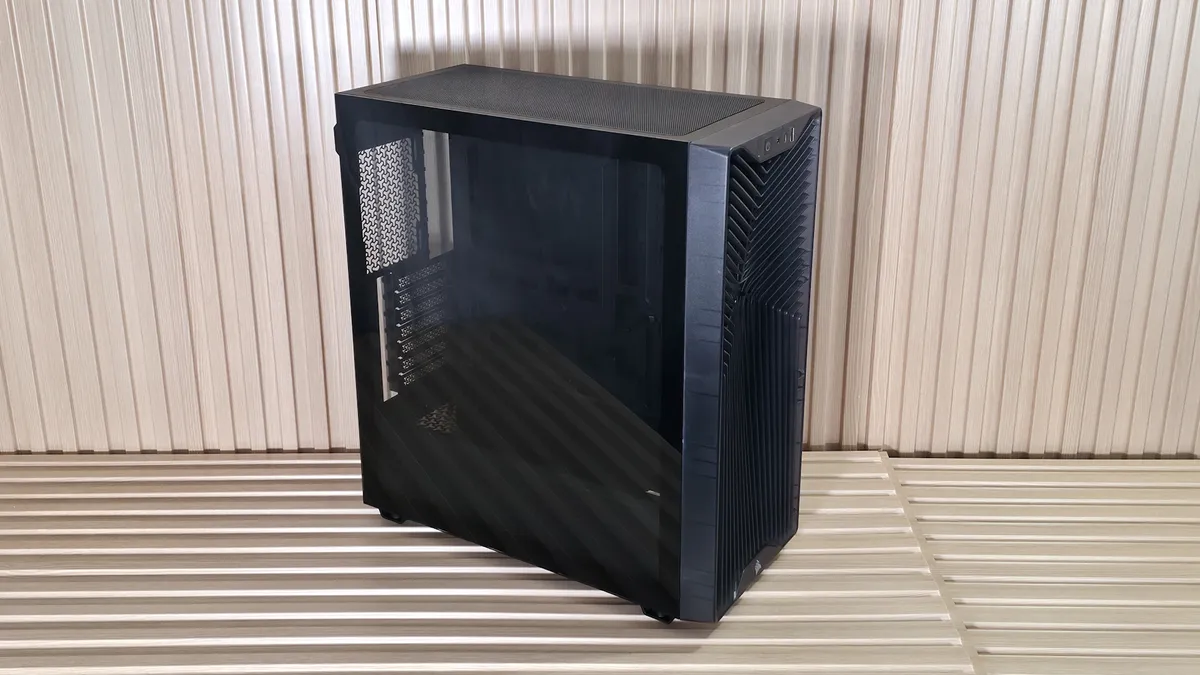
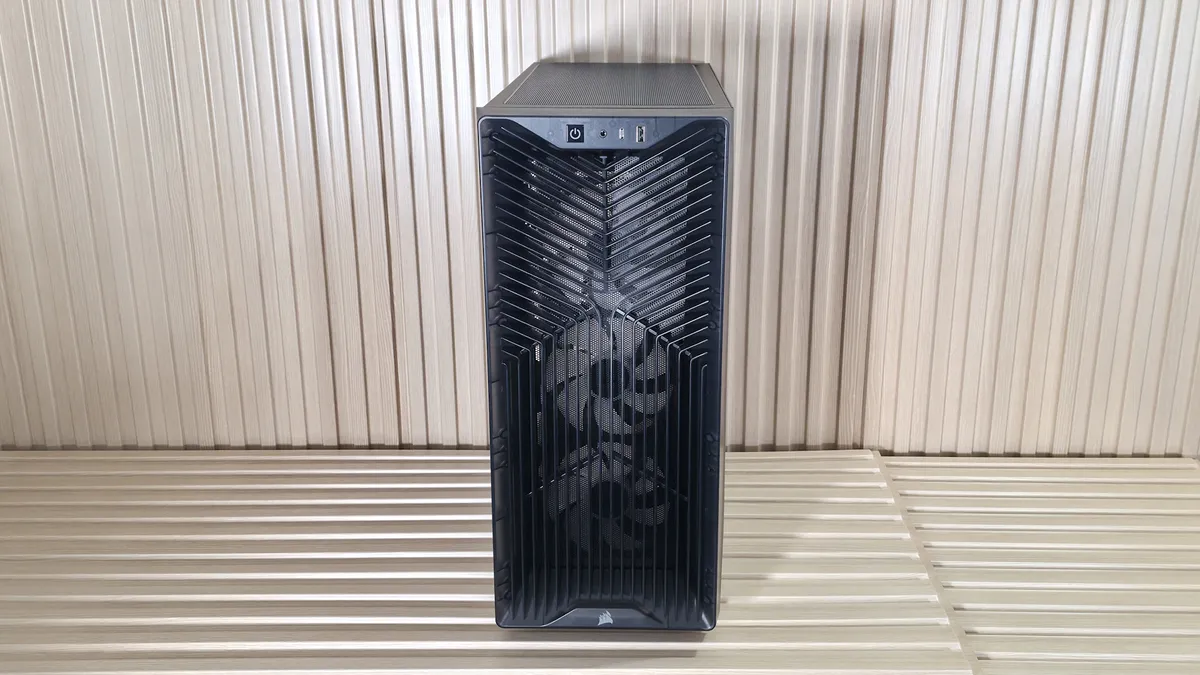
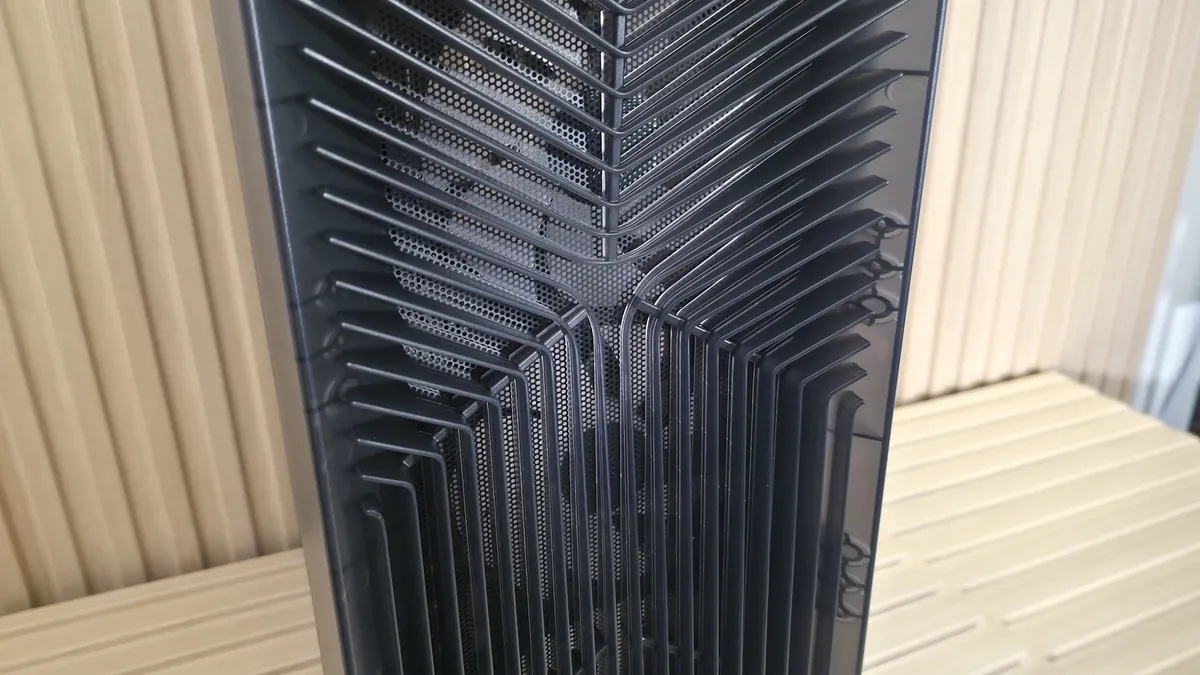
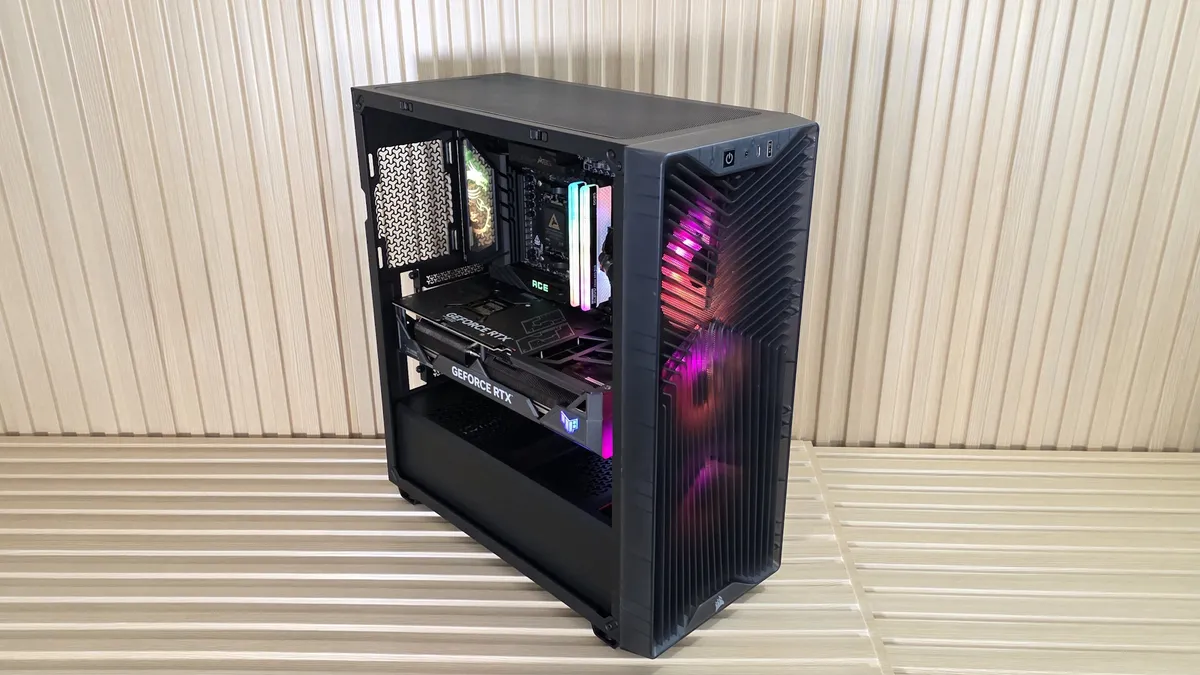
The 3200D is shaped like a typical stand-up mid-tower, and features a smoked-glass side panel to showcase the internals. The front panel features a unique Y-pattern grille that provides ample airflow, with the three included RS120 ARGB fans (in our review model) partially hidden behind a dust-collecting mesh and grille. On the front face, at the top, is a simple I/O area with a power button, a 3.5mm audio jack, a USB Type-C port, and a USB 2.0 Type-A port for front-panel connectivity. It’s a good-looking case for the money, and for those concerned about a USB 2.0 (480 Mbps) port, keep an eye out for a refreshed version with a faster Type-A port.
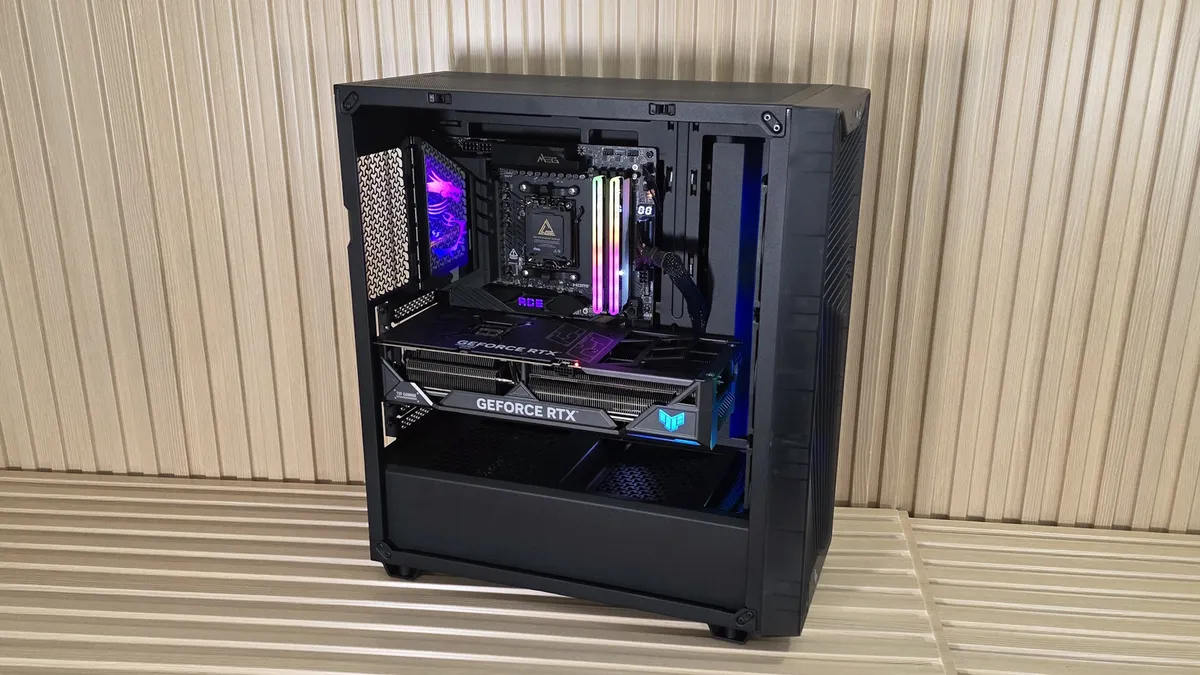
The mid-tower case supports a wide range of boards by specification, but E-ATX is not listed. It looks like you can shoehorn an E-ATX board in there, but you’d likely have to remove the GPU support strut attached to the frame. The 3200D RS also supports BTF (rear-connect) motherboards for a clean, connector-free appearance. Seven horizontal expansion slots allow for large video cards and another expansion card or two, depending on the motherboard’s PCIe slot configuration. Even a 3-slot card fits with room for another PCIe-based device. For cooling, you can install up to 360mm radiators on the top and front, with a 120mm radiator on the rear (or, just fans if you don’t have an AIO or custom water cooling). With a starting price under $80 and including three ARGB fans (or $70 with non-RGB fans), it offers a lot of value for the money for a budget PC case.
Corsair 3200D RS ARGB Specifications
Motherboard Support |
Mini-ITX / Micro-ATX / ATX |
Color |
Smoke (Avail. In Black and White, also w/o RGB) |
Type |
Mid-tower |
Case Dimensions |
495 x 458 x 219mm (19.4 x 18 x 8.6-inches) |
2.5/3.5-inch drive support |
1x 3.5-inch |
I/O Panel |
Power button (white LED) |
PCIe expansion slots |
7 |
Pre-installed fans |
3x 120x25mm RS Series RGB |
CPU cooler clearance |
165mm (6.4 inches) |
GPU clearance |
400mm (15.7 inches) |
PSU length |
180mm (7 inches) |
Vertical GPU support |
No |
Radiator support |
Up to 3 |
MSRP |
$79.99 ($69.99 for non RGB) |
Other Features |
Three RS120 fans included, Rear-connec/BTF compatible, high-airflow front panel, angled bottom fan mount, integrated GPU strut |
External Design and IO Panel
View Original

View Original

View Original

View Original

View Original

View Original

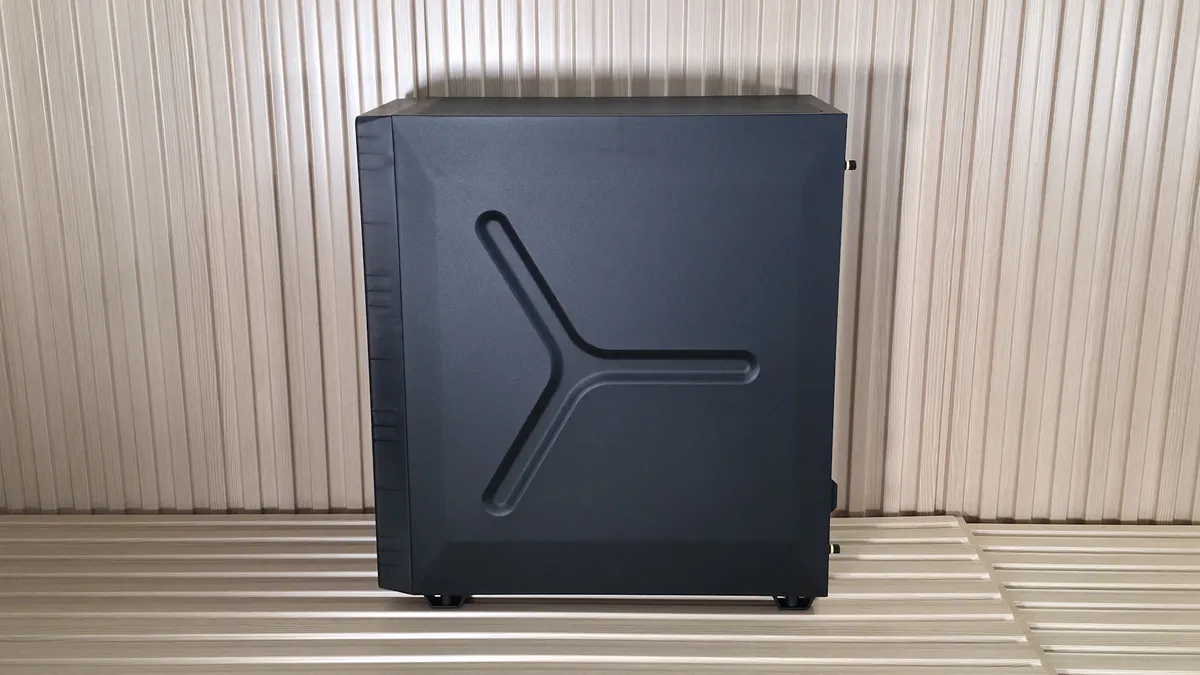
Starting with the outside, the mid-tower chassis measures 19.4 x 18 x 8.6 inches, which is typical for this kind of case. The chassis is made of steel, tempered glass, and plastic, and feels lightweight yet sturdy as a whole. The smoked tempered-glass panel is dark enough to hide some unattractive internals, yet still light enough to show off what’s inside, especially with lighting. The open face on the front with the unique Y-pattern allows plenty of cool air to flow in, which should bode well for thermals, regardless of air or AIO / custom water cooling.
The bottom has venting, and another simple dust filter/mesh (not magnetic) slides into its space for the power supply. The other side panel, secured with captive thumbscrews, features an indented design element that looks better than the boring flat panel, but can limit cable routing space.
On top of the case is a simple mesh filter that prevents dust from coming into your case when it’s off. I do wish the magnet holding the mesh were a bit stronger, as it tends to move around and can get offset (this is my OCD talking).
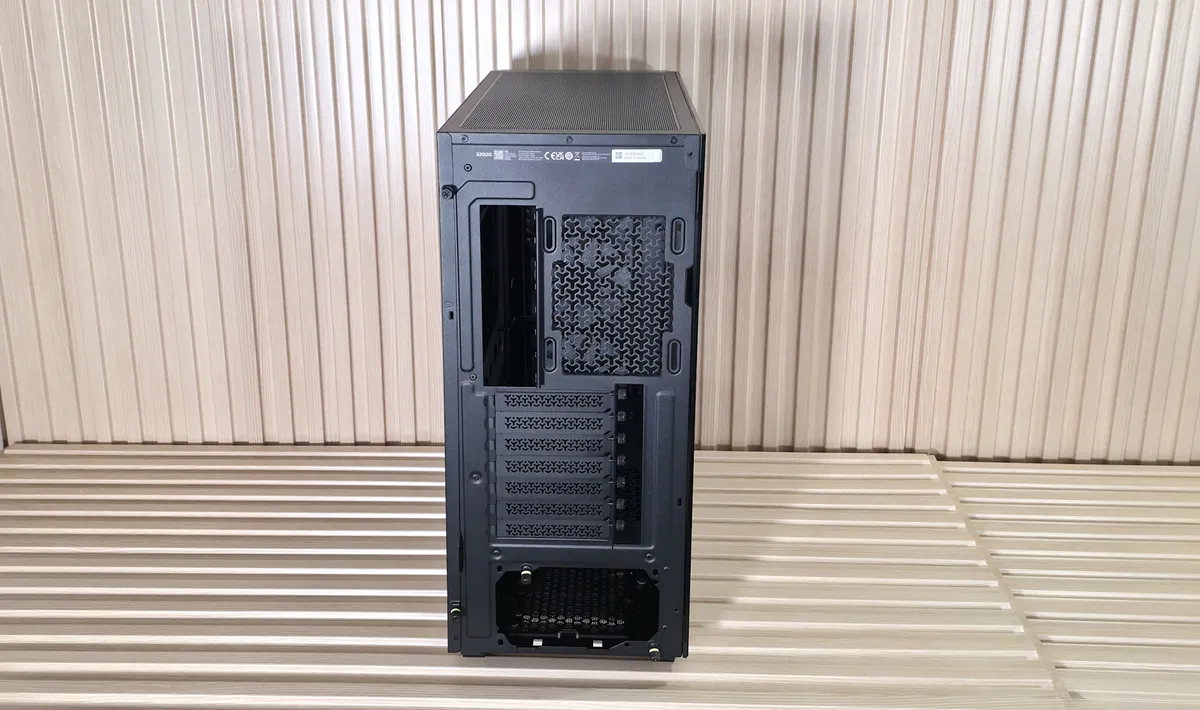
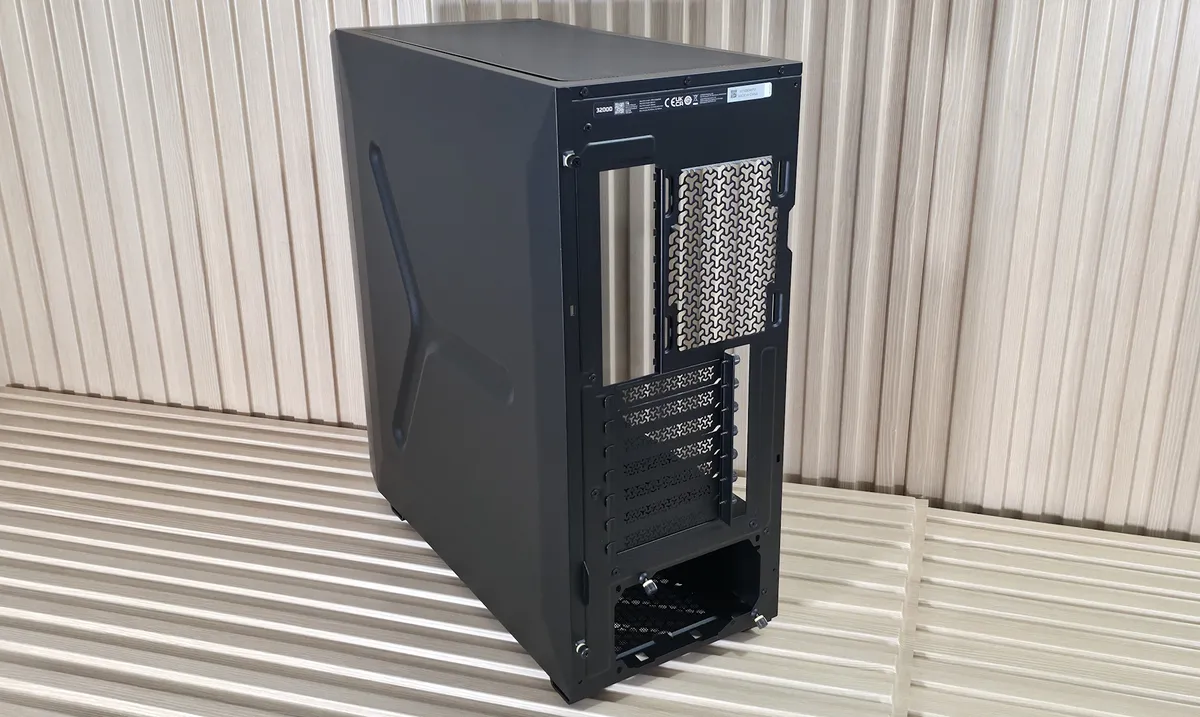
Looking at the rear of the case, we see room for the motherboard I/O and a 120mm fan, which you can adjust the height of. Below that are seven case expansion slots, which provide plenty of room for large graphics cards and add-in cards. Below that is the power supply, held in place by two captive thumbscrews. Vertical mounting of the video card is not possible.
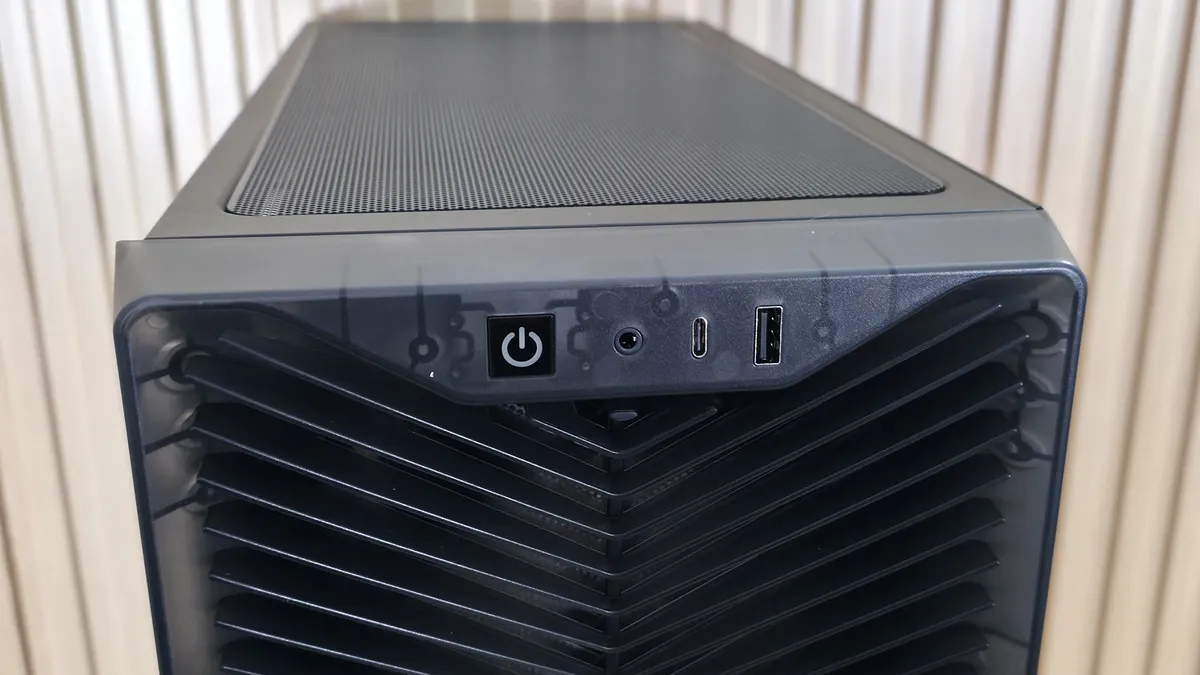
The front I/O panel includes a power button with a white LED that lights when the device is powered on. Next to that is a 3.5mm audio plug, a USB 3.3 Gen 2x2 (20 Gbps) Type-C port, and, finally, a USB 2.0 Type-A port, rounding out connectivity. Seeing USB 2.0 on the front panel of a brand-new case in 2026 was a curious design choice, but Corsair has announced the next version will upgrade it to USB 3.0 (the speed wasn’t explicitly mentioned, but we’d guess 5 Gbps/3.2 Gen 1).
Really, there’s nothing spectacular or extraordinary in the case. It’s an inexpensive mid-tower that includes three fans. And there’s absolutely nothing wrong with that. You won’t find fancy adjustable rails for fans / radiators, moveable motherboard trays, or fan hubs. That said, you do get three high-quality Corsair RS120 ARGB fans with the case (a three-pack was on sale for $44 at Corsair when this was edited), which is a plus for a name-brand chassis in the sub-$80 price range.
Internal Features
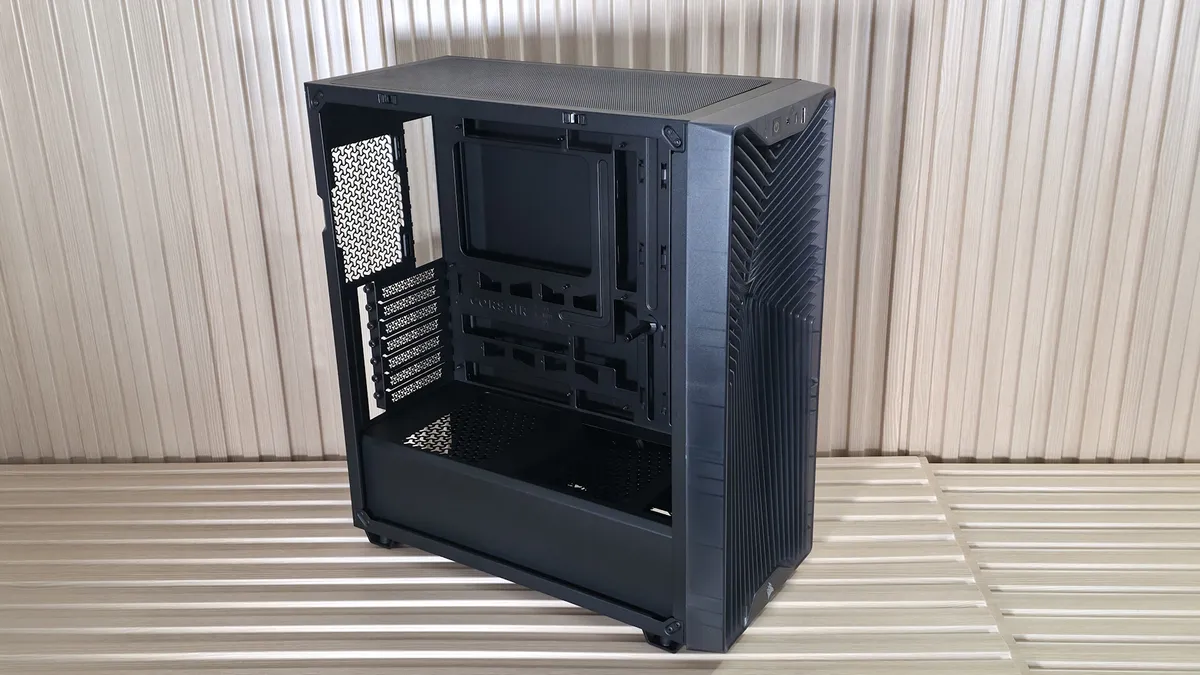
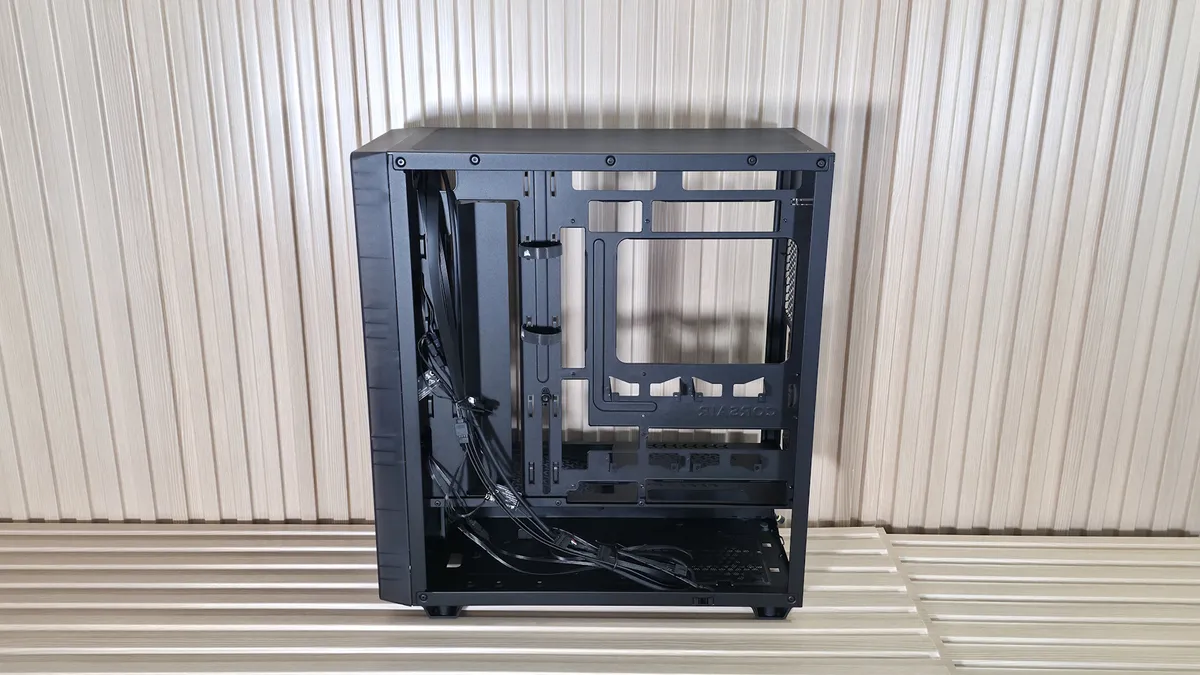
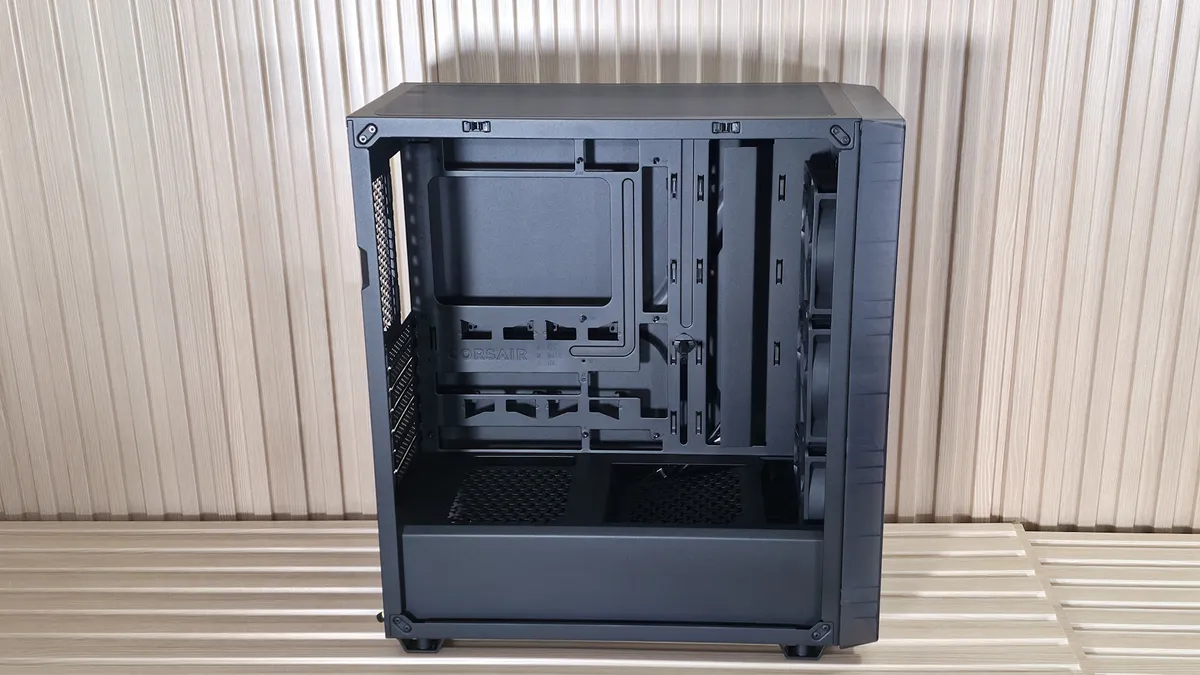


Inside the chassis, the 3200D RS supports Mini-ITX to ATX motherboards, but does not list E-ATX, even though there may be enough room (if you remove the Anti-sag strut). It’s also BTF/rear-connect compatible, supporting motherboards from Asus, ASRock, Gigabyte, and MSI with rear-panel connections instead of the front. There’s plenty of room for routing and hiding wires that come out the front (or behind, in the case of the rear-connect motherboards). The company also includes several zip-ties to secure the wires to the case for clean routing.
Get Tom's Hardware's best news and in-depth reviews, straight to your inbox.
You can install up to eight fans in the top, front, bottom, and rear, and up to three radiators, with the top and front supporting up to 360mm radiators and the rear supporting 120mm radiators. Be careful on top, as it’s tight up there and may not fit a rad and thick fans or thicker rad and normal (25mm) fans. The included RS120 fans, normally $16.99 each, are mounted to the front, spinning up to 2,100 RPM and providing over 72 CFM at full tilt, according to their specifications. They are a great start for adequate airflow out of the box. You can pop off the front panel and easily access the front mesh for cleaning, too.
Assuming I was running an AIO at the top, I’d also purchase a rear fan to exhaust warm air to complete the build with proper airflow. With the amount of air that can enter the case from the front and the space for radiators, you can cool just about anything. Unlike more expensive cases, this one does not include a fan hub, so you’ll connect all your fans directly to the motherboard or buy a separate hub if needed. Not remotely a problem, but definitely something to know before making a purchase.
View Original

View Original

At the bottom, the tool-less power supply bay is hidden beneath a perforated shroud that runs the full depth of the case. On top is space for a 120mm fan, angled from front to back and pointing directly at your graphics card. This configuration allows cool air to be pointed directly at the video card, improving cooling and lowering GPU temperatures. Corsair also integrated an adjustable Anti-sag Stabilization Arm into all 3200D models, so you don’t have to worry about your long (up to 400mm), heavy, and expensive video card (or PCIe slot) getting damaged.
The case supports two 2.5-inch drives and one 3.5-inch drive. The 2.5-inch drives mount behind the motherboard tray to simple brackets, while the 3.5-inch bay shares space with the power supply, all hidden from view.
Bottom Line
Corsair’s 3200D RS lands in a sweet spot of affordability and functionality. For under $80 (under $70 if you don’t want RGB fans), you have a clean-looking mid-tower with ample airflow from the unique Y-pattern on the front panel, support for rear-connect/BTF motherboards, room for large CPU coolers, 360mm radiators, large graphics cards, and you get three RS120 ARGB fans out of the box. The integrated GPU strut is quite useful for today’s large graphics cards and remains hidden, maintaining a clean interior aesthetic. Sure, it forgoes extras like a fan hub and doesn’t offer vertical GPU support or modular rails for mounting hardware, but none of these omissions feels unreasonable at this low price.
What really stands out is that the 3200D focused on things that matter most for a budget chassis: airflow, compatibility, and value. The thermals should be more than adequate for high-end gaming rigs, and the cable management is clean, even if the back panel design shrinks that space. The decision to put a USB 2.0 port on the front panel in 2026 is curious, but Corsair appears to have addressed the issue and will offer a faster port on an updated model.
While there’s no doubt this is one of the better options in the budget mid-tower space, it doesn’t quite make our best PC cases list. Other options like the Phanteks XT Pro Ultra cost the same ($79 - currently $69.99 with rebate at Newegg) and offer four 140mm fans, though radiator space is a bit more limited compared to the 3200D (240mm in front vs. 360mm). The Lian Li LanCool 207 ($82.99), for just a couple more dollars, also includes four fans and, like the Phanteks, is limited to a 360mm radiator on top. In short, if you’re watercooling and need space for two 360mm radiators, the 3200D is the right choice for a sub $70
In the end, the Corsair 3200D RS doesn’t reinvent the mid-tower formula, but does deliver a simple, airflow-focused chassis at a budget-friendly price. If you don’t like the smoke color here, you can also get it in black and white at the same low price. In a world where budget-friendly has gone out the door on many components, it’s nice to see a good value at a lower price point.
MORE: Best PC Cases
MORE: Best Mini-ITX Cases

Joe Shields is a staff writer at Tom’s Hardware. He reviews motherboards and PC components.
-
Roland Of Gilead Eh, sorry for being pedantic, but could you have a tried a little harder on the background, and the wooden lats? It doesn't reflect very well, if ya get my meaning!Reply -
wussupi83 I understand compromises have to be made at this price point but no included rear fan is often a deal killer for me.Reply