Features
Desktop Interface
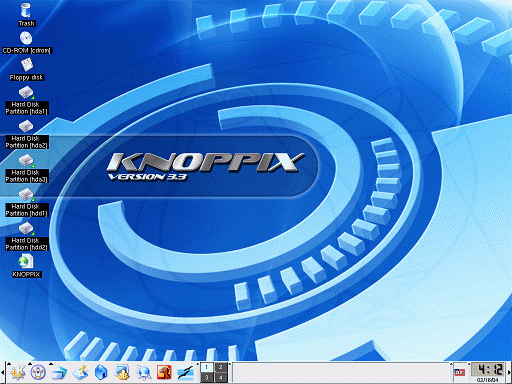
Windows users will feel at home with the desktop interface. As you will see in the screenshots, it resembles the Windows desktop in many ways. All of your partitions, CDROM, and floppy drives are listed on the left side of the screen.
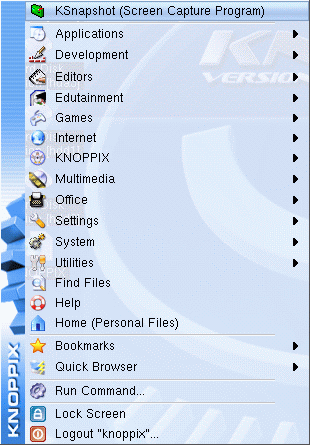
The taskbar at the bottom of the screen offers shortcuts to popular programs such as Mozilla, OpenOffice 1.1, and the Linux shell. In the bottom right corner is a cool digital clock.
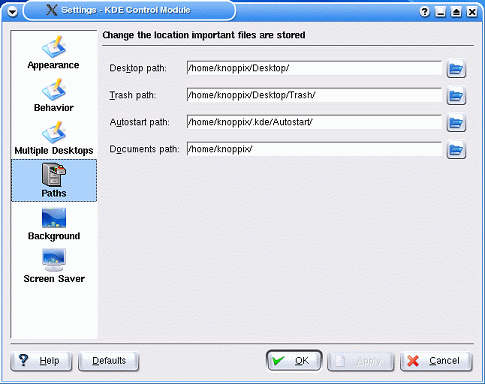
By right clicking on the desktop, you can customize the paths to where your desktop, trash and documents (think My Documents in Windows) point. All four can be changed in the same window. I wish Windows had that feature.

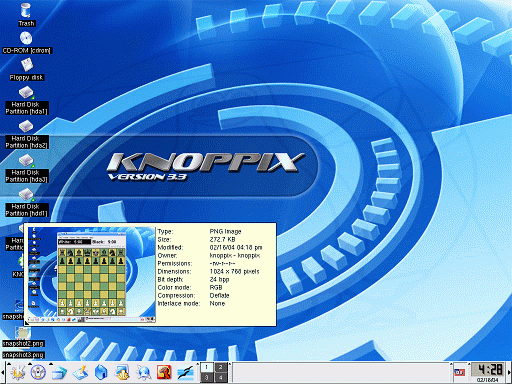
Knoppix has one great usability feature that Windows really needs. Hovering your cursor over a file will bring up a dialog box that contains all of the file's properties. If the file happens to be a picture or text file, then a preview will appear. In the screenshot above, I hovered the cursor over a .png file, which revealed the preview and properties.