ESATA Vs. SATA

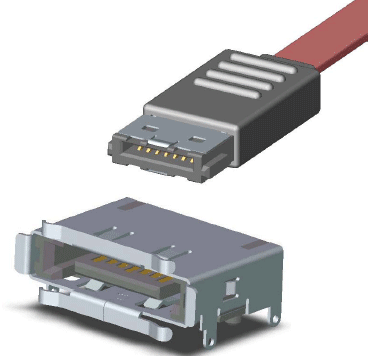
eSATA (left) versus SATA. The connectors are electronically alike, but mechanically different.
SATA has been around for several years and finally prevails in the desktop market. Most 3.5" desktop hard drives now come with SATA interfaces, and the interface is increasingly prevalent in notebooks. The bandwidth difference has proven to be interesting on paper only, as even the fastest 3.5" SATA drives do not exceed 85 MB/s. A data transfer rate of 300 MB/s between a PC and a SATA drive cannot thus be matched by the speed of a SATA drive.
Here is a list of additions to the SATA specification to support external eSATA:

- Sender voltage level increased from 400-600 mV to 500-600 mV to compensate for losses and support longer cables;
- Recipient voltage span decreased from 325-600 mV to 240-600 mV to compensate for losses;
- Double SATA cable length from 1 to 2 m;
- EM shielding of eSATA connectors by means of a small metal cage;
- Lock mechanism for eSATA connectors.
Meanwhile, eSATA and SATA connectors are not interchangeable, so you cannot plug a SATA drive to an external eSATA port.
TOPICS
