Who Needs 64 Bit Windows?
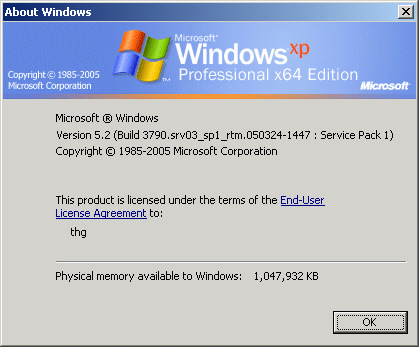
You can tell if your system is ready to run 64 bit Windows by the processor. For AMD, you want a processor with AMD64, such as the Athlon 64 family or a brand new Sempron. In the case of Intel, look for a recent EM64T-enabled chip (formerly Yamhill or Clackamas) such as the Pentium 4 600 series, Pentium D, Pentium Extreme Edition or Celeron D with the 300 model number ending in 1 or 6.
From a functionality point of view, there is no reason to upgrade to Windows XP Professional x64 Edition. It has basically the same look and feel as 32 bit Windows, and behaves in the same way. Also, the x64 Edition is primarily sold as an OEM version bundled with new computers right now, making it somewhat difficult for end users to purchase.
Driver support for system devices and peripherals is still a major issue that you should look into before even thinking about deploying x64. If there is even one device that you cannot or do not want to replace, and for which drivers are not (yet) available, stay with 32 bit Windows to avoid problems. These might be special components, scanners, printers, multimedia devices or similar hardware.

What is different in x64 is the ability to deal with as much as 32 GB of RAM and to run both 64 bit and 32 bit applications side by side. Windows x64 uses a translation layer called WOW64 (Windows on Windows 64) to convert 32 bit commands, parameters and results for the 64 bit kernel. While Windows XP is able to address a total of 4 GB RAM (232), only 2 GB can actually be used for applications. This is different with the x64 Edition: A total of 4 GB can be used for 32 bit applications. More benefit can be obtained with real 64 bit applications, as their memory use is only limited by the amount of RAM installed.
As more data can be processed per clock cycle, there can be substantial performance benefits with 64 bit applications under Windows XP. However, it will still take some time for large numbers of applications to be ported to 64 bit. If you are primarily running 32 bit software, you should consider the following issues.
