









Microsoft Releases New Build Of Windows 10 Technical Preview For Phones
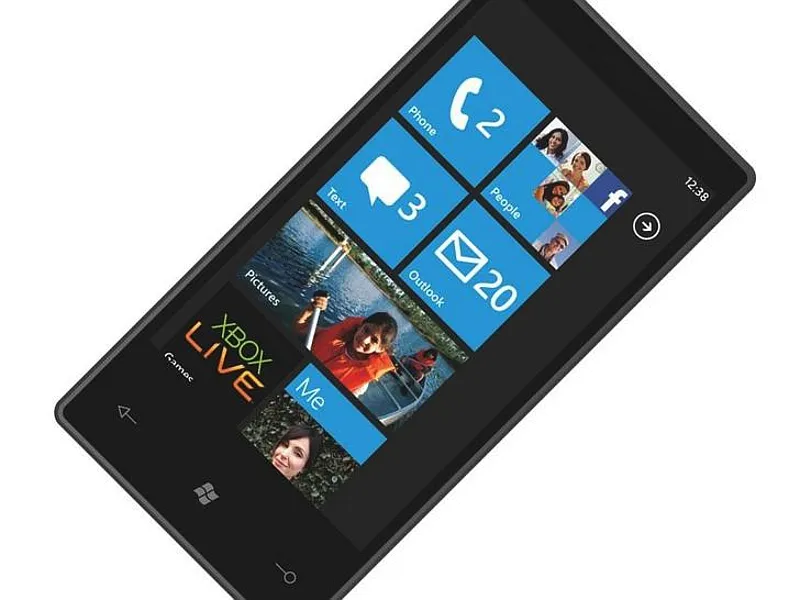
Microsoft's Gabe Aul updated Blogging Windows with a report that a new build of Windows 10 Technical Preview for phones, 10051, is now available to those in the Insider Program who have signed up for the "Fast" ring. This new build adds support for more phones, provides new and updated apps, and fixes a number of known issues.
Aul stated in his update that the new Project Spartan browser is now included in the phone version of Windows 10 Technical Preview. This browser uses a new rendering engine that was developed from the ground up to handle the modern Internet. Project Spartan isn't set as the default browser, so Insiders can still rely on Internet Explorer 11 to surf the vast oceans of the World Wide Web on their device. The Project Spartan browser includes early versions of Reading List and Reading View.
In addition to the new browser, Windows 10 Technical Preview introduces native Outlook Mail and Outlook Calendar apps. Featuring a new UI, these are Universal Apps that allow the end user to switch between email and the calendar without having to exit back to the main screen. Additionally, Outlook Mail comes with Swipe Gestures that are customizable and provide a familiar, native Word-like experience in a mobile environment. Both apps connect to a number of accounts such as Google's Gmail and Microsoft's Office 365.
Aul said in the blog that Windows 10 Technical Preview includes new Phone, Messaging, People and Maps apps. The Messaging app has a fresh new design as does the new People app (which is also universal). This is also the first preview of Microsoft's Maps Universal App, which includes data pulled in from Bing Maps and HERE maps.
Windows 10 Technical Preview for phones arrives with an updated apps switcher. Customers merely press and hold the "Back" button on the phone to get a listing of apps that have recently been used. The app switcher works in landscape mode, and the length of recently used apps list has grown to 15.
As for what's fixed in the new Technical Preview build, Aul said that the keyboard sports a new layout based on customer feedback. The Cortana icon resolution now scales correctly, and Microsoft Band can finally sync to Windows 10. Several issues with the Photos app have been resolved, including a picture problem in the Live tile and a problem attaching a photo to an email, Facebook or OneNote entry.
In addition to the new features, Aul also provided a list of known issues that users may see in this most recent build. One problem is that customers can't open Word, Excel, PowerPoint or OneNote in the Office Hub because the Hub is no longer available. He added that the universal versions of the Office apps will be provided soon. Another problem is that users can't interact with Cortana using Bluetooth because the team is still working on the Bluetooth/Cortana connection.
Get Tom's Hardware's best news and in-depth reviews, straight to your inbox.
"I'm very excited to get this build out to all of the eager Windows Insiders who have been waiting since our first preview build to try Windows 10 on their devices," Aul said. "We are still very much in the thick of development and this build still has some rough edges, but there is also a lot to be excited about here as well."
Customers using Build 10051 are encouraged to use the Feedback tool to help fine-tune Windows 10 for phones.
Follow Kevin Parrish @exfileme. Follow us @tomshardware, on Facebook and on Google+.

Kevin Parrish has over a decade of experience as a writer, editor, and product tester. His work focused on computer hardware, networking equipment, smartphones, tablets, gaming consoles, and other internet-connected devices. His work has appeared in Tom's Hardware, Tom's Guide, Maximum PC, Digital Trends, Android Authority, How-To Geek, Lifewire, and others.
-
SchizoFrog I just hope that Windows 10 finally sees Microsoft do something about their app store and gets developers to fully support WP. It is so annoying to constantly see interesting apps or games that are offered for iOS or Android but not for WP.Reply
Having recently bought my first Smartphone (Lumia 735) I am very impressed with WP as an OS but if they don't solve the issues I have mentioned I can see myself going for Android instead in a year or so's time when I will look to upgrade. -
Grandmastersexsay Why are people at Microsoft so retarded? It appears their strategy for the Mobil market is to get large government and corporate contracts by focusing on security. Sound familiar? How'd that work for Blackberry? What they should do is provide a PC experience on a phone and attack Google and Apple for their data mining. Instead they provide a phone even more locked down than an iPhone. Until they change their approach, their market share will continue to be embarrassing.Reply -
alextheblue ReplyWhat they should do is provide a PC experience on a phone
Welp, there goes any chance of anyone reading your comment taking you seriously.
:P -
balister Reply15657811 said:Why are people at Microsoft so retarded? It appears their strategy for the Mobil market is to get large government and corporate contracts by focusing on security. Sound familiar? How'd that work for Blackberry? What they should do is provide a PC experience on a phone and attack Google and Apple for their data mining. Instead they provide a phone even more locked down than an iPhone. Until they change their approach, their market share will continue to be embarrassing.
Blackberry did pretty good before they decided to go off trying to grab share in the consumer market and tried to make devices (phone and tablet) to compete there against Apple and Google (Android). If you check Blackberry lately, they've gone back to their roots and are starting to produce business oriented phones again.
Besides, Microsoft is pulling in a fair amount of money through the licenses they own that Linux/Android is using. Microsoft also has been mainly a business oriented software company than consumer, so they know where their cash primarily comes from (other corporations, not John Q. Public).
-
luissantos Do you need assistance finding a more recent image than that 3yo (at least) WP7 one you picked to post on your article?Reply -
Frangelina I installed 10 preview on a 928. It is mostly good. However, I do not have any backup of 8.1 anymore because Verizon backup doesn't work anymore with phone 10. Phone 10 backup only with Onedrive. I cant goback to anything but wp10 backup done in onedrive. I tried all Microsoft, nokia recovery software, hard reset etc. Believe me. Surprisingly, when my phone boot, a little red message appear on the lower left of my screen (not for resale). It looks like Microsoft took over my phone.....for free, for free research. They should send me another phone. However, I am sure they protected their butt with the long text nobody read.Reply -
Frangelina Now it is written at boot-up "not for resale". Microsoft took over my phone for free. I should have read the fine print nobody read. I am sure they can get away with it. I can't go back to 8.1. Verizon backup doesn't work with windows 10. Only Onedrive works. Believe me. I works with computers since 25 years. I did not think to do a backup on Onedrive before installing.Reply