









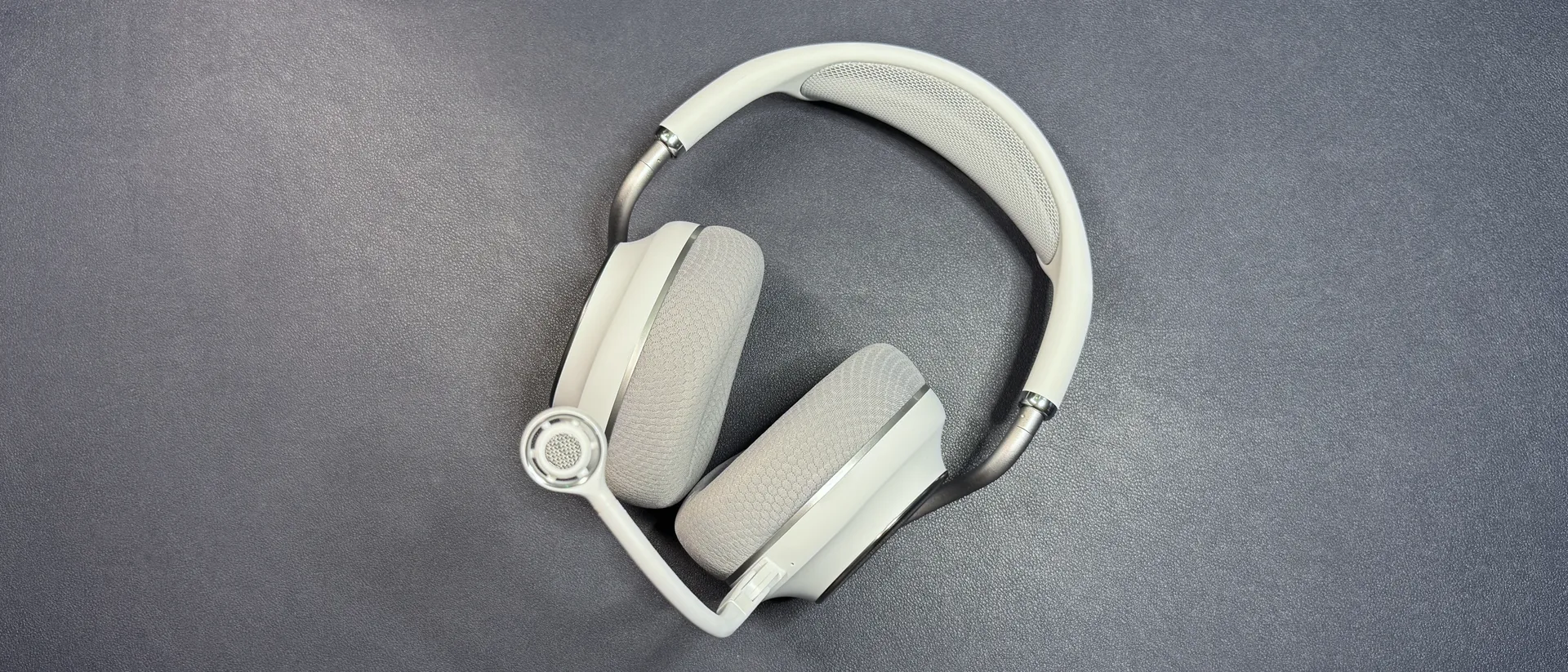
Tom's Hardware Verdict
The Stealth Pro II is an excellent gaming headset that lets you connect to multiple devices wirelessly without having to plug them all into a base station. If you have your PC in one room and your console in another, this is the multi-device headset you need.
Reasons to buy
- +
Wireless switching between devices
- +
Devices that don't have to be near each other
- +
Comfortable
- +
Sounds very good
Reasons to avoid
- -
Extra wireless dongles cost $35
- -
Expensive overall
Why you can trust Tom's Hardware Our expert reviewers spend hours testing and comparing products and services so you can choose the best for you. Find out more about how we test.
Several of the best gaming headsets are designed for connecting to multiple devices, usually via a base station like the SteelSeries Arctis Nova Pro to the Astro A50 X. The base stations of these headsets usually let you plug multiple devices in — such as a PC, a PlayStation 5, and an Xbox — and switch between them seamlessly with the press of a button. But you still need to connect your devices to the base station via a USB-C cable, which means your devices need to be at least somewhat close to each other.
Turtle Beach's new Stealth Pro II, however, does not have this wired limitation. While it does come with a base station (that acts as both a transmitter and a charging dock), it also includes a wireless dongle transmitter that you can plug into a different device. And it can connect to up to four of these transmitters, meaning you can connect to up to four different devices wirelessly, which is sort of a game-changer for those who don't have their PC next to their Xbox next to their PlayStation 5.
The Stealth Pro II also features dual-wireless connectivity with Bluetooth 5.3, a detachable 9mm boom microphone, and a fully redesigned frame that looks much better than its predecessor. It's available for pre-order in black and white colorways (our review unit was white) for $349.99. Also, if you pre-order on Turtle Beach's website, you'll get a free additional wireless transmitter — extra transmitters will cost you $35, otherwise.
Design and Comfort of the Turtle Beach Stealth Pro II
The Stealth Pro II is an over-ear (circumaural) wireless gaming headset with dual-simultaneous wireless connectivity and a detachable flip-to-mute boom microphone. It's the second generation of the brand's Stealth Pro, and it's been completely redesigned.
View Original

View Original

View Original

View Original

View Original

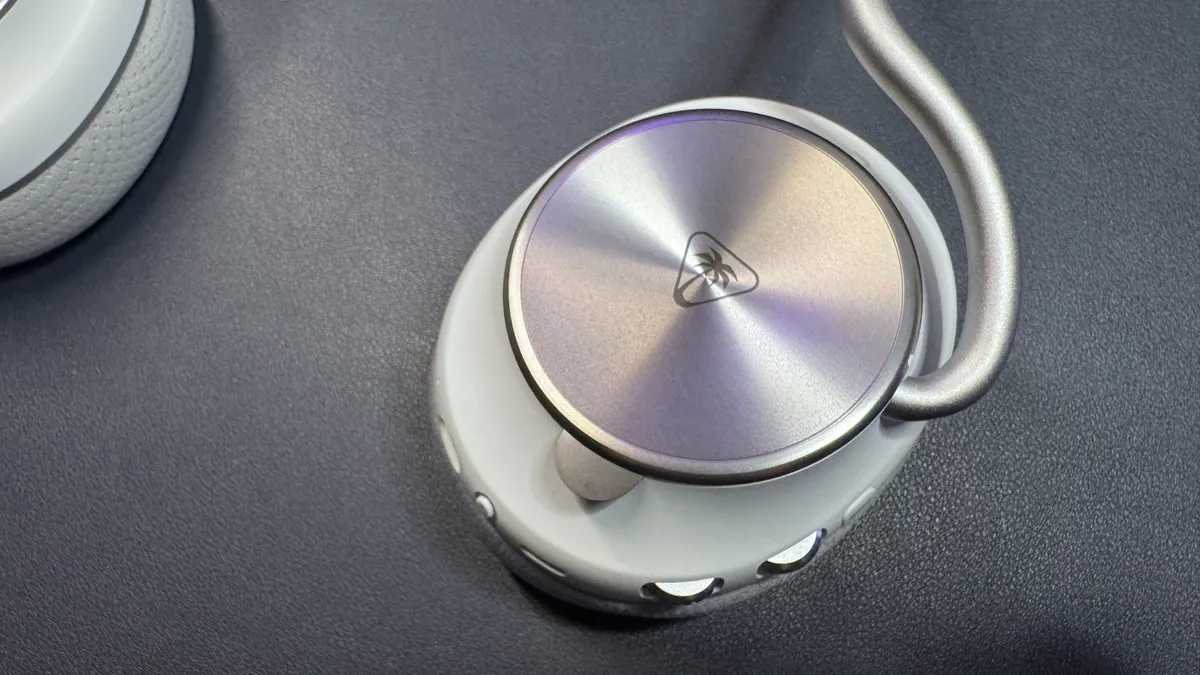
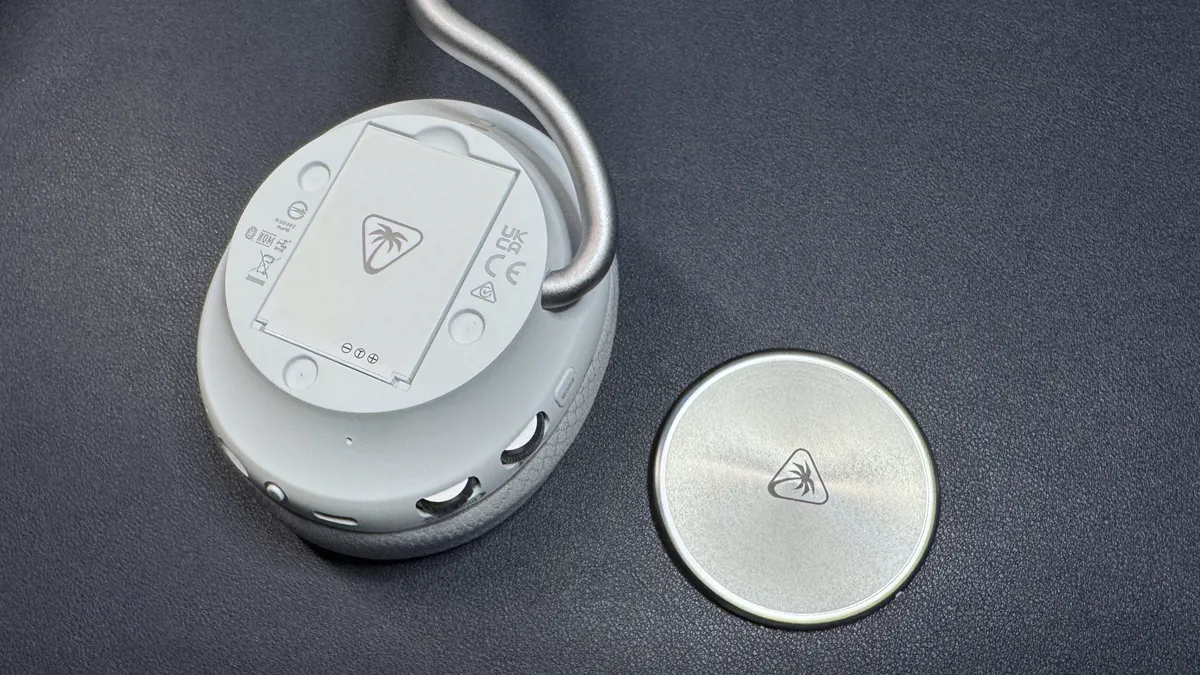
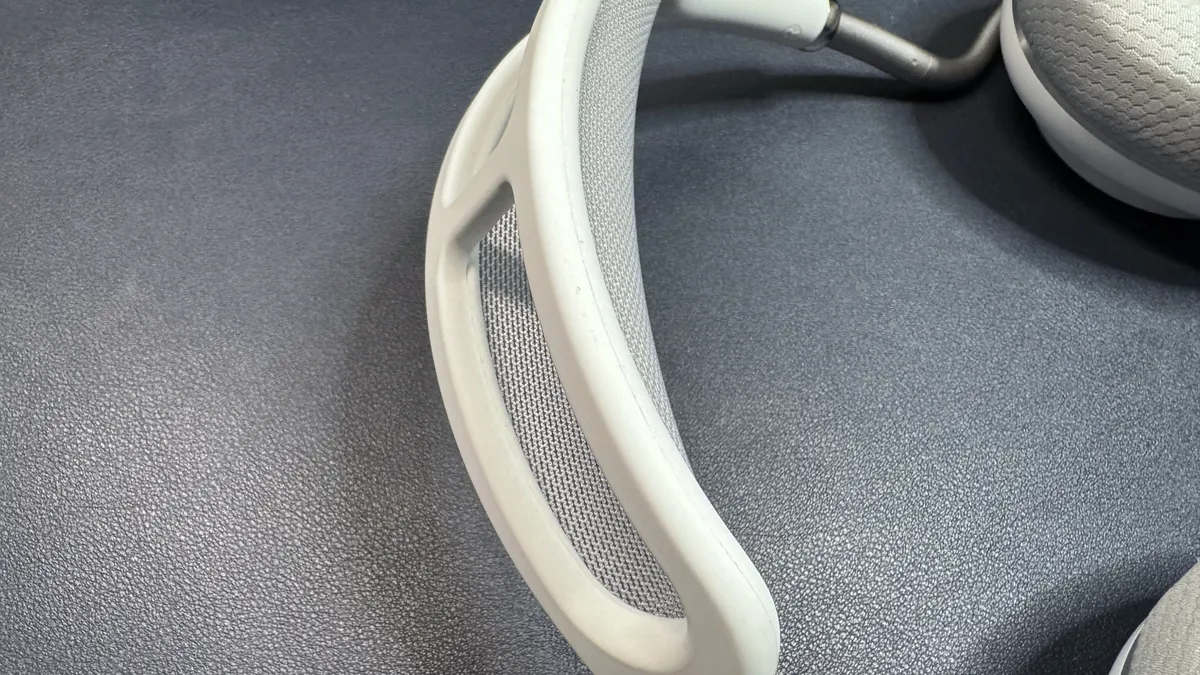
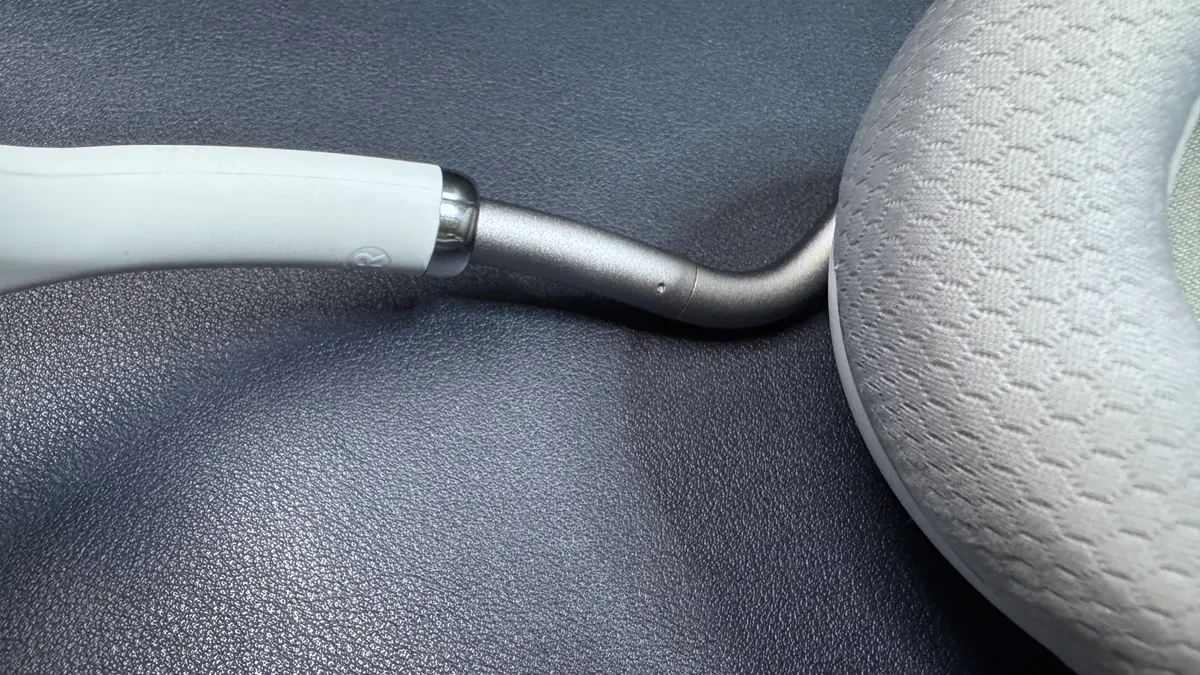
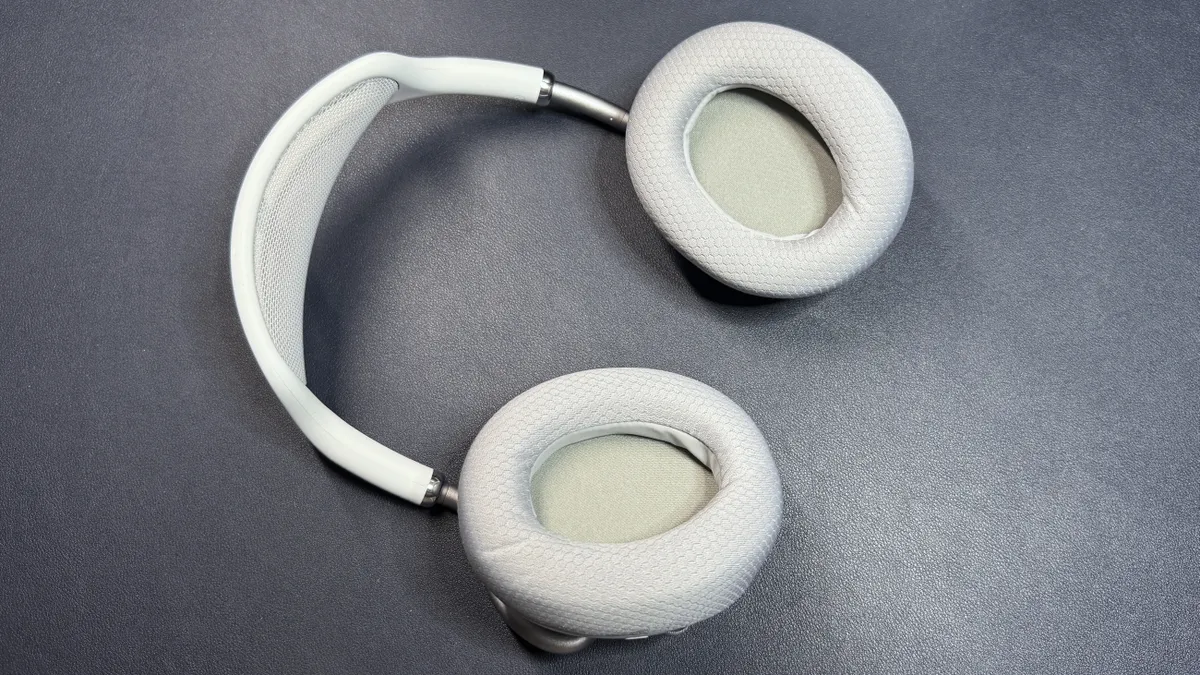
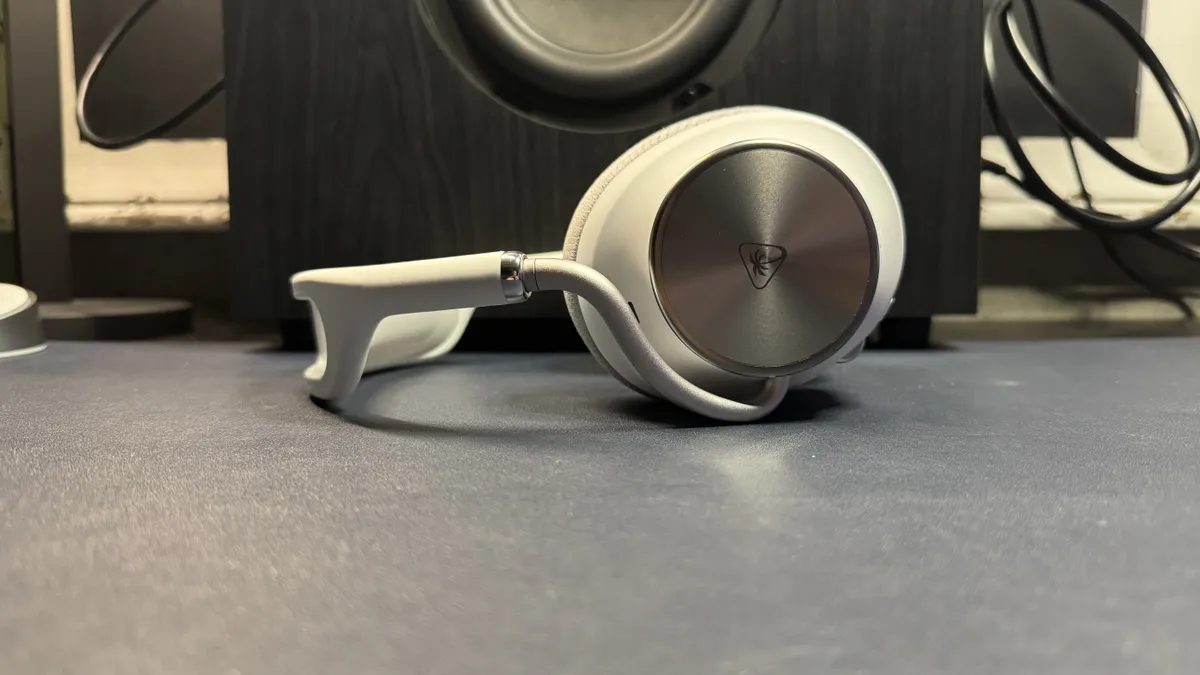
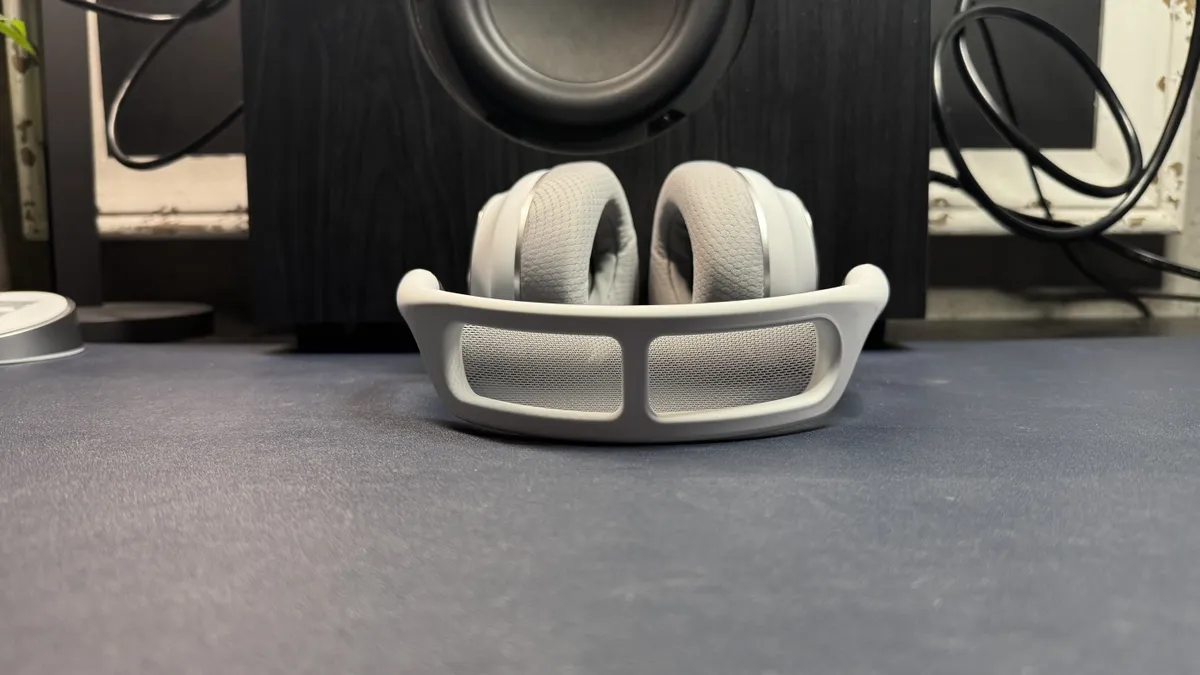
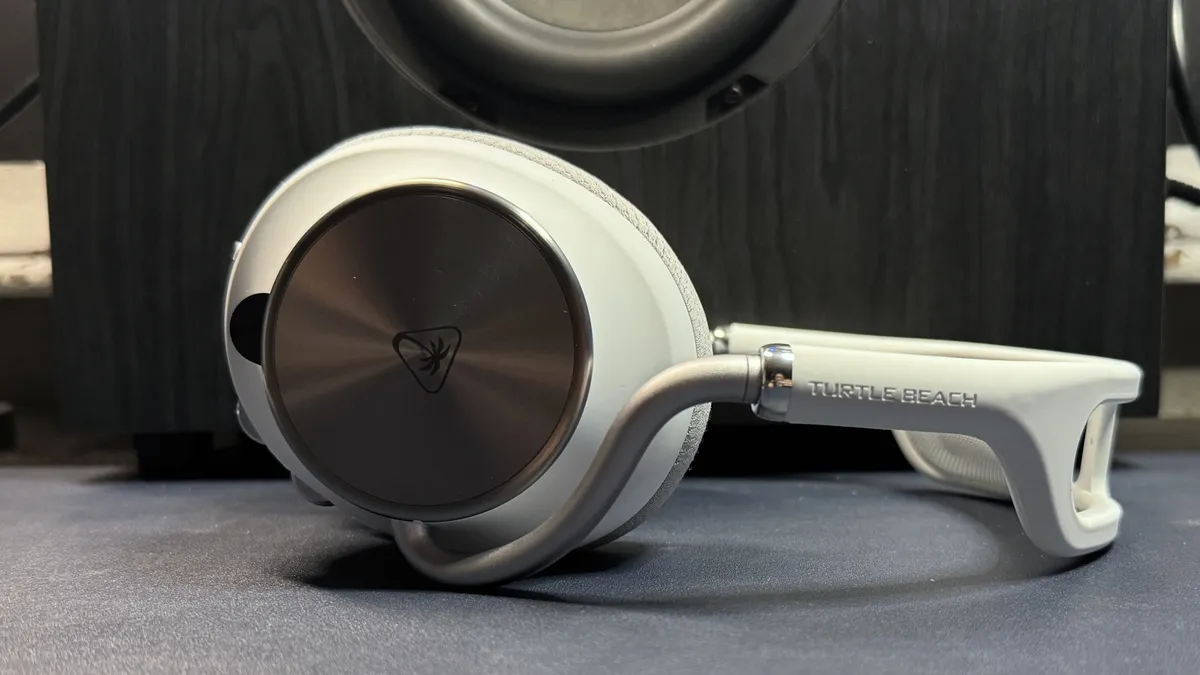
The headset features a plastic and metal design that's a lot more attractive, in my opinion, than its predecessor. It has a soft, rubbery-feeling headband with suspended mesh "padding" that keeps the rigid parts from pressing into your skull. The headband attaches to the earcups via curved aluminum yokes that slide in and out for individual height adjustment. The earcups are made of smooth, soft-touch plastic and have machined metal speaker plates with Turtle Beach's palm tree logo printed on them. The left earcup is magnetically detachable and allows you to access the headset's hot-swappable battery. The earpads have sculpted memory foam padding and are covered in breathable fabric, and are very good at passively keeping ambient noise out — though the headset also has active noise cancellation for an even quieter experience.
View Original

View Original

View Original

View Original

The earcups are independently height-adjustable; to adjust them you just slide them along the metal yoke. Each earcup extends a little over one inch (25.4mm) and the inside of the headband measures approximately 12.5 inches (317.5mm) fully extended. The earcups also swivel 90 degrees, tilt, and the headband is flexible enough that you shouldn't have too much trouble finding a good fit for your head. I found the headset to be extremely comfortable — at 13.86 ounces (393g), the Stealth Pro II is not nearly as airy and lightweight as the Turtle Beach Atlas Air (10.61oz / 301g), but it's comfortable enough that I didn't feel the need to take a break, even after hours of wearing it. That said, I can see how the suspension mesh part might bother some people — it's definitely firmer and presses more directly on your skull than a more traditional suspension band, such as the one on the Atlas Air or even the Audeze Maxwell.
View Original

View Original

View Original

View Original

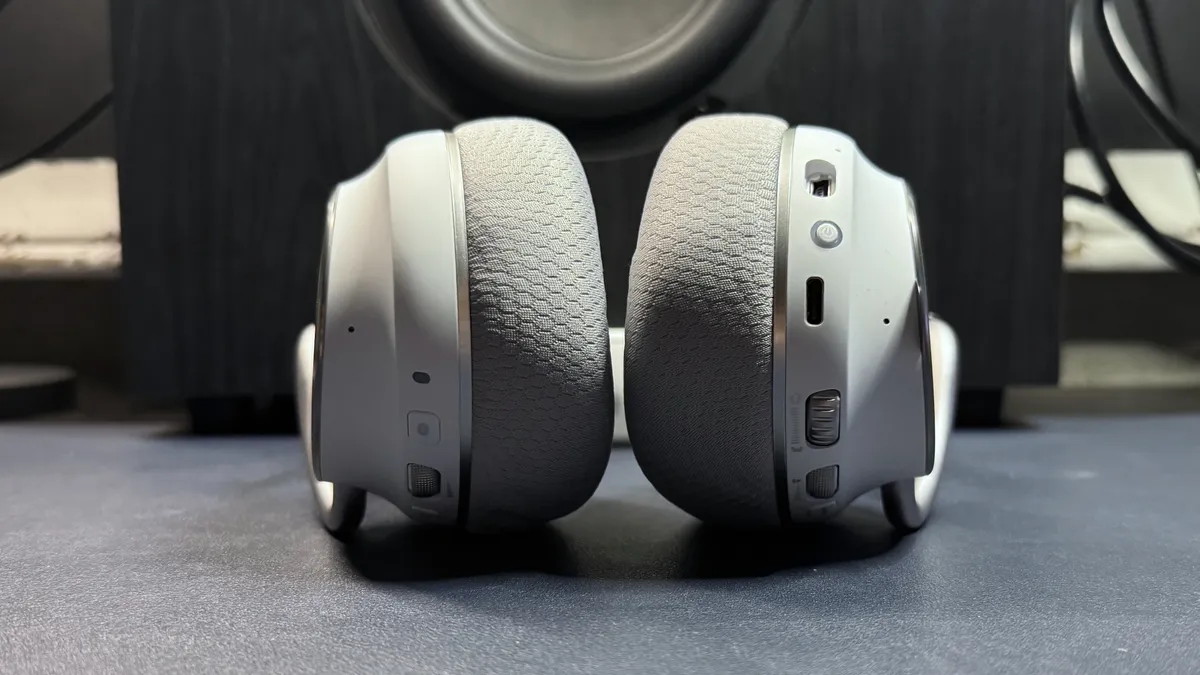
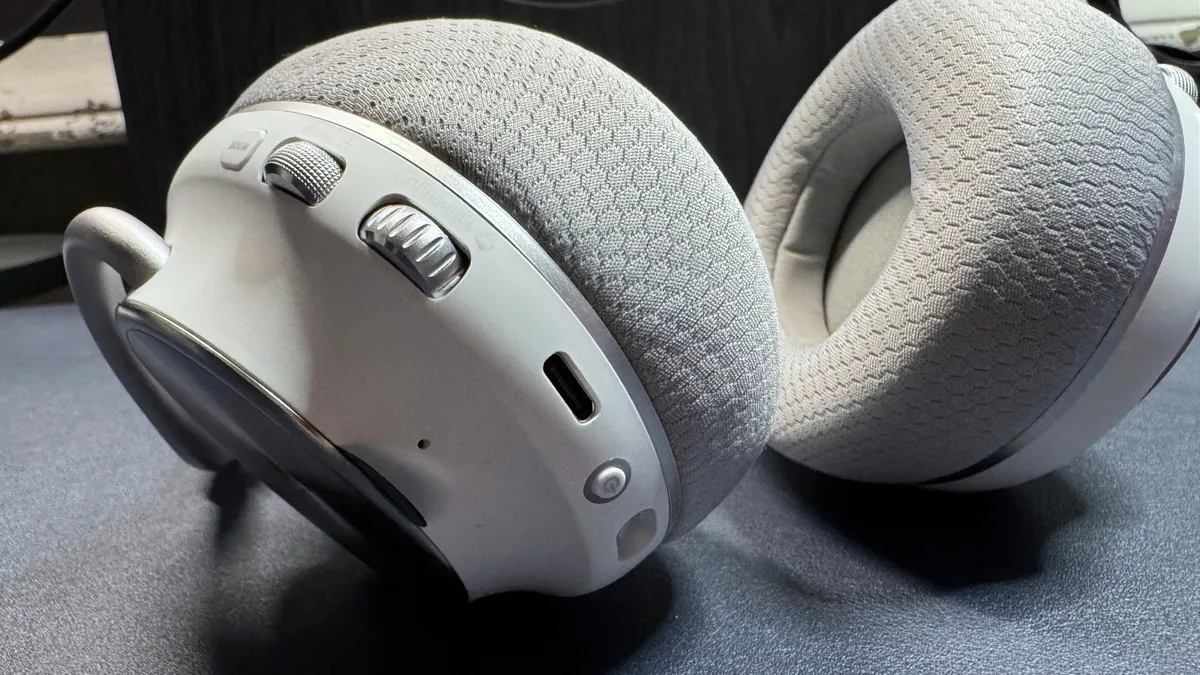
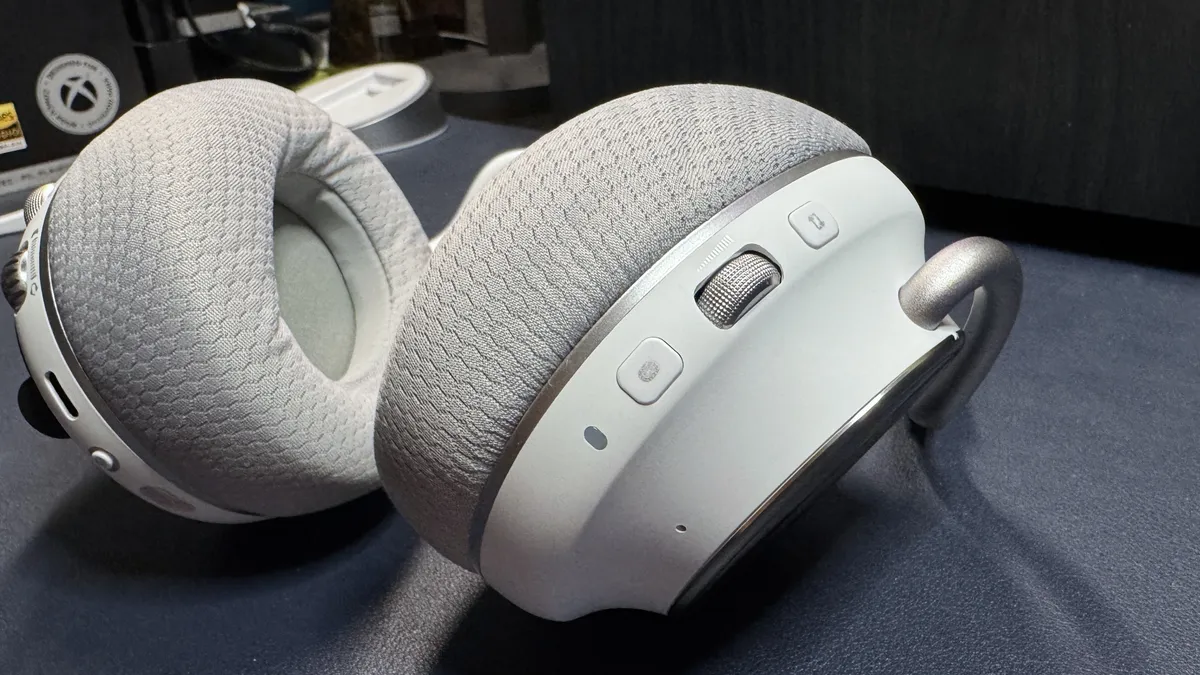
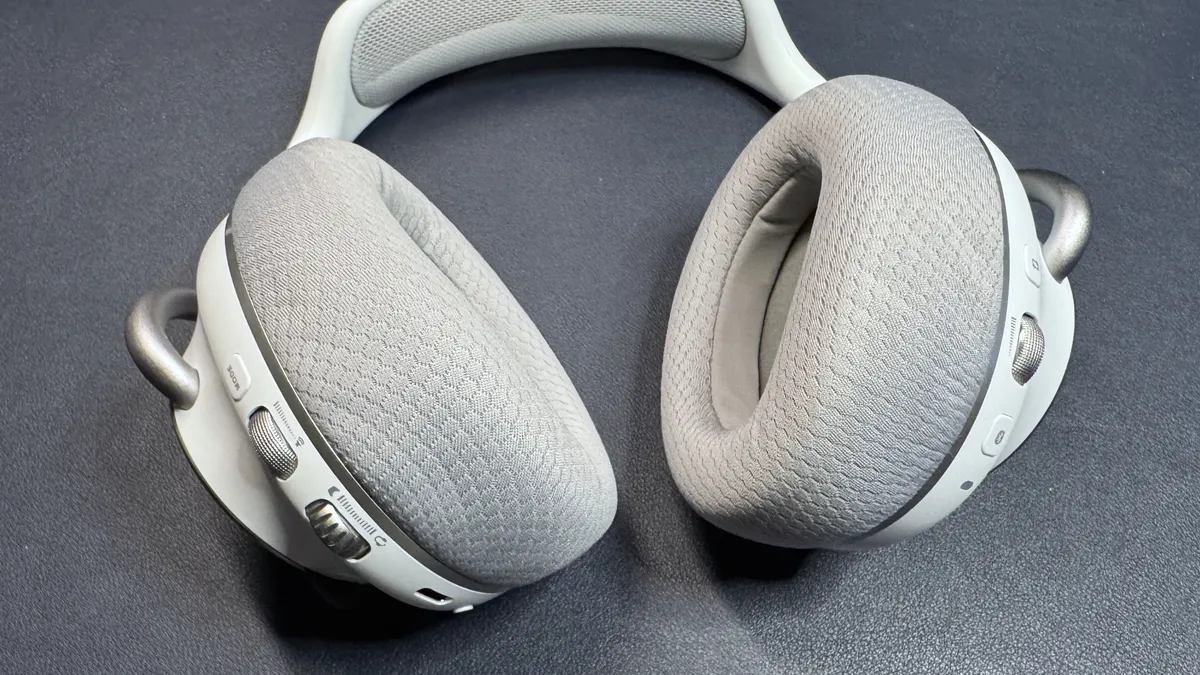
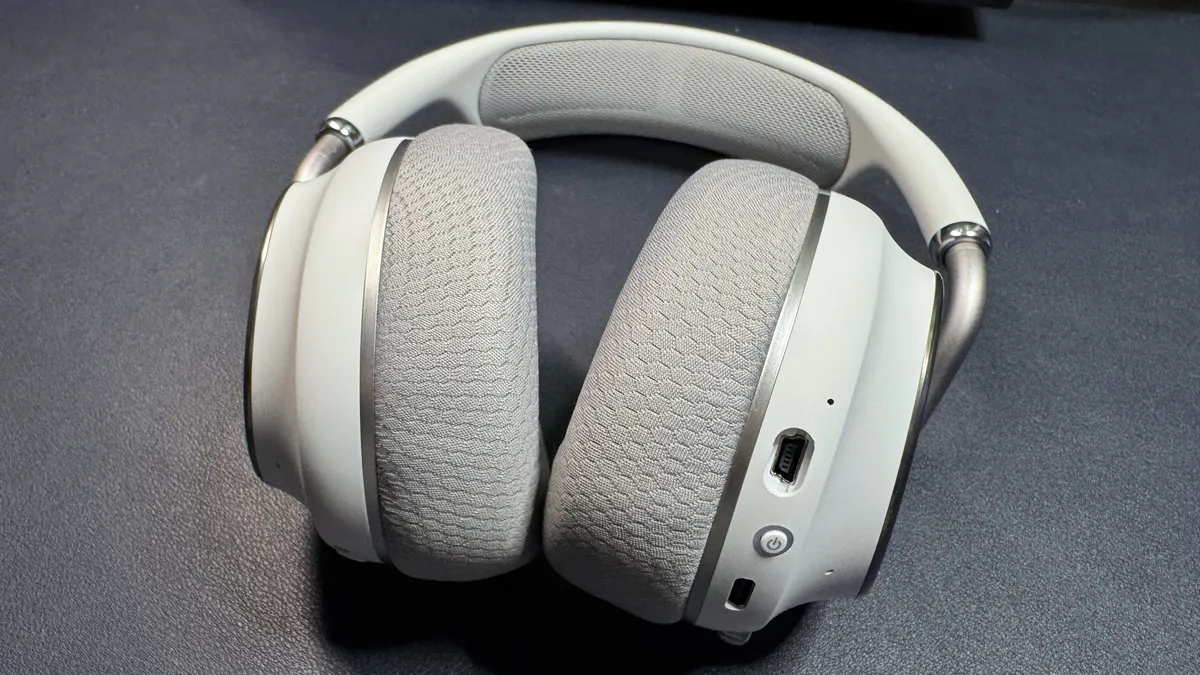
The Stealth Pro II has controls on both of its earcups. On the left earcup, from back to front, there's a mode button, a volume wheel, a chatmix wheel, a USB-C charging port, and a power button, as well as a Mini USB port for the detachable boom mic. On the right earcup, from back to front, there's a CrossPlay button for switching between sources, a second volume wheel (for Bluetooth volume), and a Bluetooth button. The chatmix wheel and the mode button on the left earcup are both programmable, so you can swap in different functionality, but the wheel defaults to chatmix on the Xbox version and mic monitoring on the PC version, while the mode button defaults to toggling ANC on/off.
Get Tom's Hardware's best news and in-depth reviews, straight to your inbox.
View Original

View Original

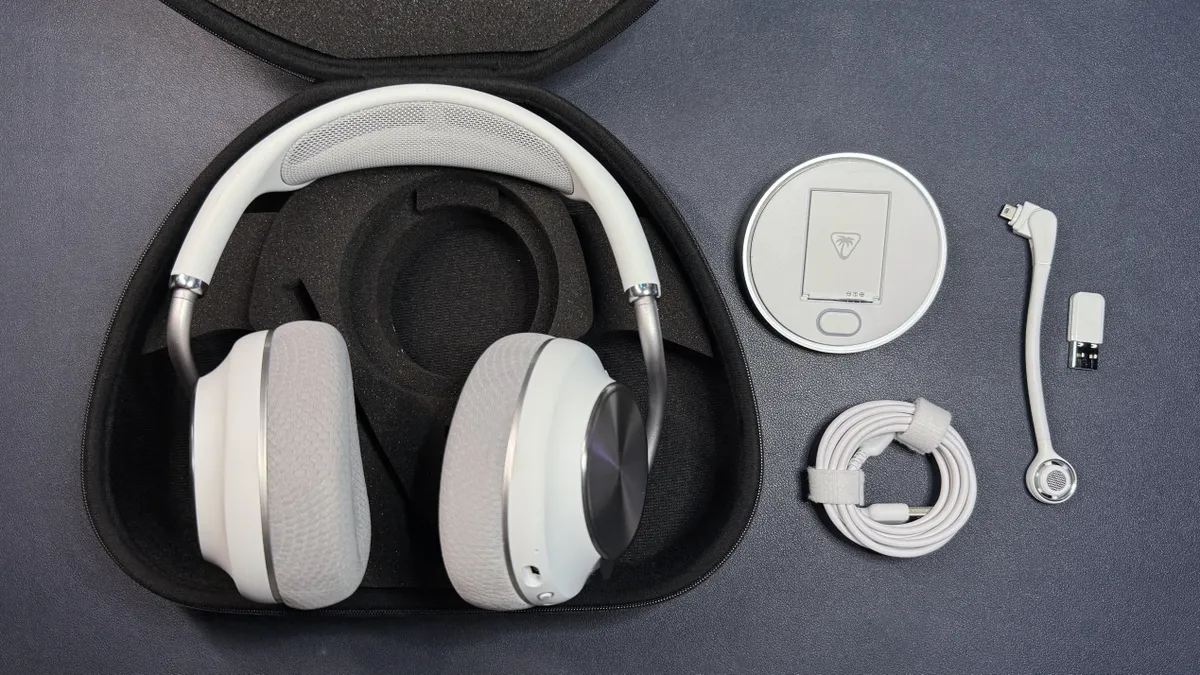
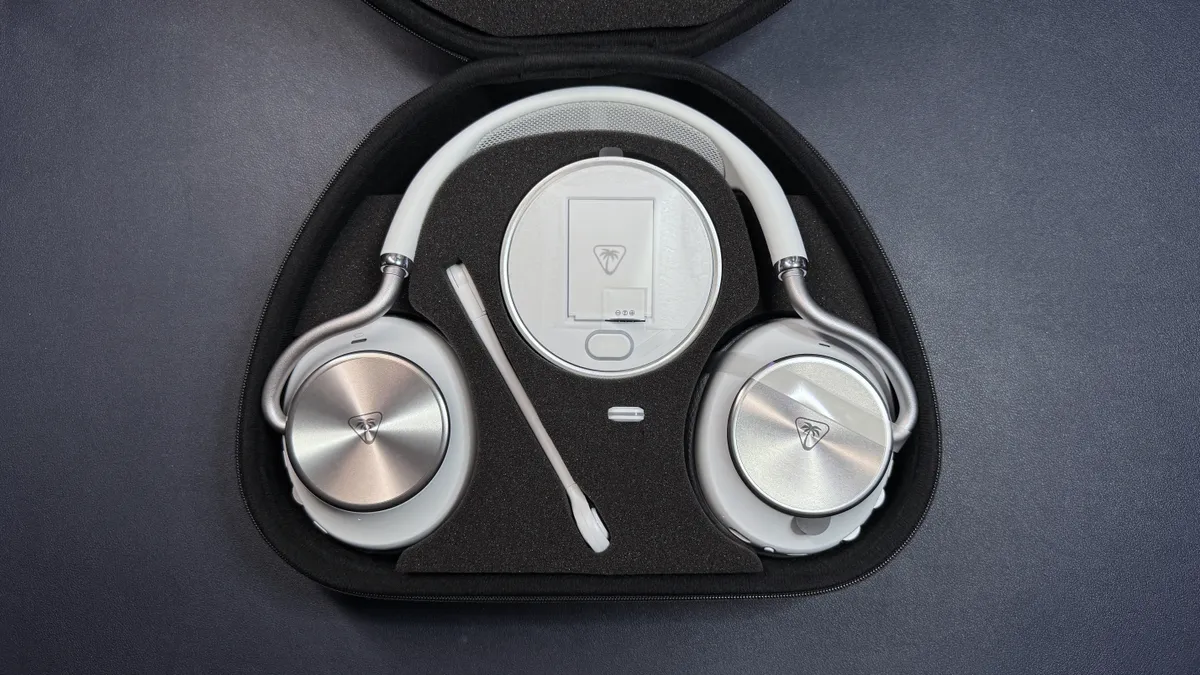
The Stealth Pro 2 comes in a nice, sturdy, zipped carrying case, which is rigid on the outside and has custom cut foam on the inside. It comes with a wireless USB-A transmitter, a battery charger (that also acts as a second transmitter) and extra battery pack, a detachable boom mic, and a 6.5-foot (2m) USB-C to USB-A cable.
Specs
Driver Type |
60mm Eclipse dual drivers |
Impedance |
Ω |
Frequency Response |
10 - 40,000 Hz |
Design Style |
Over-ear (circumaural) |
Microphone Type |
Flip-to-mute |
Connectivity |
2.4GHz wireless, Bluetooth, |
Weight |
13.86oz. / 393g |
Cord Length |
N/A |
Battery Life |
80 hours with dual swappable batteries |
Lighting |
None |
Software |
Swarm II |
MSRP / Price at Time of Review |
$349.99 |
Release Date |
May 2026 |
| Row 13 - Cell 0 | Row 13 - Cell 1 |
Audio Performance of the Turtle Beach Stealth Pro II
The Stealth Pro II sports Turtle Beach's 60mm "Eclipse" dual dynamic drivers, which have a frequency response range of 10 - 40,000 Hz — wider than the average gaming headset, which usually sticks close to the standard 20 - 20,000 Hz range of human hearing, but not quite as wide as the Audeze Maxwell 2 (10 - 50,000 Hz). These drivers are both larger (at 60mm, versus other headsets' 50 or 40mm) and feature a design with distinct woofers and tweeters for "vastly improved audio detail over conventional drivers," according to Turtle Beach.
I was impressed with how both music and games sounded on the Stealth Pro II — there was plenty of detail in atmospheric games such as Where Winds Meet and God of War: Ragnarok, and the sound stage sounded wider than I'm used to on closed-back gaming headsets. Music on the Stealth Pro II was also bright, punchy, and detailed — I could hear the full flow of the timpani in the beginning of Lorde's Royals, as well as the deep nuanced bass in Hans Zimmer's Time, with very good clarity. While the bass on this headset was solid, the highs were a little too turned up out of the box: Footsteps and gunshots in games were unnecessarily present, and the strings at the beginning of Britney Spears' Toxic were close to being painful.
The headset sounded decent with the ANC turned on — ANC tends to affect sound negatively, and while the Stealth Pro II wasn't an exception, the difference wasn't unbearable in gaming (it was more noticeable with music). As far as noise cancellation, the ANC did an excellent job of canceling out ambient noises, such as the low hum of my computer fans. But the earpads also did an excellent job of passive noise cancellation, so much so that the ANC almost seemed superfluous.
Usability is always a bit of a concern when it comes to multi-device headsets, but the Stealth Pro II felt pretty intuitive and straightforward. I appreciated the dedicated Bluetooth volume wheel for dual-simultaneous wireless connections, and switching between USB connections was fairly quick and painless. While there are a few different headsets with base stations that let you connect to more than one device at a time, the Stealth Pro II's multiple wireless dongles means you can connect to devices that aren't within USB-cable-range of each other — not necessarily in separate rooms, but just further away than standard 6.5-foot cables will let you reach (plus, it's neater). Turtle Beach says you can connect up to four sources via CrossPlay, but it only includes two connections (the transmitter dock/battery charging station, and one USB-A dongle) in the box.
Microphone of the Turtle Beach Stealth Pro II
The Stealth Pro II has a detachable 9mm flip-to-mute boom microphone as well as beam-forming mics built into the earcups. The boom mic has a floating design that uses spokes to suspend the microphone away from the boom arm for "pristine vocal clarity," according to the company.
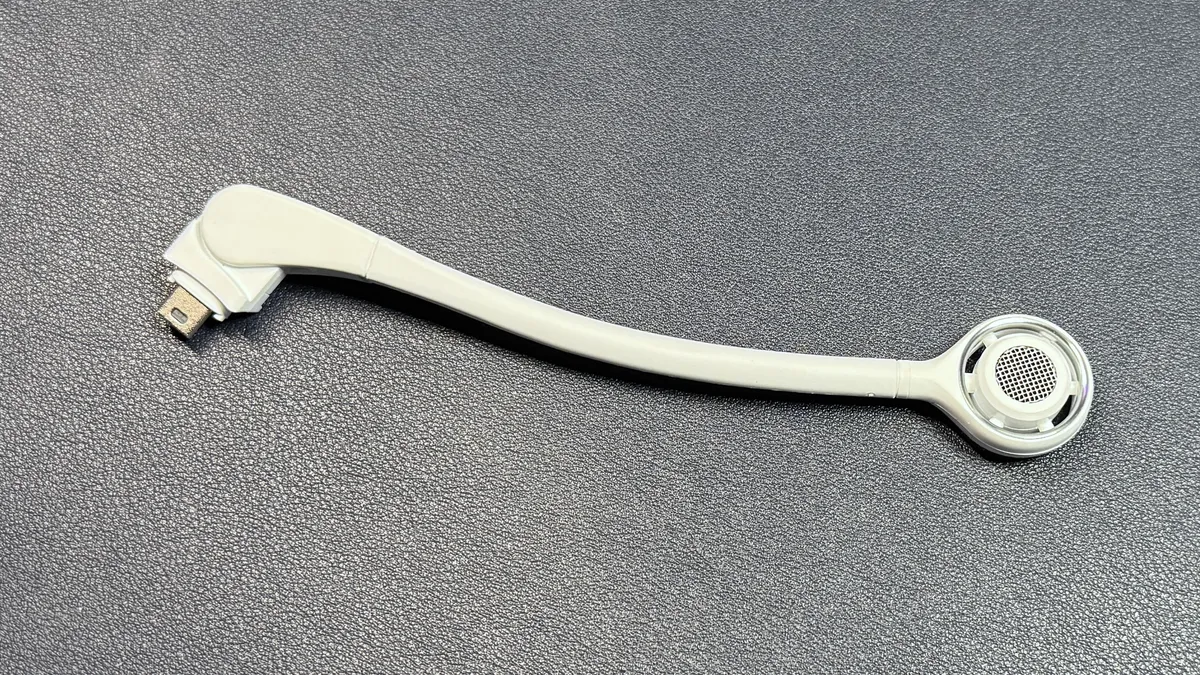
It sounds good — very good, for a headset mic — but it didn't blow me away, as many headset mics these days are pretty impressive. My voice came across full and warm and close to (but not quite) broadcast quality over the boom mic, but everyone I spoke to over voice chat could tell I was wearing a headset. As always, I love Turtle Beach's flip-to-mute system — it's the perfect system, and the only one that's never confused me. I wasn't sure how muting the inline mics worked, however, as there's no dedicated mute button out of the box, but I also couldn't get the inline mics to work at all (...maybe that's the trick). I can only assume this is something that might need to be set up or switched to in Turtle Beach's Swarm II software, but I also couldn't get that to work — at least not by time of writing (I'll revisit this a couple of days after launch to see if anything has changed).
Features and Software of the Turtle Beach Stealth Pro II
The Stealth Pro II works with Turtle Beach's Swarm II universal peripheral software, which has never worked smoothly for me and certainly wasn't about to start with this review. While I was able to perform an initial firmware/software update, the software continued to prompt me with "Update Available" — blocking me from accessing other parts of the app, of course — but simply giving me a "you are up-to-date" message when I tried to update. Presumably, Swarm II will let you do things like change settings, adjust things such as noise gate and mic monitoring, and access audio and microphone EQs. This is also where you can program the programmable button/dial on the headset, and where you can (god willing) update your firmware.
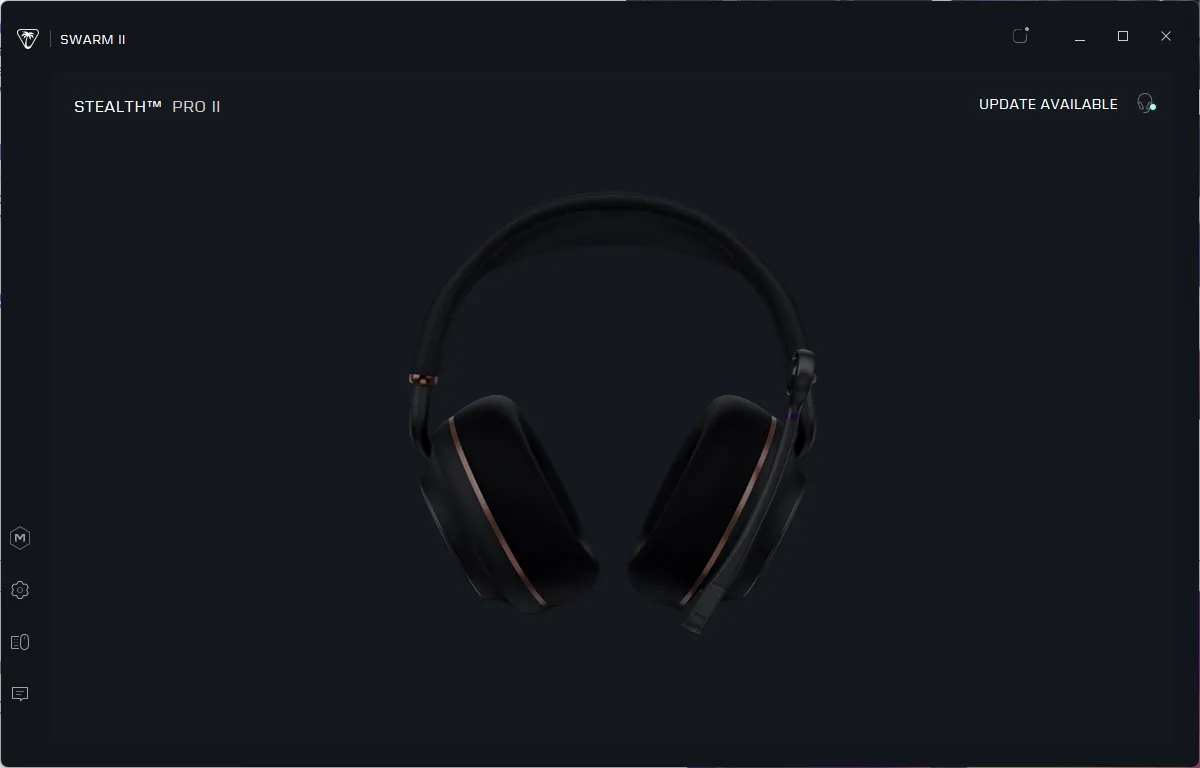
Luckily, not being able to actually see the software wasn't too much of a setback for me, as I long ago realized that it seems to have some sort of personal vendetta against me. The Stealth Pro II works very well out of the box, and while the EQ and mic EQ would be nice to access, they're not absolutely necessary (for now). Let's hope the firmware updater is working by the time these get into consumers' hands, though.
Battery Life of the Turtle Beach Stealth Pro II
Turtle Beach rates the Stealth Pro II at 80+ hours of battery life if you take advantage of its hot-swappable battery system. It comes with two 40-hour batteries that can be hot-swapped — similar to the previous Stealth Pro.
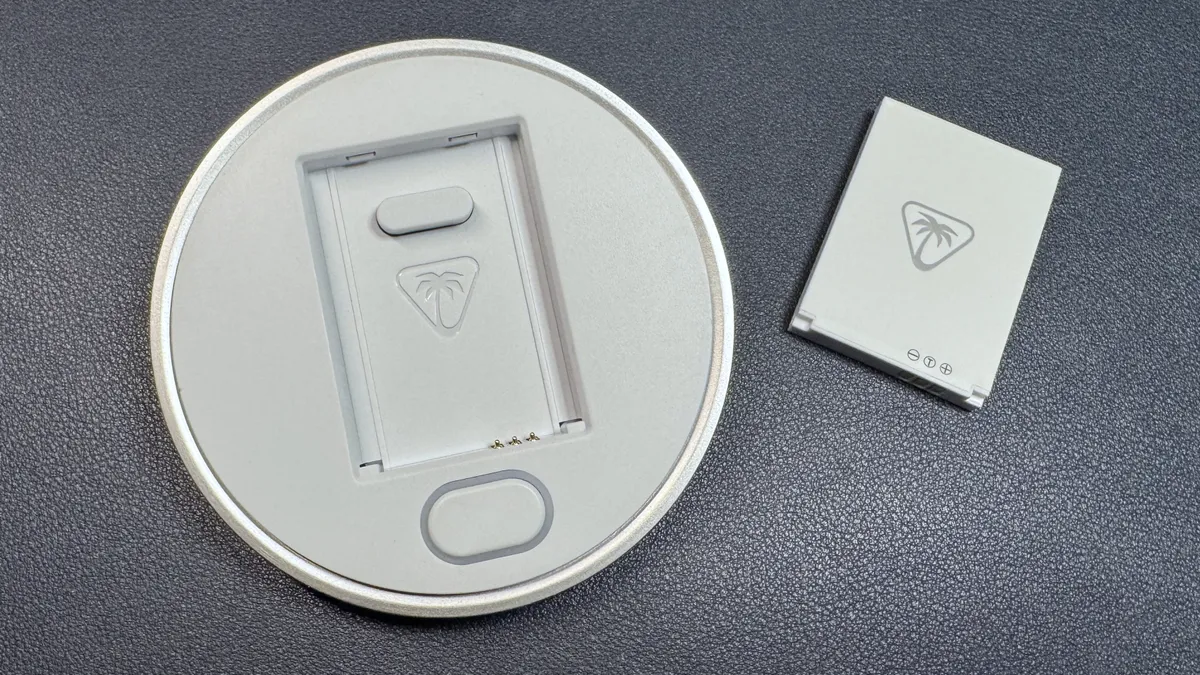
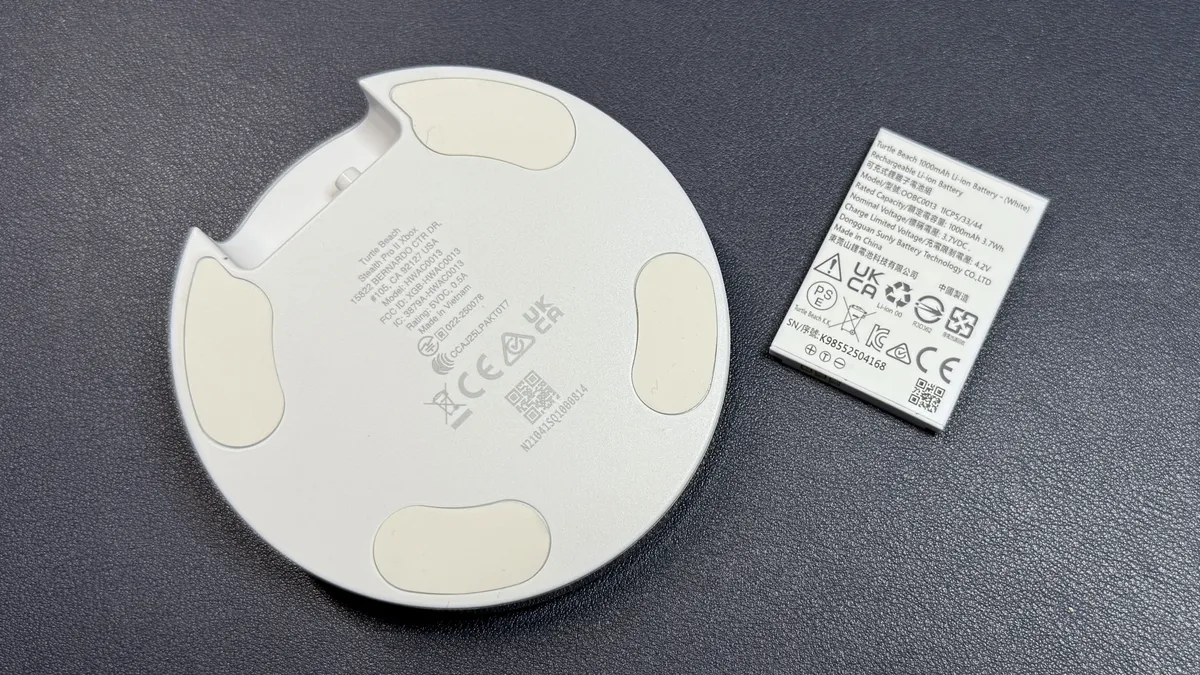
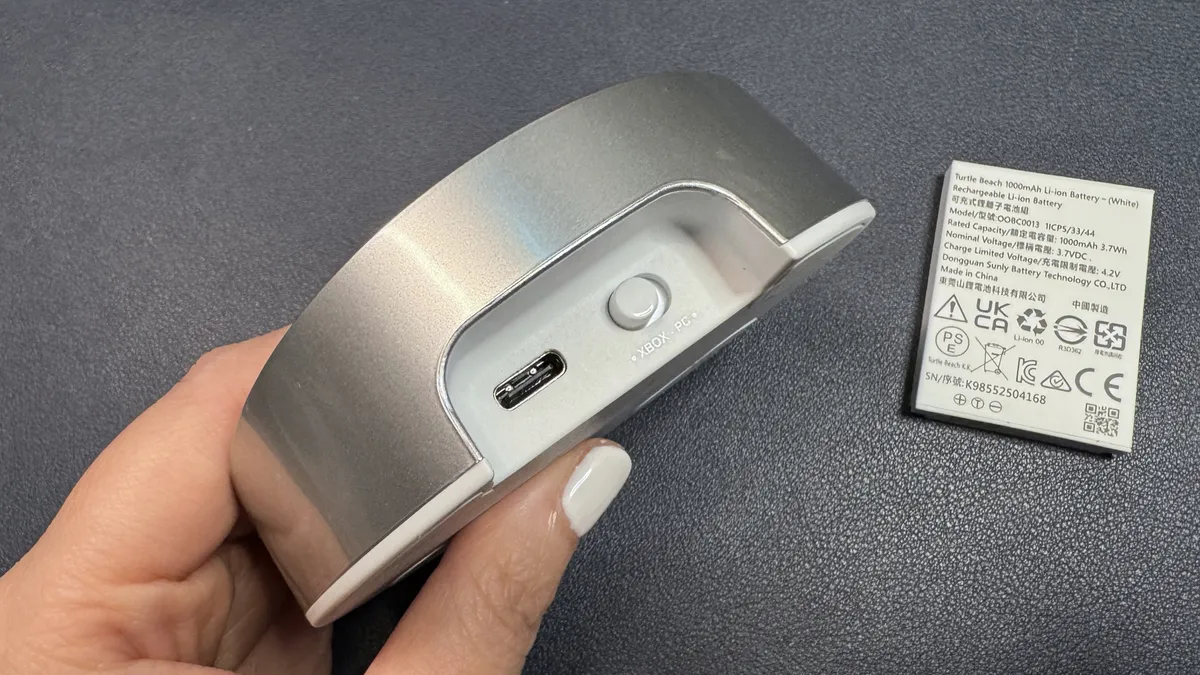


This isn't really the most convenient system for traveling, but it's a pretty solid system for a gaming headset that will live primarily on your desk, as it means you can swap out the battery in just a few seconds without having to worry about any downtime, basically. (Although, I guess simply plugging your headset into a charging dock while you play isn't really that much of a hassle, either, if you're already tied to your desk.) Forty hours is a big improvement over the original Stealth Pro, which had two 24-hour swappable batteries.
Bottom Line
Turtle Beach's Stealth Pro II is a big improvement over its original Stealth Pro in both design and functionality — it's sleek and pretty (I wasn't a big fan of the original Stealth Pro's design), comfortable, and it connects wirelessly to multiple devices simultaneously. Switching between my PC and my PS5 was pretty seamless, though I did have a few wireless hiccups when I was signing onto the staff morning meeting, and the simultaneous Bluetooth playback worked very smoothly. The Astro A50 X did manage to do the device switching just the tiniest bit better, but the Stealth Pro II's wireless connectivity is definitely a game-changer. At $350, the Stealth Pro II isn't cheap, but it's cheaper than similarly multi-tasking headsets, such as the $400 Astro A50 X or the $600 SteelSeries Arctis Nova Elite.

Sarah Jacobsson Purewal is a senior editor at Tom's Hardware covering peripherals, software, and custom builds. You can find more of her work in PCWorld, Macworld, TechHive, CNET, Gizmodo, Tom's Guide, PC Gamer, Men's Health, Men's Fitness, SHAPE, Cosmopolitan, and just about everywhere else.
-
Mindstab Thrull Your issue with the Turtle Beach software reminds me of the issues I had historically with McAfee (back when having a dedicated AV solution was still a good idea - Windows Defender had made that less important these days) : I could never get it to install properly on any machine I worked on, whether mine or someone else's, but it was perfectly fine if someone else had installed it. Even if I cleaned the drive of ALL data, it wouldn't take. Ugh!Reply
Question: does this come in a wired version? I personally prefer wired over wireless most of the time. -
LordVile Issue is £300 is HD600 series money and you can’t really say a headset “sounds good” as a positive at that price if it isn’t near audiophile grade headphones.Reply -
App13533d If you live Down Under & were considering this headset because you wanted to use it with more than the 2 bundled transmitters, please take note- unfortunately, Turtle Beach does not sell or ship additional Headset Transmitters in Australia via any of their websites or local vendors.Reply