All about Software
 Latest Software articles
All Software articles

Newsletters


  • Ask your question about IT issues
  • Post

Partners

The Games selection

violent : Interactive Buddy Unwind on your interactive buddy: Do anything you want to him, it will earn you money, and you can buy other stuff to torture him with.
violent : More Mindless Violence Basic shooting game, but still so powerful! Use the mouse to take aim and shoot at the little beasties before they get to you. Use Space to reload....
Ads

Sponsored links

File System

Previous Next
12:03 PM - 03/03/2004 by Humphrey Cheung

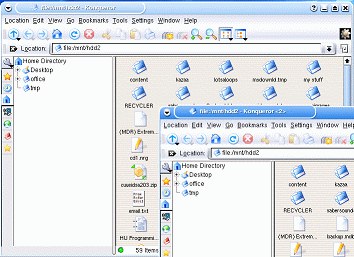
When you start browsing into the directories (Windows calls them folders), you will see similarities in the interface. You can click on icons that take you up and down the directories. You can change into different views. All just like Windows.

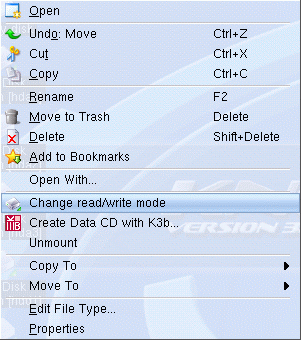
Knoppix was able to read all the file formats I threw at it. FAT, FAT32, NTFS and all the Linux formats (ext2, ext3, ReiserFS) were no problem. When Knoppix boots, all the drives/partitions are mounted as read-only, which prevents accidental erasure or changing of files. If you want to write to the partition, you simply right-click on it and select, "Change read/write mode". Wasn't that easy?

Knoppix 3.3 does not write to NTFS, but it is rumored that Knoppix 3.4 will have full NTFS write support. There is a distribution call INSERT (Inside Security rescue toolkit) that will read/write to NTFS. You can download it here, http://sourceforge.net/projects/insert/

Talkback
Comments are closed on this page.

Sponsored links