12:02 PM - 11/14/2004 by
Patrick Schmid
- Email |
- Print |
- Comment (1) |
- Share
We wanted to push the processor to its thermal and performance limits, so we picked Prime95 as our primary stress tool.
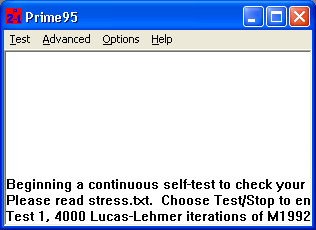
Prime95, version 23.8.1, under Windows XP Professional using Service Pack 2.
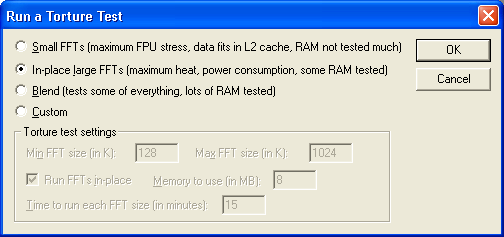
This option seems to be made for our purpose.

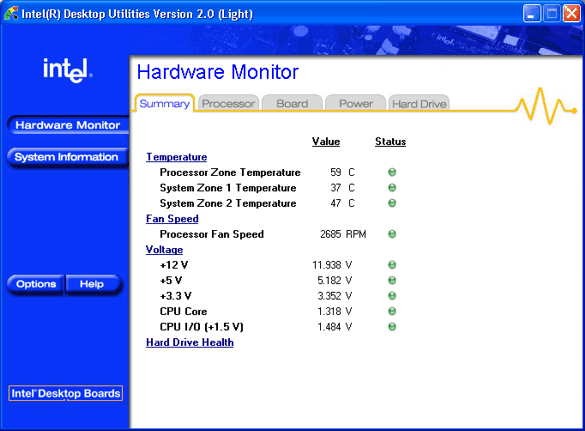
For measuring the temperature of Intel's zone 1 and 2 we used Chipzilla's Active Monitor, version 2.0.11.46.
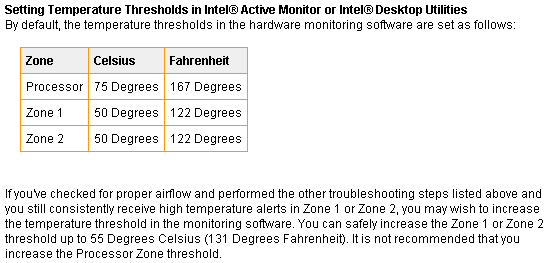
Each specified temperature maximum is provided on the Intel Website under Thermal Zone Information. Of course we used the numbers provided for reference.
Next, we also wanted to monitor what the CPU did. For this job we used a non public utility that displays continuously the core clock speed and shows if a CPU throttles.
Topics being discussed on the forums
Sponsored links
Best offers
|
Core i7 I7-920 Quad Core Processor... | $349.99 Dell Home More info |
|
Phenom II X4 965 Black Edition Quad... | $185.99 Newegg.com More info |
|
Core i5 750 Qaud Core Processor... | $199.99 Newegg.com More info |
|
Core i7 Extreme Edition I7-975 Quad... | $974.99 TigerDirect More info |
|
Phenom II X4 955 Black Edition Quad... | $167.99 eWiz.com More info |
Popular Searches
Partners
The Games selection
adventure :
Ray
Adventure game, South Park style. Pick the way the story goes by picking an answer among those offered.
|
crazy :
Interactive Boogy
Pick one of the 3 songs, hit on the correct keys matching this boy's dance moves.
|
Ads


Did they not have a comments feature back then?