Get Your Google Back, Google Tells Win 8 Users
Google offers a two-step process in switching over to Google Search and Chrome.
The official Google blog was updated on Friday with instructions on how Windows 8 users can "get your Google back". As with any new Windows install, Bing and Internet Explorer are front and center as the default services, and users disoriented by the blocky new experience may be stumbling around trying to figure out how to find alternative services.
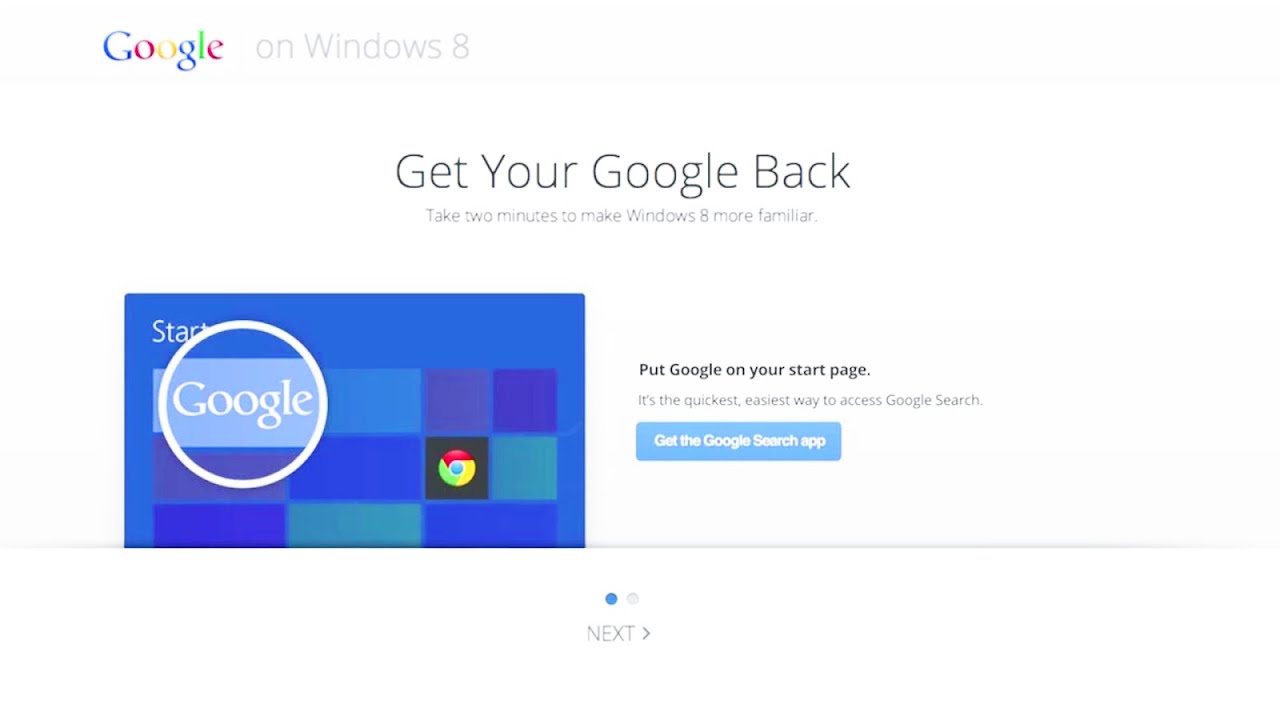
Distraught Windows 8 users wanting a more Google-flavored experience are in luck, as they can easily load up Internet Explorer 10 and head over to this website to "get their Google back." It provides links to the Google Search app and the Chrome browser, both optimized for the Modern UI blocky layout and touchscreens.
"The Chrome browser is the same Chrome you know and love, with some customizations to optimize for touchscreens, including larger buttons and the ability to keep Chrome open next to your other favorite apps," said Tamar Yehoshua, Product Management Director of Search at Google. "It delivers the fast, secure web experience you’ve come to expect from Chrome on all your devices."

The new Google Search app features a clean and recognizable user interface, he said, and the new voice search even lets users naturally ask questions to find the results they need. "The image search and image previews are built for swiping. And, as usual, you get immediate results as you type with Google Instant. The doodles you enjoy on special occasions will be right there on the homepage and even show up on the Google tile on your start screen," he added.
The new mini-site is nothing fancy – it merely shows how Windows 8 users can put Google Search on the Start screen and make the Chrome app the default browser. But in case users still can't figure out the two-step process, Google has provided a video demonstration, as shown below.
Sure, we are the kind of people that knows how to rearrange everything (and I mean everything) in an OS to our best interest, but this is a smart move from Google.
This video was what? 1min? It is simple, and probable of a very low budget (besides of the design and plot team). But it makes them get closer to people.
Now tell me, how many people would start using IE as default browser just because it is there? If we direct our attention to the lazy, not so savvy consumer, probably they would just follow the status quo of W8. Heck, even for those who already know some tech it is useful, because merely by inserting a browser in an environment it could already make you lose a few people.
I really liked the video, and the idea behind it. IT is for everyone, dont be dicks about what we know.
Sure, we are the kind of people that knows how to rearrange everything (and I mean everything) in an OS to our best interest, but this is a smart move from Google.
This video was what? 1min? It is simple, and probable of a very low budget (besides of the design and plot team). But it makes them get closer to people.
Now tell me, how many people would start using IE as default browser just because it is there? If we direct our attention to the lazy, not so savvy consumer, probably they would just follow the status quo of W8. Heck, even for those who already know some tech it is useful, because merely by inserting a browser in an environment it could already make you lose a few people.
I really liked the video, and the idea behind it. IT is for everyone, dont be dicks about what we know.
Google Chrome is great, too! However there is a reason most work environments that deal with sensitive data deal only with IE... Because it's secure. If you're willing to trade off security for faster browsing (only .5 to 1 second faster) you're an idiot as far as I'm concerned.
Gett off the "I hate IE, boo hoo hoo" bandwagon and start using your brains people.
Also it has nothing to do with being stupid, it's simply ignorance in an area most people aren't interested in.
As far as I know, pretty much the only weaknesses from Chrome and Firefox, IE as well, are the plugins and other add-ons. To find loopholes in the core of the browser its pretty difficult, and I remember that even IE was deemed insecure in the last Grand Prix here in Toms. Granted, IE warns you a lot more about security, but it all comes down to what you actually have running in the background. I feel safe to say that 99% of security flaws are NOT caused by the code in the browsers, but by USERS MISTAKES
I dont like IE just because how annoying it is about security. We, and most of the readers of the site, know pretty well how to navigate safely. Besides, in a machine intended solely for commercial use, there should be NO kind of 3rd party plugins or dangerous scripts allowed. IE is good with that, but any well trained employee should know some IT security IMO.
This whole "die, metro, die" bit is getting old. It's released already... either deal with it, shut up, or don't get the upgrade to 8. All the Win 8 haters are beginning to sound like mindless sheep, just like apple.
Your statement is only true when talking about group policy in a domain environment. You can implement much of the same security measures through alternate means (such as through an enterprise class router like a Cisco ASA). As a stand-alone browser outside of group policies, it doesn't hold a candle to Chrome and FireFox.
I don't know about that. Every browser has issues and strengths. After switching to FireFox, there have been many times I missed IE. If I wasn't lazy, I'd be using IE again, but the differences are enough for me to switch back. I switched from IE due to a specific bug with AMD drivers, causing hardware acceleration to lock the drivers at 75% normal clocks.
I understand where you're coming from there but I've never had any issues using IE short of the occasional lock-up which I experience in every browser when you stumble across a poorly coded page. As for the not holding a candle to chrome or firefox I'm only going to assume you've never used IE in the last decade or your computer isn't equiped to run your current Windows installation optimally, and as such, IE suffers.
With my current i5 build OC'ed to 5.0GHz and Corsair Force GT, I click, it opens instantly, I browse, it direct instantly, no issues. I do the same thing in Chrome, no issues. I do the same thing in Firefox, no issues. What does it come down to? Security and vs. 3rd party applications. IE is there. It works just as well as the other browsers, and is plenty secure. It comes preinstalled. I don't see the need to move to a different browser. Some people say preference? To what? Visuals? All these browsers do what they are supposed to do and the differences are so small that to say it's a performance difference is utterly stupid.
At this point, browser preference is all fanboyism. This MS hate crap is getting old as well.
I choose browsers where you can control the updating process. Chrome is not one of them.