Drivers
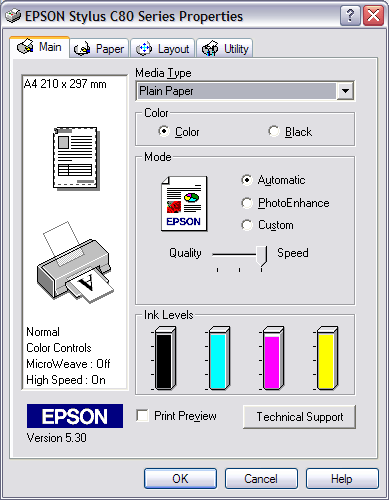
Interfaces change but the options always remain the same. All current drivers offer a two modes in their system. The first mode is meant for beginners or for a quick printout. Only a few options are available: type and size of paper, color or black and white and a preference for speed or quality. The second mode is usually available via an "Advanced" button. When activated, it opens a new window and allows you to adjust the settings more precisely. Not only can the print quality be customized to reach up to 2400 dpi or more, but you can also activate or deactivate smoothing and adjust the color levels. This means that you can, for example, remove reds or build up the blues. All the drivers include automatic cleaning, head alignment and ink level display.