The Tweaking & Tuning Articles
- Drivers Improve WindowsXP Service Pack 2 FireWire
- Modding The Xbox Into The Ultimate Multimedia Center
- How to Speed up Your RAM
- All Ports To Front: The FrontX Solution
- How To Add Front - Mounted Ports To Your Case
- How To Get The Cool Connections Using DuoConnect
- Plastic Surgery: Releasing The Athlon XP To Hit 2000+
- A New Lease On Life - How To Make Your PC 5 Times Faster
- BIOS Tuning: Maximum Power
- Socket 5: Tuning Old PC Systems
Alternative Software
12:02 PM - November 22, 2004 by
Siggy Moersch
Source: Tom's Hardware US – Keywords: mcubed
Syndication:
Source: Tom's Hardware US – Keywords: mcubed
Syndication:
Table of Contents:
Alternative Software

Alternative software to T-Balancer
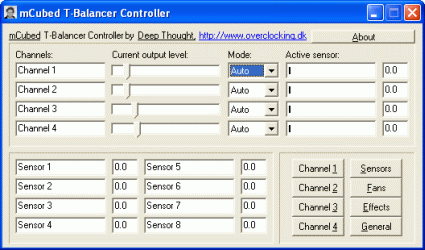
The T-Balancer has a huge fan community in the Internet. In addition to discussion forums devoted to the device, there is also an alternative application by a user known as "Deep_Thought." The alternative application offers advantages compared to the original software by combining the various modules for fan control, sensor monitoring and the lightshow. The "Effects" submenu has three predefined configurations that can be changed using the mouse. The "Save" button saves the current settings. These are automatically loaded when the software is restarted. The cons: if settings are changed and saved, the previous settings are lost - in other words, there is only one saved configuration. The software can be downloaded from www.overclocking.dk.
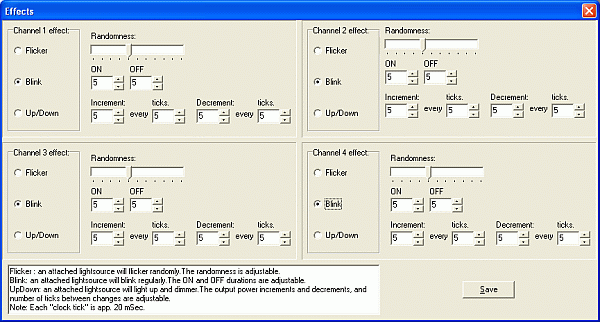
Three basic effects can be configured - but saved only once

- Previous page Let There Be Lights!
- Next page Conclusion
i think it is very simple to use
and the best.....is automatic
but here's the problem!!!
where can i buy it?
which store is avaible in EE. UU.
ANYONE KNOW'S something?