



Premium Build: Greyscale — building a custom-looped ITX PC that pushes the form factor to its limits
Small, but mighty
Before building any water-cooled PC, it’s good practice to make sure all the components actually work together. Finding out there’s a compatibility or DOA (dead-on-arrival) issue after building and filling the entire cooling loop is one of the most frustrating issues one can face that far in the build process, partly because it’s a lot of work to take the system apart, but more so because it’s entirely preventable.

To begin, I assembled a big chunk of the flat-packed NCase M3. Later, I learned from the manual that the way you’re supposed to build it is by building much of the system onto the motherboard tray first, and then installing the panels onto the case later, but I’m too stubborn to read manuals from the get-go, so here we are.


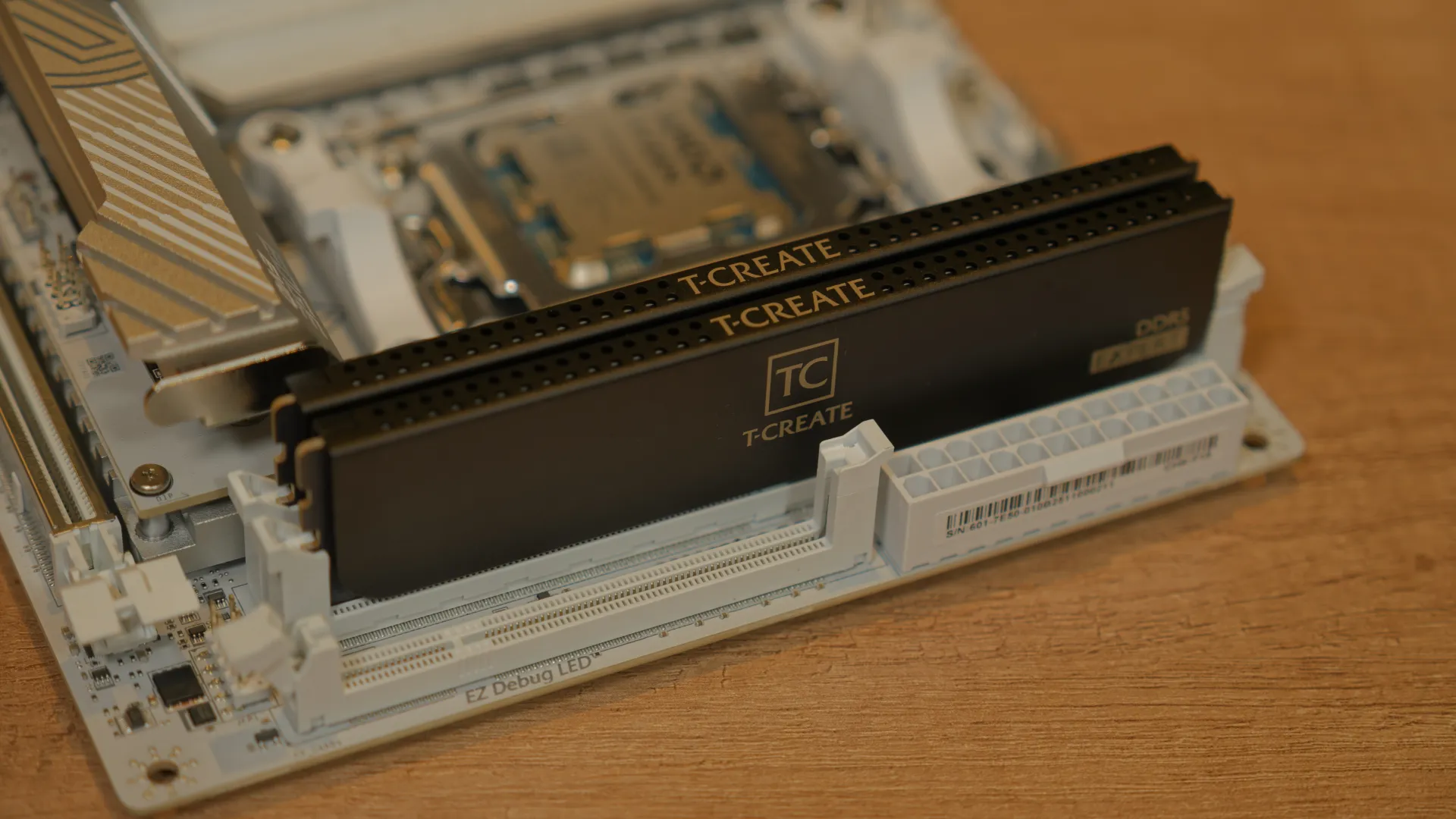
Next, it’s time to prepare the motherboard. I started by installing the AMD Ryzen 9 9950X3D into the AM5 socket. I chucked the Sabrent Rocket 4 SSD into the M.2 slot. And popped the two 24 GB DDR5-7200 modules into place. Now, I’m aware that the color theme on this motherboard and memory doesn’t totally match, but there’s a good reason for that: the economy – I’m using what I have available to me.
Let’s pretend that the reason why is that we’re going with the theme ‘Grayscale’ and thus we need to cover all parts of the gray spectrum.

Popping the motherboard into place was interesting, largely because NCase has done something I’ve never seen on any other case: screws at the back of the standoffs.

Because of the modular design where the motherboard can be mounted all the way at the top, close to the bottom, or almost anywhere in between, it doesn’t make sense to tap threading into each of the mounting holes – it wouldn’t look good, would collect dust, and cost too much to produce. So, the standoffs are held in place by a screw that affixes to the rear side.

I then mounted the Silverstone power supply. For my plan with liquid cooling, I’d have to lower it later on, but at this stage, I mounted it higher up so that it would clear the GPU area and leave room for the cables to come out.

Then, it was time to install the GPU. This was going to be a tight squeeze. The original NCase M1 was not designed to accommodate these kinds of graphics cards, and even in the larger M3, it’ll be a close shave.

I was unable to shim the GPU into place with the case assembled as it was, so I removed the front “grater” panel and popped the GPU into place. This is only a test fit after all, and the cooler will be removed in the final build. This was also a good time to install the cables for the power supply, as it’s easier to access without the front panel in the way.

I contemplated not re-installing the front panel at all, but this left the case a bit structurally unstable, and I did want to bring it back upright for pictures. The GPU still fit, but I wouldn’t need an anti-sag bracket to keep it up – the fitment was so tight that the clamping force of the front panel held the GPU up right where it belonged.

For the CPU, I reached for an old unused AMD Wraith Prism cooler, which is grossly underpowered for this CPU, but at this point, it was more about having some mass on the CPU than actually giving it adequate cooling for sustained loads.
In fact, generally for a test-run like this, it’s fine to just use the CPU waterblock, bare, without hoses attached or coolant – I wasn’t going to run the system much further beyond post, and all it would have to do is soak up the brief bit of heat generated in this brief timeframe before shutting down the PC again.

It turns out, though, that the SSD still had an old Windows installation on it from a previous test, and since there’s an actual cooler on there, I let the system boot.
Everything checked out. Time for the good part!
Current page: The dry build process
Prev Page Introduction Next Page Installing Radiators, Fans, Pump, & Reservoir
Niels Broekhuijsen is a Contributing Writer for Tom's Hardware US. He reviews cases, water cooling and pc builds.