









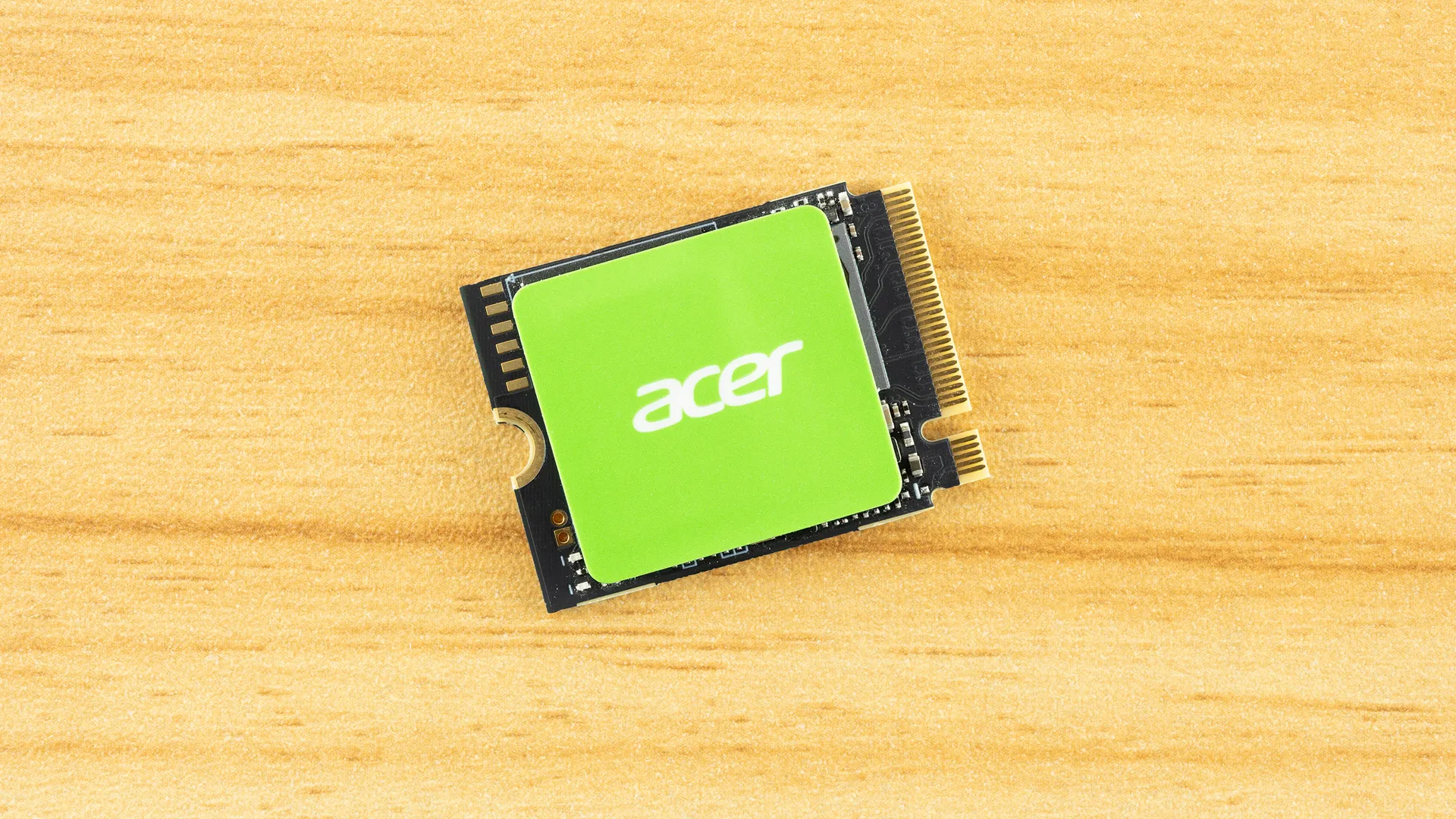
Why you can trust Tom's Hardware Our expert reviewers spend hours testing and comparing products and services so you can choose the best for you. Find out more about how we test.
Comparison Products
There’s no shortage of competition for the MA200. First, we have the high-end drives, the Crucial P310 and the Corsair MP600 Mini (E27T). Next, we have the mid-range drives with the Kingston NV3 and, arguably, the WD Black SN770M. Lastly, we have the first generation of Gen 4 M.2 2230 drives. These include the TLC-based Sabrent Rocket 4 and the QLC-based Silicon Power UD90, the Addlink S91, and the TeamGroup MP44S. The MA200 fits into this last group on paper, but often punches above its weight.
Trace Testing — 3DMark Storage Benchmark
Built for gamers, 3DMark’s Storage Benchmark focuses on real-world gaming performance. Each round in this benchmark stresses storage based on gaming activities including loading games, saving progress, installing game files, and recording gameplay video streams. Future gaming benchmarks will be DirectStorage-inclusive and an evaluation for future-proofing is included where applicable.


The MA200 just edges out the NV3, delivering pretty solid performance in 3DMark. Although the NV3 uses QLC, the newer BiCS8 is very fast in this benchmark, with low latency, and therefore serves as a good baseline to beat. The MA200 can’t match the newer, faster MP600 Mini E27T or P310, but it beats the rest of the lineup. This is superb positioning, and the 44 µs latency result is honestly great. Anything at or below 45 µs should be considered exceptional, as even older drives of this generation – the S91 and MP44S – are significantly less responsive.
Trace Testing — PCMark 10 Storage Benchmark
PCMark 10 is an industry standard trace-based benchmark that uses a wide-ranging set of real-world traces from popular applications and everyday tasks to measure the performance of storage devices. The results are particularly useful when analyzing drives for their use as primary/boot storage devices and in work environments.


The MA200 hits exactly that 45 µs point in PCMark 10, which we like to see. This is more of a psychological number or rule-of-thumb because in most cases you’re not going to usually notice a difference of even 10 µs in practice. However, it’s often indicative of broader performance patterns that emerge under certain workloads and when the drive is older and fuller. Having a responsive drive from the get-go is a bonus; if you do hit some of the worst states, you will feel the difference.
The drive doesn’t beat the NV3 here – did we mention how good BiCS8 QLC flash is? – but it stands up to the very good SN770M and most other drives. The P310 stands apart as Crucial simply nailed it with that drive. Sadly, its availability will be limited as the manufacturer withdraws from the market.
Steam Deck Testing — Gaming, KDiskMark, and Temperature
The Steam Deck is not the only portable gaming system in town, but it was the first and most popular to take M.2 2230 SSDs. While some systems have moved on to fit 2280 length drives, 2230 remains popular for many systems and such drives will work fine in longer slots with the proper standoff or extender. The Deck operates in PCIe 3.0 mode for its SSD which limits maximum bandwidth but that has less of an impact on responsiveness/latency and the Deck is still useful for gauging drive temperature and power efficiency.
Get Tom's Hardware's best news and in-depth reviews, straight to your inbox.
Our current testing for the Deck involves analyzing game load times for some popular games. This is probably the most important metric for gamers, but the difference between one SSD and another can be small. We also use KDiskMark, a CrystalDiskMark-like substitute that uses the flexible I/O (FIO) tester instead of diskspd for its underlying benchmarks. We also check the drive’s maximum temperature during this test.
The tests in this section are run under the stock Arch-based SteamOS Linux platform but our other tests are conducted as per our normal reviews, using Windows. Many portable gaming systems today use or can use Windows with multi-boot also as an option. This testing section is instead designed to give an idea of Linux performance, which does involve the use of Proton.


View Original

View Original

View Original

View Original

View Original

View Original

View Original

View Original

View Original

View Original

View Original

View Original

View Original

View Original

The MA200 is generally underwhelming in our Steam Deck tests, except for temperature. It ran the coolest among the drives, and this is an important consideration. Performance-wise, and especially for games, the differences between the drives are pretty minor. Once you have the game loaded, you won’t notice anything. On the other hand, a cooler-running drive may live longer, heat the handheld console less, and reduce the impact on battery life by a very small degree. Our feeling is that a certain threshold should be crossed – older Gen 3 drives will feel lethargic on some of these tests – and the MA200 meets that threshold. On the other hand, it’s clear that the P310 is a faster drive if you must absolutely own the fastest.
Transfer Rates — DiskBench
We use the DiskBench storage benchmarking tool to test file transfer performance with a custom 50GB dataset. We write 31,227 files of various types, such as pictures, PDFs, and videos to the test drive, then make a copy of that data to a new folder, and follow up with a reading test of a newly-written 6.5GB zip file. This is a real-world type workload that fits into the cache of most drives.


Getting back to Windows, let’s look at file transfers. The MA200 is middle-of-the-road and definitely not a competitor to newer drives with the E27T controller, like the P310 or MP600 Mini. It belongs more with the previous crop of drives, which includes the Rocket 4 and SN770M. For the Steam Deck, this is perfectly fine. In a Gen 4 device, where you might be multi-booting Windows, there are better drives available. We think the MA200 is plenty for a gaming focus, though.
Synthetic Testing — ATTO / CrystalDiskMark
ATTO and CrystalDiskMark (CDM) are free and easy-to-use storage benchmarking tools that SSD vendors commonly use to assign performance specifications to their products. Both of these tools give us insight into how each device handles different file sizes and at different queue depths for both sequential and random workloads.


View Original

View Original

View Original

View Original

View Original

View Original

View Original

View Original

View Original

View Original

View Original

View Original

View Original

View Original

The biggest takeaway from our ATTO results is that the MA200 hits a wall due to the drive's interface limitations. The controller is only rated at around 5 GB/s, which caps how much bandwidth the drive can provide. This is not an issue for PCIe 3.0 host devices, but is more limited with 4.0. In general, bandwidth is not what makes your apps and games feel faster or more responsive. It does impact transfer rates in some cases and, to a small degree, a drive’s latency. For an M.2 2230 drive, we do not feel the MA200’s results here are damning, but there are definitely faster drives out there.
The performance shortfalls here do translate to CDM: sequential performance is generally weak. The drive is good enough with QD1 reads, though, that we feel confident it won’t impact your experience much. On the contrary, the sub-44µs QD1 4K random read latency suggests this is a very responsive drive where it matters. Is it a drive you want for high-speed transfers? Absolutely not. But why would you buy an M.2 2230 drive for that? If you are looking for absolute performance in your Gen 4 portable system, though, this drive would not be our first choice. We’d probably recommend the MP600 Mini E27T or the equivalent – some other manufacturers have updated their E21T models, such as Sabrent – to reach peak performance. The P310 is up there, but as it is QLC-based and leaving the market, we can’t safely recommend it.
Sustained Write Performance and Cache Recovery
Official write specifications are only part of the performance picture. Most SSDs implement a write cache, which is a fast area of pseudo-SLC (single-bit) programmed flash that absorbs incoming data. Sustained write speeds can suffer tremendously once the workload spills outside of the cache and into the "native" TLC (three-bit) or QLC (four-bit) flash. Performance can suffer even more if the drive is forced to fold, the process of migrating data out of the cache in order to free up space for further incoming data.
We use Iometer to hammer the SSD with sequential writes for 15 minutes to measure both the size of the write cache and performance after the cache is saturated. We also monitor cache recovery via multiple idle rounds. This process shows the performance of the drive in various states including the steady state write performance.


The MA200 first writes to its cache at over 4.8 GB/s for more than 63 seconds. The 305GB cache is quite ample, but does not use all of the flash available to the TLC-based drive. This means the drive falls into an intermediate direct-to-flash state, writing at around 1.9 GB/s. This is very good and is plenty fast if you happen to get into this situation with aggressive writing. Eventually, the drive is forced to fold and writes at about half this speed, averaging just under 900 MB/s. Folding will often be below one-half the native flash speed while you’re waiting for already-written data to be moved from the cache to native flash, freeing space for incoming writes. So, two writes for every one write of new data.
Our steady-state average, though, is double the folding speed and closer to the native speed, at almost 1.8 GB/s. This is because the drive will free up space over time and can recover to higher speeds, even the cache speed at times. This performance is less consistent, though, and latency will be higher as the drive is bottlenecked. You’re most likely to hit this state when the drive is fuller or after substantial writes – lots of game installs and updates, OS updates, and so on. The MA200’s performance level here is very good and, mixed with the temperature results we saw above, means that the drive should be particularly good for what an M.2 2230 drive is used for, namely portable gaming and computing.
Power Consumption and Temperature
We use the Quarch HD Programmable Power Module to gain a deeper understanding of power characteristics. Idle power consumption is an important aspect to consider, especially if you're looking for a laptop upgrade as even the best ultrabooks can have mediocre stock storage in terms of capacity and performance. Desktops are often more performance-oriented with less support for power-saving features so we show the worst-case for idle.
Some SSDs can consume watts of power at idle while better-suited ones sip just milliwatts. Average workload power consumption and max consumption are two other aspects of power consumption but performance-per-watt, or efficiency, is more important. A drive might consume more power during any given workload but accomplishing a task faster allows the drive to drop into an idle state more quickly, ultimately saving energy.
For temperature recording we currently poll the drive’s primary composite sensor during testing with a ~22°C ambient. Our testing is rigorous enough to heat the drive to a realistic ceiling temperature but real-world temperatures will vary due to the environment and workload factors.


View Original

View Original

View Original

View Original

We expected the MA200 to be power-efficient, and it is. It’s right in the middle of the pack with good power efficiency for a drive in this form factor. The peak power draw is 3.99W, which is below the 4.50W maximum stated by S.M.A.R.T. This is normal. What we would point out is that this peak draw is significantly lower than the fastest drives and, further, that idle power consumption – which in our testing is done in a worst-case state – is exceptionally low. We’re plenty satisfied here.
As for temperature, we measured a maximum of 71 degrees Celsius during testing. This is 15 degrees Celsius below the first throttling state, which is good but not great. We suspect a few things are going on here. First, this is an M.2 2230-form-factor drive with less surface area for cooling. Having a thermal pad or equivalent in your device would help. Second, the drive’s reported temperatures were very close to each other, so the reported temperatures might not be as comparable as we see with other drives. This is because there are multiple heat-producing regions on an SSD – the controller and flash, at least – and a composite temperature is often used to help with throttle determination. This means that 71 degrees Celsius might not be as hot as it seems. Lastly, our testing doesn’t necessarily translate to what you’d get in a pure PCIe 3.0 slot, as in the Steam Deck. The drive will run cooler in the Deck versus in a Gen 4 device.
Test Bench and Testing Notes
CPU |
|
Motherboard |
|
Memory |
|
Graphics |
Intel Iris Xe UHD Graphics 770 |
CPU Cooling |
|
Case |
|
Power Supply |
|
OS Storage |
|
Operating System |
We use an Alder Lake platform with most background applications, such as indexing, Windows updates, and anti-virus, disabled in the OS to reduce run-to-run variability. Each SSD is prefilled to 50% capacity and tested as a secondary device. Unless noted, we use active cooling for all SSDs.
Acer MA200 Bottom Line
The Acer MA200 is a good drive, but not great. We’re seeing a lot of drives fall into this category, as what’s left after the SSD apocalypse leaves a lot to be desired – fast drives are prohibitively expensive if you can even find them, and some of the lower-end drives are outright dreadful. This is because the number one cost for SSDs, the flash memory, has skyrocketed, and we see no end in sight. This means it doesn’t make much sense to pair good flash with a slower controller that saves you a few dollars. In cases where this seems to happen – the Seagate FireCuda X1070 comes to mind – it can be a fair trade-off. It’s more sensible to drop down to a slow controller with leftover NAND. On the high end of things, the newest silicon, which for SSD controllers would be 6/7nm, is also facing a shortage due to semiconductor demand, so truly high-end drives are being priced out. Market trends suggest Gen 5 drives will remain out of reach. That leaves drives like the MA200.
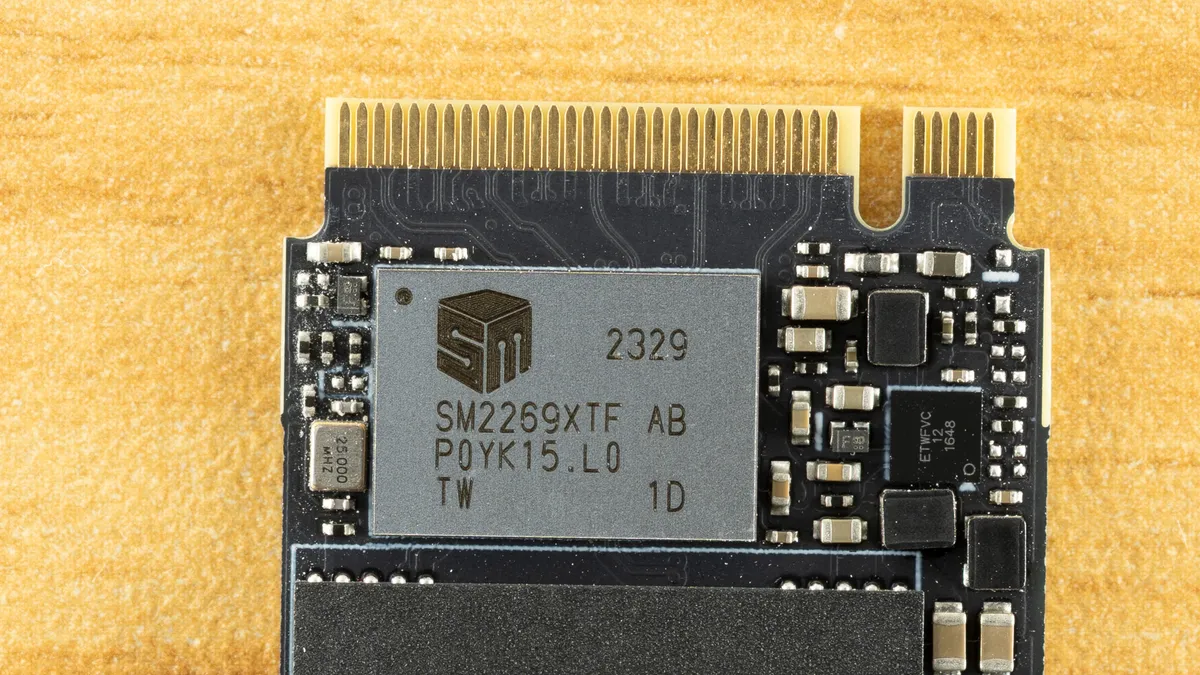
Then again, the MA200 isn’t trying to be your typical drive. It’s in the M.2 2230 form factor, so it's targeted at specific devices like the Steam Deck. It doesn’t have to be as fast, so hitting 5 GB/s is good enough for a Gen 4 drive. The flash is very responsive for random workloads, the sustained performance is good, and the drive is power-efficient. What else could you want? Well, we’d like availability and affordability, especially at 2TB, since devices have been coming with larger default drives over time. On the other hand, we’re seeing a slide back on that due to rising memory and storage costs, so maybe 1TB is making more sense again. With flash being the most costly component, the price scaling is coming from there.
In either case, we would like the MA200 to be faster and, if possible, more power-efficient. We would like many things. As it is, though, the drive delivers where it matters for a drive in this form factor. It’s good enough. Its historical pricing has been competitive, and it won’t feel like an old drive in your new handheld. If you’re a stickler for having TLC flash, then it hits that mark, too. So, we can recommend it, even if it’s not the most exciting drive around. We’ll take an unexciting but reliable drive in M.2 2230 if we have the choice.
MORE: Best SSDs
MORE: Best External SSDs
MORE: Best SSD for the Steam Deck

Shane Downing is a Contributing Writer for Tom’s Hardware, covering consumer storage, PC hardware, and AI.
-
excalibur1814 "they drop down to a QLC native speed that would have spinning rust go red with shame."Reply
This... it's very annoying.