Join for quick access. Enter your email below and we'll send confirmation plus sign you up to our newsletter.
By submitting your information, you confirm you are aged 16 or over,
have read our
Privacy Policy
and agree to the
Terms & Conditions. Geographical rules apply.
The AGI AI828 is not the worst budget drive on the market, but it feels like a last resort by design.
Reasons to buy
+
Wide capacity range
+
Heatsink
Reasons to avoid
-
Sluggish all-around performance
-
Poor power efficiency
Why you can trust Tom's Hardware
Our expert reviewers spend hours testing and comparing products and services so you can choose the best for you. Find out more about how we test.
AGI is back with another drive, this time with one more oriented at budget shoppers who want different capacity options with a heatsink. The AI828 slots in somewhere between the AI818 – a drive that didn’t impress us at all – and the AI858, a drive that was surprisingly good. The AI828 is a “one size fits all” type of drive that can work in a desktop, the PS5 console, or in a laptop if you don’t use the included heatsink. It’s not the best choice for any of these, but beggars can’t be choosers in this market. After all, we have PCIe 3.0 drives returning and entry-level drives like the TeamGroup NV5000 showing up, as well. The AI828 can outdo those and some of our original PCIe 4.0 favorites like the TeamGroup MP44L. Just don’t expect miracles.
AGI AI828 Specifications
Swipe to scroll horizontally
Product
512GB
1TB
2TB
4TB
8TB
Pricing
N/A
$239.99
$449.99
N/A
N/A
Form Factor
M.2 2280
M.2 2280
M.2 2280
M.2 2280
M.2 2280
Interface / Protocol
PCIe 4.0 x4 / NVMe 1.4
PCIe 4.0 x4 / NVMe 1.4
PCIe 4.0 x4 / NVMe 1.4
PCIe 4.0 x4 / NVMe 1.4
PCIe 4.0 x4 / NVMe 1.4
Controller
Varies
Varies
Varies
Varies
Varies
DRAM
N/A (HMB)
N/A (HMB)
N/A (HMB)
N/A (HMB)
N/A (HMB)
Flash Memory
Varies
Varies
Varies
Varies
Varies
Sequential Read
6,800 MB/s
7,400 MB/s
7,400 MB/s
7,400 MB/s
7,400 MB/s
Sequential Write
4,100 MB/s
5,200 MB/s
6,700 MB/s
6,300 MB/s
6,100 MB/s
Random Read
N/A
N/A
N/A
N/A
N/A
Random Write
N/A
N/A
N/A
N/A
N/A
Endurance
350TBW
750TBW
1,500TBW
3,000TBW
6,000TBW
Part Number
AGI512G44AI828-CB
AGI1T0G44AI828-CB
AGI2T0G44AI828-CB
AGI4T0G44AI828-CB
AGI8T0G44AI828-CB
Warranty
5-Year
5-Year
5-Year
5-Year
5-Year
The AGI AI828 covers every capacity you could ever hope for: 512GB, 1TB, 2TB, 4TB, and 8TB. Unfortunately, only 1TB and 2TB units were available at the time of review. These were going for $239.99 and $449.99 which is on the expensive side in both cases. Right now, however, this drive comes in and out of stock and can be priced competitively. It’ll probably be difficult to find the 8TB SKU, though.
The drive can hit up to 7,400 / 6,700 MB/s for sequential reads and writes, with no specification for IOPS given. IOPS tend not to be important for this segment – that is, a budget drive – and AGI is likely mixing multiple controllers and flash types based on availability and cost, which makes it less straightforward to try and nail down performance numbers. However, we would expect it to match the Seagate FireCuda X1070, with more than enough performance for this class.
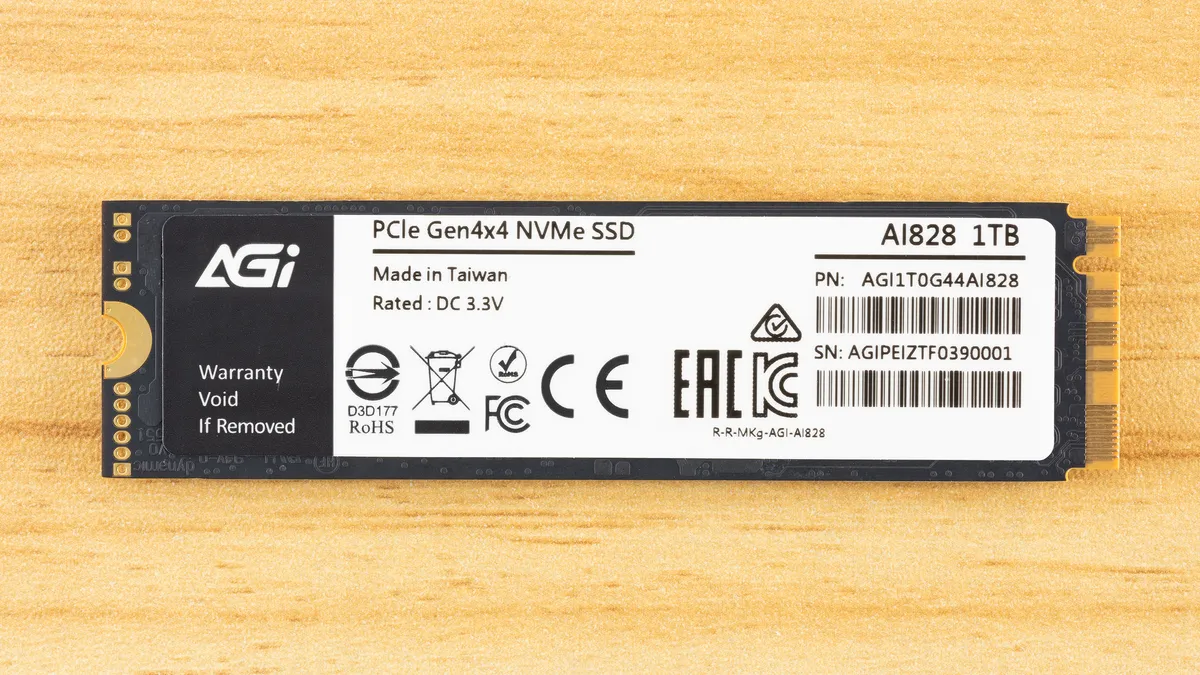
AGI’s warranty covers the drive for the standard five years, with a bit extra on the writes front: the drive can absorb up to 750TB of data writes per TB capacity. The industry standard is 600TB. You probably won’t need this amount of writes, but it can be reassuring nonetheless, especially when dealing with less well-known brands and drives. It also suggests, but doesn’t guarantee, that TLC flash is used on the drive.
AGI AI828 Software and Accessories
AGI does not offer any substantial, direct software support. We recommend using CrystalDiskInfo for monitoring the health status of your drive. For basic benchmarking, CrystalDiskMark is a good choice. If you’re looking to backup data we suggest MultiDrive for windows and either Clonezilla or Rescuezilla for bootable options.
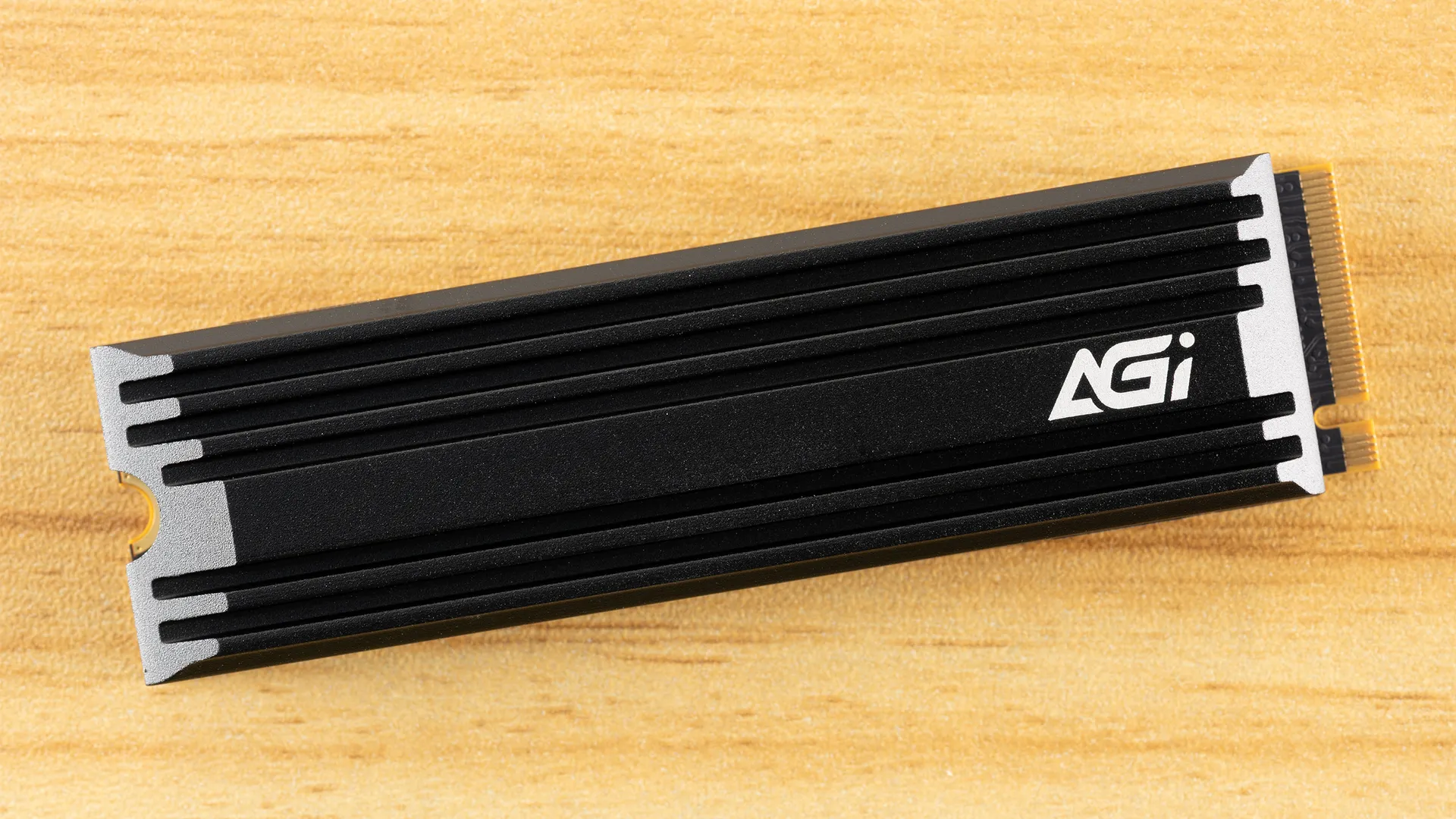
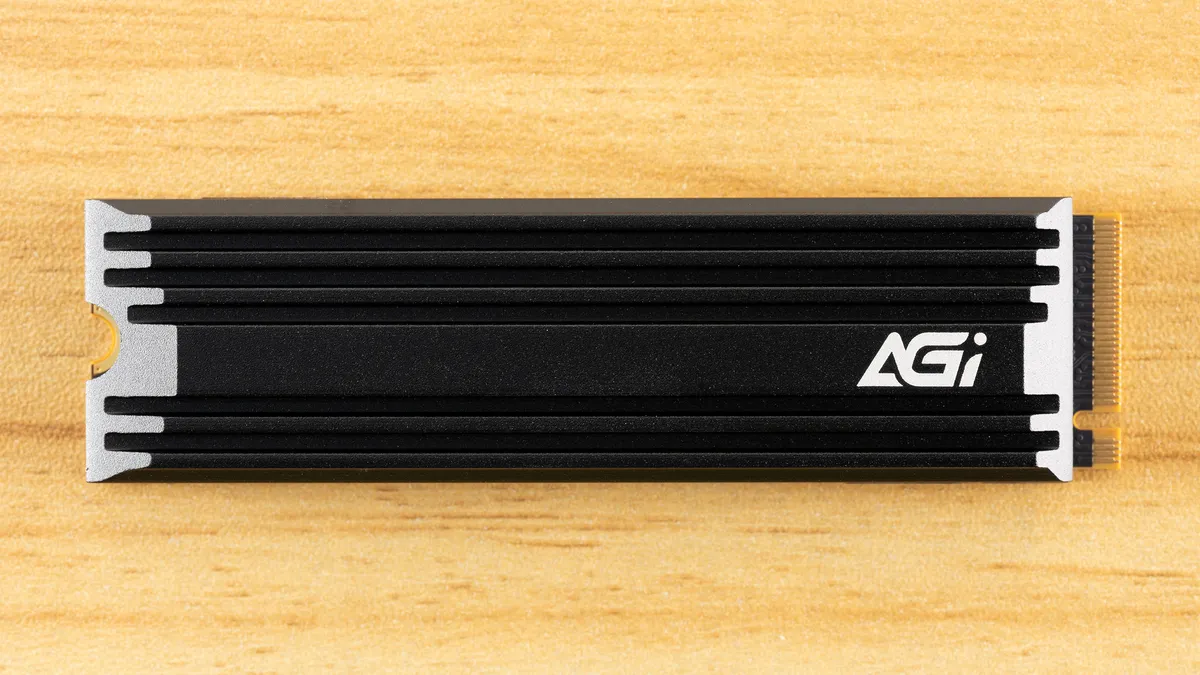
This is a single-sided drive that comes with an optional heatsink. This makes it great for the PS5 and many desktops, with the heatsink, and for laptops without. As this is intended to be a budget drive, that’s a bonus, as often there is no heatsink option. It’s best not to have to worry about a drive overheating in any circumstance, and the heatsink is sufficient for the job, but may not always be necessary.
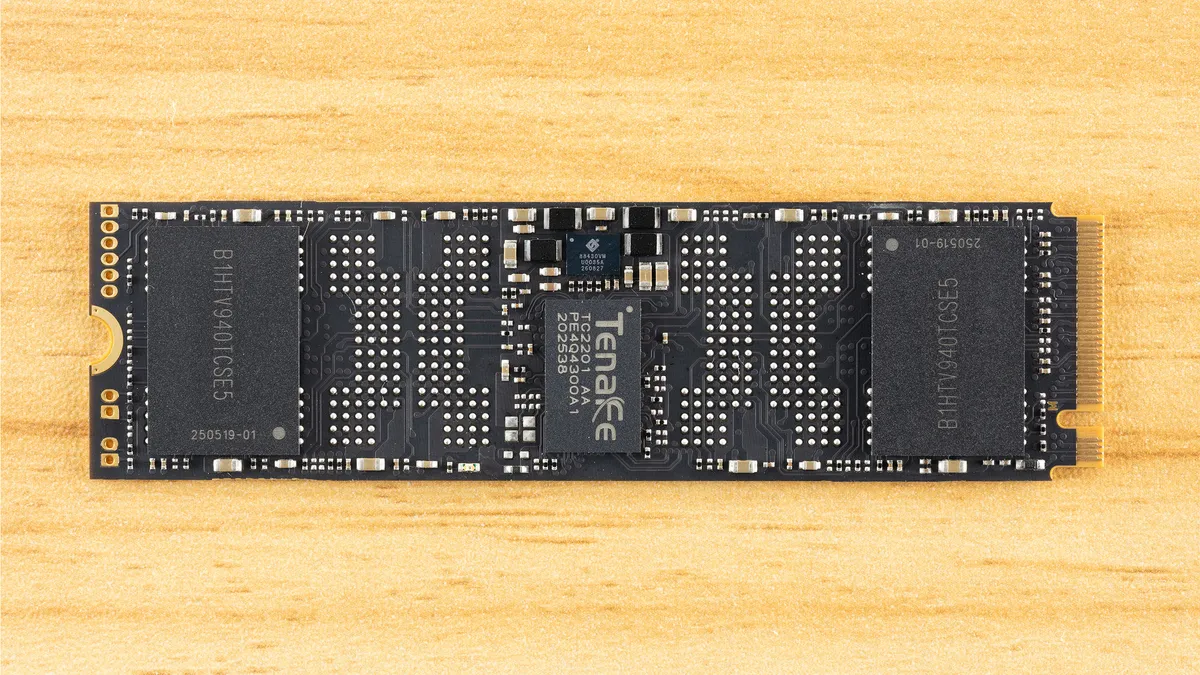
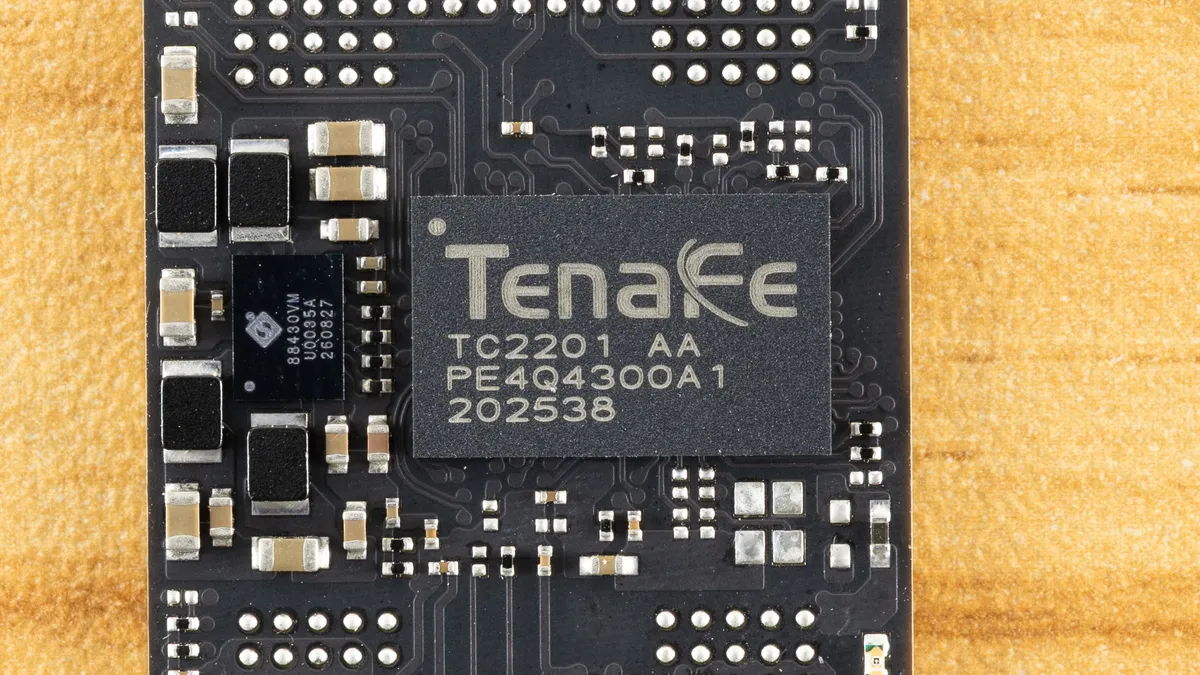
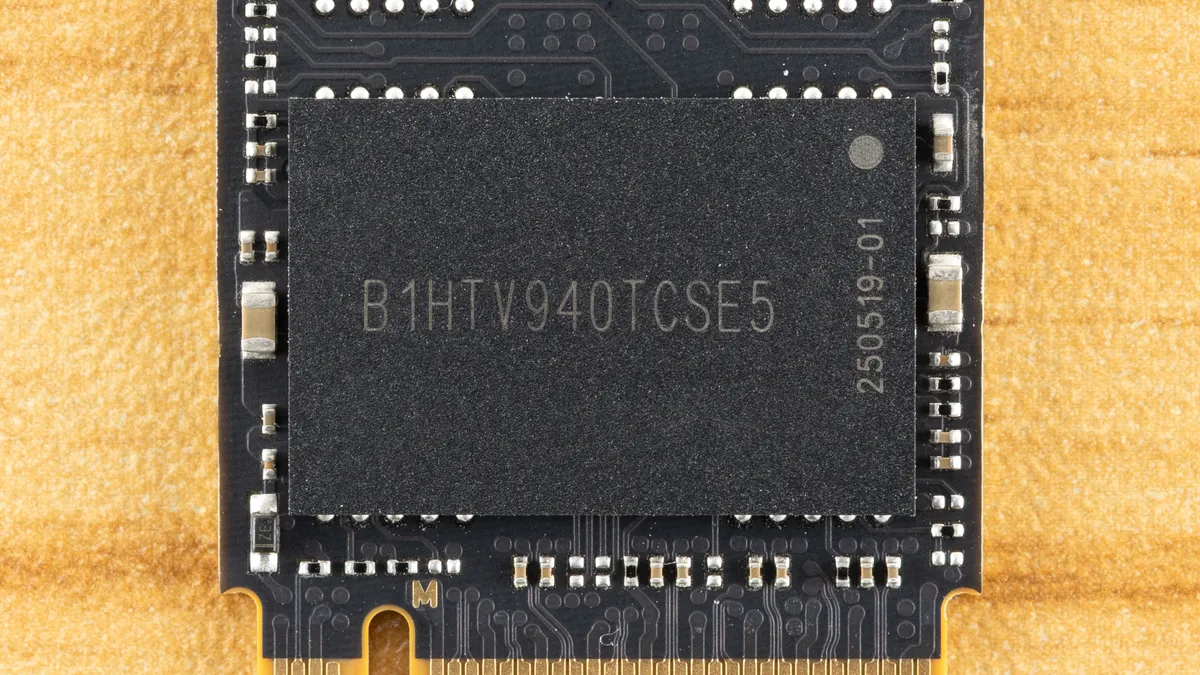
The drive is pretty barebones with a DRAM-less SSD controller, two NAND flash packages, and a power management IC. As there is room for four flash packages, this drive could very well be single-sided at even high capacities. Not having a DRAM package helps. The PMIC is an Active-Semi or Qorvo part similar to what we’ve seen on some WD drives in the past. Power management can be handled this way, with discrete components, or as an embedded feature of the controller, each method with its own trade-offs.
Stay On the Cutting Edge: Get the Tom's Hardware Newsletter
Get Tom's Hardware's best news and in-depth reviews, straight to your inbox.
The use of the PMIC makes sense when we look at the alignment of the drive: the controller is in the center. Leaving enough space for four NAND flash packages is ideal for a budget drive, and having the controller in the middle can be beneficial in some ways. We remember the WD Black having this configuration to help with cooling and to make even-length traces to the flash packages. Cooling is also aided as the heatsink can spread heat out to either side, with flash usually running cooler than the controller. This gives the center, hottest area of the drive a lot of heatsink surface area to dissipate heat before thermal equilibrium is attained.
As for traces, SSD controllers generally have to contend with timing issues to make sure all the flash operates in tandem, and even small differences can impact latency and, ultimately, drive efficiency. While we don’t think you should buy a drive based on this arrangement, it shows attention to detail on AGI’s part, even though that’s probably giving them too much credit with this being focused on the lowest possible BOM cost.
The flash is not directly identifiable through decoding or through utility use. We suspect the flash can vary on this drive, anyway, especially at different capacities. Examples we’ve seen have used TLC flash, and that matches the endurance rating of the drive. On the other hand, the Seagate X1070 with the same controller and TLC levels of TBW is using Micron’s 232-Layer QLC flash. Looking at the performance characteristics of the drive as a whole, we’re limited by the controller and relatively small capacities on hand. Usually, you will have TLC flash with smaller SKUs as it offers higher baseline performance, as historically, QLC flash dies have been denser, which means fewer dies. However, in this era of 1Tb dies for both TLC and QLC, this is less of a certainty.
The flash that can be paired with this drive is somewhat limited to newer generations due to the required I/O speed, but there is still enough variance – especially if you take flash quality into consideration – that nothing is guaranteed. This isn’t particular to this drive, especially in the current market where flash supply is limited. Still, we can be reasonably certain that it won’t be using “bad” flash, which puts it a cut above lower-end drives that are once again becoming common.