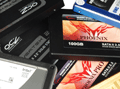
Which SSD should you buy today? Seventeen flash-based drives battle across a benchmark suite that include throughput, I/O performance, consistency, power consumption, efficiency, and the best overall bang for the buck. The time is right to upgrade.
Ten new products and a total of 17 drives make this the most comprehensive SSD roundup in Tom’s Hardware history. We provide a check list of what you need to know for your SSD purchase and look at all the test candidates before making recommendations. Despite the fact that Intel's recently-leaked roadmap indicates 25 nm MLC flash drives as large as 600 GB arriving in Q4, now is still as good a time as any for an SSD upgrade, given the strong offerings currently available.
Pros and Cons
An SSD is a storage product that serves the function of a hard drive, but it doesn't use magnetized rotating platters to store data. Instead, SSDs utilize NAND flash memory, which introduces a plethora of advantages, together with a few potential caveats.

SSDs have no moving parts. Dropping an SSD shouldn't harm any stored data as long as the solder points survive the impact and the drive doesn’t suffer other physical damage. Additionally, SSDs are less susceptible to extreme temperatures, and recent product generations are much lower on power consumption than conventional hard drives. However, performance is still the top reason to pick an SSD device, and we’re glad to say that all SSDs in this review are considerably faster than hard drives.
Due to the nature of flash memory, it's not possible to erase individual bits. Flash cannot write in the same way as DRAM. Instead, only larger blocks are erased and programmed, which takes much more time than read operations. Also, flash memory cells have a limited number of write cycles, and this requires intelligent wear-leveling algorithms in the controller to prevent premature failure. Modern flash SSD products take advantage of several tweaks in order to avoid write performance bottlenecks and the performance-depleting effect known as write amplification, which causes the drive to write more bits than the data requires. All current SSDs use intelligent controllers that access multiple flash memory channels and work with a cache buffer to optimize writes. If you pick one of the latest drives and use a modern operating system, such as Windows 7, you’ll enjoy all the SSD benefits with no risks of running into real issues.
| Pros | Cons |
|---|---|
|
|
- Tom’s Hardware Mainstream SSD Shootout
- The SSD Landscape
- Asax Leopard Hunt II (TS25M64, 128 GB)
- Asax Server One 120 (200 GB)
- Crucial RealSSD C300 (64 GB)
- G.Skill Phoenix FM25S2S (100 GB)
- G.Skill Phoenix Pro (120 GB)
- Intel X25-V (40 GB)
- OCZ Vertex 2 (VTX100G, 100 GB)
- OCZ Vertex 2 (E series, VTX2E120G, 120 GB)
- OWC Mercury Extreme SSD (100 GB)
- RunCore Kylin II SSD (100 GB)
- Test Setup
- Benchmark Results: Access Time
- Benchmark Results: I/O Performance
- Benchmark Results: Read/Write Throughput
- Benchmark Results: 4K Random Reads/Writes And Interface Bandwidth
- Benchmark Results: PCMark Vantage
- Benchmark Results: Power Consumption
- Benchmark Results: Power Efficiency
- Performance Indexes
- Conclusion
- Comparison Table

SSD's I have (I always look for deals and buy when I think it's the lowest):
1. (2) Crucial RealSSD C300 128GB ($240) - Fast, great price, used for video editing and programming.
2. Intel x-25m 160GB ($380) - Fast, expensive, used on my server.
3. (2) Corsair P128 ($260, $290)- Decently fast, very low power consumption, decent price but now expensive, used for my HTPC and laptop.
4. Kingston SSDNow V-series 64GB ($110) - Fast enough, somewhat cheap, used for my gf's computer.
Luckily none have gone bad on me, and would buy them again. Glad to see other SSD's in the mix, though. More reviews and benchmarks never hurt, and THG's always used when I need more information to make a decision.
G-Skill Phoenix 100GB looks like a good all rounder.
OWC a good 2nd choice for me.
Western digital would have been my 1st choice but seems to lack a lot.
The rest is too all over the place with it's performances for me.
I get 525MB reads and 175MB writes. For an OS drive that doesn't do a whole lot of writing I'm ok with the performance.
- it says "[t in ms]" (should be "t in us")
- it says "including rotational latency"; which parts of the SSD are rotating and have latency? ;-)
Guess I'm still waiting for the Gen3 Intel drives.
I have been saying that for a while now...
Though I will avoid RAID for a boot drive, and RAID 1/5 only for storage.
I've had enough headaches from RAID.
Sorry I came across so rude in your other article P & A.
I have a soft spot for core2.
128GB C300 SSD's are already barely above $2 per GB. I can't wait for the next generation of intel SSD and the widely predicted price drops at the end of the year.
Not surprised with WD as I've noticed the same thing myself. If you look at the lower capacity WD drives though you'll find the price competes with the intel (and Kingston) V series but performance is closer to the indilinx and M series (I can only assume as I'm not sure I've ever seen the smaller cap versions benched). A much better buy in my opinion.
That said, I really want a Vertex2 (or larger cap C300) but I'm waiting for a reasonable capacity under $200. I think that threshold is shared by many and the first mfg to make it there is going to make a killing.