









Best Budget CPUs of 2026, Benchmarked and Ranked
We've tested several cheap CPUs to help you find the right one for your needs and budget.

The budget CPU market continues to be important, at a time when GPU, RAM, and storage prices have shot through the roof. Both AMD and Intel have options if you’re on the hunt for the best budget CPU, but you’ll need to look back a few generations to get the best bang for your buck. If you can stretch your budget higher, our roundup on the best CPUs for gaming will give you entry-level, mainstream, and premium options, while our extensive CPU benchmark hierarchy will show you how processors compare across several generations.
First, we need to define what “budget” is. For this guide, we’re considering CPUs under $200. That’s higher than previous versions of our rankings, but it reflects the reality of CPU prices today. The other consideration is RAM. DDR5 prices are stratospheric, and you’ll likely spend more on a kit of DDR5 than on your CPU if you build a PC from scratch today. We’ve included some DDR4 options, but the unfortunate reality is that DDR5 is now the standard. That adds a significant burden to any cheap CPU, and there isn’t any way around it.
If you’re looking for the go-to best cheap CPU, the Intel Core Ultra 5 250K Plus is what you’re after. It’s right at the high-end of our budget range, and it exclusively supports DDR5, but it’s a CPU that should last any budget builder several generations before an upgrade. It matches AMD’s competitive six-core options in games, and it offers nearly twice the multithreaded performance in applications.
For pure gamers, however, the Core Ultra 5 250K Plus isn’t at the top of the pile. For that crowd, the Ryzen 5 7600X3D is a better choice. It’s now available for purchase online, allowing a much broader audience to pick up the Micro Center-exclusive CPU. At $230 online and $200 in-store, there isn’t another CPU that’s remotely as fast in games.
Both chips require DDR5 memory, but we’ve included some DDR4 options, as well. The Ryzen 5 5600 is a decent all-around CPU if you’re stuck on the AM4 platform, and it works with DDR4. For the most budget-conscious buyers, we recommend the Core i3-14100F. It’s below $100, available on both DDR4 and DDR5 platforms, and even comes with a decent bundled cooler considering the TDP.
Rounding out our list if the Ryzen 5 5600GT, which is an aging APU that we wouldn’t recommend under normal circumstances. AMD’s newer Ryzen 5 8600G is faster, more readily available, and not much more expensive. However, if you don’t have the money to spare on a discrete GPU, you probably don’t have the money for a kit of speedy DDR5, and the Ryzen 5 5600GT is the DDR4 APU we’d recommend right now.
We’ll provide more details on all our picks for the best budget processors below. For now, here’s the shortlist of our picks.
Prime Day Exceptional CPU deal
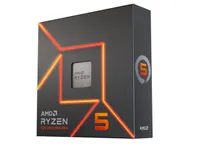
The AMD Ryzen 5 7600X is a suitable candidate for budget-friendly PC builds. The six-core, 12-thread processor is based on AMD's Zen 4 architecture and should offer enough grunt for gaming and everyday productivity. It operates at a base clock of 4.7 GHz and can be boosted up to 5.3 GHz, providing decent single-threaded performance. While not the most powerful chip, it punches well above its weight for its price and drops into the modern AM5 platform.
Here is a standout deal from the Prime Day event, which is currently taking place. Read on for our full picks.
Best Budget CPUs in 2026 at a Glance
Best Budget CPU ($150-$200):
1. Intel Core Ultra 5 250K Plus
Best Budget CPU ($100-$150):
Best Alternative Budget CPU ($100-$150):
3. AMD Ryzen 5 5600
Best Entry-Level Budget CPU (<$100):
4. Intel Core i3-14100F
Best Budget APU:
Best Budget CPUs 2026
Best Budget CPU ($150-$200)

Specifications
Reasons to buy
Reasons to avoid
Although Intel’s new Core Ultra 5 250K Plus carries the Core Ultra 5 name, it’s priced more like a budget chip. It launched at $200, and you can find it now for around $220, and there isn’t another CPU that comes close at that price. The Core Ultra 5 250K Plus is faster than AMD’s Ryzen 5 7600X and 9600X in games, and nearly twice as fast as the latter in multithreaded application performance. There are valid concerns about upgradability given that we don’t expect new CPU releases on the LGA 1851 socket. However, if you want to get the best balance of performance for $200 today, the Core Ultra 5 250K Plus is a clear choice.
That’s partially because it’s built like a higher-class chip. It comes with 18 cores (and threads), split across six Lion Cove P-cores and12 Skymont E-cores. It clocks up to 5.3 GHz, nearly matching the Core Ultra 7 265K, and it comes with a healthy 60 MB of combined L2/L3 cache. Beyond standard Arrow Lake, the Core Ultra 5 250K Plus also officially supported DDR5 speeds up to 7200 MT/s. The chip itself is unlocked for overclocking on Z890 motherboards, which also support PCIe 5.0.
The main rub with the Core Ultra 5 250K Plus is memory. It exclusively uses DDR5, unlike previous-gen Raptor Lake Refresh chips, which drives up the platform cost significantly. You can easily drop double (or more) on DDR5 as the cost of the Core Ultra 5 250K Plus right now. It’s a good option if you already have a kit of DDR5, or if you need to bite the bullet and upgrade regardless.
Although we’re recommending the Core Ultra 5 250K Plus here, the Core Ultra 5 250KF Plus is available, as well. It’s about $10 cheaper and identical to the base model, short of the integrated graphics, which are cut from the KF version. For memory, keep our best RAM combo deals page bookmarked, which we update daily. We constantly see bundles bringing together a CPU, motherboard, and memory with sizable discounts, and it’s probably the most sensible way to get to building a new PC right now.
READ: Intel Core Ultra 5 250K Plus review
Best Budget CPU ($100-$150)

Specifications
Reasons to buy
Reasons to avoid
If your sole focus is gaming, the Ryzen 5 7600X3D is your best option right now. It’s not as fast as AMD’s eight-core Ryzen 7 7800X3D and 9800X3D, but it’s surprisingly close considering the price. Based on our testing, it’s just 4.5% slower than the Ryzen 7 7800X3D, giving you most of the gaming performance for close to $150 less.
The Ryzen 5 7600X3D is available for $230, but if you have a local Micro Center, you can pick it up in-store for $200 (or even less bundled with a motherboard). Currently, the Ryzen 5 7600X3D is the most inexpensive X3D CPU on the market. The Ryzen 5 5600X3D has been discontinued, and the Ryzen 5 5500X3D is only available in Latin America, if you can find it in stock at all.
You can slot the Ryzen 5 7600X3D into existing AM5 motherboards, which AMD recently confirmed it will support until at least 2029. That gives you quite a long runway for future upgrades. AM5 motherboards exclusively use DDR5, with officially supported speeds going up to 5600 MT/s (though, we’ve found that 6000 MT/s is the sweet spot for most AMD chips). Given that the Ryzen 5 7600X3D has a large L3 cache, memory speed is less important; there’s only a marginal performance difference between overclocked memory and JEDEC standards on X3D chips.
READ: AMD Ryzen 5 7600X3D review
Best Alternative Budget CPU ($100-$150)

Specifications
Reasons to buy
Reasons to avoid
The $107 AMD Ryzen 5 5600 delivers a solid blend of performance in both gaming and productivity applications, bringing a new level of value to the Zen 3 lineup. If you're fine sticking with a previous-gen AM4 motherboard, the Ryzen 5 5600 makes a great budget build. The primary trade-off for the AM4 platform is that you're limited to DDR4, and you don't have access to PCIe 5.0, but this isn't a problem for most users at this price point. However, the Core i5-12400F is a better deal if you're looking for DDR5 and PCIe 5.0 support.
The Ryzen 5 5600 also makes an absolutely unbeatable budget chip if you're updating a first-gen Ryzen system. The 5600 unseats the Ryzen 5 5600X, a long-time favorite. The 5600X is only a mostly imperceptible ~1% faster in gaming and multi-threaded PC work than the non-X model, but provides a 4% advantage in single-threaded work.
You can find the six-core 12-thread Ryzen 5 5600 at $107, a deep discount brought on by competitive pressure from Intel. In fact, our testing shows that the Ryzen 5 5600 generally matches the gaming performance of its more expensive sibling, the ~$200 Ryzen 7 5800X. That makes the 5600 an incredibly well-rounded chip that can handle gaming well, from competitive-class performance with high refresh rate monitors to multi-tasking gaming workloads like streaming, while also serving up more than enough performance for day-to-day productivity apps. As with all AMD CPUs for gaming, you can fully overclock the CPU.
The Ryzen 5 5600 has a 3.7 GHz base and 4.6 GHz boost clock. The chip also has a 65W TDP rating, so it runs cool and quiet. Existing AMD owners with a 500-series motherboard will be happy, as the 5600X drops right into existing 500-, 400-, and 300-series motherboards. If you need a new motherboard to support the chip, AMD's AM4 motherboards are plentiful and relatively affordable, with the B-series lineup offering the best overall value for this class of chip.
Read More: AMD Ryzen 5 5600 Review
Best Entry-Level Budget CPU (<$100)

4. Intel Core i3-14100F
Specifications
Reasons to buy
Reasons to avoid
Recently, Tom’s Hardware underwent an experiment to find the best CPU under $100, and the Core i3-14100F from Intel is what came out on top. It’s still available for sale at major retailers (though the price has slipped slightly higher to $115), and it’s faster than AMD’s Ryzen 5 5500 and the Core i3-12100F in both games and applications, which are the two CPUs competing around this price that are still available for sale.
The Core i3-14100F is a straightforward CPU. It uses the same silicon as the older Core i3-12100F and Core i3-13100F, but it’s clocked higher and has a larger power budget available. Otherwise, it comes packed with four Golden Cove performance cores and eight threads, and no efficiency cores. As with other LGA 1700 CPUs, it supports DDR4 (up to 3,200 MT/s) and DDR5 (up to 4,800 MT/s) with a compatible motherboard.
At $100, the Core i3-14100F is one of the cheapest modern CPUs you can buy, but it also saves you a lot of money on an overall platform. The option to use DDR4 memory significantly reduces the cost of building a PC, and the Core i3-14100F comes bundled with Intel’s Laminar RM1 cooler, which is enough to keep the Core i3-14100F in check with its 58W TDP.
Best Budget APU

Specifications
Reasons to buy
Reasons to avoid
The Ryzen 5 5600GT steps into the arena as the value champ for APUs, which are chips with strong enough integrated graphics that they don't require a discrete GPU for light gaming — just be sure you're willing to accept lowered quality settings. The Ryzen 5 5600GT is a refreshed version of the Ryzen 5 5600G, which was our previous pick in this slot. They’re the same CPU minus a slight bump in clock speed, but whereas the Ryzen 5 5600G is out of stock at most retailers, you can actually buy the Ryzen 5 5600GT.
At $150, the Ryzen 5 5600GT gives you 96% of the gaming performance on integrated graphics than its more expensive sibling, the $208 Ryzen 7 5700G, but for 28% less cash. Our testing shows that its level of performance makes it the best value APU on the market. As long as you're willing to sacrifice fidelity and resolution and keep your expectations in check, the Ryzen 5 5600GT's Vega graphics have surprisingly good performance in gaming.
The 5600GT's Vega graphics served up comparatively great 1280x720 gaming across numerous titles in our tests, but options become more restricted at 1080p. Of course, you can get away with 1080p gaming, but you'll need to severely limit the fidelity settings with most titles.
With eight cores and 16 threads that operate at a 3.6 GHz base and boost up to 4.6 GHz, the Ryzen 5 5600GT also offers solid performance for its price point in standard desktop PC applications. The chip also comes with a bundled Wraith Stealth cooler, sweetening the value prop, and drops into existing 500-series and some 400-series motherboards, though support on the latter will vary by vendor.
Read More: AMD Ryzen 5 5600G Review
- MORE: AMD vs Intel
- MORE: How to Overclock a CPU
- MORE: How to check CPU Temperature
Get Tom's Hardware's best news and in-depth reviews, straight to your inbox.

Paul Alcorn is the Editor-in-Chief for Tom's Hardware US. He also writes news and reviews on CPUs, storage, and enterprise hardware.
-
rwinches Yeah because I'm gonna spend >=$130 and pair it with a $500+ graphics card. Why can't you understand real-world test setup provides actionable information. Try >=$200 graphics cards which could include some of the good used cards that are offered now. If you are going to add a discrete graphics card then the price of the GPU needs to be factored in which would mean the 2400G would be included. So that might mean a smaller CPU test group and a two part series, but the plus would be a much improved takeaway.Reply -
InvalidError Reply
Because the main objective of a CPU benchmark is to showcase the best possible performance that can be extracted from the CPUs being tested. The easiest way of achieving that is to simply throw the most powerful GPU currently available at it to produce results that will remain relevant for as long as the GPU being used remains relevant instead of testing multiple GPUs to find the cheapest one that doesn't bottleneck the fastest CPU being tested each time benchmark results get compiled (which would yield very similar frame rates anyway) and will be obsolete with nobody wanting to use it as a performance comparison reference as soon as the next GPU generation launches.21117513 said:Yeah because I'm gonna spend >=$130 and pair it with a $500+ graphics card. Why can't you understand real-world test setup provides actionable information.
Also, if AMD gets it its way, we'll be having 1080-class performance for ~$250 by this time next year. Most people building today will still have their i3-8100 or whatever else they buy by then. It is silly to limit GPUs only to the level of performance that currently makes economic sense as performance, especially when process shrinks are about to yield a massive bump in performance per buck. -
Dugimodo And why can't you understand that all those results would be the same so you couldn't tell which CPU was better.Reply
In order to compare relative CPU performance you need to remove any other bottlenecks.
If you want balance, check a CPU comparison and also a separate GPU comparison and pick one of each that offer comparable FPS results in the same tests. Testing these CPUs with a budget graphics card and getting 1-5 fps variance will tell you nothing.
And yes it does matter, what is true today may not be true tomorrow so the more headroom your components have for your target FPS the better. -
Gillerer If you want to test the "maximum performance" of a CPU, you use a multitude of number-crunching benchmarks. It's idiotic to use games to do so - especially since you need to employ unrealistic setups in order to get meaningful differences between CPUs. Either you have a way over the top GPU, or way underwhelming graphics settings/resolution - both uncharacteristic of what an actual gamer on the specific budget would use. It's disingenuous to present those results as if they actually had any connect to the experience of playing the game.Reply
Why use an unsuitable tool to test CPUs?
Answer: Most non-professional technology enthusiasts are very interested in game performance. Being able to (artificially) produce gaming benchmarks that indicate large differences between CPUs is one way to increase view counts. After all, many people reading the article won't be paying any attention to the fact that the game benchmarks are supposed to be read as "maximum performance" CPU benchmarks - they'll just take away the FPS numbers and think they'll see similar results. -
InvalidError Reply
Different games stress CPUs differently and have different levels of optimization, same goes for drivers so performance in games can't be taken as a given based on "number-crunching" result just as results in one number-crunching benchmark aren't necessarily representative of performance in other number-crunching workloads. If you want to know the best-case performance that can be expected of a CPU in any given game, you have to test that specific game, just like you have to test specific applications if you want to know the performance in that application.21118189 said:If you want to test the "maximum performance" of a CPU, you use a multitude of number-crunching benchmarks. It's idiotic to use games to do so
With a lower-end GPU, you can't tell if the FPS is being limited by the CPU or GPU, which makes the result worthless as a CPU benchmark. -
gasaraki Reply21117513 said:Yeah because I'm gonna spend >=$130 and pair it with a $500+ graphics card. Why can't you understand real-world test setup provides actionable information. Try >=$200 graphics cards which could include some of the good used cards that are offered now. If you are going to add a discrete graphics card then the price of the GPU needs to be factored in which would mean the 2400G would be included. So that might mean a smaller CPU test group and a two part series, but the plus would be a much improved takeaway.
Because this a a CPU performance ranking, NOT best CPU at gaming for the money ranking.
-
BulkZerker And again upgradeability is glossed over, as is motherboard prices (or rather, what you get for the money you spend).Reply -
madmatt30 Not entirely sure why the g5400 gets an 8/10 same as the Ryzen 2200g ??Reply
$2 less, inferior in every single way imo. -
InvalidError Reply
$100 vs $70 ($96 vs $64 on Amazon) is $30 less for the G5400.21118606 said:Not entirely sure why the g5400 gets an 8/10 same as the Ryzen 2200g ??
$2 less, inferior in every single way imo.