Installation
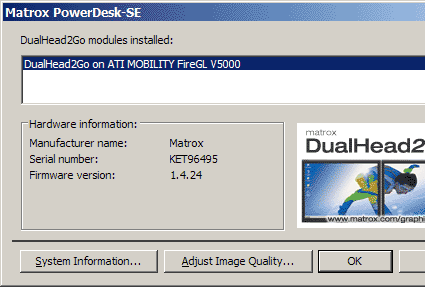
The software lists all the graphics cards it recognizes; here you see the ATI FireGL.
Installing the DualHead2Go could hardly be easier. Hook up the power, then use the short VGA cable to link the VGA input on the box to your notebook's external monitor output, and then link each of the two VGA outputs to monitors or TFT displays. The Matrox driver must also be installed, but that's a quick task. In any case, it's important to make sure that the specific driver for the graphics card is installed first, followed by the Matrox software. Otherwise, the Matrox install wizard will indicate that the built-in graphics card is incompatible with the DualHead2Go.
For our test, we used the BenQ FP937 and the HP 1740, both of which have native resolutions of 1280 x 1024. Thus, the graphics card in our test notebook and the DualHead2Go offered a resolution of 2560 x 1024.

After restarting the notebook, both monitors were recognized and began working, but the image focus on both suffered from minor horizontal positioning problems. One push on the automatic reset button (available on nearly every TFT) fixed this glitch in a matter of seconds, however.
Those who want to use the DualHead2Go with analog CRTs must go through a manual settings process instead. For CRTs, the capabilities of the device will also be more limited - at the highest resolution, the maximum refresh rate the DualHead2Go can support is 60Hz (not recommended for those who view their monitors for long periods at a time). The smaller resolution permits refresh rates of up to 85 Hz, but limits each display to a maximum of 1024 x 768. Clearly, TFTs are a better choice of display technology to use with this device.