Configuration And Operating Modes

The prototype devices we received from Silicon Image have a small wheel, which is used to strap three hardware pins high or low.
The PDE prototype devices are designed to easily switch between the different modes by implementing a manual switching wheel. Depending on the position of the wheel, three pins of the 10x10 mm IC will be strapped high or low, which results in one of the six operation modes plus one additional mode, which makes the PDE devices software-configurable.
BIG Mode


Big mode concatenates all hard drives using the Sil57xx controllers on one SATA port.
This mode will merge the capacity of all available drives into one virtual physical drive. It depends on you whether you want to create different partitions, or repartition your storage structure to use only one huge partition. We recommend using diskpart.exe, which comes with Windows or Windows Server, or any other partitioning software.
JBOD
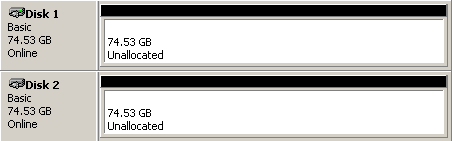
JBOD mode provides you with two different drives.
This mode simply maps all concatenated drives and thus works as an ordinary port multiplier - without Silicon Image's SteelVine technology. You will see individual physical hard drives that simply share one eSATA connection.
