









Steam Controller developer interview — Valve talks design, the learning curve, and the lack of kernel drivers
And yes, they've talked about potentially bringing "Aperture Desk Job" to the Controller.
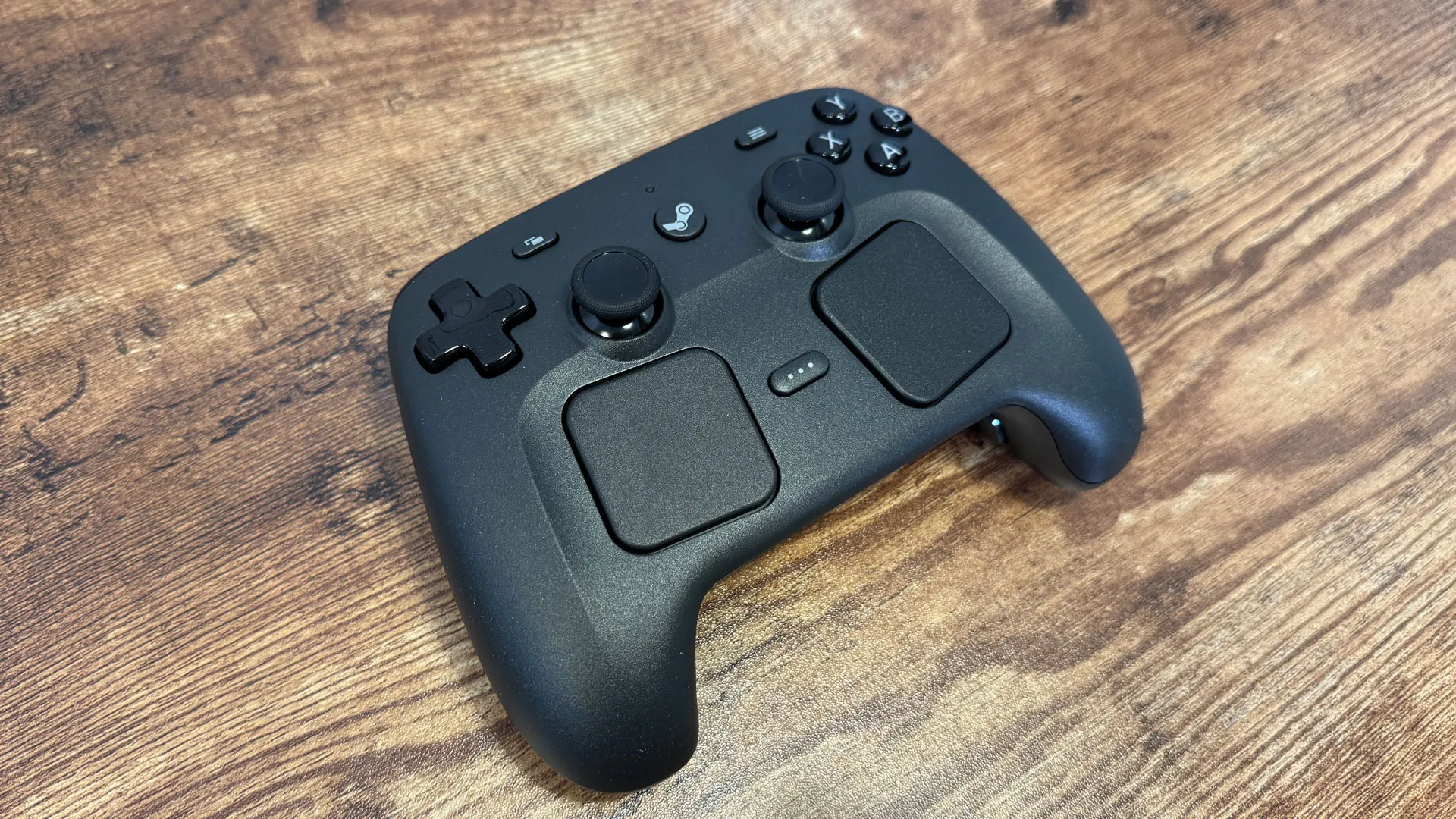
After months of waiting, Valve has released its first piece of hardware since the Steam Deck OLED: the Steam Controller, a gamepad that takes the versatile mix of inputs from the best handheld gaming PC and lets you play games on your TV using any device that runs Steam.That includes gaming PCs, Macs, Steam Decks, and, one day, the Steam Machine and Steam Frame.
But the Steam Controller is releasing ahead of the latter two devices, and into a market where Xbox controllers dominate gaming on the couch. Even Sony's DualSense controllers have great support on a PC. But, according to Valve, they don't match what you can do on the Steam Deck, and they say people want that.
The Steam Controller came from the fact that Steam Deck users were using their handhelds in a variety of ways, including docking on a TV. Those people couldn't have the same inputs as they do on the Steam Deck. Valve programmer Pierre-Loup Griffais told Tom's Hardware that the controller, and its ability to play all sorts of games designed for a keyboard and mouse on a controller, made for a "logical next step."
Building the Controller
"We got some feedback that while they really appreciated having the same exact experience with respect to the UI and being able to get in and out of their games quickly and all, that docking a Deck meant missing some of the inputs, right?" said Griffais. "And so I think the Steam Controller is a great experience for that. You have all the same inputs that you're familiar with. It's pretty much the exact same layout as the Deck, with a bunch of improvements on it, but also just for, you know, just PC as a whole. "
Among other controllers, like what you get from Xbox and PlayStation, the Steam Controller sits in a sort of middle ground. It has more features than a standard Xbox controller, for instance, but doesn't have the physical customizability — think replaceable thumbsticks and hair-trigger locks — like a more expensive Xbox Elite Controller or PlayStation DualSense Edge.
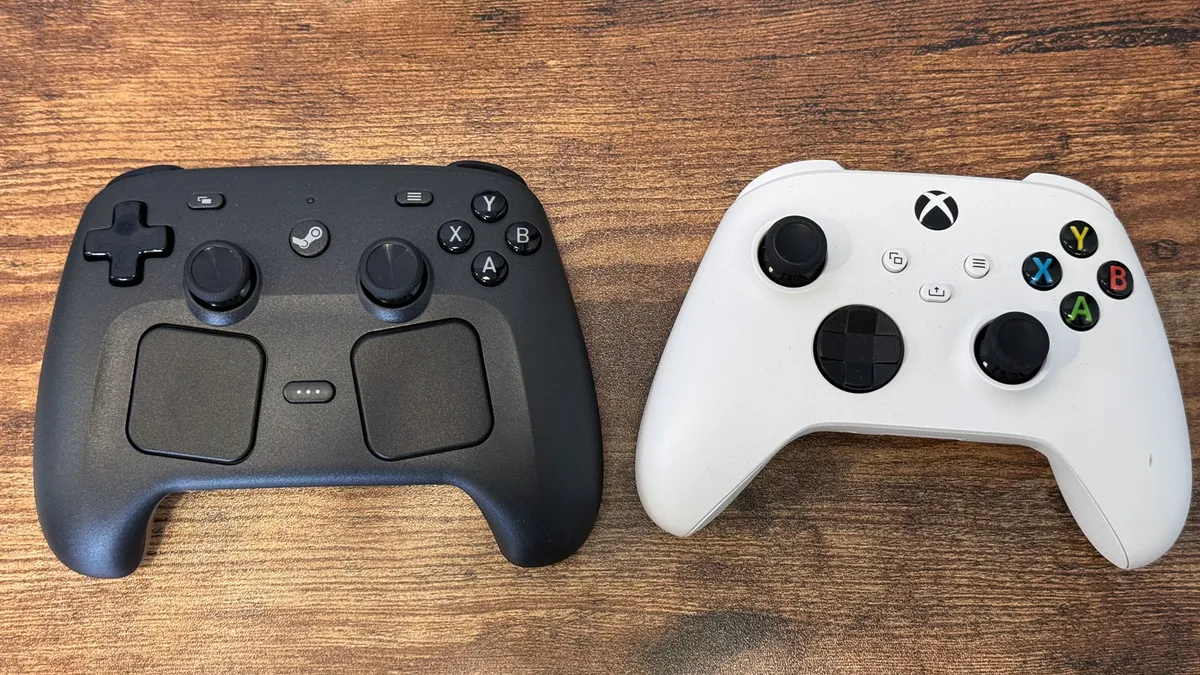
"We wanted it to be natural," Steve Cardinali, a mechanical engineer on the Controller team, told Tom's Hardware. "You're playing a game on your Steam Deck, and you go sit on your couch, you play it on Controller, it feels similar."
That, he said, kept the feature set largely down to what is on the Steam Deck, minus the addition of Grip Sense, which can detect when you're holding the controller and effectively be used as a virtual button. Cradinali said that was added for the growing number of gyro users in competitive games, who need a tool for "ratcheting," or activating, disabling, or toggling gyro for motion controls.
Get Tom's Hardware's best news and in-depth reviews, straight to your inbox.
"That one kind of snuck in there, because we feel like that's an important feature for those kinds of games, he added. "We didn't want to overburden the product with too much additional cost or weight or battery consumption. We wanted it to be a great controller for everybody."
The one other big new feature are the TMR (Tunneling Magnetoresistance) joysticks, which help prevent drift. Griffais said that while they considered that for the Steam Deck, the technology was "nascent." Now, it's more mature.One feature from the Steam Deck is missing from the Controller — a headphone jack, which you can find on other gamepads, letting you chat with your friends from your couch and a wired headset."It's just very, very hard to productize, like in terms of the audio bandwidth and the additional cost and complexity in the system design," Griffais said." I think it's something we evaluated, and then we looked at all these other features and we focused on that instead. No, it's not to say that we don't see the value there. So it's more that it didn't make the cut this time around."
The Controller Puck: Respecting your desk
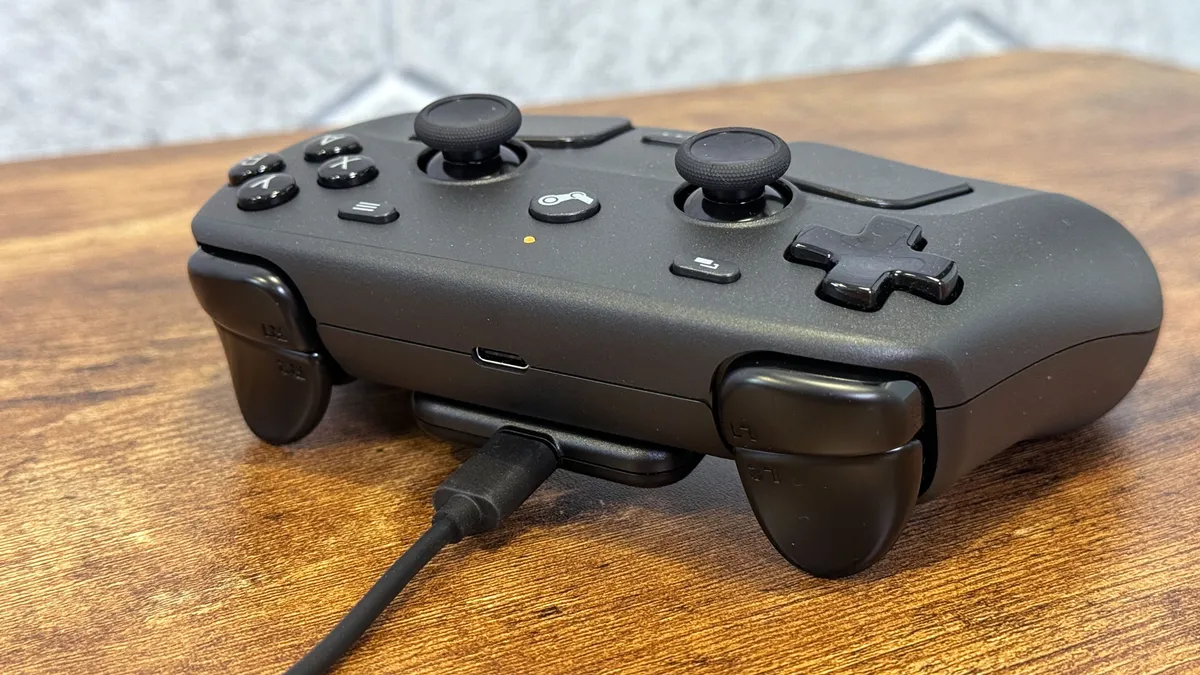
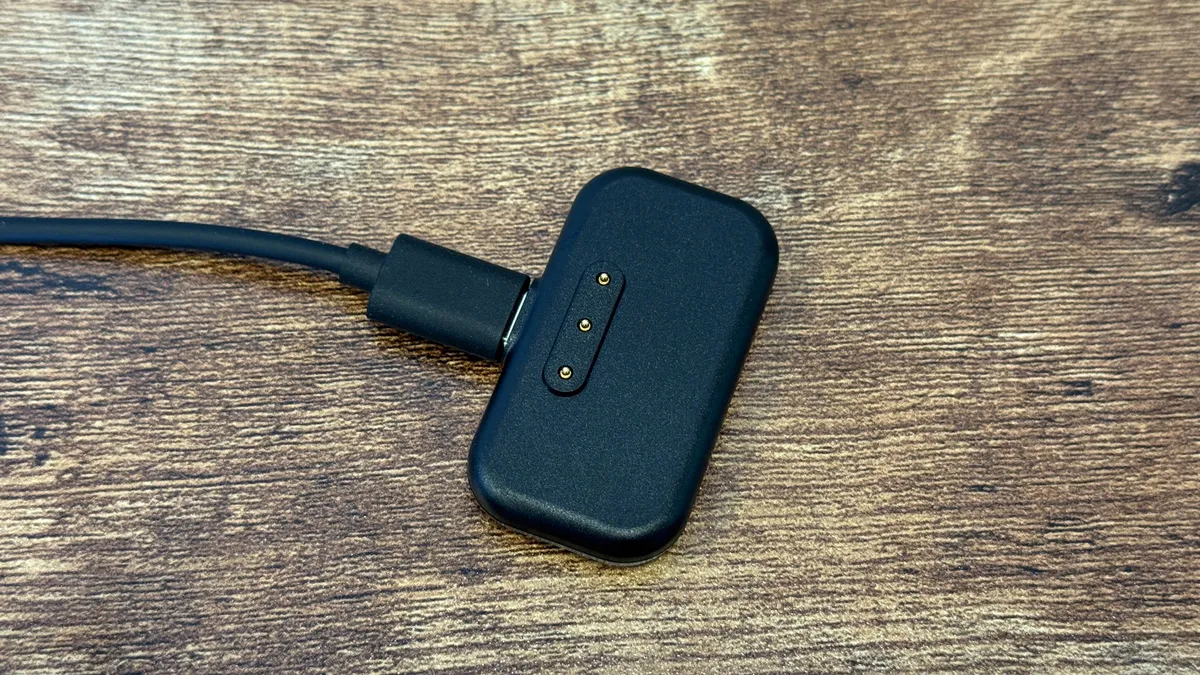
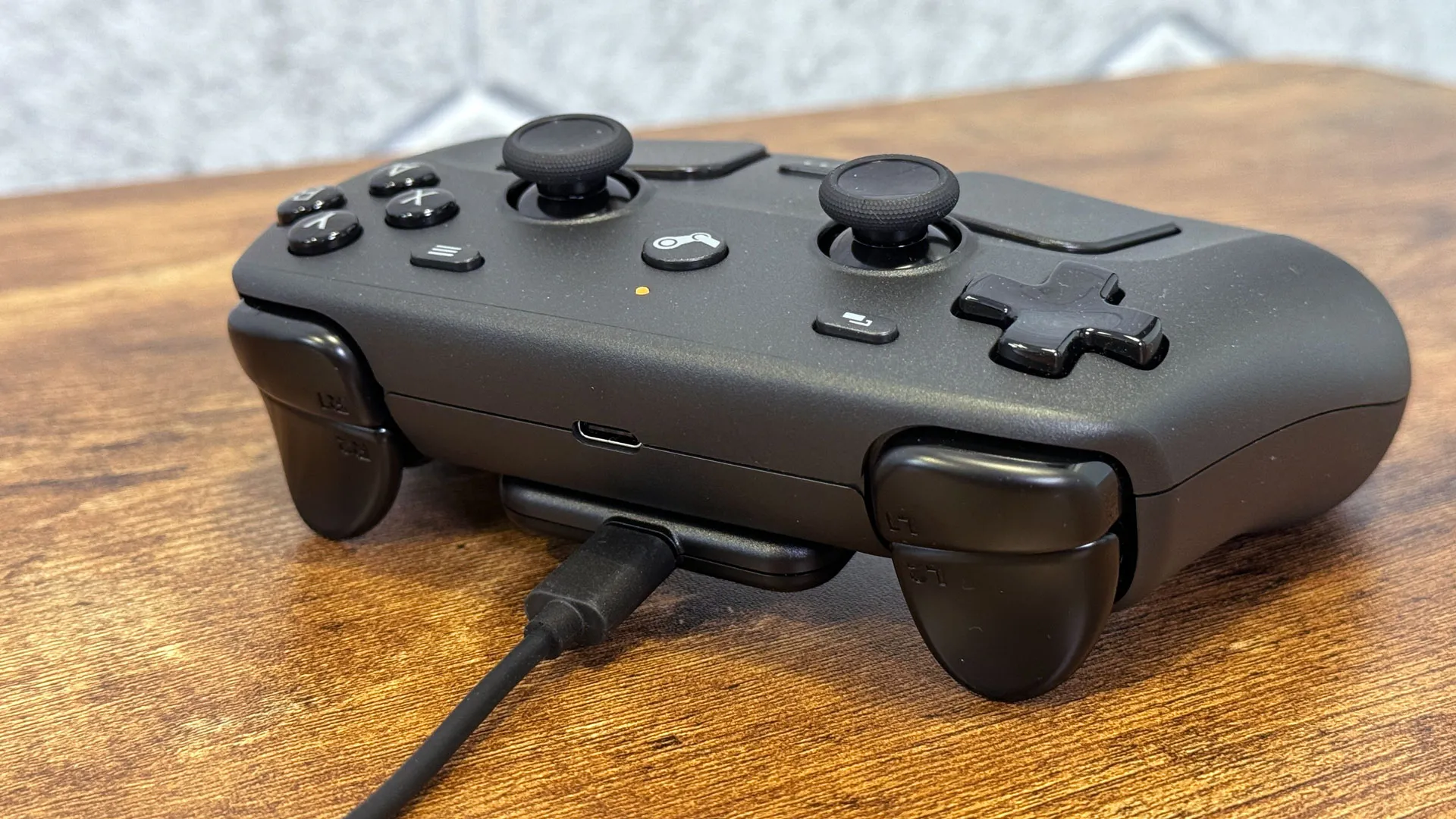
The Steam Controller comes with a small puck, which serves dual roles as a 2.4 GHz wireless connection and a docking station to charge the system. I'm very used to seeing simple USB dongles or massive USB controller docks. Valve's proprietary connection allows for up to four controllers to be connected to one dock.
According to Cardinalli, it's "a hard thing to ask" people to deal with a dongle (heard, I only have so many USB ports) or a large dock, which takes up a lot of desk space. The combination of the two minimizes the desk space while also easily charging the controller.
View Original
View Original
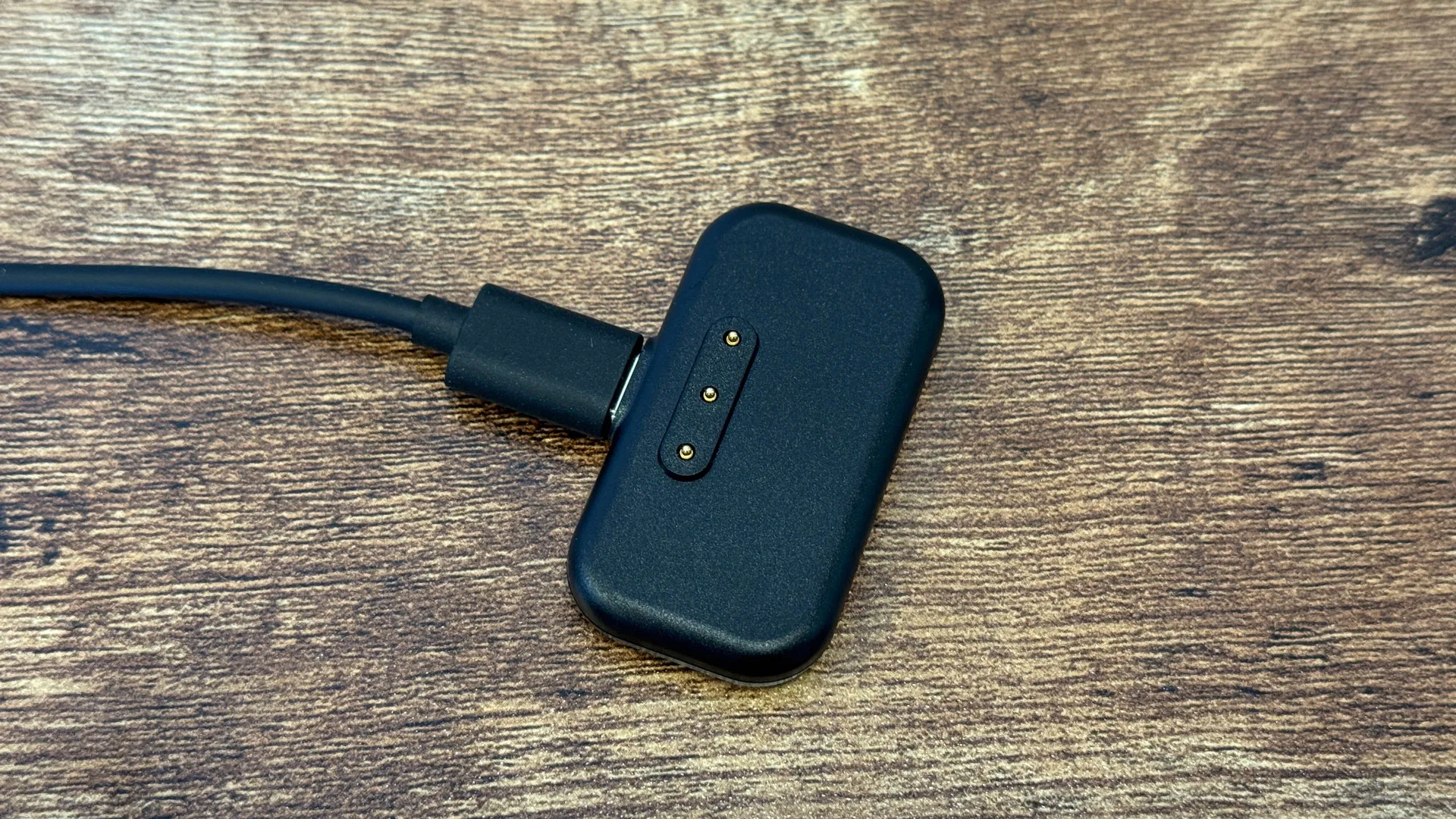
"And then it has the added benefit that it has this nice, satisfying little click when you put it over, it snaps into place, Cardinali said. "You don't have to, like, worry about plugging it in."
He also highlighted the community of makers who have built add-ons for the Steam Deck. He fully expects people with 3D printers to build fuller docks, and says that the smaller size doesn't prescribe what kind of designs can be thought up.
Steam Input and the learning curve
If you're expecting Valve to teach you how to use the Controller, think again. Steam will push you to update your Controller and the associated Puck, a 2.4 GHz dongle and charging dock, and advise you to use the Steam button to go into Big Picture mode. After that, you're on your own, and it mostly works like an Xbox controller. There's no game, like Aperture Desk Job, for the Steam Deck, to school you on more advanced features.
The back buttons, gyroscope, and new Grip Sense feature, which detects where you touch the controller, are all built into Steam Input. But as Cardinali pointed out, the main controller features largely work without customization.
"We wanted it to be out of the box, easy to use for people who maybe just want a controller that works like a controller and how they would expect, so that you're seeing that element there, of course," he said. "And a lot of thought went into that process."
"It's really important to us that if you don't want to deal with any of that stuff… that the surface-level experience gets you controller compatibility in games that are meant for controllers without any sort of tinkering," added Griffais. "So the steam input stuff is there if you want it, but we don't want it to be a required element to just experience the baseline functionality there."
The Steam Controller team is working on a series of tutorials on setting up some of those functions, including customizing the touchpads, setting up gyro and other input methods, to get people exposed to Steam Input and its functionality "without being too overwhelming."
Griffais did suggest that there have been conversations within Valve about adapting Aperture Desk Job to the Steam Controller in some fashion, but couldn't guarantee it would happen. The game does feature parts that teach you how to use the Steam Deck's touchscreen and microphone, beyond the otherwise similar controls.
All roads lead to Steam
The Steam Controller is designed for devices that use Steam. It works with Windowsand with Macs, but Steam has to be running. Otherwise, it's seen as a hybrid mouse/keyboard input device. (Even on a PlayStation, it's seen as a mouse. The exception is Linux, where Valve has a driver in the kernel with gamepad functionality).
That's not to say you can't play games purchased outside of Steam — you can add most titles to Steam using the "Add a Non-Steam Game to My Library" option.
But wouldn't letting the Controller work out of the box with more devices and without Steam better follow Valve's PC gaming ethos? Griffais said there are other considerations.
"We're limited in what we can do with things like core operating system drivers and such, right?" he said. "Xbox controllers have built-in support within Windows itself. PlayStation controllers have a driver that they work with Microsoft on."
He said that Valve would rather put it all in Steam, to not need a kernel driver, which could potentially add system instability."
We're really happy with not having a kernel driver, because it comes with the onus of not messing it up, right?" he said. "And so right now, the current method of supporting the controller is pretty safe."
Releasing the Steam Controller now
It seems that every time in modern history that Valve tries to release hardware, there's a global issue fighting them. The Steam Deck came out amidst the worst of the Covid-19 pandemic. The Steam Machine and Steam Frame are delayed due to the chip shortage. Though the Steam Controller is releasing separately, today's economics still affected the $99 gamepad.
"Our price reflects the reality of building the product and getting it to customers," Griffais said, adding that tariffs are a factor, depending on the region.
(The Steam Deck will cost $99 in the U.S.; $149 CAD in Canada; €99 in the European Union; £85 in the UK; $149 AUD in Australia; and 419 złoty in Poland.
But the memory shortages, which are affecting Valve's other hardware, like the existing Steam Deck OLED, don't affect the controller as much, he said, adding that "it would have been way worse during Covid" due to the microcontroller shortage at the time.
But today's economics and market dynamics didn't have an effect on the controller as it's shipping.
"I mean, those conversations happened way earlier on in development of the program, so nothing that kind of came about in the past, call it year, really affected any final feature decision, right?" Cardinali said. "Those were made way earlier."
The Steam Controller will be available to add to your Steam Cart on Monday, May 4. For more, see our Steam Controller review.

Andrew E. Freedman is a senior editor at Tom's Hardware focusing on laptops, desktops and gaming. He also keeps up with the latest news. A lover of all things gaming and tech, his previous work has shown up in Tom's Guide, Laptop Mag, Kotaku, PCMag and Complex, among others. Follow him on Threads @FreedmanAE and BlueSky @andrewfreedman.net. You can send him tips on Signal: andrewfreedman.01
-
edzieba The lack of a standard driver is a transparent attempt at vendor lock-in. There is nothing preventing them from implementing a proper USB HID controller driver (rather than the half-arsed keyboard-and-mouse implementation) or adding DirectInput compatibility, even if it lacks some functionality. The idea that you can only do so with a kernel-mode driver is just a cop-out, eschewing open standards for a Valve proprietary implementation.Reply
Nobody would tolerate if you were required had to have the Microsoft Store running to use a physical peripheral because the manufacturer didn't want to implement a driver properly, so it is just as unacceptable to require another vendor's shop application must be running for a peripheral to work. -
Kaldaien2 Okay, here's the thing. This interview is full of deception (not surprising given it comes from Valve).Reply
SONY in no way works with Microsoft on a driver for their devices. Their devices work with DirectInput and other APIs that speak the HID protocol because ... the controller itself is a standard HID compliant device.
Valve has deliberately engineered this thing to be incompatible with anything but their own software by not using standard HID descriptors, and then they turn around and try to spin that. It's frankly disgusting, and I wish more people understood this is the true nature of Valve; say one thing that sounds positive, but turn around and do something completely different at the expense of the consumer.