Once the boot sequence has been switched to the DVD drive in the PC's BIOS, the computer can be booted from the BartPE disk. First, a progress monitor appears, followed a little while later by the Windows XP boot logo (even if Windows Server 2003 was used to create the DVD).
Startup
After a few moments the desktop background of BartPE appears. Windows attempts to alter the resolution to 800x600 pixels, and nearly always succeeds - the resolution can be manually set higher later on.
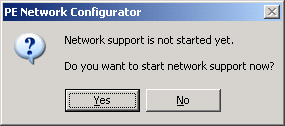
Immediately following the boot process, you are asked whether you want to enable network support. If the computer is connected to a network, the question should be answered in the affirmative.
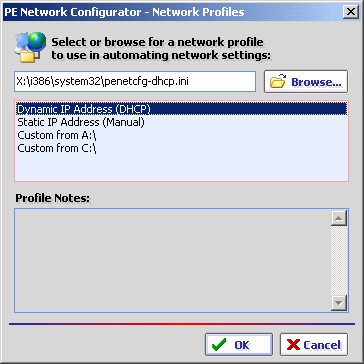
Configuration options are many and varied. It's easiest if a DHCP server with DNS support is available in the network - if so, all settings are made automatically. If this is not the case, the IP addresses can be assigned manually, as shown below.
Selection between dynamic and static IP address allocation and alternative configurations.
Stay On the Cutting Edge: Get the Tom's Hardware Newsletter
Get Tom's Hardware's best news and in-depth reviews, straight to your inbox.
there is program called winconsole.exe, make a bootable disk from your XP install disk that does all the necessary thing that you need a boot disk to do, great for saving data when you can't get the repair disk to do what you need
System (XP SP3 Home Edition) repeatedly failed while trying to boot (blue screen momentarily displayed then it would loop and try to reboot again; I captured blue screen with a camera but it didn't help). Tried to boot from MS XP Home Edition SP2 install disk (note earlier SP version) and was able to go into repair section. Most options didn't work ... but ran CHKDSK and found one or more errors which evidently repaired them. I ran CHKDSK a second time and there were no detected errors. Rebooted the PC and it worked! Thanks!