









This Windows 8.1 Demo Actually Uses Mouse, Start Button
Microsoft demonstrates who the Start button and wallpaper unifies the desktop and Modern UI experience.

This week during Computex 2013 in Taipei, Microsoft gave a demonstration of Windows 8.1 that briefly revealed the returning Start button. Unfortunately, it's not the one we've come to know, love and depend on since Windows 95, but rather serves as a quick hop to the Start screen for mouse-based customers. The IDG News service caught the whole thing on video which coincidentally shows how the updated platform can be manipulated with the traditional mouse and keyboard setup. Finally.
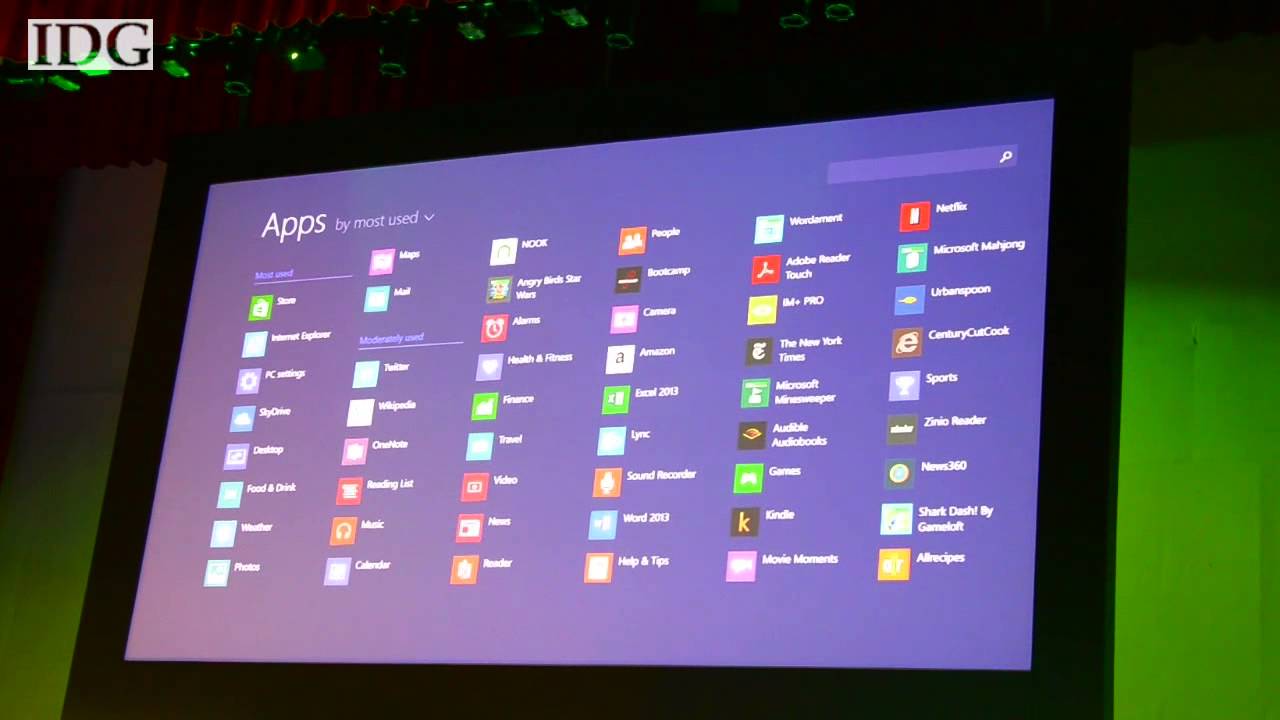
As we've already seen this week, Windows 8.1 adds two new tiles sizes, one of which allows the user to view a string of information within one box like weather details or the last several emails received. Users can also swipe up from the Start (AKA Home) screen to reveal an app drawer where all apps installed are listed instead of dumping them on the Start screen by default. This way, users can add whatever they want.
Although this app drawer was loaded up using a finger, the demo also showed how it can be pulled up using a mouse. Once the peripheral is moved on the Start screen, a "down" arrow appears near the bottom-left of the screen. Click on that, and the All Apps screen jumps up from the bottom featuring a similar "up" arrow in the same location. Click on that, and the screen tucks back into the bottom.
Later on in the video, which is just 1:44 long, the Start button shows up in its familiar seat located on the left side of the taskbar in desktop mode. The Microsoft rep said that with Windows 8, there seemed to be a separation between the desktop and the Start screen: two worlds on one device. The company has fixed this by allowing the desktop wallpaper to appear behind the tiles on the Start screen as well.
To demonstrate the new unity between desktop and Start screen, he set the wallpaper to be the same on both. He then clicked the Start button, and magically Windows 8 became one OS once again. Just in appearance, it looks as if the tiles are turned off and the taskbar turned on in one click, and the tiles turned on and the taskbar turned off in the next click. Rinse and repeat. The only items that stay the same is the wallpaper, and the Start button.
Take a look at the example below. While the Start button doesn't return the Start menu to its rightful place, Windows 8.1 looks to be a step in the right direction. The preview version of the update arrives later this month on June 26 during Microsoft's BUILD 2013 conference.
Get Tom's Hardware's best news and in-depth reviews, straight to your inbox.

Kevin Parrish has over a decade of experience as a writer, editor, and product tester. His work focused on computer hardware, networking equipment, smartphones, tablets, gaming consoles, and other internet-connected devices. His work has appeared in Tom's Hardware, Tom's Guide, Maximum PC, Digital Trends, Android Authority, How-To Geek, Lifewire, and others.
-
ingtar33 so basically they replaced the "spot" in the taskbar where the start button was, which if you clicked it would take you to metro... with a button, which if you clicked takes you to metro.Reply
sounds like zero change to me~ no start menu in win 8.1, about the only change i can see is you can set the background for the metro screen.
this looks like a fail all around -
codo if you're complaining about W8, you're an old crook who hasn't used it and is resistant to change. its great, its fast, its fluid and secure. I dont miss the start button at all, but I'm glad to now have my wallpaper apply to the start screen.Reply -
unknown9122 The new start menu is fine. People may say, "If something works, dont change it". Yes, but MS is reluctant on pushing the new start menu, and the start button is the best solution. Change is good.Reply -
chriswong The mouse and keyboard navigation is not news? Mouse and keyboard navigation works in Windows 8 today; it just takes one extra click to get to the All Apps screen...Reply -
BSim500 No thanks. Staying with Windows 7. It's the ergonomics, stupid. The reason why the Start menu has existed for almost 20 years (Windows 95 to W7 and Classic Start Menu in W8), and is well liked, is quite simply because it works so well with a mouse and keyboard. As do hierarchical menu's which "just make sense" (and make even more sense the more you have installed).Reply
As to the usual stupid "resistance to change" emotional kneejerk responses like codo's - would swapping a QWERTY keyboard for an obscure DVORAK layout then telling everyone they're stupid or "hate change" improve typing speeds? No. That's just change for the sake of change which isn't down to user or ergonomics, it's a marketing ploy that only the gullible fall for every time (remember Vista's "Sidebar"? LOL)... -
pcichico Did you hear the standing o in the video? If only this had been the way it was released in october, then I think they could have avoided the bulk of the complaints, except from you toms trolls. Of course you still have to set it to share the wallpaper and possibly boot to the desktop–its not the default. I don't think I'll give up start8 just yet but this is pretty compelling. Also I think startisback is better than start8 for those want the total exclusion of metro. Here come the thumbs downs even though I've presented a non fanboy balanced comment that even includes suggestions for people who don't like metro.Reply -
computerguy72 Lots of people are really vocal about their microsoft hatred but the new menu really is a step up from the win7 start menu. I have both and my Win7 start menu is chock full of dead or dormant shortcuts, failed un-installs that couldn't remove the old shortcuts, it breaks down the list into program files "all" and whoever the current user is. The win7 start menu is old and terrible in many ways but it's just really really familiar for some people. I hope MS continues to improve the Win8 menu as it obviously has lots of room for improvement but sheesh compared to the old start menu c'mon now.Reply -
chriswong I don't see touch navigation with computers as change for the sake of change. I initially used Win 8 for about 5 months on a traditional laptop and after switching to a touch machine, Win 8 is much better with touch. I also think the resistance to change argument is valid to a point. You don't see anyone arguing that we should all go back to horse-drawn carriages at this point, yet there was big resistance to automobiles at the start. Another issue is that many of the apps we rely on are designed for mouse and keyboard. In another few years, when touch versions of apps are primarily used, none of this will matter...Reply -
JOSHSKORN So let me get this straight. Microsoft adds a button to the Taskbar, which is finger-friendly, which takes you back to their finger friendly start screen?Reply
Well, I'll say this. I never liked the Start Menu for a couple of reasons. First of all, applications will add folders to the Start Menu. You'd have to click on the Start Menu, navigate to the folder, expand the folder, sometimes even subfolders just to find the EXE (or whatever file) you're looking for. That kind of was a PITA. Secondly, I don't think I've liked the Start Menu since Windows XP. With Vista/7, it's very similar to 95/98/Me. You have a single column list you have to scroll through. The way I see it, you can much more easily customize this start screen, see bigger icons and not have to navigate through folders or scroll through a list as much. Of course, with a Start Menu, you could also cut out the crap, or even do what I do, make a Quick Launch toolbar. If I ever do get Windows 8.1 (and to be honest, now I think I will with my new build next month), I will be making a Quick Launch toolbar.