ATI X800 And GeForce 6800 Simultaneously, Continued
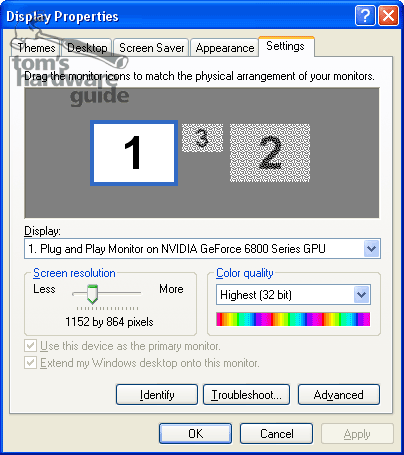
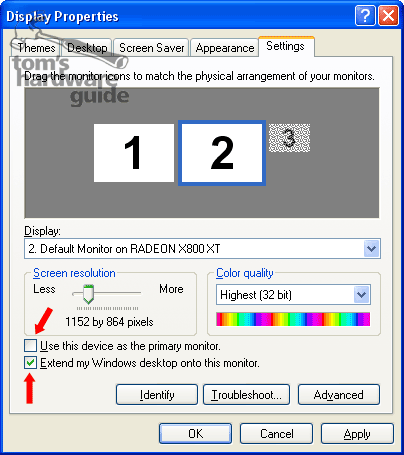
After clicking on the display 2, first select the option "Extend my desktop onto this monitor", then the option "Use this device as the primary monitor" and hit "Apply". Now switch over the monitor to the second VGA input.
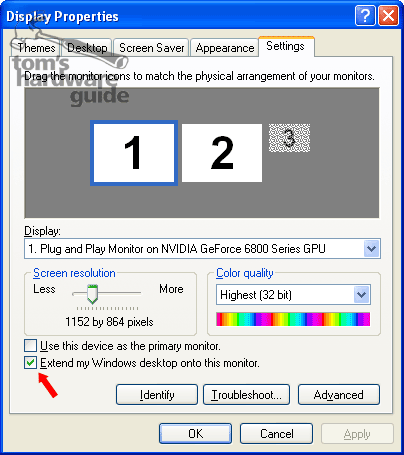
Now use the mouse to select display 1 and deactivate the display via the option "Extend my desktop onto this monitor".

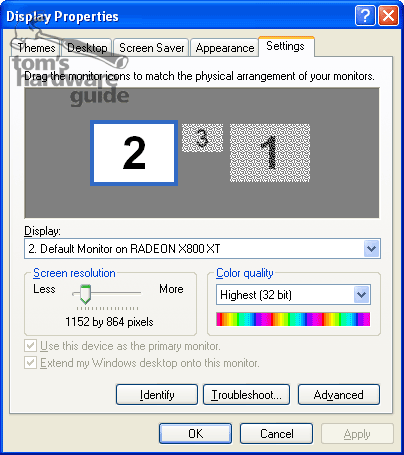
After clicking "Apply" the GeForce 6800 turns itself off.
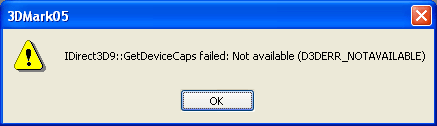
Starting a 3D application returns another error message, so - restart!
Now the PC boots up ... at first the screen remains black but that is normal, as all boot messages etc. are delivered on the first card (the GF 6800) and our monitor input is switched to the X800. After loading Windows the display appears and the GeForce 6800 turns itself off.
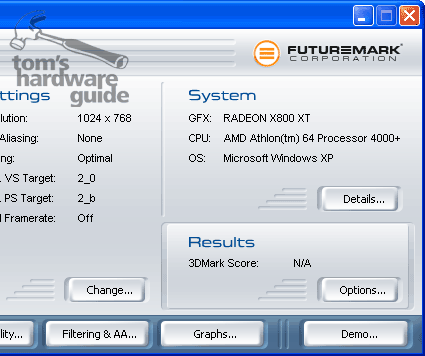
After restart: start up 3D Mark 2005 and - voilà!!
Switching back to the GeForce 6800 is done the same way. But at first the GF 6800 only runs in 4-bit color depth! Don't let this bother you. After restarting the computer you can reset the desired resolution and color depth.
Conclusion: it is anything but convenient and requires computer restarts, but it works: your choice of gaming with either an ATI or NVIDIA card on a single computer! And you don't need to have the most expensive models.