TV-Out
ATi integrated the TV-out functions in the 9700 PRO's 3D chip. Thanks to its two RAMDACs, you can set different resolutions for your monitor and TV. If you go to DOS mode while the TV cable is connected, though, the card will inexplicably switch to another resolution. If you connect the cable under Windows, the output will work immediately, i.e., without any reboot. The ATi driver will still try to reboot, though.
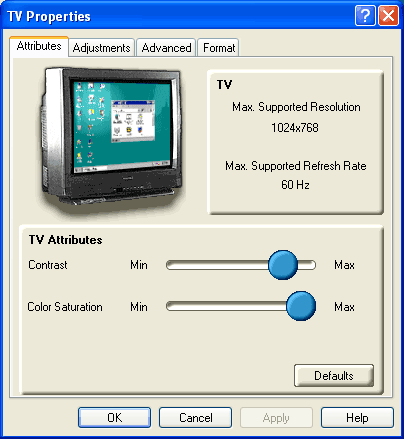
TV-Out settings.
But there are more serious problems. The driver does not have a function that allows you to run a TV and a monitor in clone mode (when both screens show the same picture) once you have set different resolutions for the two output devices. In that case, the TV-out will always assume the resolution settings of the primary display. The maximum TV resolution is 1024x768. Any higher, and you'll have to pan back and forth on your desktop. The only way the driver will let you select between 640x480 and 1024x768 is by expanding the desktop to the second monitor.

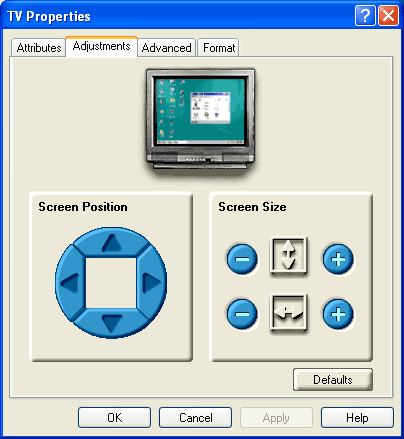
The display size can be set for the TV. Vertical panning is still problematic.
Operating the TV-out with two monitors is rather complicated. Once the TV-out is activated, the second monitor shuts down. The TV will not show the TV display until the computer has been rebooted, although the driver doesn't give you a message telling you this. Since the TV is treated like a second display, you will first have to redo all the settings, including clone mode - not exactly what you would call convenient. At least you can save different display schemes in the driver's display menu, although it would be better if ATi were to supply the driver with the most common ones. Things start getting really tricky when you try to run the primary display from the secondary monitor port. It makes it impossible to get any TV output. Unfortunately, we couldn't find out what happens to the TV output when you operate a TFT from the DVI output port (which is also the second monitor output port) because we didn't have a display for it.
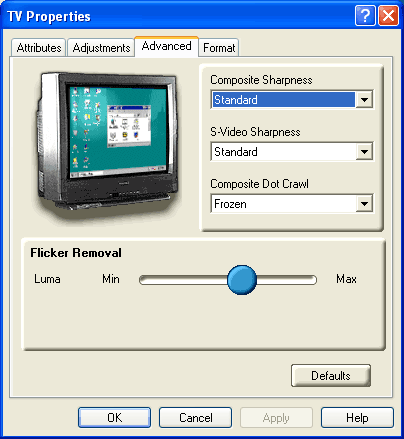
Flicker filter and sharpness settings.
Although a little blurry, the TV display is fine. We tested the PAL mode in composite. No matter how much we fiddled with the resizing options, we inevitably ended up with a black bar above and below the picture. The vertical resizing function appears to have no effect on the TV picture. The theater mode of the overlay mode, which recognizes a video picture and automatically converts the TV output to full-screen, is defective: it didn't work with the PowerDVD software. The bar is still present in overlay mode.