









Why you can trust Tom's Hardware Our expert reviewers spend hours testing and comparing products and services so you can choose the best for you. Find out more about how we test.
PBO Performance and maximum noise levels
We’re going to start this review’s benchmark section by focusing on a traditional maximum performance test, with the CPU cooler’s fans allowed to reach their fastest speeds, for the best cooling possible.
Turning on PBO allows AMD’s Ryzen 9 9950X3D to stretch its legs to an extent, and all air coolers I have tested with PBO enabled reach the maximum CPU temperature of 95C (203F) and thermally throttle to a small extent.

We’ve tested three “600” series coolers and the SK700V for this review. Sudokoo’s SK620V trails slightly behind the competition, at 242W (compared to 248.3W for Montech’s NX600). The SK700V model is about on par with DeepCool’s AK620 G2, which is impressive for an air tower only using a single fan.
Results from the liquid coolers we’ve recently tested aren’t shown above because they are able to keep AMD’s Ryzen 9 9950X3D under TJ Max – and as such, power consumption figures aren’t quite comparable.

Maximum noise levels of both coolers are rather reasonable: Sudokoo’s SK620V reaches 41.9 dBA, and the more powerful SK700V model reaches 43.4 dBA. That’s noticeably quieter than many competitors, and means you can actually enjoy using your computer instead of being annoyed by loud fans.
200W thermal benchmarks
For the next thermal test, I leave motherboard settings at their defaults, which results in a power limit of 200W when running Cinebench R23.

With a “stock” power profile enabled, DeepCool’s lead over Sudokoo’s SK700V is a bit more apparent, with the SK700V running 1.3 degrees Celsius hotter. The SK620V’s temperature of 79.4 is warmer than the competing air coolers we’ve tested here, but it’s also worth noting that it runs quieter than all the coolers shown above – as we’ll demonstrate in the next section’s benchmarks.
Get Tom's Hardware's best news and in-depth reviews, straight to your inbox.
150W + GPU thermal results, noise levels
Our next test runs Cinebench on the CPU with a 150W power limit, while also running Furmark on MSI’s RTX 4070 Ti Super Ventus 3x OC. This causes the GPU to consume ~295W of power. This test is designed to emulate the thermals of games, which primarily stress the CPU and GPU.

All of the air coolers here perform similarly, with a range of just 1.2 C between the best and worst results. So let’s take a look at the noise levels in this test, as that’s going to be more important to most users.

Sudokoo’s SK620V and SK700V deliver extremely competitive performance when it comes to sound output. The SK620V’s noise levels registered at the lowest volume my noise meter is capable of measuring: 36.4 degrees C. This means that the cooler was likely running at a lower volume level – it was so quiet I had to double-check that the fans were spinning! If silence is your top priority, this cooler might just be the one for you. The SK700V ran just a hair louder, at 37.3 dBA. Both of these results are quieter than most competing coolers on the market.
Noise-normalized testing
Most testing is performed with the cooler tied to the default fan curve of our MSI X870E Carbon motherboard, but some of y’all prefer to see tests when the noise levels of coolers are equalized. This is especially important to those of you who prefer silent computers.
This next test has the CPU cooler noise-normalized to 38.9 dBA, with PBO enabled for the Ryzen 9 9950X3D CPU.

We’ve got results of 241.9W (SK620V) and 246.2W (SK700V) in this test. The SK700V’s results are of particular interest, as it seems to be among the best air coolers when normalized for low noise.
Karhu DDR5 RAM thermals testing!
Your CPU cooler does not operate in isolation. It has an impact on not just your CPU’s temperatures, but also the other components in your build, like your RAM and GPU.
To that end, I’ve run the Karhu RAM stress test. This places a load of ~153W on the CPU and ensures system RAM (DDR5 in my case) is fully stable. In this type of scenario, most AIOs tend to produce worse results than air coolers.

These results are interesting, because this is the only test where the SK620V outperforms the SK700V thermally, due to the overall combined airflow of having two fans. This is great news if you prioritize RAM speeds above other factors, for overclocking competitors or competitive e-sports gaming.
Conclusion
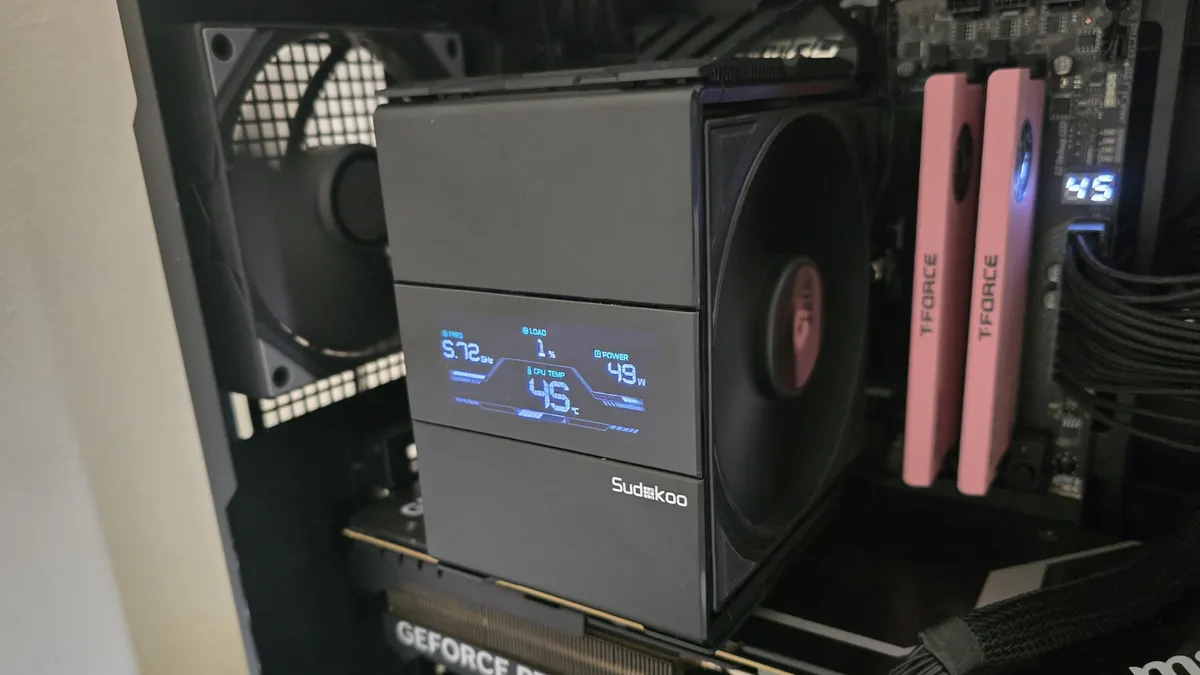
Sudokoo’s SK620V and SK700V air coolers deliver premium style, near-silent operation, and solid performance. They’re also backed by a generous 5-year warranty, indicating the manufacturer’s confidence in the product’s longevity.
Many users will also appreciate the striking design of the heatsink, integrated display, and the decision to use a solid metal anti-bending frame for the installation process.
However, these coolers aren’t for everyone. With price tags starting at $74.99 for the standard version of the SK700, and going up from there. That puts them in competition with premium air cooler brands like Be Quiet and Noctua, and well into AIO territory. Still, if you like the look of these coolers, as well as the display, and prioritize silent cooling for your AMD AM5 CPU, they’re a solid option.

Albert Thomas is a contributor for Tom’s Hardware, primarily covering CPU cooling reviews.
-
dwd999 In fairness, given the increased use of taller ram dimms with led lighting, the coolers' clearance of the ram dimms should be included in the Pros column.Reply