Join for quick access. Enter your email below and we'll send confirmation plus sign you up to our newsletter.
By submitting your information, you confirm you are aged 16 or over,
have read our
Privacy Policy
and agree to the
Terms & Conditions. Geographical rules apply.
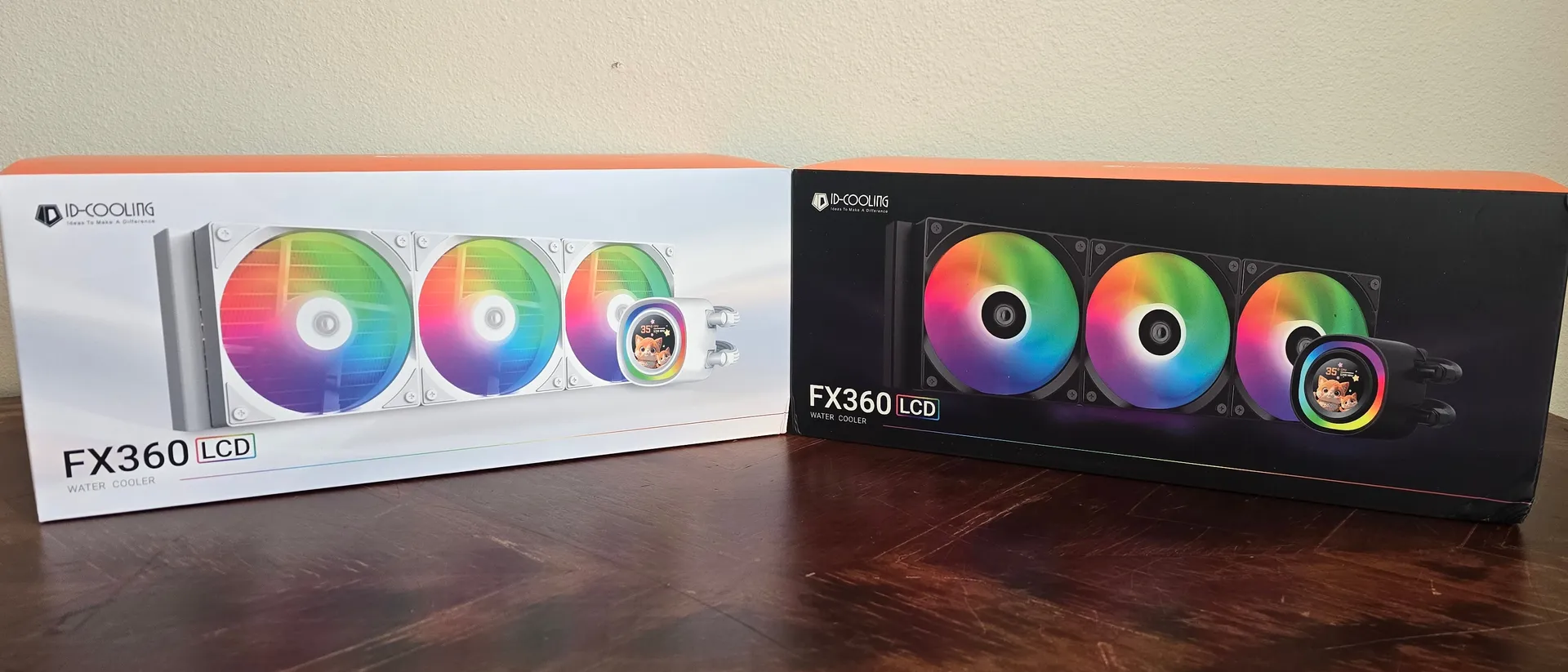
The FX360 LCD performs great in terms of cooling and noise levels, but the LCD screen leaves much to be desired.
Reasons to buy
+
Good cooling performance
+
Reasonable price
+
Quiet operation in common scenarios
+
Pre-installed fans
Reasons to avoid
-
1.48 inches is too small for a display
-
240x240 resolution with only 18-bit color depth
Why you can trust Tom's Hardware
Our expert reviewers spend hours testing and comparing products and services so you can choose the best for you. Find out more about how we test.
Like its competitor Thermalright, ID-Cooling has made a name for itself with budget-priced cooling products that generally perform well while costing less than the competition. The company’s dual-tower A720 is one of the best-performing air coolers on the market. We’ve also tested the FX360 Pro, which has a rock-bottom price of only $60 USD.
With today’s review, we’re looking at the company’s latest release, the FX 360 Pro. This new cooler features ID-Cooling’s latest Gen-7 Pro liquid pump and an unusually small 1.48-inch display on the CPU block.
(Image credit: Tom's Hardware)
Will this new cooler make our list of the best CPU coolers on the market? Let’s go through the features and benchmarks of this cooler, and you can decide for yourself if it is worth buying. First, let’s look at the specs.
Gen 7 Pro operating at up to 2900RPM, with ceramic bearings
Pump expectancy
50,000 hours
Maximum TDP (Our Testing)
>254W with AMD’s Ryzen 9 9950X
Packing and included contents
(Image credit: Tom's Hardware)
The AIO is protected with molded foam and coverings, a bit fancier than the typical packaging for a liquid cooler.
(Image credit: Tom's Hardware)
Included with the product are the following:
360mm AIO with pre-installed fans
Frost X45 thermal paste
Mounting for AMD and Intel platforms
Installation manual
Tube clips
Stud tool
(Image credit: Tom's Hardware)
Features of ID-Cooling’s FX360 LCD
● Low noise levels
Thermal performance isn’t the only thing that matters in a cooler – noise levels matter too, unless you don’t mind your PC sounding like a jet engine. Fortunately, the FX360 LCD provides quiet, virtually silent operation in most common scenarios, only reaching 37.3 dBA in our 150W stress tests.
Stay On the Cutting Edge: Get the Tom's Hardware Newsletter
Get Tom's Hardware's best news and in-depth reviews, straight to your inbox.
(Image credit: Tom's Hardware)
● Frost X45 thermal paste pre-applied, and an extra tube!
(Image credit: Tom's Hardware)
ID-Cooling includes its premium Frost X45 thermal paste, which – as our thermal paste benchmarks show – is one of the best available on the market. The AIO arrives with it pre-applied to the copper coldplate, and an additional tube is included in the accessories box for future applications.
● Full RAM compatibility
As with most AIOs on the market, ID-Cooling’s FX360 LCD does not interfere with or overhang DIMM slots. All sizes of RAM, no matter how tall, are compatible with this liquid cooler.
● Pre-installed AS-120 V2 ARGB fans with quick-connect system
The fans of this liquid cooler are pre-installed, saving users a few minutes during the installation process.
(Image credit: Tom's Hardware)
A quick-connect system for the PWM and ARGB connections is utilized to minimize cable clutter.
(Image credit: Tom's Hardware)
Swipe to scroll horizontally
Size (L x W x D)
120mm x 120m x 25mm
Bearing
Hydraulic Bearing
Fan Speed
300-2000 RPM ±10%
Air Pressure
Up to 1.94 mmH2O
Airflow
Up to 58 CFM
● 1.48-inch display
(Image credit: Tom's Hardware)
The display is the last feature I’m mentioning, because it isn’t very interesting. In terms of size, it’s the smallest display I’ve ever seen incorporated onto a liquid cooler – only 1.48 inches. That’s more petite than the screen of an Apple watch! The resolution is also very low, merely 240x240 pixels – so low that even on a 1.48-inch screen, the pixels are easy to distinguish.
Forget about something fancy like HDR! Color support is limited to only 18-bit color depth and 262K colors. That’s something I’d expect from displays from decades ago, not anything made in 2025. Lighting is officially rated at 300 nits, but it feels less bright – which might be a side effect of having a much brighter ARGB lighting ring around the display.
(Image credit: Tom's Hardware)
While I wasn’t impressed with the AIOs screen, the software to control the screen was easy enough to use. The “home” section of the software shows an overview of essential system stats, including CPU usage, temperatures, and more.
(Image credit: Tom's Hardware)
There are nine visual presets you can choose from – or you can create your own theme using pictures, gifs, or video files. There’s also a variety of widgets you can use in custom themes for time, weather, date, or sysmon stats.
My one complaint about this software is that it activates a User Account Control (UAC) prompt upon starting, requiring manual approval.
AM5 installation
Prior to following the steps below, you’ll want to secure the radiator to your PC’s case.
(Image credit: Tom's Hardware)
1. AMD users will remove the default mounting mechanism and then place the included black and silver standoffs around the CPU.
(Image credit: Tom's Hardware)
2. Take the mounting brackets and place them on top of the standoffs, using the included screws to secure the brackets.
(Image credit: Tom's Hardware)
3. Press the CPU block with its integrated screen against the mounting bars, and use a screwdriver to secure it.
(Image credit: Tom's Hardware)
4. Connect the cables – there’s a PWM header for the liquid pump and the AIO’s fans, ARGB connections for the fans and CPU block, and a USB header connection for the 1.48-inch display.
Real-world testing configuration with AMD’s AM5 platform:
My results may differ from others because I emphasize having results that are comparable to real-world use.
This means that I test CPU coolers inside of a closed desktop case, which increases cooling difficulty compared to other testing methods. Many will test CPU coolers outside of a case, on an open test bench. Open benches have lowered ambient temperatures, which in turn makes weak coolers appear stronger than they really are. Some publications have used generic thermal plates to test cooling solutions. I reject both of these methods because they don’t accurately reflect the real-world conditions a CPU cooler is used in.
Swipe to scroll horizontally
CPU
AMD Ryzen 9 9950X
GPU
MSI Ventus 3X RTX 4070Ti Super
Motherboard
MSI X870E Carbon Wifi
Case
MSI MAG Pano 100R PZ
Today’s test bench has more limited results than normal, as our 9950X3D system has suffered an unfortunate death – as such, we’ve begun to test coolers on a system with AMD’s 9950X.
There are some differences in how the 9950X and 9950X3D CPUs are impacted by thermal events. While the heat output of the CCDs of AMD’s 9950X3D are relatively balanced, the 9950X I’m using has one CCD that runs much hotter than the other – with a difference of over 10 degrees C in some scenarios, shown below.
The only way I see that screen size being useful is when you 100% want a screen on your AIO waterblock/pump, and your mobo is an LGA1700 mITX with very tight confines.
Yes, I ran into that problem when troubleshooting a PC.
No, I didn't want a huge LCD screen sitting on top of the pump/block, it was just readily available. The alternative was pulling apart another PC for its AIO.