









Why you can trust Tom's Hardware Our expert reviewers spend hours testing and comparing products and services so you can choose the best for you. Find out more about how we test.
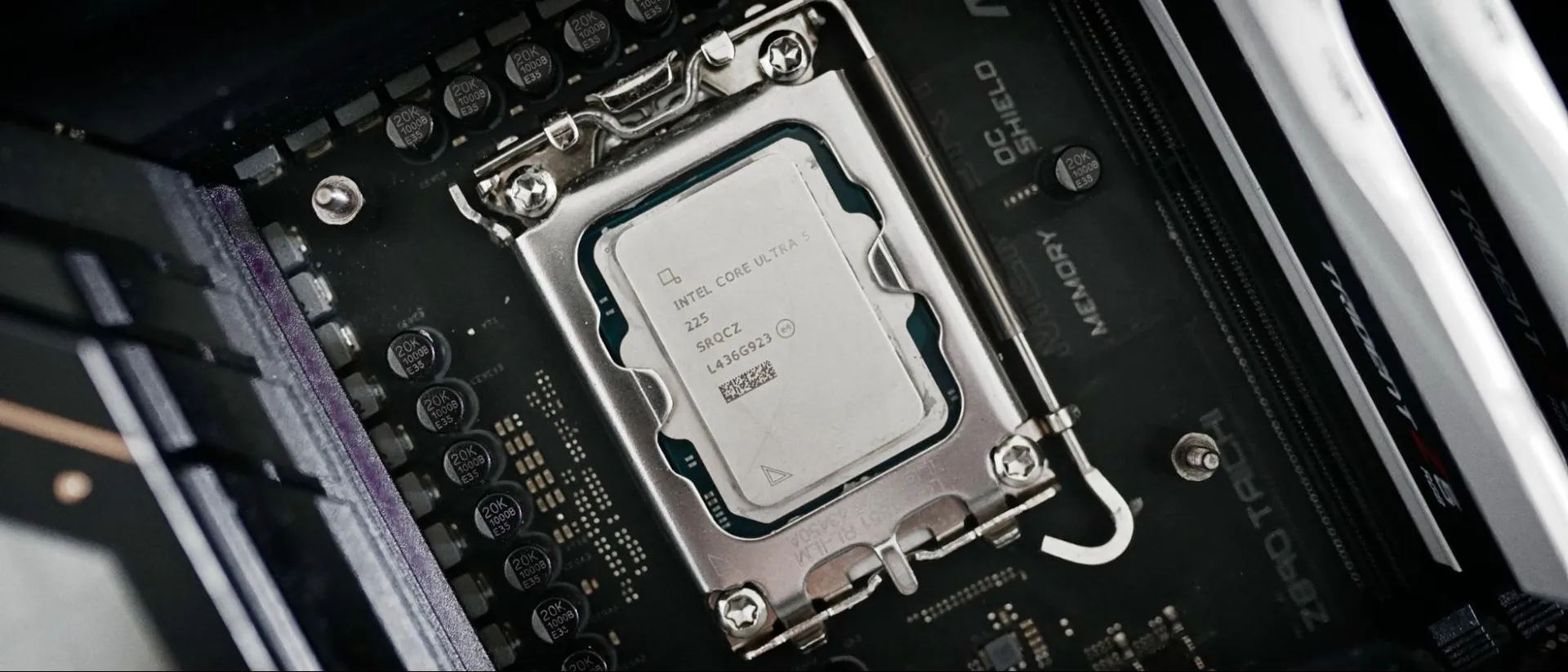
After the power creep of Raptor Lake and Raptor Lake Refresh, Intel refocused on efficiency with Arrow Lake, and the Core Ultra 5 225 benefited a lot from that labor. This chip comes with just a 65W TDP, so lower power consumption in real-world applications is expected. However, I didn’t expect to see such excellent efficiency, with the Core Ultra 5 225 punching above its weight class in performance-per-watt.


View Original
View Original
View Original
View Original
View Original
View Original
View Original
View Original
View Original
View Original
View Original
View Original
View Original
Starting with power, the Core Ultra 5 225 ends up around 70W to 75W in all-out, multi-core workloads like Cinebench and Handbrake, peaking as high as 84W in Blender when rendering the Monster scene. Despite carrying the same 65W TDP as the base Ryzen 5 9600X, you can see that AMD’s chip demands more power in these workloads. In Y-Cruncher, the 9600X consumed 28% more power, and in Cinebench 2024, that grew to 29%.
The 225 also shows significant power decreases compared to last-gen’s Core i5-14400 in both single- and multithreaded workloads. Looking at Y-Cruncher with our single-threaded test, the Core Ultra 5 225 drew just 35W, which is 23.9% less than the Core i5-14400 and 31.3% less than the Ryzen 5 9600X.
In idle scenarios, the Core Ultra 5 225 doesn’t top the charts, but it still only passes a moderate level of power draw. In true idle, the Core Ultra 5 225 and Ryzen 5 9600X are in lockstep, as they are in an active idle (YouTube playback) scenario. Interestingly, the Core i5-14400 posted better idle results in both tests compared to the Core Ultra 5 225.


View Original
View Original
View Original
View Original
Lower power consumption means lower performance, but the Core Ultra 5 225 still manages excellent efficiency. It tops the charts in all of our efficiency tests, delivering more performance for each watt consumed compared to every other chip in our test pool. Cinebench is a particular standout, with the 225 offering 30% better efficiency than the Ryzen 5 9600X and 48.9% better efficiency than the Core i5-14400.


Another way to visualize efficiency is through a scatterplot, where we plot performance against power consumption. With these charts, the bottom-right corner is the best performance for the lowest power, while the top-left corner is the worst performance for the highest power.
Test Setup
Our test beds are identical to ensure accurate data while testing. We use the same hardware and software configuration, short of the motherboard and CPU. Our frozen OS image is based on Windows 11 24H2, and we use the same version of the same apps to get comparable data.
Get Tom's Hardware's best news and in-depth reviews, straight to your inbox.
We use the RTX 2080 FE for application testing, but it doesn’t do anything other than provide a display output for our application testing. Critically, it uses the same driver as the RTX 5090, which is what we use for game testing. With these two GPUs, we don’t need to worry about cleaning the driver off the system between our test passes.
We make a few tweaks in the BIOS to optimize performance while keeping the CPU’s warranty in mind. We enable XMP/EXPO alongside Resizeable BAR. We disable Windows Virtualization-Based Security, as well as manually disable any automatic boosting features that aren’t covered by warranty, including AMD’s Precision Boost Overdrive and Intel’s Extreme power profile.
Intel LGA 1851 (Arrow Lake and Refresh) |
Row 0 - Cell 1 |
Motherboard |
|
RAM |
|
Intel LGA 1700 (Raptor Lake, Alder Lake) |
Row 3 - Cell 1 |
Motherboard |
|
RAM |
|
AMD AM5 (Zen 5, Zen 4) |
Row 6 - Cell 1 |
Motherboard |
MSI MPG X870E Carbon Wi-Fi, Gigabyte Aorus X870E Elite X3D ICE |
RAM |
|
All Systems |
Row 9 - Cell 1 |
Gaming CPU |
Nvidia GeForce RTX 5090 Founder’s Edition |
Application GPU |
Nvidia GeForce RTX 2080 Ti Founder’s Edition |
Cooler |
Corsair iCue Link H150i RGB |
Storage |
2TB Sabrent Rocket 4 Plus |
PSU |
|
Other |
Arctic MX-4 TIM, Windows 11 Pro, Alamengda open test bench |
- MORE: Best CPU for gaming
- MORE: CPU Benchmark Hierarchy
- MORE: Intel vs AMD
- MORE: How to Overclock a CPU
Current page: Intel Core Ultra 5 225 power consumption, efficiency, test setup
Prev Page Intel Core Ultra 5 225 productivity benchmarks Next Page A budget performer that needs a price drop
Jake Roach is the Senior CPU Analyst at Tom’s Hardware, writing reviews, news, and features about the latest consumer and workstation processors.
-
cyrusfox No one is buying the 225 except businesses when the 250k plus retails for $220 and the 250kf for $200. If you want budget gaming cheaper, 14th gen is capable and then you can select DDR4 as well. For a DDR5 platform, 250k plus is the best you can find from Intel.Reply -
Loadedaxe I agree with the above.Reply
For the roughly $50 difference between the 225 and the 250KF, the 225 just feels pointless. Even if retailers dropped it to around $100, DDR5 pricing still kills a lot of the value. At that point, something like a 14400 with DDR4 is the more cost effective and practical solution for most people.
If DDR5 pricing ever returns to sanity, say 32GB kits under $100 again, then I could see Intel adjusting pricing to make these chips more viable and appealing. I wouldn’t hold my breath though on DDR5 returning to "normal" anytime soon. -
jakewhos pretty out of touch article imo who would be buying this for gaming clearly this is targeted more for low power home servers.Reply
great igpu paired with a very efficient chip -
usertests Reply
It's too expensive in relation to other offerings and it has a compromised iGPU with two Xe cores disabled out of the full four the 245/250 have.jakewhos said:pretty out of touch article imo who would be buying this for gaming clearly this is targeted more for low power home servers.
great igpu paired with a very efficient chip
Not a good buy for any purpose. Just get the 250K when you see it at $200 MSRP and tune it to use less power if necessary. -
jakewhos Reply
You don't really need all the cores for anything the main sell is the newer architecture of the xe cores and you get the stock cooler.usertests said:It's too expensive in relation to other offerings and it has a compromised iGPU with two Xe cores disabled out of the full four the 245/250 have.
Not a good buy for any purpose. Just get the 250K when you see it at $200 MSRP and tune it to use less power if necessary. -
usertests Reply
Losing half the iGPU is a big loss. Performance should be about on par with any fully enabled Xe-LP iGPU, like the UHD 750 in an old i5-11500. Architectural improvements are barely relevant. Arrow Lake desktop gets Xe-LPG with DPAS instructions disabled. You get better AV1 decode and AV1 encode in Arrow Lake.jakewhos said:You don't really need all the cores for anything the main sell is the newer architecture of the xe cores and you get the stock cooler.
Stock cooler isn't going to have a big effect on value. I say go to something older/used, or step up to the Core Ultra 245K/250K+. -
Co BIY Maybe its better to just keep it over priced to make the 250 look like a value.Reply
Sometimes binning results in a product with no "sweet spot".