Why you can trust Tom's Hardware Our expert reviewers spend hours testing and comparing products and services so you can choose the best for you. Find out more about how we test.
Comparison Products
The AGI AI858 gets no respite as it’s up against some of the fastest drives on the market. These include the proprietary WD Black SN8100 and Samsung 9100 Pro. We then have drives with the SM2508 controller, including the Kingston Fury Renegade G5, using BiCS8, and the Lexar NM1090 Pro and Biwin Black Opal X570 using Micron flash. The Crucial T705 and Corsair MP700 Pro SE are using that same Micron flash but with the Phison E26 controller, instead. Lastly, we have the lower-end Addlink G55, which uses BiCS8.
Trace Testing — 3DMark Storage Benchmark
Built for gamers, 3DMark’s Storage Benchmark focuses on real-world gaming performance. Each round in this benchmark stresses storage based on gaming activities including loading games, saving progress, installing game files, and recording gameplay video streams. Future gaming benchmarks will be DirectStorage-inclusive and an evaluation for future-proofing is included where applicable.


The AI858 falls into the middle of the pack in 3DMark, which, all things considered, isn’t that bad. The drives with BiCS8 flash – the Black SN8100 and Fury Renegade G5 – are the fastest drives due to the flash’s famously low latency. The DRAM-less G55 and X570 are at the opposite end and are the slowest. Everything else is within the same zone, and the AI858 actually beats its closest rival, the NM1090 Pro, by a small amount. We could chalk this up to the capacity difference, after all, 4TB could be slower, but our experience with similar drives like the Acer Predator GM9000 suggests otherwise. The AI858 is legitimately slightly faster here.
Games are starting to lean on SSD performance more, but a small loading advantage was more compelling back when drives were affordable. That said, if the AI858 or equivalent is within a reasonable distance from other drives, it could be worth jumping up to the faster platform. The gaming advantage would just be icing, and this gap could widen in the future. Normally, that’s not a big deal for a current-day purchase, but if we’re years out before a consumer SSD industry recovery, then buying speed early is a fine investment.
Trace Testing — PCMark 10 Storage Benchmark
PCMark 10 is an industry-standard trace-based benchmark that uses a wide-ranging set of real-world traces from popular applications and everyday tasks to measure the performance of storage devices. The results are particularly useful when analyzing drives for their use as primary/boot storage devices and in work environments.


We see a similar difference in PCMark 10. The AI858 again beats the NM1090 Pro and, as before, this isn’t due to the capacity difference, given our overall review experience. The drive ends up in the middle again, but this isn’t a bad place to be when facing off against some of the fastest drives on the planet. You’ll get better responsiveness out of the Black SN8100, but the AI858’s level of performance is still exceptional.
As with gaming, it’s hard to justify price leaps when app and app loading performance differences might be relatively small in the real world. However, the extra bandwidth can be more impactful for enthusiasts. We do think it’s worth going with an AI858-class drive over a DRAM-less PCIe 4.0 if you’re building a powerful system with a purpose; it’s just a matter of pricing that advantage against the other hardware components. It’s safe to say that personal computing as a whole has gotten much more expensive, and SSD price scales almost directly with capacity. This means nailing down the right performance range – which could be as simple as, which 1TB drive gives me the best bang for the buck if I’m a developer? – becomes more crucial.
Console Testing — PlayStation 5 Transfers
The PlayStation 5 is capable of taking one additional PCIe 4.0 or faster SSD for extra game storage. While any 4.0 drive will technically work, Sony recommends drives that can deliver at least 5,500 MB/s of sequential read bandwidth for optimal performance. Based on our extensive testing, PCIe 5.0 SSDs don’t bring much to the table and generally shouldn’t be used in the PS5, especially as they may require additional cooling. Check our Best PS5 SSDs article for more information.
Our testing utilizes the PS5’s internal storage test and manual read/write tests with over 192GB of data, both from and to the internal storage. Throttling is prevented where possible to see how each drive operates under ideal conditions. While game load times should not deviate much from drive to drive, our results can indicate which drives may be more responsive in long-term use.


AGI takes care to mention PS5 performance – 6 GB/s sequential reads – for this drive as it is a viable use case. We see no performance issues whatsoever, but putting a high-end PCIe 5.0 SSD into your PS5 is a somewhat questionable decision. You can almost always get away with a less expensive drive that will perform equivalently.
We actually think it’s more valuable to find a reliable drive for this. Having a heatsink, as the AI858 does, is actually an investment towards this goal, as you want to stop your PS5 drive from throttling. Two things to address here. First, yes, NAND flash likes heat, but if your drive is redlining in the PS5 from the ambient under load, then that is very much a problem. Two, the AI858 is a high-end drive, but it’s built with a newer, more efficient controller and will be running at half speed in a PS5. Therefore, it’s likely to do very well even without its heatsink, which makes it an interesting pick if you can find it priced reasonably.
Transfer Rates — DiskBench
We use the DiskBench storage benchmarking tool to test file transfer performance with a custom 50GB dataset. We write 31,227 files of various types, such as pictures, PDFs, and videos, to the test drive, then make a copy of that data to a new folder, and follow up with a reading test of a newly-written 6.5GB zip file. This is a real-world type workload that fits into the cache of most drives.


We’re admittedly a little disappointed in the AI858’s DiskBench scores – 2,231 MB/s for the copy transfer rate is particularly low – but we feel this is a good opportunity for analysis. The drive’s read transfer rate is perfectly normal and even good by some measures, beating drives like the Fury Renegade G5 and 9100 Pro. Then we have the write transfer speed, which is below 2 GB/s and 10% or more beneath its peers. Clearly, the copy transfer rate is hindered by this more than anything else.
This does mean that the drive may take writes more slowly than the competition and will write more slowly to itself. This can lead to a slowdown in some cases, and especially if you have multiple fast drives with lots of transfers, this performance deficit can add up. However, in daily use, it doesn’t mean much, and on the flip side, if you are doing extreme writes, then it could even out over the long term. This is one reason we test write saturation – see our results below.
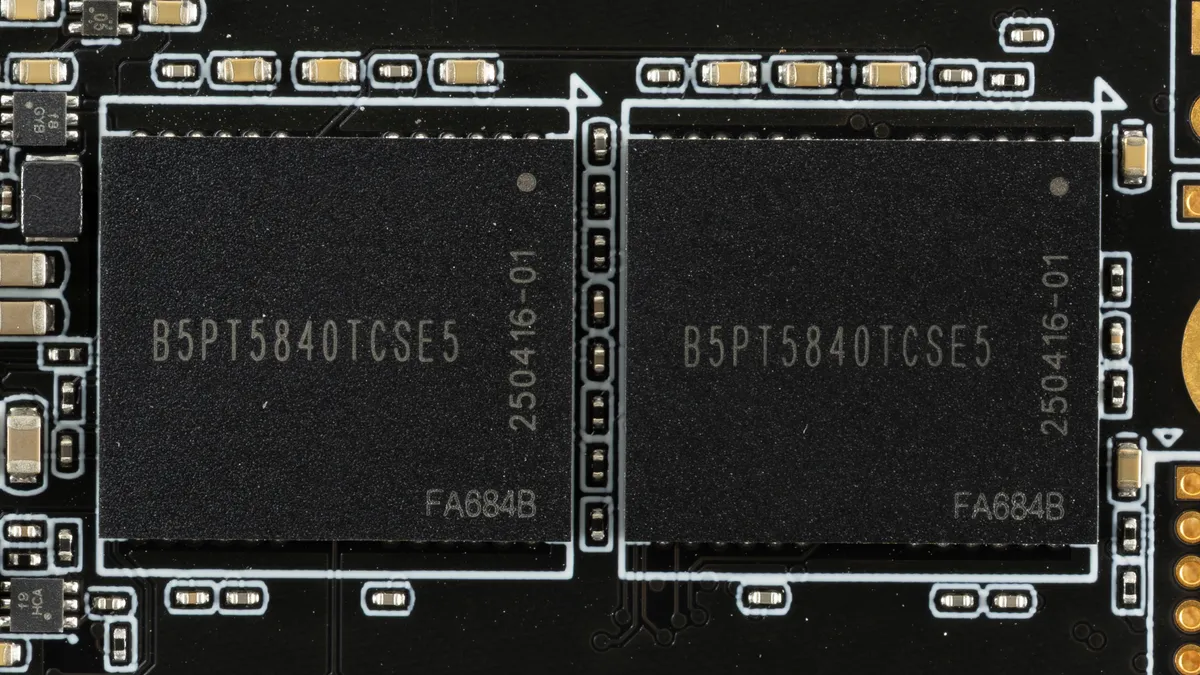
However, looking specifically at this result, it’s within the margin of error versus the identically-equipped NM1090 Pro and even the Black Opal X570. This is logical as the other drives on the list, except for the T705 and MP700 Pro SE, are using newer flash. In fact, the T705 is using the same flash as the AI858. Our test fits within the pSLC cache, and we would not expect the Phison E26 controller to outdo the SM2508, so we believe this is due to a difference in flash optimization. We know there were some issues getting Micron’s 232-Layer flash up to speed, especially at capacity, and Crucial having a better handle on it is not surprising.
We’re hesitant to call it a flash quality difference; maybe more of a trade-off, as being conservative with write performance, with read workloads being prevalent in consumer usage, can be a smart move. The T705 was trying to stand apart at its launch so we can understand why it pushed the limits at the time. This also partly explains why the AI858’s results are less impressive today. Alternatively, or in combination, it’s also possible AGI is doing this to reduce user flash wear in order to make the TBW in the case they have to swap hardware, or if they have to use lower PEC flash. This is not an issue for the general user, but could be worth consideration if you are buying a drive to do a lot of writes.
Synthetic Testing — ATTO / CrystalDiskMark
ATTO and CrystalDiskMark (CDM) are free and easy-to-use storage benchmarking tools that SSD vendors commonly use to assign performance specifications to their products. Both of these tools give us insight into how each device handles different file sizes and at different queue depths for both sequential and random workloads.


ATTO gives us a good idea of how a drive will operate with transfers of files of various sizes. A queue depth of 1, or QD1, is not unreasonable for this. While usually you look at random read performance to derive a real-world feel, for many games and apps, sequential reads are actually more common. Likewise, 4KiB tends to be what people focus on, while many games and apps operate with bigger I/O. We get to see the full picture with ATTO, including writes, which are more impactful if you intend to use the drive for caching.
The most noticeable thing we see with the AI858 is the drop at 2MiB for sequential reads. This is mirrored with many other drives, including the T705, the Lexar NM1090 Pro, and the MP700 Pro SE, drives that have the same flash. Why the drop here? As two different controllers are used here, we can assume the flash is the culprit. Micron’s 232-Layer TLC uses six planes and the typical 16KiB page size. Multiplying these by the controller’s eight flash channels and, with parallelization, by two or four dies per channel, you get 1.5MiB and 3MiB-sized superpages, respectively. Without outstanding I/O at QD1, this could be the cause, but this remains speculative. The two controllers – The E26 and SM2508 – handle it differently, with the E26 less impacted, so this might be more of a firmware-flash combination.
Chances are you’re not buying a drive for such specific performance, but it’s worth noting if you’re technically-minded. We can also see ATTO map to CDM with the latter’s sequential results, specifically QD1 reads, which tell us a lot. The AI858 and NM1090 Pro, for that matter, do poorly here against the other drives. This is down to the controller. Lots of reads happen at QD1, and 1MB is a realistic I/O size. On the other hand, if you’re doing writes, you’re fine and dandy. If you’re doing reads and writes or reads at a higher queue depth, the AI858 is also right up there. Random write latency is also excellent, so this could make an excellent “budget” caching drive if you need something PCIe 5.0.
Let’s be honest, though, you’re here to look at random 4KB QD1 latency. We’re pleased to say that the AI858 does exceptionally well, beating all drives that don’t have BiCS8 flash. It’s a stellar choice on a budget for this reason, or at least as much “budget” as you can get on a high-end PCIe 5.0 drive. If that’s your primary metric, then you can leave the review knowing AGI hit the mark on this one.
Sustained Write Performance and Cache Recovery
Official write specifications are only part of the performance picture. Most SSDs implement a write cache, which is a fast area of pseudo-SLC (single-bit) programmed flash that absorbs incoming data. Sustained write speeds can suffer tremendously once the workload spills outside of the cache and into the "native" TLC (three-bit) or QLC (four-bit) flash. Performance can suffer even more if the drive is forced to fold, the process of migrating data out of the cache in order to free up space for further incoming data.
We use Iometer to hammer the SSD with sequential writes for 15 minutes to measure both the size of the write cache and performance after the cache is saturated. We also monitor cache recovery via multiple idle rounds. This process shows the performance of the drive in various states, including the steady state write performance.


The drive first writes in the fastest pSLC cache mode at almost 12.6 GB/s for over 32 seconds. The cache is over 400GB in size, roughly 406GB by our numbers, which is large in comparison to some drives like the T705 but is not as large as the cache on the Fury Renegade G5 or NM1090 Pro. A 2TB TLC flash drive can have a cache up to almost 700GB – the Fury Renegade G5’s is almost 684GB in our testing – but this leaves little spare space to handle longer writes. The AI858 gracefully declines to ~3.7 GB/s in a presumably direct-to-TLC mode, which is close to what we see with the T705 and Black Opal X570, drives with the same flash. This is a solid result.
The drive eventually runs out of free space and must wait for already-written data in the background to “fold” from the cache into native flash. This reduces the drive's write speed and increases latency. In this case, the drive manages around 1.25 GB/s, which isn’t super fast but isn’t the end of the world for that weakest performance state. In fact, the drive averages 3.677 GB/s for steady state, which is quite good. We typically expect this level of performance for this flash, although it can be faster in drives like the T705, which again does have a smaller pSLC cache.
Given the NM1090 Pro’s results, we suspect AGI targeted write performance at a certain level – matching what we saw earlier in DiskBench – and the cache was adjusted to reflect this. We think this was a good move, even if it doesn’t always benchmark as well. You’re bound to have a more consistent experience as a result, and the drive is capable of heavier workloads, which makes the drive usable in a caching scenario. However, we would caution against greatly exceeding the TBW within the warranty period on a drive like this. This means knowing your workload’s average write amplification factor, as host write counting won’t cut it – some of the Micron 232-Layer TLC floating out there may be rated significantly below the normal 3,000 PEC.
Power Consumption and Temperature
We use the Quarch HD Programmable Power Module to gain a deeper understanding of power characteristics. Idle power consumption is an important aspect to consider, especially if you're looking for a laptop upgrade as even the best ultrabooks can have mediocre stock storage in terms of capacity and performance. Desktops are often more performance-oriented with less support for power-saving features so we show the worst-case for idle.
Some SSDs can consume watts of power at idle while better-suited ones sip just milliwatts. Average workload power consumption and max consumption are two other aspects of power consumption but performance-per-watt, or efficiency, is more important. A drive might consume more power during any given workload but accomplishing a task faster allows the drive to drop into an idle state more quickly, ultimately saving energy.
For temperature recording we currently poll the drive’s primary composite sensor during testing with a ~22°C ambient. Our testing is rigorous enough to heat the drive to a realistic ceiling temperature but real-world temperatures will vary due to the environment and workload factors.


Is the AI858 efficient? For a high-end PCIe 5.0 drive, yes! It puts the original E26 generation of drives – including the T705 and MP700 Pro SE – to shame. On the other hand, it’s no match for the high-end BiCS8-equipped drives or the more modest G55. The real question is: does this matter? We think that, with a heatsink, this drive will stay cool and should end up in a system where its power draw is fine. It will not require active cooling.
Our temperature testing reinforces this assumption with a maximum rating of 66°C on the primary sensor. This is 17°C below the first throttling point. We could see this drive working without a heatsink in some machines if they are cooled well enough, and certainly in laptops that are using a PCIe 4.0 slot, where it will pull less power. We see no issues here worth mentioning.
Test Bench and Testing Notes
CPU |
|
Motherboard |
|
Memory |
|
Graphics |
Intel Iris Xe UHD Graphics 770 |
CPU Cooling |
|
Case |
|
Power Supply |
|
OS Storage |
|
Operating System |
We use an Alder Lake platform with most background applications, such as indexing, Windows updates, and anti-virus, disabled in the OS to reduce run-to-run variability. Each SSD is prefilled to 50% capacity and tested as a secondary device. Unless noted, we use active cooling for all SSDs.
AGI AI858 Bottom Line
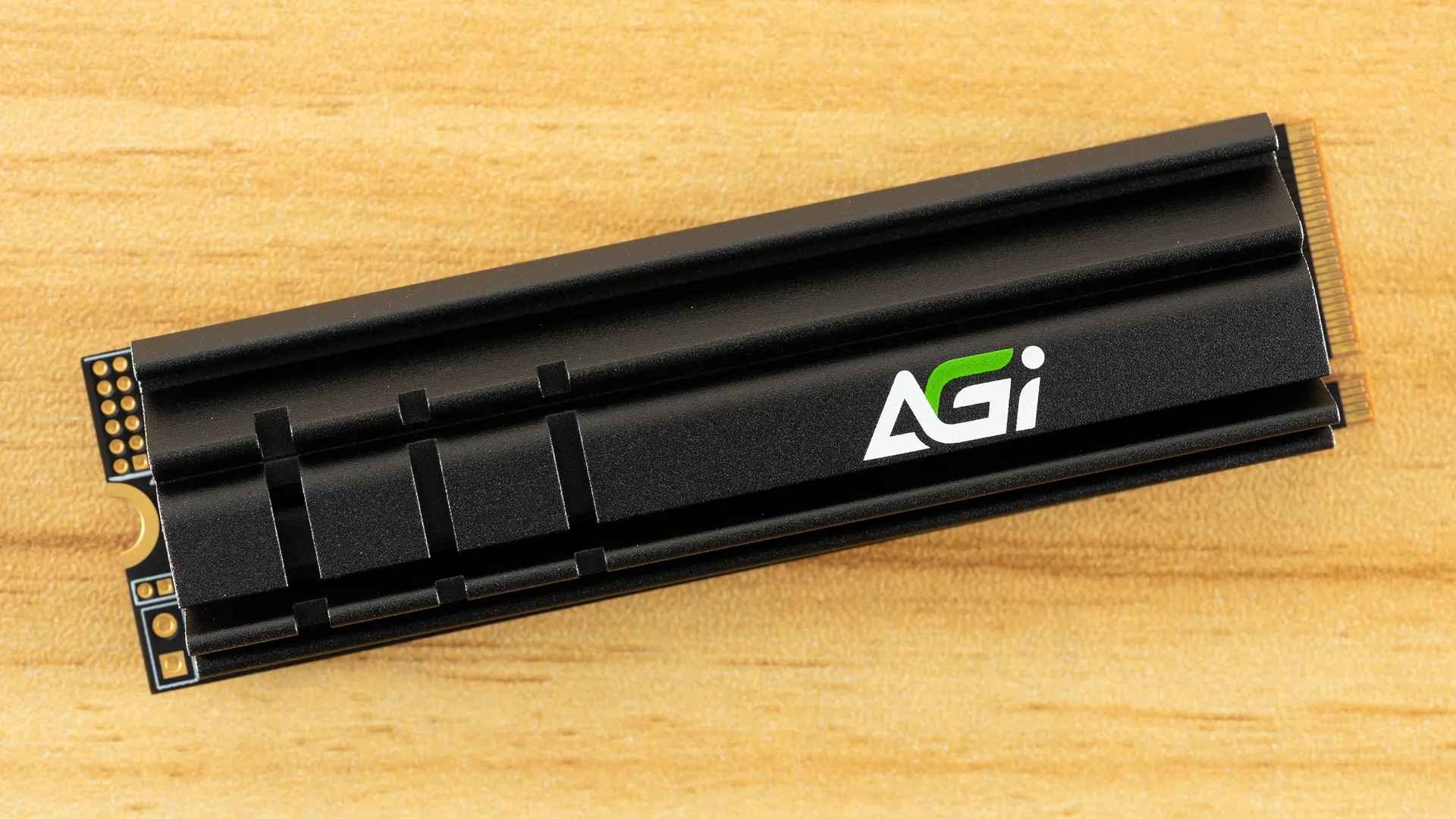
AGI’s AI858 does everything it needs to do and nothing it doesn’t. It has a high bandwidth ceiling with good to excellent random read latency. Sustained write performance is also good, and the drive doesn’t overheat or pull too much power. It even comes with a heatsink to make life easier. While it’s no record-setter, it performs well enough on the whole to firmly be a high-end PCIe 5.0 drive. It’s positioned to be less expensive than the more well-known alternatives like the Black SN8100 while providing most of the performance. We have no trouble recommending it if you’re looking for a drive in this class, which is certainly an improvement over the last AGI drive we reviewed.
The downsides are exactly what you would expect here. As we stated, its performance is good but not the best. Its power efficiency is good but not the best. Its sustained write performance and even its excellent random read latency…you guessed it, not the best. It doesn’t have a flashy 8TB SKU to throw at you, either. That’s fine – the AI858 is not trying to be that drive. It’s a budget alternative to high-end options with relatively small trade-offs. If you have a PCIe 5.0 system and don’t want to let that bandwidth go to waste, it’s more than sufficient. Enthusiasts at that level usually know how to manage a drive so the lack of software support isn’t a big issue. There are several drives like the AI858 so, at the end of the day and as always, it comes down to price. Scout accordingly.
MORE: Best SSDs
MORE: Best External SSDs
MORE: Best SSD for the Steam Deck