Overclocking I - Dual-Core E6750 At 3.00 GHz
Our sample of the Intel Core 2 Duo E6750 (G0-stepping) uses a stock core voltage of 1.3500 V. We have also seen CPUs that run at lower default voltages, meaning there are better CPUs out there from an overclocking perspective.
Since the maximum multiplier that can be selected in the BIOS is 8x, we need to increase the FSB speed for our overclocking endeavors.
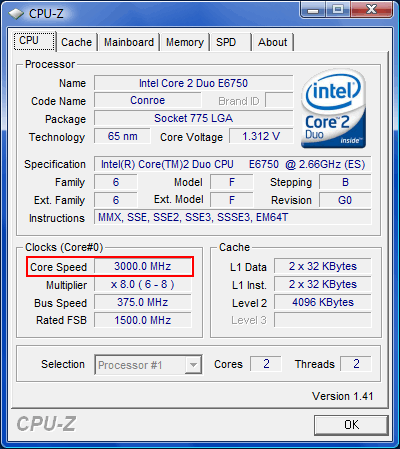
The E6750 at 3.00 GHz

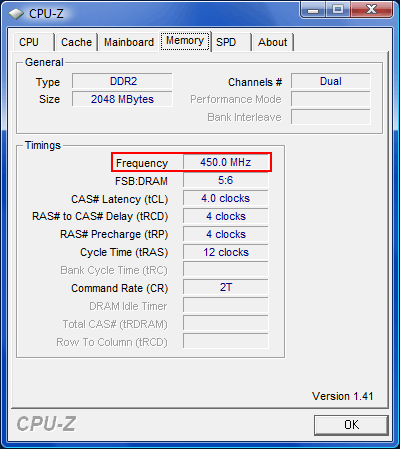
The RAM was stable at DDR2-900 and CL4.
In order to overclock our processor to 3.00 GHz, we raised the front-side bus speed from 333 MHz to 375 MHz. Thanks to the processor's G0 stepping, it does not need a voltage boost to reach this frequency. We used Prime95 to test the CPU's stability, putting a load on both cores.
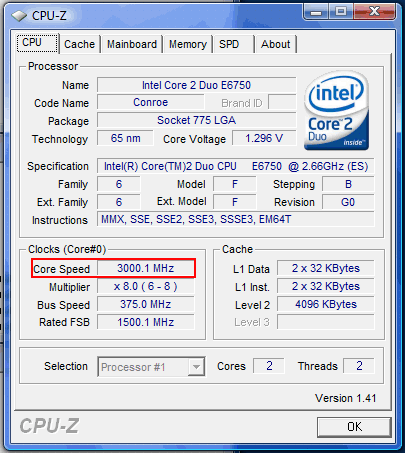
Stable operation at 3.00 GHz with stock voltage.
Using the overclocked FSB, we can run the memory at DDR2-900 using the 2.40x memory multiplier.
| Core 2 Duo E6750 @3,00 GHz | |
|---|---|
| CPU Frequency | 3.00 GHz (+12.8%) |
| FSB | 375 MHz (1500 QDR) |
| Core Voltage | Default |
| Memory Multiplier | 2.40x |
| Memory Frequency | DDR2-900 (450 MHz) |
| Memory Latency | CL 4.0-4-4-12 |
