A Laundry List Of Visual Improvements
Crysis 2 Version 1.9 Improvements
The following improvements work in both DirectX 9 and 11 mode:
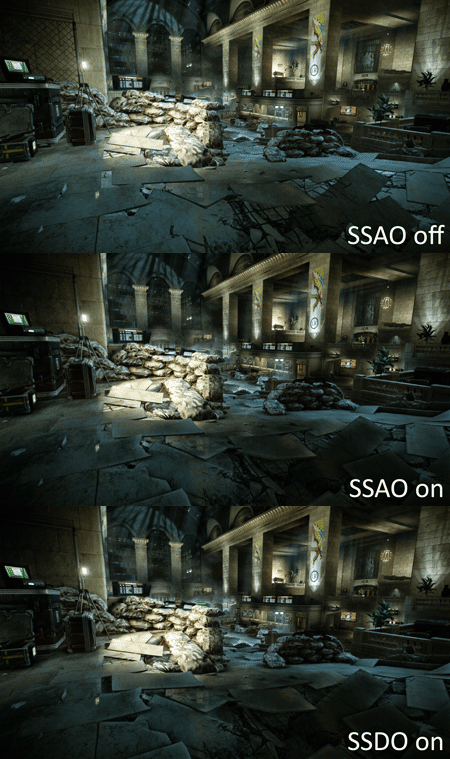
Contact Shadows (available in both DirectX 9 and DirectX 11)
This feature is also called Screen Space Directional Occlusion (SSDO), which is an upgrade over the Screen Space Ambient Occlusion (SSAO) technique with which we're already familiar. SSDO is better at handling ambient deferred lights and casts realistic contact shadows in spaces where traditional SSAO fails.

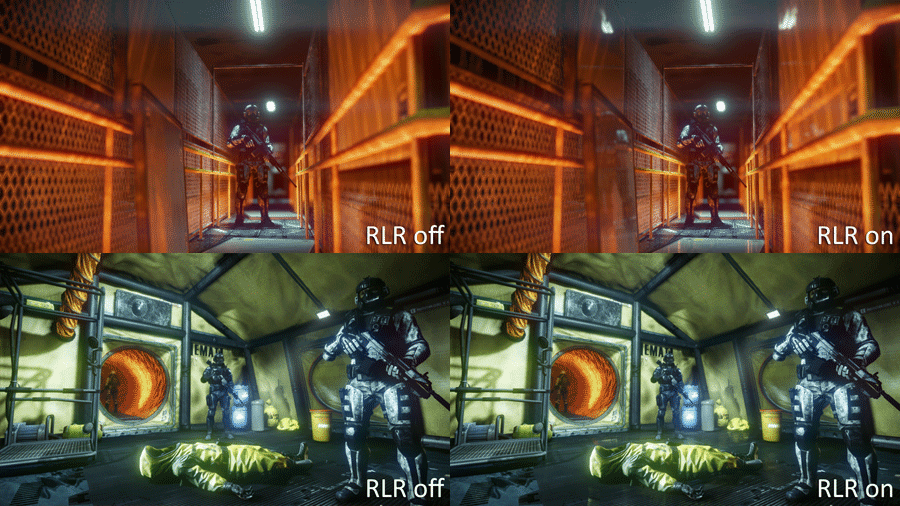
Real-Time Local Reflections (available in both DirectX 9 and DirectX 11)
Crytek takes a new approach to generating reflections with its Real-Time Local Reflections (RLR). This technique approximates ray-traced HDR reflections to local objects, and while the results are not always ideal, this method is flexible enough to be applied to any curved surface in the scene. It’s also capable of handling self-reflections, an effect that cube map or planar reflections cannot simulate.
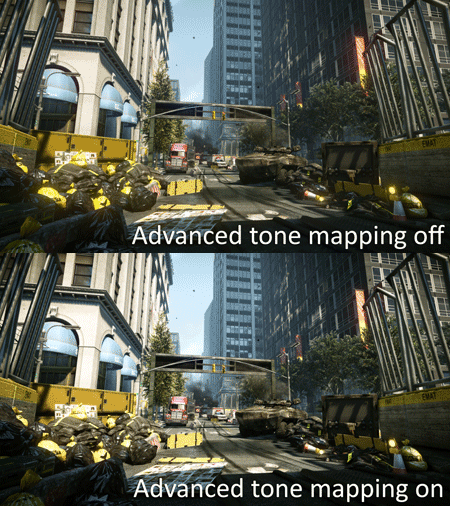
Improved Tone Mapping (available in both DirectX 9 and DirectX 11)
The new tone mapper uses an S-shaped curve color control to deliver a wider range, with improved definition of dark tones. It also gives the artist better control over the exposure of the scene.
DirectX 11 Patch Improvements
The following improvements are only enabled in DirectX 11 mode:
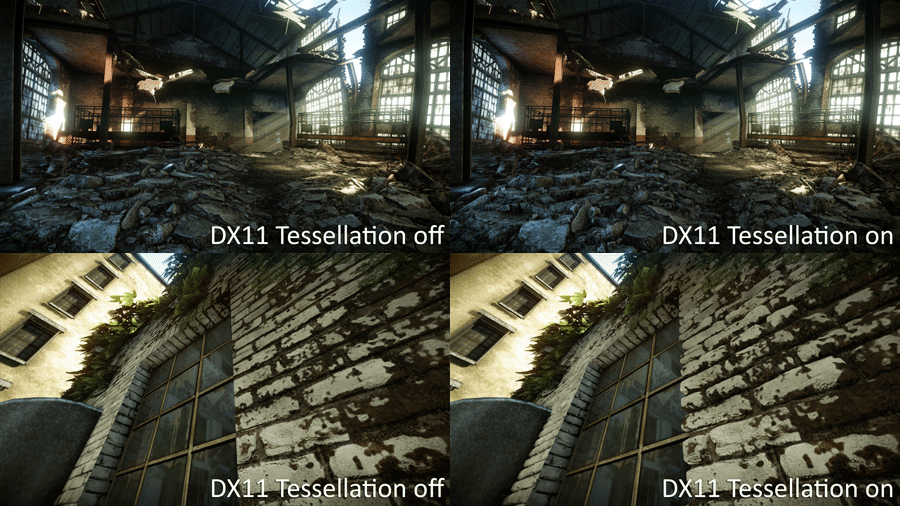
Tessellation and Displacement Mapping
Hardware-accelerated tessellation is one of the main graphical boons offered by DirectX 11, and Crysis 2 is capable of applying it to all mesh types. Modern hardware is not yet able to handle tessellation of the entire game world, so the art department applies it to the models that best benefit from the feature. Displacement mapping is also applied to make the finer geometry detail stand out.
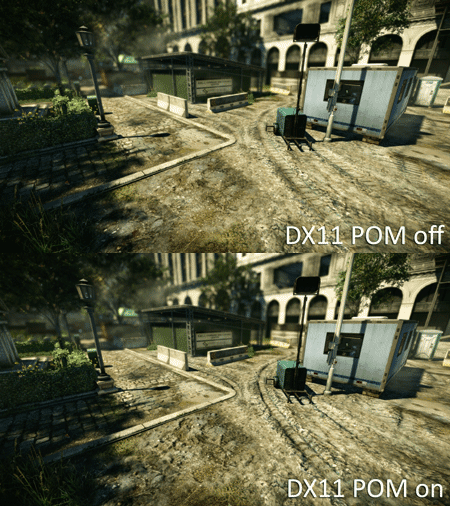
Parallax Occlusion Mapping
This technique creates the appearance of depth without adding geometry like tessellation. The simulated geometry can even cast shadows on itself.
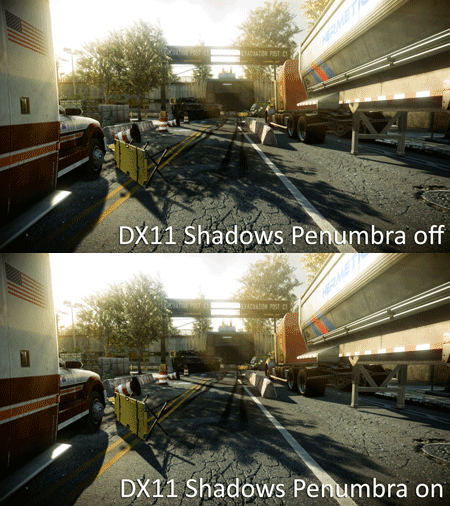
Realistic Shadows with Variable Penumbra
As a shadow is cast further away from an object, the softer it becomes. This feature mimics real-life phenomenon.
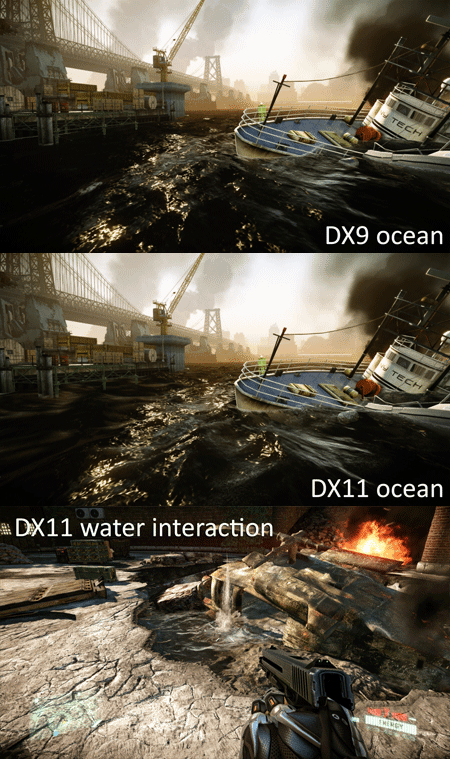
Water Rendering improvements using Tessellation and Displacement Mapping
Crysis 2 has a lot of scenes that include bodies of water. Enhancements include dynamic tessellation of water geometry (adding detail to the water surface) and an improved ocean animation method with higher-frequency wave composition. Sub-surface scattering and wave crest foam are added to the shader, too. Finally, water interaction physics have been polished; shooting a gun into a pool of liquid results in a much more dramatic effect.
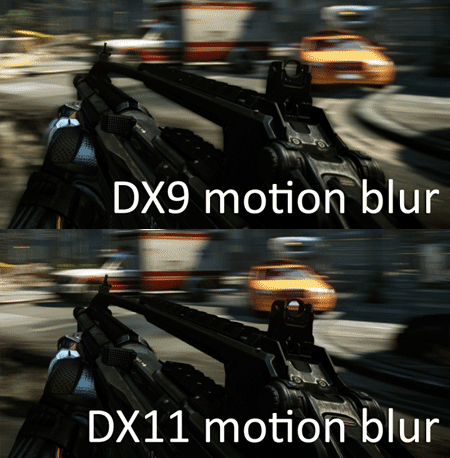
High-Quality HDR Motion Blur
Motion blur quality is improved. In addition, masking is better able to cope with objects that move with the viewer, so items like hands and weapons are no longer distorted by the effect.
Sprite-Based Bokeh Depth of Field
DirectX 11 features a new sprite-based method of rendering the depth-of-field effect. This allows for a more accurate camera model representation, and it supports masks to approximate camera aperture shapes (note the hexagonal aperture effect).

Particle Enhancements
Motion blur is now applied to particles, and particles can receive shadows like their real-world counterparts.

The High-Resolution Texture Pack Improvements
This patch doubles the resolution of many texture assets. Keep in mind it doesn’t replace ALL of the textures in the game. And from the screenshots we’ve seen, the improvements are mostly found on items that include text, such as signs and posters. The good news is that these enhancements aren’t limited to DirectX 11, and are just as effective when using the DirectX 9 code path.

Advanced Graphics Options
Unlike the debut release of Crysis 2, version 1.9 grants PC users granular control over graphics options. In addition to the general quality increases, here are some of the specific features that are attached to the new Ultra setting:
Object: Tessellation (DX 11-only), Parralax Occlusion mapping (DX 11-only)
Particles: Shadows (DX 11-only), Particle Motion Blur (DX 11-only)
Post Processing: High-Quality Motion Blur and DOF (DX 11-only)
Shading: Contact shadows (DX 9 & DX 11), Real-Time Local Reflections (DX 9 & DX 11)
Shadows: Realistic Shadows with Variable Penumbra (DX 11-only)
Water: DX11 version of ocean and water volumes (DX 11-only)

Now that we know what Crytek’s new Ultra Upgrade entails, let’s look at some benchmarks!