Dual-Display Modes
In the following, we will concentrate on gaming modes using two monitors, since more screens are usually beyond the general gamer's budget. Additionally, triple-display cards are rare, offered almost exclusively by Matrox and for specialized workstation applications, such as for Walls Street traders and brokers who must offer many dynamically changing data points simultaneously.
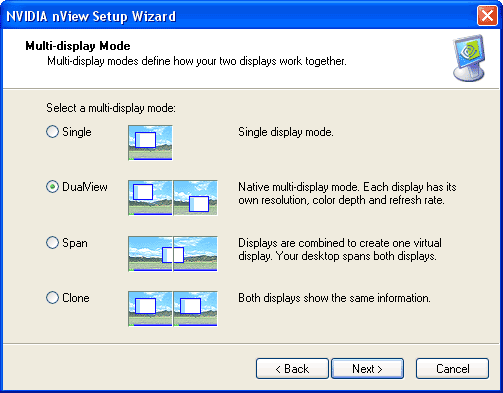
There are four different dual-display modes:
- Dual-View : Both monitors receive different signals. Both their resolution and their refresh rate can be selected independently for each screen.
- Clone-View : The second display shows the same content as the first one.
- Horizontal Span : The two monitors are treated as a single display, with the desktop being stretched across both. In effect, the horizontal resolution is doubled. The refresh rate is identical for both displays. This is the mode that is most commonly supported by games.
- Vertical Span : Similar to horizontal span, except that the desktop is stretched vertically instead.
TOPICS