The Graphics Cards Articles
- Seven of NVIDIA's Latest and Greatest Cards Tested
- VGA Charts VIII: PCI Express Winter 2005
- Don't Throw Out Your ATI Radeon X800 Yet
- NVIDIA's GeForce 7800 GTX 512 New Graphics Champion
- The DDR2 Joker Upgrades GeForce 6600
- 80's Drivers Rock And Roll SLI
- Two GTs Great For Gaming
- ATI Enters The X1000 Promised Land
- NVIDIA Is In The CrossFire
- Are Intel's Integrated Graphics Processors Good Enough for Gaming?
SLI Without A Bridge
3:44 PM - December 14, 2005 by
Tino Kreiss
Source: Tom's Hardware US – Keywords: sneak, preview, nvidia, quad, gpu, setup
Syndication:
Source: Tom's Hardware US – Keywords: sneak, preview, nvidia, quad, gpu, setup
Syndication:
Table of Contents:
SLI Without A Bridge
Once the second Dual card is installed correctly, the graphics driver will unlock the SLI settings. A Windows popup warns that the best results are achieved with an SLI bridge, but since the cards don't sport the necessary connector, we'll have to do without. After rebooting the system, the two cards are recognized as an SLI configuration. The GPU temperature can be monitored individually for each of the "three" GPUs. The sight of this bridge-less SLI setup is a little peculiar to us, and reminded us of ATI's Crossfire concept.
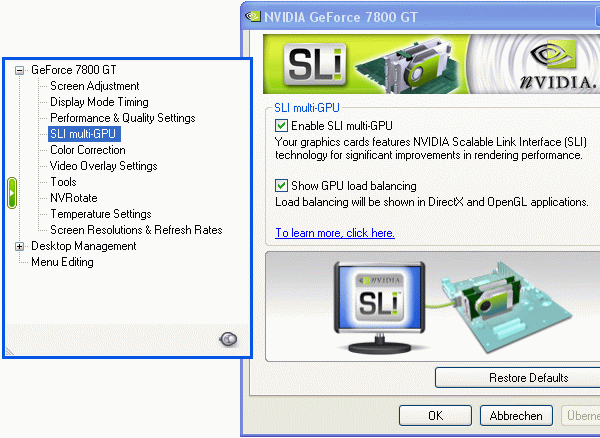
SLI without a connector- it works!
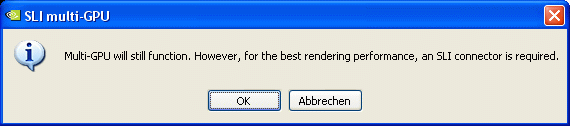
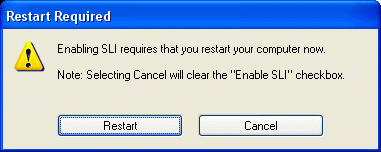
Activating SLI mode requires a reboot.

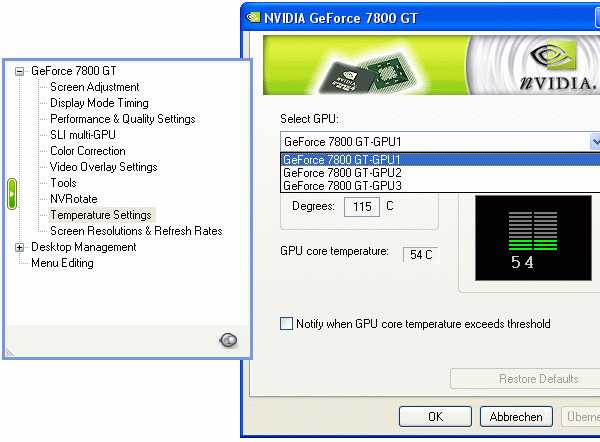
The GPU temperature can be monitored individually for each of the three chips. The master card counts as one chip.
- Previous page Installation: Not So Easy, Continued
- Next page Performance: Staggering Under Its Own...